U.S. SMALL BUSINESS FINANCE GUIDE

Small Biz Pay Guide

The guide library.

Comparisons and decision notes for U.S. small businesses that need to choose a tool before they build a messy process around it.

U.S. SMALL BUSINESS FINANCE GUIDE

Small Biz Pay Guide

Wave Accounting vs QuickBooks Online comes down to stage, not brand loyalty. Wave still works for freelancers and micro-businesses that want unlimited invoices and basic books on a free Starter plan, or Wave Pro at $19/mo when they need automatic bank imports and receipt capture. QuickBooks Online fits teams that need multi-user depth, inventory or project tracking, and a larger accountant/app ecosystem—public 2026 list prices land near ~$38 Simple Start, $85 Essentials, $140 Plus, and $340 Advanced (Essentials/Plus/Advanced renewals on or after August 1, 2026). Payroll is an add-on on both sides. Stay on Wave while the books stay simple; plan a QuickBooks move when volume, inventory, or multi-user controls outgrow Wave.

Disclosure: Educational comparison only. Not tax, legal, accounting, or financial advice. This page may include affiliate links. We may earn a commission if you sign up through our Melio or Gusto partner links, at no extra cost to you. Wave fees were checked on waveapps.com/pricing and Wave’s public payroll pages on 2026-09-25. QuickBooks Online Essentials/Plus/Advanced list prices reflect Intuit’s August 2026 renewal changes as reported in industry summaries (e.g., Fourlane, Aug 6, 2026); Simple Start ~$38 comes from public pricing trackers. Confirm live cart prices, promos, and plan inclusions on each vendor’s site before you buy.
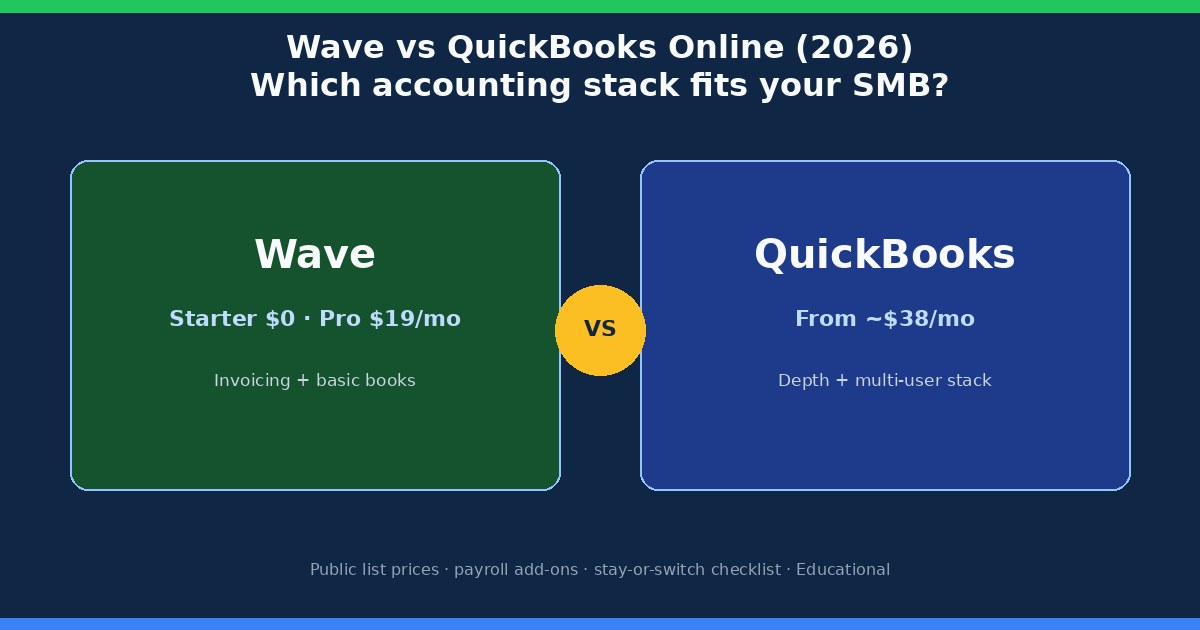
Wave Accounting vs QuickBooks Online 2026 comparison cover for US small businesses
Wave wins on entry price and simplicity; QuickBooks Online wins when you need depth, users, and ecosystem

Who each product is built for

Takeaway: Wave is a freelancer-to-micro-SMB ledger; QuickBooks Online is a growth ledger with more seats, modules, and accountant workflows.

Wave Financial (often searched as “Wave Accounting”) is cloud accounting and invoicing aimed at solo operators and very small teams, primarily in the US and Canada. The product story is still “start free, pay for money-moving extras.” Unlimited estimates, invoices, bills, and bookkeeping records sit on Starter at $0. Automation that used to feel “included” for many shops—auto-import bank transactions, unlimited digital receipt capture, automated late-payment reminders—now sits on Wave Pro.

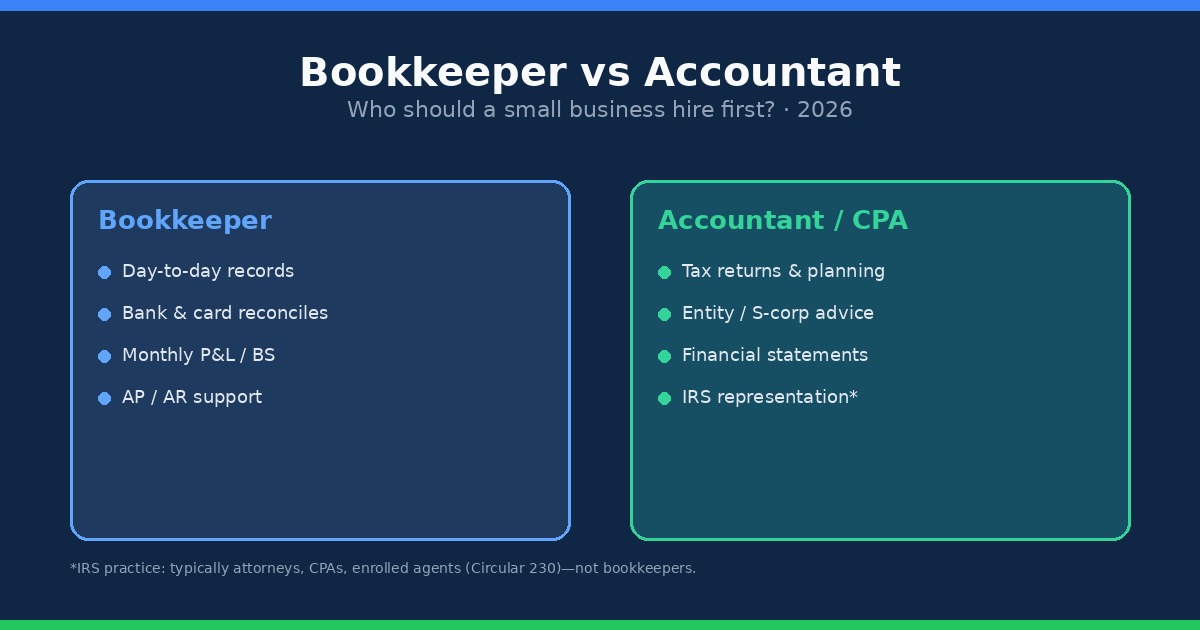
QuickBooks Online (QBO) is Intuit’s cloud ledger for US small businesses that expect to add users, inventory, classes/locations, projects, or a bookkeeper who lives inside the file. It is the default recommendation from many US accountants for that reason. The tradeoff is subscription cost and a steeper learning curve. If you already pay a bookkeeper to clean bank feeds every week, that labor cost often matters more than the sticker price—see our bookkeeper vs accountant guide for who to hire first.

Neither product replaces a tax advisor. Both can generate reports your CPA uses; neither is a substitute for entity elections, estimated-tax planning, or state registration decisions. Keep that boundary clear when you compare feature grids.

Pricing in 2026: Wave Starter/Pro vs QuickBooks Online plans

Takeaway: Wave’s headline is $0 (or $19 Pro); QuickBooks Online’s headline starts near $38 and jumps fast once you need Essentials or Plus.
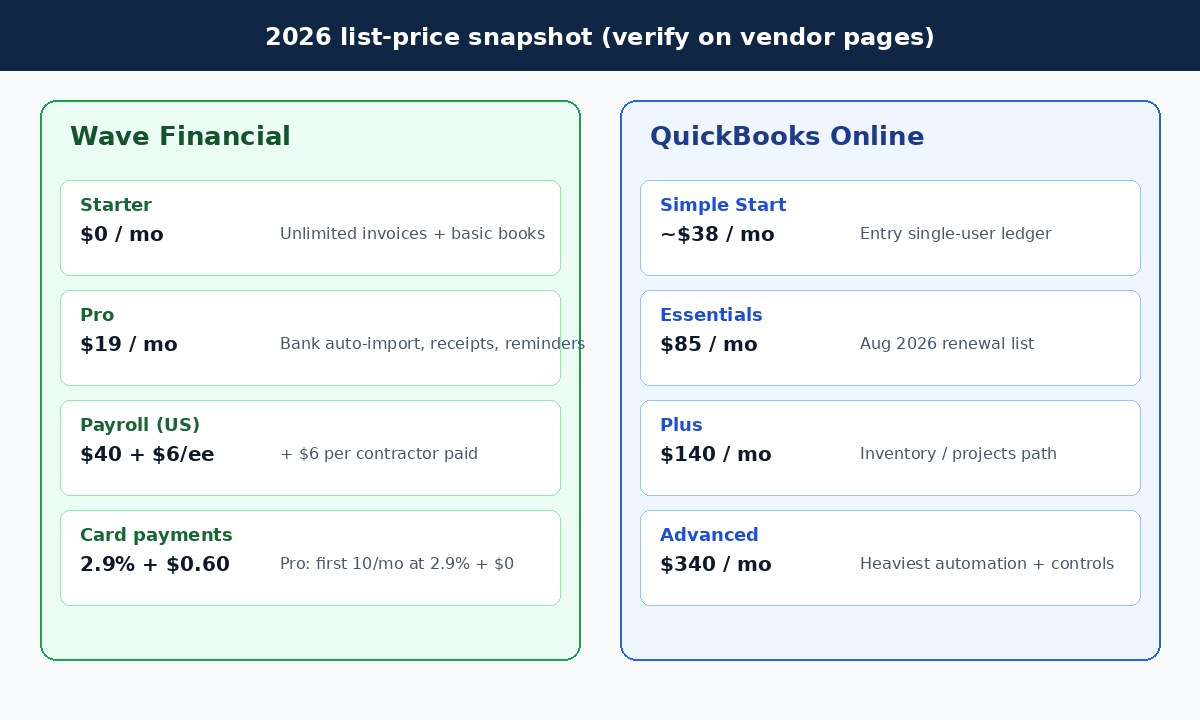
2026 pricing snapshot comparing Wave Starter and Pro with QuickBooks Online Simple Start Essentials Plus Advanced
Public list prices checked September 2026—promos and reseller discounts can change the bill

Use the table as a planning baseline, not a locked quote. Vendors change promos (50% off for a few months is common on Intuit checkout pages) and reseller channels. Annual billing can also cut Wave Pro to $190/year on Wave’s public pricing page.

Product / planPublic list (checked 2026-09-25)What you are buying
Wave Starter$0 / monthUnlimited estimates, invoices, bills, bookkeeping records; manual or limited bank workflows; card payments available at 2.9% + $0.60 (Amex 3.4% + $0.60)
Wave Pro$19 / month ($190 / year)Auto-import bank transactions (via Plaid where supported), auto-merge/categorize, unlimited receipt capture, automated late-payment reminders; first 10 card txns/mo at 2.9% + $0 then standard per-txn fees
Wave Advisors (bookkeeping)From about $149 / monthDedicated bookkeeper + monthly statements (service, not DIY software)
QBO Simple StartAbout $38 / monthEntry single-user ledger; confirm inclusions on Intuit—Simple Start was not part of the Aug 2026 Essentials/Plus/Advanced increase announcement
QBO Essentials$85 / monthMulti-user path and bill workflows; Aug 2026 renewal list price
QBO Plus$140 / monthInventory, projects, classes/locations path for growing ops
QBO Advanced$340 / monthHeaviest automation, reporting, and controls; Bill Pay Elite bundling expected with Advanced per Intuit/industry notes
Wave: waveapps.com/pricing. QBO Essentials/Plus/Advanced: Intuit Aug 2026 renewal changes as summarized by Fourlane (Aug 6, 2026). Simple Start ~$38 from public trackers. Always re-check the live cart.

The practical math for a solo freelancer is still brutal in Wave’s favor: Starter at $0, or Pro at $19 if bank feeds are eating your evenings. The practical math for a five-person shop with inventory and two bookkeeper logins usually lands on QuickBooks Online Plus (or Advanced if you need the heavier controls). Comparing “Wave free” to “QuickBooks Advanced” is a category error—match tiers to the same job.

Features that actually change the decision

Takeaway: Ignore marketing checkmarks; decide on users, inventory/projects, accountant access, and transaction volume.

Both tools invoice customers, track expenses, and produce a profit-and-loss statement. The decision usually breaks on four operational facts:

  • Users and roles. Wave grants collaborator access (payroll manager, tax pro, and Pro roles such as admin/editor/viewer). QuickBooks Online is built for multiple simultaneous users with richer permissions as you climb tiers—important when a bookkeeper, owner, and AP clerk all touch the same file.
  • Inventory and projects. If you stock products, need purchase orders, or track job profitability, QuickBooks Online Plus/Advanced is the usual path. Wave stays strongest for service businesses with invoices and expenses.
  • Accountant workflows. Many US firms standardize on QuickBooks Online. That alone can justify the subscription if your CPA’s review time drops. Wave can still export reports; the friction is firm familiarity and tooling, not “Wave cannot do P&L.”
  • Bank-feed volume. A few dozen transactions a month can live on Wave Starter with careful manual work. Several hundred categorized lines a month is where Wave Pro’s auto-import—or QBO’s bank feed + rules—pays for itself in owner hours.

Geographic fit matters too. Wave’s accounting and payments story is strongest in the US and Canada. QuickBooks Online has broader international packaging (separate country products and currencies). If you are expanding past those borders, do not assume Wave’s free plan will stretch with you.

Payroll add-ons: Wave vs QuickBooks Workforce

Takeaway: Both charge a base fee plus per-person payroll pricing; model your headcount before you pick a ledger for “free payroll.”

Neither Wave Starter nor a bare QuickBooks Online subscription is full-service payroll by itself. You add a payroll product:

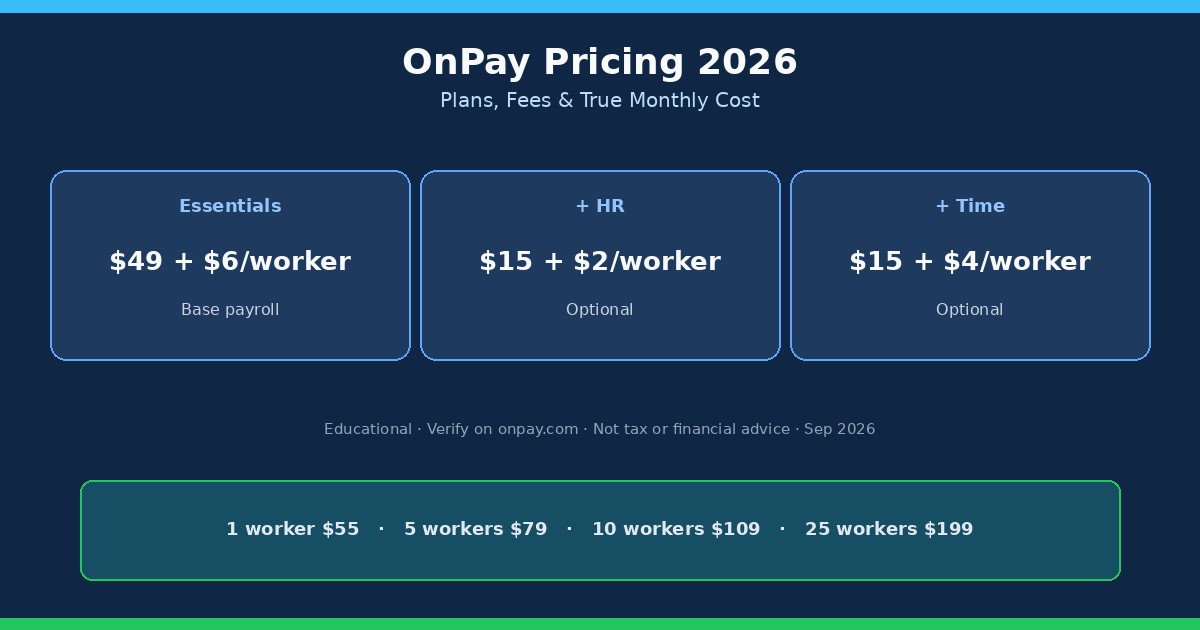
  • Wave Payroll (US): public pricing on Wave’s payroll pages lists $40/month base + $6 per active employee + $6 per independent contractor paid (pricing for new payroll customers after April 2, 2025; Wave states tax service is available in all 50 US states under that unified base). Canada uses a lower CAD base on Wave’s public page.
  • QuickBooks Workforce (formerly QuickBooks Online Payroll): Intuit’s public Workforce pricing pages in 2026 list tiers around $50 + $7/employee (Workforce Payroll), $88 + $13/employee (Premium), and $134 + $17/employee (Elite), often with introductory base discounts. Per-employee rates changed on July 1, 2026 for many subscriptions—confirm your cart.
Scenario (illustrative)Wave Payroll (US)QBO Workforce Payroll tier
1 employee$40 + $6 = $46$50 + $7 = $57 (entry Workforce)
5 employees$40 + $30 = $70$50 + $35 = $85
NotesContractors billed when paid ($6 each)Higher tiers add HR/time/tax-protection features; QBO subscription is separate
Illustrative Sep 2026 math from public list prices. Excludes sales tax, benefits, and promos. QuickBooks Online accounting subscription is an extra line item on top of Workforce.

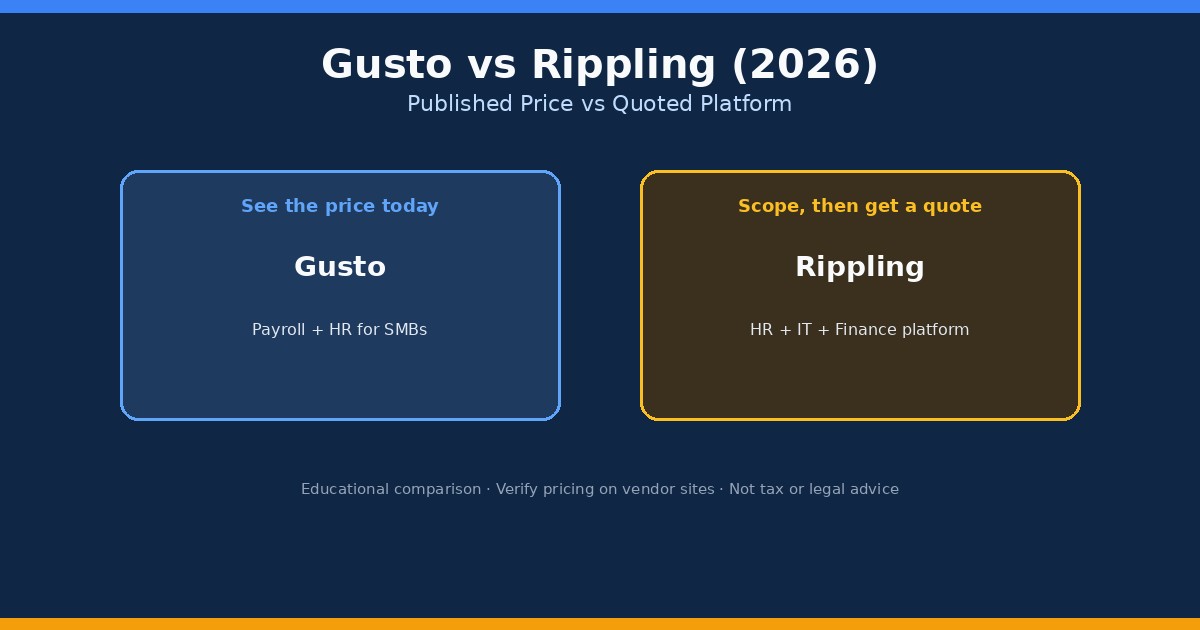
If payroll is the real pain and books are light, many small teams keep a simple ledger and run payroll in a dedicated tool. Compare that path in our cheapest payroll for one employee and Gusto vs QuickBooks Payroll guides. Soft option when W-2 hiring is next: try Gusto and sync reports into whichever ledger you keep.

Getting paid and paying vendors

Takeaway: Invoice payments and AP rails are separate products from the ledger—price the payment fees, not just the monthly software.

Wave’s online payments (subject to approval) let customers pay invoices by card or bank. Card rates on Wave’s pricing page are 2.9% + $0.60 on Starter (Amex 3.4% + $0.60). Pro discounts the first ten cumulative card transactions each month to 2.9% + $0 (Amex 3.4% + $0), then returns to the standard per-transaction fee. That matters if you run dozens of card invoices every month.

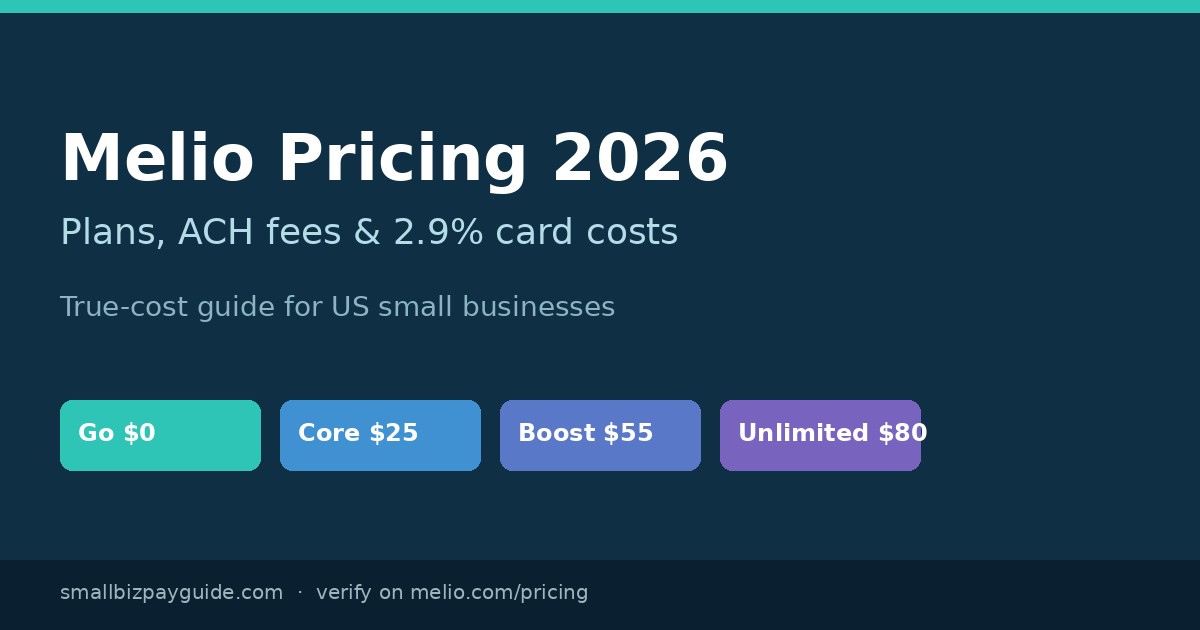
QuickBooks Online connects to QuickBooks Payments for customer invoices and to QuickBooks Bill Pay for vendor bills. Standard ACH on Bill Pay is publicly listed at $0 per payment on Intuit’s Bill Pay pages (with Faster ACH, Instant, and mailed checks still carrying fees). For a deeper AP comparison outside Intuit’s rails, see Melio vs QuickBooks Payments and Melio pricing. Soft option when card-funded vendor pay or a lighter AP inbox is the gap: start with Melio beside your ledger.

If you collect Stripe (or similar) payouts into QuickBooks, keep reconciliation hygiene tight—our reconcile Stripe payouts in QuickBooks walkthrough covers the common mismatch patterns.

When to stay on Wave vs when to switch to QuickBooks

Takeaway: Switch when the ledger creates weekly cleanup work or blocks an accountant/inventory workflow—not because a blog said “grown-up businesses use QuickBooks.”
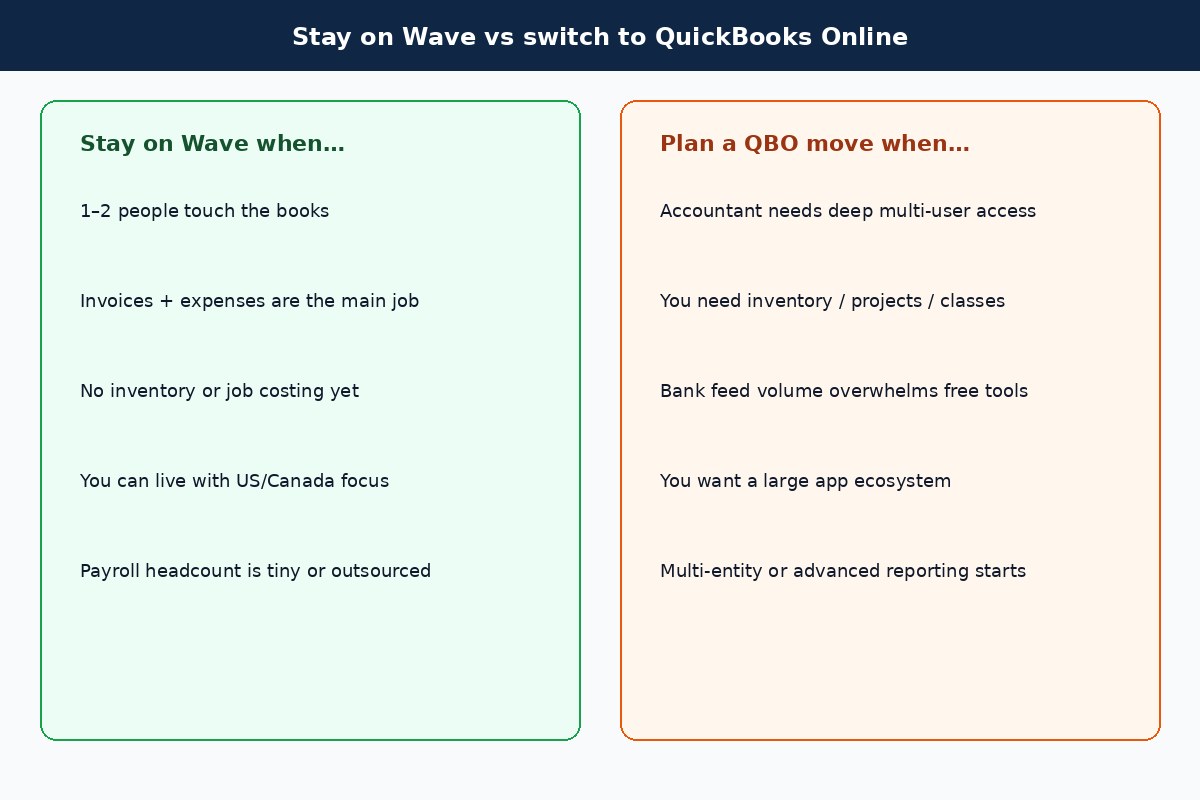
Decision checklist showing when to stay on Wave versus switch to QuickBooks Online
Stay while invoices and expenses are the whole job; switch when users, inventory, or accountant workflows demand QBO

Stay on Wave when most of these are true:

  • One or two people touch the books.
  • You invoice for services, track expenses, and run a simple P&L.
  • You do not need inventory, purchase orders, or project profitability reports.
  • US/Canada coverage matches where you operate.
  • $0 Starter or $19 Pro still costs less than the hours you would spend migrating.

Plan a QuickBooks Online move when several of these show up:

  • Your CPA or bookkeeper refuses to work efficiently outside QBO.
  • You need inventory, classes/locations, or project tracking.
  • Bank-feed volume makes free/manual Wave workflows a weekend job every week—even after trying Pro.
  • You want a large app marketplace (payroll alternatives, inventory, ecommerce connectors) centered on QBO.
  • Multi-entity or advanced reporting needs start showing up in board/owner reviews.

Migration tip at a high level: export customers, vendors, chart of accounts, and open invoices/bills; pick a cutover date; stop posting in Wave after cutover except for historical lookup. Hire a bookkeeper for the conversion if balances are messy—cheap software plus bad opening balances creates expensive cleanup later.

SMB decision checklist

Takeaway: Score the job (users, inventory, payroll, AP, accountant) before you score the brand.

  1. Count how many people need login access this quarter.
  2. List must-have modules: inventory, projects, multi-currency, classes, bill approvals.
  3. Price Wave Starter vs Pro vs QBO Simple Start/Essentials/Plus on the live vendor pages (include tax).
  4. Separately price payroll for your headcount (Wave Payroll, QuickBooks Workforce, or Gusto).
  5. Separately price how you pay vendors (QBO Bill Pay vs Melio vs bank ACH)—see the bill pay hub.
  6. Ask your tax preparer which file format they prefer for year-end.
  7. Run one month of real transactions in a trial before you migrate history.
  8. Document the cutover date and who owns bank reconciliations in week one.

FAQ: Wave Accounting vs QuickBooks

Is Wave Accounting free in 2026?

Wave’s Starter plan is still $0 for unlimited estimates, invoices, bills, and bookkeeping records. Automation features such as auto bank import and unlimited receipt capture require Wave Pro ($19/mo on Wave’s public pricing page). Payments and payroll are separate paid products.

How much is Wave Pro?

Wave lists Pro at $19 USD per month or $190 USD per year per business (plus tax). Confirm current promos on waveapps.com/pricing.

How much is QuickBooks Online in 2026?

Public list prices commonly cited after the August 2026 renewal changes are about $38 Simple Start, $85 Essentials, $140 Plus, and $340 Advanced per month. Introductory discounts and reseller pricing can differ. Check Intuit’s live pricing page for your cart.

Which is better for freelancers?

Most freelancers with simple invoicing start on Wave (Starter or Pro). Move toward QuickBooks Online when an accountant, inventory, or multi-user workflow becomes the constraint—not when a competitor ad says freelancers “should” upgrade.

Does Wave Payroll cover all US states?

Wave’s public payroll pages state tax service availability in all 50 US states under the unified US base pricing for new payroll customers after April 2, 2025. Confirm your state’s filings during setup—product coverage can change.

Does QuickBooks Online include payroll?

No. Payroll is a separate QuickBooks Workforce subscription on top of the QBO plan. See also whether you need payroll at all in do I need payroll for my LLC.

When should I move from Wave to QuickBooks?

When weekly bookkeeping cleanup, inventory/project needs, or accountant tooling consistently exceed what Wave Starter/Pro can absorb. Budget migration time (or a bookkeeper) before the busy season.

Can I use Melio or Gusto with either ledger?

Yes. Many teams keep Wave or QBO as the ledger and use Melio for vendor bill pay or Gusto for payroll/HR. Sync or export transactions so the books stay complete. Start from the payroll hub or bill pay hub depending on the pain.

Related reading and next step

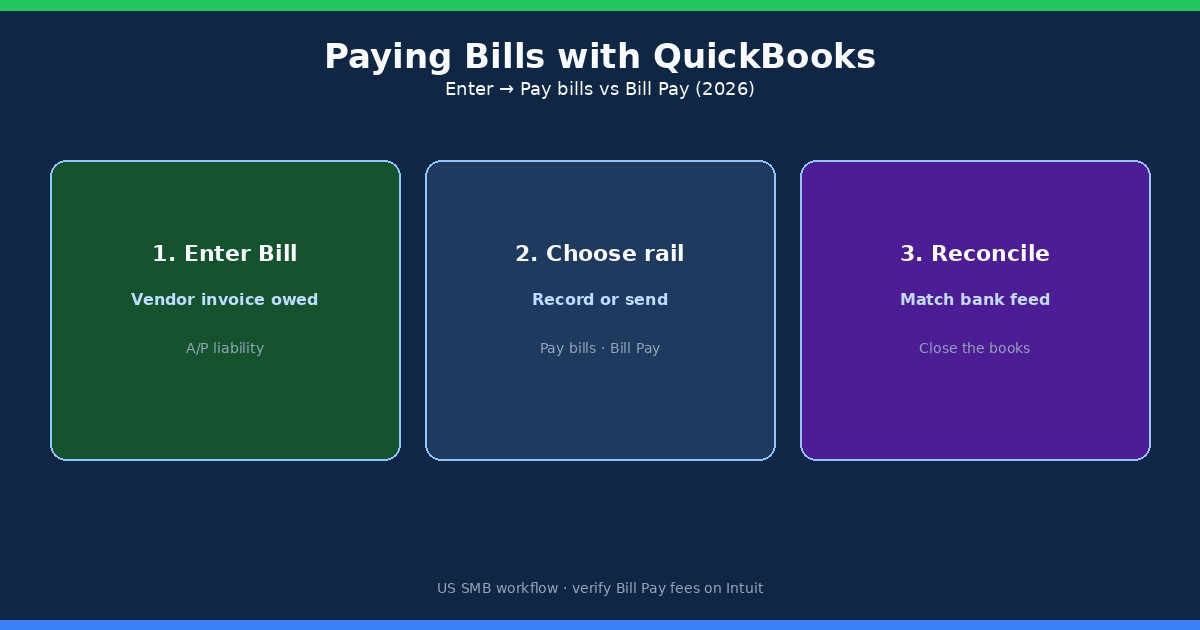
If you are choosing a ledger after hiring help, read bookkeeper vs accountant for small business. If QuickBooks is already the plan and vendor bills are the mess, use paying bills with QuickBooks. For side-by-side tool debates, browse the comparisons hub and the tax compliance hub for educational filing context.

Next step: Price Wave Starter/Pro and the QuickBooks Online tier that matches your user/inventory needs on the live vendor sites. If payroll hiring is the next bottleneck, compare Gusto against Wave Payroll and QuickBooks Workforce. If paying vendors with cards or a simpler AP inbox is the gap, look at Melio beside whichever ledger you keep.
U.S. SMALL BUSINESS FINANCE GUIDE

Small Biz Pay Guide

,

Wave vs QuickBooks Online (2026): Which Fits Your SMB?

By

.

.

,

Editorial note: Alan is a multi-business owner. This guide explains fit, tradeoffs, and what to verify before choosing a tool. Some links may be affiliate links.

Wave Accounting vs QuickBooks Online comes down to stage, not brand loyalty. Wave still works for freelancers and micro-businesses that want unlimited invoices and basic books on a free Starter plan, or Wave Pro at $19/mo when they need automatic bank imports and receipt capture. QuickBooks Online fits teams that need multi-user depth, inventory or project tracking, and a larger accountant/app ecosystem—public 2026 list prices land near ~$38 Simple Start, $85 Essentials, $140 Plus, and $340 Advanced (Essentials/Plus/Advanced renewals on or after August 1, 2026). Payroll is an add-on on both sides. Stay on Wave while the books stay simple; plan a QuickBooks move when volume, inventory, or multi-user controls outgrow Wave.

Disclosure: Educational comparison only. Not tax, legal, accounting, or financial advice. This page may include affiliate links. We may earn a commission if you sign up through our Melio or Gusto partner links, at no extra cost to you. Wave fees were checked on waveapps.com/pricing and Wave’s public payroll pages on 2026-09-25. QuickBooks Online Essentials/Plus/Advanced list prices reflect Intuit’s August 2026 renewal changes as reported in industry summaries (e.g., Fourlane, Aug 6, 2026); Simple Start ~$38 comes from public pricing trackers. Confirm live cart prices, promos, and plan inclusions on each vendor’s site before you buy.

Wave Accounting vs QuickBooks Online 2026 comparison cover for US small businesses
Wave wins on entry price and simplicity; QuickBooks Online wins when you need depth, users, and ecosystem

Who each product is built for

Takeaway: Wave is a freelancer-to-micro-SMB ledger; QuickBooks Online is a growth ledger with more seats, modules, and accountant workflows.

Wave Financial (often searched as “Wave Accounting”) is cloud accounting and invoicing aimed at solo operators and very small teams, primarily in the US and Canada. The product story is still “start free, pay for money-moving extras.” Unlimited estimates, invoices, bills, and bookkeeping records sit on Starter at $0. Automation that used to feel “included” for many shops—auto-import bank transactions, unlimited digital receipt capture, automated late-payment reminders—now sits on Wave Pro.

QuickBooks Online (QBO) is Intuit’s cloud ledger for US small businesses that expect to add users, inventory, classes/locations, projects, or a bookkeeper who lives inside the file. It is the default recommendation from many US accountants for that reason. The tradeoff is subscription cost and a steeper learning curve. If you already pay a bookkeeper to clean bank feeds every week, that labor cost often matters more than the sticker price—see our bookkeeper vs accountant guide for who to hire first.

Neither product replaces a tax advisor. Both can generate reports your CPA uses; neither is a substitute for entity elections, estimated-tax planning, or state registration decisions. Keep that boundary clear when you compare feature grids.

Pricing in 2026: Wave Starter/Pro vs QuickBooks Online plans

Takeaway: Wave’s headline is $0 (or $19 Pro); QuickBooks Online’s headline starts near $38 and jumps fast once you need Essentials or Plus.

2026 pricing snapshot comparing Wave Starter and Pro with QuickBooks Online Simple Start Essentials Plus Advanced
Public list prices checked September 2026—promos and reseller discounts can change the bill

Use the table as a planning baseline, not a locked quote. Vendors change promos (50% off for a few months is common on Intuit checkout pages) and reseller channels. Annual billing can also cut Wave Pro to $190/year on Wave’s public pricing page.

Product / planPublic list (checked 2026-09-25)What you are buying
Wave Starter$0 / monthUnlimited estimates, invoices, bills, bookkeeping records; manual or limited bank workflows; card payments available at 2.9% + $0.60 (Amex 3.4% + $0.60)
Wave Pro$19 / month ($190 / year)Auto-import bank transactions (via Plaid where supported), auto-merge/categorize, unlimited receipt capture, automated late-payment reminders; first 10 card txns/mo at 2.9% + $0 then standard per-txn fees
Wave Advisors (bookkeeping)From about $149 / monthDedicated bookkeeper + monthly statements (service, not DIY software)
QBO Simple StartAbout $38 / monthEntry single-user ledger; confirm inclusions on Intuit—Simple Start was not part of the Aug 2026 Essentials/Plus/Advanced increase announcement
QBO Essentials$85 / monthMulti-user path and bill workflows; Aug 2026 renewal list price
QBO Plus$140 / monthInventory, projects, classes/locations path for growing ops
QBO Advanced$340 / monthHeaviest automation, reporting, and controls; Bill Pay Elite bundling expected with Advanced per Intuit/industry notes
Wave: waveapps.com/pricing. QBO Essentials/Plus/Advanced: Intuit Aug 2026 renewal changes as summarized by Fourlane (Aug 6, 2026). Simple Start ~$38 from public trackers. Always re-check the live cart.

The practical math for a solo freelancer is still brutal in Wave’s favor: Starter at $0, or Pro at $19 if bank feeds are eating your evenings. The practical math for a five-person shop with inventory and two bookkeeper logins usually lands on QuickBooks Online Plus (or Advanced if you need the heavier controls). Comparing “Wave free” to “QuickBooks Advanced” is a category error—match tiers to the same job.

Features that actually change the decision

Takeaway: Ignore marketing checkmarks; decide on users, inventory/projects, accountant access, and transaction volume.

Both tools invoice customers, track expenses, and produce a profit-and-loss statement. The decision usually breaks on four operational facts:

  • Users and roles. Wave grants collaborator access (payroll manager, tax pro, and Pro roles such as admin/editor/viewer). QuickBooks Online is built for multiple simultaneous users with richer permissions as you climb tiers—important when a bookkeeper, owner, and AP clerk all touch the same file.
  • Inventory and projects. If you stock products, need purchase orders, or track job profitability, QuickBooks Online Plus/Advanced is the usual path. Wave stays strongest for service businesses with invoices and expenses.
  • Accountant workflows. Many US firms standardize on QuickBooks Online. That alone can justify the subscription if your CPA’s review time drops. Wave can still export reports; the friction is firm familiarity and tooling, not “Wave cannot do P&L.”
  • Bank-feed volume. A few dozen transactions a month can live on Wave Starter with careful manual work. Several hundred categorized lines a month is where Wave Pro’s auto-import—or QBO’s bank feed + rules—pays for itself in owner hours.

Geographic fit matters too. Wave’s accounting and payments story is strongest in the US and Canada. QuickBooks Online has broader international packaging (separate country products and currencies). If you are expanding past those borders, do not assume Wave’s free plan will stretch with you.

Payroll add-ons: Wave vs QuickBooks Workforce

Takeaway: Both charge a base fee plus per-person payroll pricing; model your headcount before you pick a ledger for “free payroll.”

Neither Wave Starter nor a bare QuickBooks Online subscription is full-service payroll by itself. You add a payroll product:

  • Wave Payroll (US): public pricing on Wave’s payroll pages lists $40/month base + $6 per active employee + $6 per independent contractor paid (pricing for new payroll customers after April 2, 2025; Wave states tax service is available in all 50 US states under that unified base). Canada uses a lower CAD base on Wave’s public page.
  • QuickBooks Workforce (formerly QuickBooks Online Payroll): Intuit’s public Workforce pricing pages in 2026 list tiers around $50 + $7/employee (Workforce Payroll), $88 + $13/employee (Premium), and $134 + $17/employee (Elite), often with introductory base discounts. Per-employee rates changed on July 1, 2026 for many subscriptions—confirm your cart.
Scenario (illustrative)Wave Payroll (US)QBO Workforce Payroll tier
1 employee$40 + $6 = $46$50 + $7 = $57 (entry Workforce)
5 employees$40 + $30 = $70$50 + $35 = $85
NotesContractors billed when paid ($6 each)Higher tiers add HR/time/tax-protection features; QBO subscription is separate
Illustrative Sep 2026 math from public list prices. Excludes sales tax, benefits, and promos. QuickBooks Online accounting subscription is an extra line item on top of Workforce.

If payroll is the real pain and books are light, many small teams keep a simple ledger and run payroll in a dedicated tool. Compare that path in our cheapest payroll for one employee and Gusto vs QuickBooks Payroll guides. Soft option when W-2 hiring is next: try Gusto and sync reports into whichever ledger you keep.

Getting paid and paying vendors

Takeaway: Invoice payments and AP rails are separate products from the ledger—price the payment fees, not just the monthly software.

Wave’s online payments (subject to approval) let customers pay invoices by card or bank. Card rates on Wave’s pricing page are 2.9% + $0.60 on Starter (Amex 3.4% + $0.60). Pro discounts the first ten cumulative card transactions each month to 2.9% + $0 (Amex 3.4% + $0), then returns to the standard per-transaction fee. That matters if you run dozens of card invoices every month.

QuickBooks Online connects to QuickBooks Payments for customer invoices and to QuickBooks Bill Pay for vendor bills. Standard ACH on Bill Pay is publicly listed at $0 per payment on Intuit’s Bill Pay pages (with Faster ACH, Instant, and mailed checks still carrying fees). For a deeper AP comparison outside Intuit’s rails, see Melio vs QuickBooks Payments and Melio pricing. Soft option when card-funded vendor pay or a lighter AP inbox is the gap: start with Melio beside your ledger.

If you collect Stripe (or similar) payouts into QuickBooks, keep reconciliation hygiene tight—our reconcile Stripe payouts in QuickBooks walkthrough covers the common mismatch patterns.

When to stay on Wave vs when to switch to QuickBooks

Takeaway: Switch when the ledger creates weekly cleanup work or blocks an accountant/inventory workflow—not because a blog said “grown-up businesses use QuickBooks.”

Decision checklist showing when to stay on Wave versus switch to QuickBooks Online
Stay while invoices and expenses are the whole job; switch when users, inventory, or accountant workflows demand QBO

Stay on Wave when most of these are true:

  • One or two people touch the books.
  • You invoice for services, track expenses, and run a simple P&L.
  • You do not need inventory, purchase orders, or project profitability reports.
  • US/Canada coverage matches where you operate.
  • $0 Starter or $19 Pro still costs less than the hours you would spend migrating.

Plan a QuickBooks Online move when several of these show up:

  • Your CPA or bookkeeper refuses to work efficiently outside QBO.
  • You need inventory, classes/locations, or project tracking.
  • Bank-feed volume makes free/manual Wave workflows a weekend job every week—even after trying Pro.
  • You want a large app marketplace (payroll alternatives, inventory, ecommerce connectors) centered on QBO.
  • Multi-entity or advanced reporting needs start showing up in board/owner reviews.

Migration tip at a high level: export customers, vendors, chart of accounts, and open invoices/bills; pick a cutover date; stop posting in Wave after cutover except for historical lookup. Hire a bookkeeper for the conversion if balances are messy—cheap software plus bad opening balances creates expensive cleanup later.

SMB decision checklist

Takeaway: Score the job (users, inventory, payroll, AP, accountant) before you score the brand.

  1. Count how many people need login access this quarter.
  2. List must-have modules: inventory, projects, multi-currency, classes, bill approvals.
  3. Price Wave Starter vs Pro vs QBO Simple Start/Essentials/Plus on the live vendor pages (include tax).
  4. Separately price payroll for your headcount (Wave Payroll, QuickBooks Workforce, or Gusto).
  5. Separately price how you pay vendors (QBO Bill Pay vs Melio vs bank ACH)—see the bill pay hub.
  6. Ask your tax preparer which file format they prefer for year-end.
  7. Run one month of real transactions in a trial before you migrate history.
  8. Document the cutover date and who owns bank reconciliations in week one.

FAQ: Wave Accounting vs QuickBooks

Is Wave Accounting free in 2026?

Wave’s Starter plan is still $0 for unlimited estimates, invoices, bills, and bookkeeping records. Automation features such as auto bank import and unlimited receipt capture require Wave Pro ($19/mo on Wave’s public pricing page). Payments and payroll are separate paid products.

How much is Wave Pro?

Wave lists Pro at $19 USD per month or $190 USD per year per business (plus tax). Confirm current promos on waveapps.com/pricing.

How much is QuickBooks Online in 2026?

Public list prices commonly cited after the August 2026 renewal changes are about $38 Simple Start, $85 Essentials, $140 Plus, and $340 Advanced per month. Introductory discounts and reseller pricing can differ. Check Intuit’s live pricing page for your cart.

Which is better for freelancers?

Most freelancers with simple invoicing start on Wave (Starter or Pro). Move toward QuickBooks Online when an accountant, inventory, or multi-user workflow becomes the constraint—not when a competitor ad says freelancers “should” upgrade.

Does Wave Payroll cover all US states?

Wave’s public payroll pages state tax service availability in all 50 US states under the unified US base pricing for new payroll customers after April 2, 2025. Confirm your state’s filings during setup—product coverage can change.

Does QuickBooks Online include payroll?

No. Payroll is a separate QuickBooks Workforce subscription on top of the QBO plan. See also whether you need payroll at all in do I need payroll for my LLC.

When should I move from Wave to QuickBooks?

When weekly bookkeeping cleanup, inventory/project needs, or accountant tooling consistently exceed what Wave Starter/Pro can absorb. Budget migration time (or a bookkeeper) before the busy season.

Can I use Melio or Gusto with either ledger?

Yes. Many teams keep Wave or QBO as the ledger and use Melio for vendor bill pay or Gusto for payroll/HR. Sync or export transactions so the books stay complete. Start from the payroll hub or bill pay hub depending on the pain.

Related reading and next step

If you are choosing a ledger after hiring help, read bookkeeper vs accountant for small business. If QuickBooks is already the plan and vendor bills are the mess, use paying bills with QuickBooks. For side-by-side tool debates, browse the comparisons hub and the tax compliance hub for educational filing context.

Next step: Price Wave Starter/Pro and the QuickBooks Online tier that matches your user/inventory needs on the live vendor sites. If payroll hiring is the next bottleneck, compare Gusto against Wave Payroll and QuickBooks Workforce. If paying vendors with cards or a simpler AP inbox is the gap, look at Melio beside whichever ledger you keep.


U.S. SMALL BUSINESS FINANCE GUIDE

Small Biz Pay Guide

U.S. SMALL BUSINESS FINANCE GUIDE

Small Biz Pay Guide

Wave Accounting vs QuickBooks Online comes down to stage, not brand loyalty. Wave still works for freelancers and micro-businesses that want unlimited invoices and basic books on a free Starter plan, or Wave Pro at $19/mo when they need automatic bank imports and receipt capture. QuickBooks Online fits teams that need multi-user depth, inventory or project tracking, and a larger accountant/app ecosystem—public 2026 list prices land near ~$38 Simple Start, $85 Essentials, $140 Plus, and $340 Advanced (Essentials/Plus/Advanced renewals on or after August 1, 2026). Payroll is an add-on on both sides. Stay on Wave while the books stay simple; plan a QuickBooks move when volume, inventory, or multi-user controls outgrow Wave.

Disclosure: Educational comparison only. Not tax, legal, accounting, or financial advice. This page may include affiliate links. We may earn a commission if you sign up through our Melio or Gusto partner links, at no extra cost to you. Wave fees were checked on waveapps.com/pricing and Wave’s public payroll pages on 2026-09-25. QuickBooks Online Essentials/Plus/Advanced list prices reflect Intuit’s August 2026 renewal changes as reported in industry summaries (e.g., Fourlane, Aug 6, 2026); Simple Start ~$38 comes from public pricing trackers. Confirm live cart prices, promos, and plan inclusions on each vendor’s site before you buy.

Wave Accounting vs QuickBooks Online 2026 comparison cover for US small businesses
Wave wins on entry price and simplicity; QuickBooks Online wins when you need depth, users, and ecosystem

Who each product is built for

Takeaway: Wave is a freelancer-to-micro-SMB ledger; QuickBooks Online is a growth ledger with more seats, modules, and accountant workflows.

Wave Financial (often searched as “Wave Accounting”) is cloud accounting and invoicing aimed at solo operators and very small teams, primarily in the US and Canada. The product story is still “start free, pay for money-moving extras.” Unlimited estimates, invoices, bills, and bookkeeping records sit on Starter at $0. Automation that used to feel “included” for many shops—auto-import bank transactions, unlimited digital receipt capture, automated late-payment reminders—now sits on Wave Pro.

QuickBooks Online (QBO) is Intuit’s cloud ledger for US small businesses that expect to add users, inventory, classes/locations, projects, or a bookkeeper who lives inside the file. It is the default recommendation from many US accountants for that reason. The tradeoff is subscription cost and a steeper learning curve. If you already pay a bookkeeper to clean bank feeds every week, that labor cost often matters more than the sticker price—see our bookkeeper vs accountant guide for who to hire first.

Neither product replaces a tax advisor. Both can generate reports your CPA uses; neither is a substitute for entity elections, estimated-tax planning, or state registration decisions. Keep that boundary clear when you compare feature grids.

Pricing in 2026: Wave Starter/Pro vs QuickBooks Online plans

Takeaway: Wave’s headline is $0 (or $19 Pro); QuickBooks Online’s headline starts near $38 and jumps fast once you need Essentials or Plus.

2026 pricing snapshot comparing Wave Starter and Pro with QuickBooks Online Simple Start Essentials Plus Advanced
Public list prices checked September 2026—promos and reseller discounts can change the bill

Use the table as a planning baseline, not a locked quote. Vendors change promos (50% off for a few months is common on Intuit checkout pages) and reseller channels. Annual billing can also cut Wave Pro to $190/year on Wave’s public pricing page.

Product / planPublic list (checked 2026-09-25)What you are buying
Wave Starter$0 / monthUnlimited estimates, invoices, bills, bookkeeping records; manual or limited bank workflows; card payments available at 2.9% + $0.60 (Amex 3.4% + $0.60)
Wave Pro$19 / month ($190 / year)Auto-import bank transactions (via Plaid where supported), auto-merge/categorize, unlimited receipt capture, automated late-payment reminders; first 10 card txns/mo at 2.9% + $0 then standard per-txn fees
Wave Advisors (bookkeeping)From about $149 / monthDedicated bookkeeper + monthly statements (service, not DIY software)
QBO Simple StartAbout $38 / monthEntry single-user ledger; confirm inclusions on Intuit—Simple Start was not part of the Aug 2026 Essentials/Plus/Advanced increase announcement
QBO Essentials$85 / monthMulti-user path and bill workflows; Aug 2026 renewal list price
QBO Plus$140 / monthInventory, projects, classes/locations path for growing ops
QBO Advanced$340 / monthHeaviest automation, reporting, and controls; Bill Pay Elite bundling expected with Advanced per Intuit/industry notes
Wave: waveapps.com/pricing. QBO Essentials/Plus/Advanced: Intuit Aug 2026 renewal changes as summarized by Fourlane (Aug 6, 2026). Simple Start ~$38 from public trackers. Always re-check the live cart.

The practical math for a solo freelancer is still brutal in Wave’s favor: Starter at $0, or Pro at $19 if bank feeds are eating your evenings. The practical math for a five-person shop with inventory and two bookkeeper logins usually lands on QuickBooks Online Plus (or Advanced if you need the heavier controls). Comparing “Wave free” to “QuickBooks Advanced” is a category error—match tiers to the same job.

Features that actually change the decision

Takeaway: Ignore marketing checkmarks; decide on users, inventory/projects, accountant access, and transaction volume.

Both tools invoice customers, track expenses, and produce a profit-and-loss statement. The decision usually breaks on four operational facts:

  • Users and roles. Wave grants collaborator access (payroll manager, tax pro, and Pro roles such as admin/editor/viewer). QuickBooks Online is built for multiple simultaneous users with richer permissions as you climb tiers—important when a bookkeeper, owner, and AP clerk all touch the same file.
  • Inventory and projects. If you stock products, need purchase orders, or track job profitability, QuickBooks Online Plus/Advanced is the usual path. Wave stays strongest for service businesses with invoices and expenses.
  • Accountant workflows. Many US firms standardize on QuickBooks Online. That alone can justify the subscription if your CPA’s review time drops. Wave can still export reports; the friction is firm familiarity and tooling, not “Wave cannot do P&L.”
  • Bank-feed volume. A few dozen transactions a month can live on Wave Starter with careful manual work. Several hundred categorized lines a month is where Wave Pro’s auto-import—or QBO’s bank feed + rules—pays for itself in owner hours.

Geographic fit matters too. Wave’s accounting and payments story is strongest in the US and Canada. QuickBooks Online has broader international packaging (separate country products and currencies). If you are expanding past those borders, do not assume Wave’s free plan will stretch with you.

Payroll add-ons: Wave vs QuickBooks Workforce

Takeaway: Both charge a base fee plus per-person payroll pricing; model your headcount before you pick a ledger for “free payroll.”

Neither Wave Starter nor a bare QuickBooks Online subscription is full-service payroll by itself. You add a payroll product:

  • Wave Payroll (US): public pricing on Wave’s payroll pages lists $40/month base + $6 per active employee + $6 per independent contractor paid (pricing for new payroll customers after April 2, 2025; Wave states tax service is available in all 50 US states under that unified base). Canada uses a lower CAD base on Wave’s public page.
  • QuickBooks Workforce (formerly QuickBooks Online Payroll): Intuit’s public Workforce pricing pages in 2026 list tiers around $50 + $7/employee (Workforce Payroll), $88 + $13/employee (Premium), and $134 + $17/employee (Elite), often with introductory base discounts. Per-employee rates changed on July 1, 2026 for many subscriptions—confirm your cart.
Scenario (illustrative)Wave Payroll (US)QBO Workforce Payroll tier
1 employee$40 + $6 = $46$50 + $7 = $57 (entry Workforce)
5 employees$40 + $30 = $70$50 + $35 = $85
NotesContractors billed when paid ($6 each)Higher tiers add HR/time/tax-protection features; QBO subscription is separate
Illustrative Sep 2026 math from public list prices. Excludes sales tax, benefits, and promos. QuickBooks Online accounting subscription is an extra line item on top of Workforce.

If payroll is the real pain and books are light, many small teams keep a simple ledger and run payroll in a dedicated tool. Compare that path in our cheapest payroll for one employee and Gusto vs QuickBooks Payroll guides. Soft option when W-2 hiring is next: try Gusto and sync reports into whichever ledger you keep.

Getting paid and paying vendors

Takeaway: Invoice payments and AP rails are separate products from the ledger—price the payment fees, not just the monthly software.

Wave’s online payments (subject to approval) let customers pay invoices by card or bank. Card rates on Wave’s pricing page are 2.9% + $0.60 on Starter (Amex 3.4% + $0.60). Pro discounts the first ten cumulative card transactions each month to 2.9% + $0 (Amex 3.4% + $0), then returns to the standard per-transaction fee. That matters if you run dozens of card invoices every month.

QuickBooks Online connects to QuickBooks Payments for customer invoices and to QuickBooks Bill Pay for vendor bills. Standard ACH on Bill Pay is publicly listed at $0 per payment on Intuit’s Bill Pay pages (with Faster ACH, Instant, and mailed checks still carrying fees). For a deeper AP comparison outside Intuit’s rails, see Melio vs QuickBooks Payments and Melio pricing. Soft option when card-funded vendor pay or a lighter AP inbox is the gap: start with Melio beside your ledger.

If you collect Stripe (or similar) payouts into QuickBooks, keep reconciliation hygiene tight—our reconcile Stripe payouts in QuickBooks walkthrough covers the common mismatch patterns.

When to stay on Wave vs when to switch to QuickBooks

Takeaway: Switch when the ledger creates weekly cleanup work or blocks an accountant/inventory workflow—not because a blog said “grown-up businesses use QuickBooks.”

Decision checklist showing when to stay on Wave versus switch to QuickBooks Online
Stay while invoices and expenses are the whole job; switch when users, inventory, or accountant workflows demand QBO

Stay on Wave when most of these are true:

  • One or two people touch the books.
  • You invoice for services, track expenses, and run a simple P&L.
  • You do not need inventory, purchase orders, or project profitability reports.
  • US/Canada coverage matches where you operate.
  • $0 Starter or $19 Pro still costs less than the hours you would spend migrating.

Plan a QuickBooks Online move when several of these show up:

  • Your CPA or bookkeeper refuses to work efficiently outside QBO.
  • You need inventory, classes/locations, or project tracking.
  • Bank-feed volume makes free/manual Wave workflows a weekend job every week—even after trying Pro.
  • You want a large app marketplace (payroll alternatives, inventory, ecommerce connectors) centered on QBO.
  • Multi-entity or advanced reporting needs start showing up in board/owner reviews.

Migration tip at a high level: export customers, vendors, chart of accounts, and open invoices/bills; pick a cutover date; stop posting in Wave after cutover except for historical lookup. Hire a bookkeeper for the conversion if balances are messy—cheap software plus bad opening balances creates expensive cleanup later.

SMB decision checklist

Takeaway: Score the job (users, inventory, payroll, AP, accountant) before you score the brand.

  1. Count how many people need login access this quarter.
  2. List must-have modules: inventory, projects, multi-currency, classes, bill approvals.
  3. Price Wave Starter vs Pro vs QBO Simple Start/Essentials/Plus on the live vendor pages (include tax).
  4. Separately price payroll for your headcount (Wave Payroll, QuickBooks Workforce, or Gusto).
  5. Separately price how you pay vendors (QBO Bill Pay vs Melio vs bank ACH)—see the bill pay hub.
  6. Ask your tax preparer which file format they prefer for year-end.
  7. Run one month of real transactions in a trial before you migrate history.
  8. Document the cutover date and who owns bank reconciliations in week one.

FAQ: Wave Accounting vs QuickBooks

Is Wave Accounting free in 2026?

Wave’s Starter plan is still $0 for unlimited estimates, invoices, bills, and bookkeeping records. Automation features such as auto bank import and unlimited receipt capture require Wave Pro ($19/mo on Wave’s public pricing page). Payments and payroll are separate paid products.

How much is Wave Pro?

Wave lists Pro at $19 USD per month or $190 USD per year per business (plus tax). Confirm current promos on waveapps.com/pricing.

How much is QuickBooks Online in 2026?

Public list prices commonly cited after the August 2026 renewal changes are about $38 Simple Start, $85 Essentials, $140 Plus, and $340 Advanced per month. Introductory discounts and reseller pricing can differ. Check Intuit’s live pricing page for your cart.

Which is better for freelancers?

Most freelancers with simple invoicing start on Wave (Starter or Pro). Move toward QuickBooks Online when an accountant, inventory, or multi-user workflow becomes the constraint—not when a competitor ad says freelancers “should” upgrade.

Does Wave Payroll cover all US states?

Wave’s public payroll pages state tax service availability in all 50 US states under the unified US base pricing for new payroll customers after April 2, 2025. Confirm your state’s filings during setup—product coverage can change.

Does QuickBooks Online include payroll?

No. Payroll is a separate QuickBooks Workforce subscription on top of the QBO plan. See also whether you need payroll at all in do I need payroll for my LLC.

When should I move from Wave to QuickBooks?

When weekly bookkeeping cleanup, inventory/project needs, or accountant tooling consistently exceed what Wave Starter/Pro can absorb. Budget migration time (or a bookkeeper) before the busy season.

Can I use Melio or Gusto with either ledger?

Yes. Many teams keep Wave or QBO as the ledger and use Melio for vendor bill pay or Gusto for payroll/HR. Sync or export transactions so the books stay complete. Start from the payroll hub or bill pay hub depending on the pain.

Related reading and next step

If you are choosing a ledger after hiring help, read bookkeeper vs accountant for small business. If QuickBooks is already the plan and vendor bills are the mess, use paying bills with QuickBooks. For side-by-side tool debates, browse the comparisons hub and the tax compliance hub for educational filing context.

Next step: Price Wave Starter/Pro and the QuickBooks Online tier that matches your user/inventory needs on the live vendor sites. If payroll hiring is the next bottleneck, compare Gusto against Wave Payroll and QuickBooks Workforce. If paying vendors with cards or a simpler AP inbox is the gap, look at Melio beside whichever ledger you keep.
U.S. SMALL BUSINESS FINANCE GUIDE

Small Biz Pay Guide

U.S. SMALL BUSINESS FINANCE GUIDE

Small Biz Pay Guide

Posts

U.S. SMALL BUSINESS FINANCE GUIDE

Small Biz Pay Guide

Wave vs QuickBooks Online (2026): Which Fits Your SMB?

Wave Accounting vs QuickBooks Online 2026 comparison cover for US small businesses

Wave Accounting vs QuickBooks Online comes down to stage, not brand loyalty. Wave still works for freelancers and micro-businesses that want unlimited invoices and basic books on a free Starter plan, or Wave Pro at $19/mo when they need automatic bank imports and receipt capture. QuickBooks Online fits teams that need multi-user depth, inventory or project tracking, and a larger accountant/app ecosystem—public 2026 list prices land near ~$38 Simple Start, $85 Essentials, $140 Plus, and $340 Advanced (Essentials/Plus/Advanced renewals on or after August 1, 2026). Payroll is an add-on on both sides. Stay on Wave while the books stay simple; plan a QuickBooks move when volume, inventory, or multi-user controls outgrow Wave.

Disclosure: Educational comparison only. Not tax, legal, accounting, or financial advice. This page may include affiliate links. We may earn a commission if you sign up through our Melio or Gusto partner links, at no extra cost to you. Wave fees were checked on waveapps.com/pricing and Wave’s public payroll pages on 2026-09-25. QuickBooks Online Essentials/Plus/Advanced list prices reflect Intuit’s August 2026 renewal changes as reported in industry summaries (e.g., Fourlane, Aug 6, 2026); Simple Start ~$38 comes from public pricing trackers. Confirm live cart prices, promos, and plan inclusions on each vendor’s site before you buy.

Wave Accounting vs QuickBooks Online 2026 comparison cover for US small businesses
Wave wins on entry price and simplicity; QuickBooks Online wins when you need depth, users, and ecosystem

Who each product is built for

Takeaway: Wave is a freelancer-to-micro-SMB ledger; QuickBooks Online is a growth ledger with more seats, modules, and accountant workflows.

Wave Financial (often searched as “Wave Accounting”) is cloud accounting and invoicing aimed at solo operators and very small teams, primarily in the US and Canada. The product story is still “start free, pay for money-moving extras.” Unlimited estimates, invoices, bills, and bookkeeping records sit on Starter at $0. Automation that used to feel “included” for many shops—auto-import bank transactions, unlimited digital receipt capture, automated late-payment reminders—now sits on Wave Pro.

QuickBooks Online (QBO) is Intuit’s cloud ledger for US small businesses that expect to add users, inventory, classes/locations, projects, or a bookkeeper who lives inside the file. It is the default recommendation from many US accountants for that reason. The tradeoff is subscription cost and a steeper learning curve. If you already pay a bookkeeper to clean bank feeds every week, that labor cost often matters more than the sticker price—see our bookkeeper vs accountant guide for who to hire first.

Neither product replaces a tax advisor. Both can generate reports your CPA uses; neither is a substitute for entity elections, estimated-tax planning, or state registration decisions. Keep that boundary clear when you compare feature grids.

Pricing in 2026: Wave Starter/Pro vs QuickBooks Online plans

Takeaway: Wave’s headline is $0 (or $19 Pro); QuickBooks Online’s headline starts near $38 and jumps fast once you need Essentials or Plus.

2026 pricing snapshot comparing Wave Starter and Pro with QuickBooks Online Simple Start Essentials Plus Advanced
Public list prices checked September 2026—promos and reseller discounts can change the bill

Use the table as a planning baseline, not a locked quote. Vendors change promos (50% off for a few months is common on Intuit checkout pages) and reseller channels. Annual billing can also cut Wave Pro to $190/year on Wave’s public pricing page.

Product / planPublic list (checked 2026-09-25)What you are buying
Wave Starter$0 / monthUnlimited estimates, invoices, bills, bookkeeping records; manual or limited bank workflows; card payments available at 2.9% + $0.60 (Amex 3.4% + $0.60)
Wave Pro$19 / month ($190 / year)Auto-import bank transactions (via Plaid where supported), auto-merge/categorize, unlimited receipt capture, automated late-payment reminders; first 10 card txns/mo at 2.9% + $0 then standard per-txn fees
Wave Advisors (bookkeeping)From about $149 / monthDedicated bookkeeper + monthly statements (service, not DIY software)
QBO Simple StartAbout $38 / monthEntry single-user ledger; confirm inclusions on Intuit—Simple Start was not part of the Aug 2026 Essentials/Plus/Advanced increase announcement
QBO Essentials$85 / monthMulti-user path and bill workflows; Aug 2026 renewal list price
QBO Plus$140 / monthInventory, projects, classes/locations path for growing ops
QBO Advanced$340 / monthHeaviest automation, reporting, and controls; Bill Pay Elite bundling expected with Advanced per Intuit/industry notes
Wave: waveapps.com/pricing. QBO Essentials/Plus/Advanced: Intuit Aug 2026 renewal changes as summarized by Fourlane (Aug 6, 2026). Simple Start ~$38 from public trackers. Always re-check the live cart.

The practical math for a solo freelancer is still brutal in Wave’s favor: Starter at $0, or Pro at $19 if bank feeds are eating your evenings. The practical math for a five-person shop with inventory and two bookkeeper logins usually lands on QuickBooks Online Plus (or Advanced if you need the heavier controls). Comparing “Wave free” to “QuickBooks Advanced” is a category error—match tiers to the same job.

Features that actually change the decision

Takeaway: Ignore marketing checkmarks; decide on users, inventory/projects, accountant access, and transaction volume.

Both tools invoice customers, track expenses, and produce a profit-and-loss statement. The decision usually breaks on four operational facts:

  • Users and roles. Wave grants collaborator access (payroll manager, tax pro, and Pro roles such as admin/editor/viewer). QuickBooks Online is built for multiple simultaneous users with richer permissions as you climb tiers—important when a bookkeeper, owner, and AP clerk all touch the same file.
  • Inventory and projects. If you stock products, need purchase orders, or track job profitability, QuickBooks Online Plus/Advanced is the usual path. Wave stays strongest for service businesses with invoices and expenses.
  • Accountant workflows. Many US firms standardize on QuickBooks Online. That alone can justify the subscription if your CPA’s review time drops. Wave can still export reports; the friction is firm familiarity and tooling, not “Wave cannot do P&L.”
  • Bank-feed volume. A few dozen transactions a month can live on Wave Starter with careful manual work. Several hundred categorized lines a month is where Wave Pro’s auto-import—or QBO’s bank feed + rules—pays for itself in owner hours.

Geographic fit matters too. Wave’s accounting and payments story is strongest in the US and Canada. QuickBooks Online has broader international packaging (separate country products and currencies). If you are expanding past those borders, do not assume Wave’s free plan will stretch with you.

Payroll add-ons: Wave vs QuickBooks Workforce

Takeaway: Both charge a base fee plus per-person payroll pricing; model your headcount before you pick a ledger for “free payroll.”

Neither Wave Starter nor a bare QuickBooks Online subscription is full-service payroll by itself. You add a payroll product:

  • Wave Payroll (US): public pricing on Wave’s payroll pages lists $40/month base + $6 per active employee + $6 per independent contractor paid (pricing for new payroll customers after April 2, 2025; Wave states tax service is available in all 50 US states under that unified base). Canada uses a lower CAD base on Wave’s public page.
  • QuickBooks Workforce (formerly QuickBooks Online Payroll): Intuit’s public Workforce pricing pages in 2026 list tiers around $50 + $7/employee (Workforce Payroll), $88 + $13/employee (Premium), and $134 + $17/employee (Elite), often with introductory base discounts. Per-employee rates changed on July 1, 2026 for many subscriptions—confirm your cart.
Scenario (illustrative)Wave Payroll (US)QBO Workforce Payroll tier
1 employee$40 + $6 = $46$50 + $7 = $57 (entry Workforce)
5 employees$40 + $30 = $70$50 + $35 = $85
NotesContractors billed when paid ($6 each)Higher tiers add HR/time/tax-protection features; QBO subscription is separate
Illustrative Sep 2026 math from public list prices. Excludes sales tax, benefits, and promos. QuickBooks Online accounting subscription is an extra line item on top of Workforce.

If payroll is the real pain and books are light, many small teams keep a simple ledger and run payroll in a dedicated tool. Compare that path in our cheapest payroll for one employee and Gusto vs QuickBooks Payroll guides. Soft option when W-2 hiring is next: try Gusto and sync reports into whichever ledger you keep.

Getting paid and paying vendors

Takeaway: Invoice payments and AP rails are separate products from the ledger—price the payment fees, not just the monthly software.

Wave’s online payments (subject to approval) let customers pay invoices by card or bank. Card rates on Wave’s pricing page are 2.9% + $0.60 on Starter (Amex 3.4% + $0.60). Pro discounts the first ten cumulative card transactions each month to 2.9% + $0 (Amex 3.4% + $0), then returns to the standard per-transaction fee. That matters if you run dozens of card invoices every month.

QuickBooks Online connects to QuickBooks Payments for customer invoices and to QuickBooks Bill Pay for vendor bills. Standard ACH on Bill Pay is publicly listed at $0 per payment on Intuit’s Bill Pay pages (with Faster ACH, Instant, and mailed checks still carrying fees). For a deeper AP comparison outside Intuit’s rails, see Melio vs QuickBooks Payments and Melio pricing. Soft option when card-funded vendor pay or a lighter AP inbox is the gap: start with Melio beside your ledger.

If you collect Stripe (or similar) payouts into QuickBooks, keep reconciliation hygiene tight—our reconcile Stripe payouts in QuickBooks walkthrough covers the common mismatch patterns.

When to stay on Wave vs when to switch to QuickBooks

Takeaway: Switch when the ledger creates weekly cleanup work or blocks an accountant/inventory workflow—not because a blog said “grown-up businesses use QuickBooks.”

Decision checklist showing when to stay on Wave versus switch to QuickBooks Online
Stay while invoices and expenses are the whole job; switch when users, inventory, or accountant workflows demand QBO

Stay on Wave when most of these are true:

  • One or two people touch the books.
  • You invoice for services, track expenses, and run a simple P&L.
  • You do not need inventory, purchase orders, or project profitability reports.
  • US/Canada coverage matches where you operate.
  • $0 Starter or $19 Pro still costs less than the hours you would spend migrating.

Plan a QuickBooks Online move when several of these show up:

  • Your CPA or bookkeeper refuses to work efficiently outside QBO.
  • You need inventory, classes/locations, or project tracking.
  • Bank-feed volume makes free/manual Wave workflows a weekend job every week—even after trying Pro.
  • You want a large app marketplace (payroll alternatives, inventory, ecommerce connectors) centered on QBO.
  • Multi-entity or advanced reporting needs start showing up in board/owner reviews.

Migration tip at a high level: export customers, vendors, chart of accounts, and open invoices/bills; pick a cutover date; stop posting in Wave after cutover except for historical lookup. Hire a bookkeeper for the conversion if balances are messy—cheap software plus bad opening balances creates expensive cleanup later.

SMB decision checklist

Takeaway: Score the job (users, inventory, payroll, AP, accountant) before you score the brand.

  1. Count how many people need login access this quarter.
  2. List must-have modules: inventory, projects, multi-currency, classes, bill approvals.
  3. Price Wave Starter vs Pro vs QBO Simple Start/Essentials/Plus on the live vendor pages (include tax).
  4. Separately price payroll for your headcount (Wave Payroll, QuickBooks Workforce, or Gusto).
  5. Separately price how you pay vendors (QBO Bill Pay vs Melio vs bank ACH)—see the bill pay hub.
  6. Ask your tax preparer which file format they prefer for year-end.
  7. Run one month of real transactions in a trial before you migrate history.
  8. Document the cutover date and who owns bank reconciliations in week one.

FAQ: Wave Accounting vs QuickBooks

Is Wave Accounting free in 2026?

Wave’s Starter plan is still $0 for unlimited estimates, invoices, bills, and bookkeeping records. Automation features such as auto bank import and unlimited receipt capture require Wave Pro ($19/mo on Wave’s public pricing page). Payments and payroll are separate paid products.

How much is Wave Pro?

Wave lists Pro at $19 USD per month or $190 USD per year per business (plus tax). Confirm current promos on waveapps.com/pricing.

How much is QuickBooks Online in 2026?

Public list prices commonly cited after the August 2026 renewal changes are about $38 Simple Start, $85 Essentials, $140 Plus, and $340 Advanced per month. Introductory discounts and reseller pricing can differ. Check Intuit’s live pricing page for your cart.

Which is better for freelancers?

Most freelancers with simple invoicing start on Wave (Starter or Pro). Move toward QuickBooks Online when an accountant, inventory, or multi-user workflow becomes the constraint—not when a competitor ad says freelancers “should” upgrade.

Does Wave Payroll cover all US states?

Wave’s public payroll pages state tax service availability in all 50 US states under the unified US base pricing for new payroll customers after April 2, 2025. Confirm your state’s filings during setup—product coverage can change.

Does QuickBooks Online include payroll?

No. Payroll is a separate QuickBooks Workforce subscription on top of the QBO plan. See also whether you need payroll at all in do I need payroll for my LLC.

When should I move from Wave to QuickBooks?

When weekly bookkeeping cleanup, inventory/project needs, or accountant tooling consistently exceed what Wave Starter/Pro can absorb. Budget migration time (or a bookkeeper) before the busy season.

Can I use Melio or Gusto with either ledger?

Yes. Many teams keep Wave or QBO as the ledger and use Melio for vendor bill pay or Gusto for payroll/HR. Sync or export transactions so the books stay complete. Start from the payroll hub or bill pay hub depending on the pain.

Related reading and next step

If you are choosing a ledger after hiring help, read bookkeeper vs accountant for small business. If QuickBooks is already the plan and vendor bills are the mess, use paying bills with QuickBooks. For side-by-side tool debates, browse the comparisons hub and the tax compliance hub for educational filing context.

Next step: Price Wave Starter/Pro and the QuickBooks Online tier that matches your user/inventory needs on the live vendor sites. If payroll hiring is the next bottleneck, compare Gusto against Wave Payroll and QuickBooks Workforce. If paying vendors with cards or a simpler AP inbox is the gap, look at Melio beside whichever ledger you keep.
U.S. SMALL BUSINESS FINANCE GUIDE

Small Biz Pay Guide

Wave Accounting vs QuickBooks Online 2026 comparison cover for US small businesses

Wave vs QuickBooks Online (2026): Which Fits Your SMB?

Wave Accounting vs QuickBooks Online comes down to stage, not brand loyalty. Wave still works for freelancers and micro-businesses that want unlimited invoices and basic books on a free Starter plan, or Wave Pro at $19/mo when they need automatic bank imports and receipt capture. QuickBooks Online fits teams that need multi-user depth, inventory or project tracking, and a larger accountant/app ecosystem—public 2026 list prices land near ~$38 Simple Start, $85 Essentials, $140 Plus, and $340 Advanced (Essentials/Plus/Advanced renewals on or after August 1, 2026). Payroll is an add-on on both sides. Stay on Wave while the books stay simple; plan a QuickBooks move when volume, inventory, or multi-user controls outgrow Wave.

Disclosure: Educational comparison only. Not tax, legal, accounting, or financial advice. This page may include affiliate links. We may earn a commission if you sign up through our Melio or Gusto partner links, at no extra cost to you. Wave fees were checked on waveapps.com/pricing and Wave’s public payroll pages on 2026-09-25. QuickBooks Online Essentials/Plus/Advanced list prices reflect Intuit’s August 2026 renewal changes as reported in industry summaries (e.g., Fourlane, Aug 6, 2026); Simple Start ~$38 comes from public pricing trackers. Confirm live cart prices, promos, and plan inclusions on each vendor’s site before you buy.

Wave Accounting vs QuickBooks Online 2026 comparison cover for US small businesses
Wave wins on entry price and simplicity; QuickBooks Online wins when you need depth, users, and ecosystem

Who each product is built for

Takeaway: Wave is a freelancer-to-micro-SMB ledger; QuickBooks Online is a growth ledger with more seats, modules, and accountant workflows.

Wave Financial (often searched as “Wave Accounting”) is cloud accounting and invoicing aimed at solo operators and very small teams, primarily in the US and Canada. The product story is still “start free, pay for money-moving extras.” Unlimited estimates, invoices, bills, and bookkeeping records sit on Starter at $0. Automation that used to feel “included” for many shops—auto-import bank transactions, unlimited digital receipt capture, automated late-payment reminders—now sits on Wave Pro.

QuickBooks Online (QBO) is Intuit’s cloud ledger for US small businesses that expect to add users, inventory, classes/locations, projects, or a bookkeeper who lives inside the file. It is the default recommendation from many US accountants for that reason. The tradeoff is subscription cost and a steeper learning curve. If you already pay a bookkeeper to clean bank feeds every week, that labor cost often matters more than the sticker price—see our bookkeeper vs accountant guide for who to hire first.

Neither product replaces a tax advisor. Both can generate reports your CPA uses; neither is a substitute for entity elections, estimated-tax planning, or state registration decisions. Keep that boundary clear when you compare feature grids.

Pricing in 2026: Wave Starter/Pro vs QuickBooks Online plans

Takeaway: Wave’s headline is $0 (or $19 Pro); QuickBooks Online’s headline starts near $38 and jumps fast once you need Essentials or Plus.

2026 pricing snapshot comparing Wave Starter and Pro with QuickBooks Online Simple Start Essentials Plus Advanced
Public list prices checked September 2026—promos and reseller discounts can change the bill

Use the table as a planning baseline, not a locked quote. Vendors change promos (50% off for a few months is common on Intuit checkout pages) and reseller channels. Annual billing can also cut Wave Pro to $190/year on Wave’s public pricing page.

Product / planPublic list (checked 2026-09-25)What you are buying
Wave Starter$0 / monthUnlimited estimates, invoices, bills, bookkeeping records; manual or limited bank workflows; card payments available at 2.9% + $0.60 (Amex 3.4% + $0.60)
Wave Pro$19 / month ($190 / year)Auto-import bank transactions (via Plaid where supported), auto-merge/categorize, unlimited receipt capture, automated late-payment reminders; first 10 card txns/mo at 2.9% + $0 then standard per-txn fees
Wave Advisors (bookkeeping)From about $149 / monthDedicated bookkeeper + monthly statements (service, not DIY software)
QBO Simple StartAbout $38 / monthEntry single-user ledger; confirm inclusions on Intuit—Simple Start was not part of the Aug 2026 Essentials/Plus/Advanced increase announcement
QBO Essentials$85 / monthMulti-user path and bill workflows; Aug 2026 renewal list price
QBO Plus$140 / monthInventory, projects, classes/locations path for growing ops
QBO Advanced$340 / monthHeaviest automation, reporting, and controls; Bill Pay Elite bundling expected with Advanced per Intuit/industry notes
Wave: waveapps.com/pricing. QBO Essentials/Plus/Advanced: Intuit Aug 2026 renewal changes as summarized by Fourlane (Aug 6, 2026). Simple Start ~$38 from public trackers. Always re-check the live cart.

The practical math for a solo freelancer is still brutal in Wave’s favor: Starter at $0, or Pro at $19 if bank feeds are eating your evenings. The practical math for a five-person shop with inventory and two bookkeeper logins usually lands on QuickBooks Online Plus (or Advanced if you need the heavier controls). Comparing “Wave free” to “QuickBooks Advanced” is a category error—match tiers to the same job.

Features that actually change the decision

Takeaway: Ignore marketing checkmarks; decide on users, inventory/projects, accountant access, and transaction volume.

Both tools invoice customers, track expenses, and produce a profit-and-loss statement. The decision usually breaks on four operational facts:

  • Users and roles. Wave grants collaborator access (payroll manager, tax pro, and Pro roles such as admin/editor/viewer). QuickBooks Online is built for multiple simultaneous users with richer permissions as you climb tiers—important when a bookkeeper, owner, and AP clerk all touch the same file.
  • Inventory and projects. If you stock products, need purchase orders, or track job profitability, QuickBooks Online Plus/Advanced is the usual path. Wave stays strongest for service businesses with invoices and expenses.
  • Accountant workflows. Many US firms standardize on QuickBooks Online. That alone can justify the subscription if your CPA’s review time drops. Wave can still export reports; the friction is firm familiarity and tooling, not “Wave cannot do P&L.”
  • Bank-feed volume. A few dozen transactions a month can live on Wave Starter with careful manual work. Several hundred categorized lines a month is where Wave Pro’s auto-import—or QBO’s bank feed + rules—pays for itself in owner hours.

Geographic fit matters too. Wave’s accounting and payments story is strongest in the US and Canada. QuickBooks Online has broader international packaging (separate country products and currencies). If you are expanding past those borders, do not assume Wave’s free plan will stretch with you.

Payroll add-ons: Wave vs QuickBooks Workforce

Takeaway: Both charge a base fee plus per-person payroll pricing; model your headcount before you pick a ledger for “free payroll.”

Neither Wave Starter nor a bare QuickBooks Online subscription is full-service payroll by itself. You add a payroll product:

  • Wave Payroll (US): public pricing on Wave’s payroll pages lists $40/month base + $6 per active employee + $6 per independent contractor paid (pricing for new payroll customers after April 2, 2025; Wave states tax service is available in all 50 US states under that unified base). Canada uses a lower CAD base on Wave’s public page.
  • QuickBooks Workforce (formerly QuickBooks Online Payroll): Intuit’s public Workforce pricing pages in 2026 list tiers around $50 + $7/employee (Workforce Payroll), $88 + $13/employee (Premium), and $134 + $17/employee (Elite), often with introductory base discounts. Per-employee rates changed on July 1, 2026 for many subscriptions—confirm your cart.
Scenario (illustrative)Wave Payroll (US)QBO Workforce Payroll tier
1 employee$40 + $6 = $46$50 + $7 = $57 (entry Workforce)
5 employees$40 + $30 = $70$50 + $35 = $85
NotesContractors billed when paid ($6 each)Higher tiers add HR/time/tax-protection features; QBO subscription is separate
Illustrative Sep 2026 math from public list prices. Excludes sales tax, benefits, and promos. QuickBooks Online accounting subscription is an extra line item on top of Workforce.

If payroll is the real pain and books are light, many small teams keep a simple ledger and run payroll in a dedicated tool. Compare that path in our cheapest payroll for one employee and Gusto vs QuickBooks Payroll guides. Soft option when W-2 hiring is next: try Gusto and sync reports into whichever ledger you keep.

Getting paid and paying vendors

Takeaway: Invoice payments and AP rails are separate products from the ledger—price the payment fees, not just the monthly software.

Wave’s online payments (subject to approval) let customers pay invoices by card or bank. Card rates on Wave’s pricing page are 2.9% + $0.60 on Starter (Amex 3.4% + $0.60). Pro discounts the first ten cumulative card transactions each month to 2.9% + $0 (Amex 3.4% + $0), then returns to the standard per-transaction fee. That matters if you run dozens of card invoices every month.

QuickBooks Online connects to QuickBooks Payments for customer invoices and to QuickBooks Bill Pay for vendor bills. Standard ACH on Bill Pay is publicly listed at $0 per payment on Intuit’s Bill Pay pages (with Faster ACH, Instant, and mailed checks still carrying fees). For a deeper AP comparison outside Intuit’s rails, see Melio vs QuickBooks Payments and Melio pricing. Soft option when card-funded vendor pay or a lighter AP inbox is the gap: start with Melio beside your ledger.

If you collect Stripe (or similar) payouts into QuickBooks, keep reconciliation hygiene tight—our reconcile Stripe payouts in QuickBooks walkthrough covers the common mismatch patterns.

When to stay on Wave vs when to switch to QuickBooks

Takeaway: Switch when the ledger creates weekly cleanup work or blocks an accountant/inventory workflow—not because a blog said “grown-up businesses use QuickBooks.”

Decision checklist showing when to stay on Wave versus switch to QuickBooks Online
Stay while invoices and expenses are the whole job; switch when users, inventory, or accountant workflows demand QBO

Stay on Wave when most of these are true:

  • One or two people touch the books.
  • You invoice for services, track expenses, and run a simple P&L.
  • You do not need inventory, purchase orders, or project profitability reports.
  • US/Canada coverage matches where you operate.
  • $0 Starter or $19 Pro still costs less than the hours you would spend migrating.

Plan a QuickBooks Online move when several of these show up:

  • Your CPA or bookkeeper refuses to work efficiently outside QBO.
  • You need inventory, classes/locations, or project tracking.
  • Bank-feed volume makes free/manual Wave workflows a weekend job every week—even after trying Pro.
  • You want a large app marketplace (payroll alternatives, inventory, ecommerce connectors) centered on QBO.
  • Multi-entity or advanced reporting needs start showing up in board/owner reviews.

Migration tip at a high level: export customers, vendors, chart of accounts, and open invoices/bills; pick a cutover date; stop posting in Wave after cutover except for historical lookup. Hire a bookkeeper for the conversion if balances are messy—cheap software plus bad opening balances creates expensive cleanup later.

SMB decision checklist

Takeaway: Score the job (users, inventory, payroll, AP, accountant) before you score the brand.

  1. Count how many people need login access this quarter.
  2. List must-have modules: inventory, projects, multi-currency, classes, bill approvals.
  3. Price Wave Starter vs Pro vs QBO Simple Start/Essentials/Plus on the live vendor pages (include tax).
  4. Separately price payroll for your headcount (Wave Payroll, QuickBooks Workforce, or Gusto).
  5. Separately price how you pay vendors (QBO Bill Pay vs Melio vs bank ACH)—see the bill pay hub.
  6. Ask your tax preparer which file format they prefer for year-end.
  7. Run one month of real transactions in a trial before you migrate history.
  8. Document the cutover date and who owns bank reconciliations in week one.

FAQ: Wave Accounting vs QuickBooks

Is Wave Accounting free in 2026?

Wave’s Starter plan is still $0 for unlimited estimates, invoices, bills, and bookkeeping records. Automation features such as auto bank import and unlimited receipt capture require Wave Pro ($19/mo on Wave’s public pricing page). Payments and payroll are separate paid products.

How much is Wave Pro?

Wave lists Pro at $19 USD per month or $190 USD per year per business (plus tax). Confirm current promos on waveapps.com/pricing.

How much is QuickBooks Online in 2026?

Public list prices commonly cited after the August 2026 renewal changes are about $38 Simple Start, $85 Essentials, $140 Plus, and $340 Advanced per month. Introductory discounts and reseller pricing can differ. Check Intuit’s live pricing page for your cart.

Which is better for freelancers?

Most freelancers with simple invoicing start on Wave (Starter or Pro). Move toward QuickBooks Online when an accountant, inventory, or multi-user workflow becomes the constraint—not when a competitor ad says freelancers “should” upgrade.

Does Wave Payroll cover all US states?

Wave’s public payroll pages state tax service availability in all 50 US states under the unified US base pricing for new payroll customers after April 2, 2025. Confirm your state’s filings during setup—product coverage can change.

Does QuickBooks Online include payroll?

No. Payroll is a separate QuickBooks Workforce subscription on top of the QBO plan. See also whether you need payroll at all in do I need payroll for my LLC.

When should I move from Wave to QuickBooks?

When weekly bookkeeping cleanup, inventory/project needs, or accountant tooling consistently exceed what Wave Starter/Pro can absorb. Budget migration time (or a bookkeeper) before the busy season.

Can I use Melio or Gusto with either ledger?

Yes. Many teams keep Wave or QBO as the ledger and use Melio for vendor bill pay or Gusto for payroll/HR. Sync or export transactions so the books stay complete. Start from the payroll hub or bill pay hub depending on the pain.

Related reading and next step

If you are choosing a ledger after hiring help, read bookkeeper vs accountant for small business. If QuickBooks is already the plan and vendor bills are the mess, use paying bills with QuickBooks. For side-by-side tool debates, browse the comparisons hub and the tax compliance hub for educational filing context.

Next step: Price Wave Starter/Pro and the QuickBooks Online tier that matches your user/inventory needs on the live vendor sites. If payroll hiring is the next bottleneck, compare Gusto against Wave Payroll and QuickBooks Workforce. If paying vendors with cards or a simpler AP inbox is the gap, look at Melio beside whichever ledger you keep.
U.S. SMALL BUSINESS FINANCE GUIDE

Small Biz Pay Guide

Wave Accounting vs QuickBooks Online 2026 comparison cover for US small businesses

Wave vs QuickBooks Online (2026): Which Fits Your SMB?

By

.

.

,

Wave Accounting vs QuickBooks Online comes down to stage, not brand loyalty. Wave still works for freelancers and micro-businesses that want unlimited invoices and basic books on a free Starter plan, or Wave Pro at $19/mo when they need automatic bank imports and receipt capture. QuickBooks Online fits teams that need multi-user depth, inventory or project tracking, and a larger accountant/app ecosystem—public 2026 list prices land near ~$38 Simple Start, $85 Essentials, $140 Plus, and $340 Advanced (Essentials/Plus/Advanced renewals on or after August 1, 2026). Payroll is an add-on on both sides. Stay on Wave while the books stay simple; plan a QuickBooks move when volume, inventory, or multi-user controls outgrow Wave.

Disclosure: Educational comparison only. Not tax, legal, accounting, or financial advice. This page may include affiliate links. We may earn a commission if you sign up through our Melio or Gusto partner links, at no extra cost to you. Wave fees were checked on waveapps.com/pricing and Wave’s public payroll pages on 2026-09-25. QuickBooks Online Essentials/Plus/Advanced list prices reflect Intuit’s August 2026 renewal changes as reported in industry summaries (e.g., Fourlane, Aug 6, 2026); Simple Start ~$38 comes from public pricing trackers. Confirm live cart prices, promos, and plan inclusions on each vendor’s site before you buy.

Wave Accounting vs QuickBooks Online 2026 comparison cover for US small businesses
Wave wins on entry price and simplicity; QuickBooks Online wins when you need depth, users, and ecosystem

Who each product is built for

Takeaway: Wave is a freelancer-to-micro-SMB ledger; QuickBooks Online is a growth ledger with more seats, modules, and accountant workflows.

Wave Financial (often searched as “Wave Accounting”) is cloud accounting and invoicing aimed at solo operators and very small teams, primarily in the US and Canada. The product story is still “start free, pay for money-moving extras.” Unlimited estimates, invoices, bills, and bookkeeping records sit on Starter at $0. Automation that used to feel “included” for many shops—auto-import bank transactions, unlimited digital receipt capture, automated late-payment reminders—now sits on Wave Pro.

QuickBooks Online (QBO) is Intuit’s cloud ledger for US small businesses that expect to add users, inventory, classes/locations, projects, or a bookkeeper who lives inside the file. It is the default recommendation from many US accountants for that reason. The tradeoff is subscription cost and a steeper learning curve. If you already pay a bookkeeper to clean bank feeds every week, that labor cost often matters more than the sticker price—see our bookkeeper vs accountant guide for who to hire first.

Neither product replaces a tax advisor. Both can generate reports your CPA uses; neither is a substitute for entity elections, estimated-tax planning, or state registration decisions. Keep that boundary clear when you compare feature grids.

Pricing in 2026: Wave Starter/Pro vs QuickBooks Online plans

Takeaway: Wave’s headline is $0 (or $19 Pro); QuickBooks Online’s headline starts near $38 and jumps fast once you need Essentials or Plus.

2026 pricing snapshot comparing Wave Starter and Pro with QuickBooks Online Simple Start Essentials Plus Advanced
Public list prices checked September 2026—promos and reseller discounts can change the bill

Use the table as a planning baseline, not a locked quote. Vendors change promos (50% off for a few months is common on Intuit checkout pages) and reseller channels. Annual billing can also cut Wave Pro to $190/year on Wave’s public pricing page.

Product / planPublic list (checked 2026-09-25)What you are buying
Wave Starter$0 / monthUnlimited estimates, invoices, bills, bookkeeping records; manual or limited bank workflows; card payments available at 2.9% + $0.60 (Amex 3.4% + $0.60)
Wave Pro$19 / month ($190 / year)Auto-import bank transactions (via Plaid where supported), auto-merge/categorize, unlimited receipt capture, automated late-payment reminders; first 10 card txns/mo at 2.9% + $0 then standard per-txn fees
Wave Advisors (bookkeeping)From about $149 / monthDedicated bookkeeper + monthly statements (service, not DIY software)
QBO Simple StartAbout $38 / monthEntry single-user ledger; confirm inclusions on Intuit—Simple Start was not part of the Aug 2026 Essentials/Plus/Advanced increase announcement
QBO Essentials$85 / monthMulti-user path and bill workflows; Aug 2026 renewal list price
QBO Plus$140 / monthInventory, projects, classes/locations path for growing ops
QBO Advanced$340 / monthHeaviest automation, reporting, and controls; Bill Pay Elite bundling expected with Advanced per Intuit/industry notes
Wave: waveapps.com/pricing. QBO Essentials/Plus/Advanced: Intuit Aug 2026 renewal changes as summarized by Fourlane (Aug 6, 2026). Simple Start ~$38 from public trackers. Always re-check the live cart.

The practical math for a solo freelancer is still brutal in Wave’s favor: Starter at $0, or Pro at $19 if bank feeds are eating your evenings. The practical math for a five-person shop with inventory and two bookkeeper logins usually lands on QuickBooks Online Plus (or Advanced if you need the heavier controls). Comparing “Wave free” to “QuickBooks Advanced” is a category error—match tiers to the same job.

Features that actually change the decision

Takeaway: Ignore marketing checkmarks; decide on users, inventory/projects, accountant access, and transaction volume.

Both tools invoice customers, track expenses, and produce a profit-and-loss statement. The decision usually breaks on four operational facts:

  • Users and roles. Wave grants collaborator access (payroll manager, tax pro, and Pro roles such as admin/editor/viewer). QuickBooks Online is built for multiple simultaneous users with richer permissions as you climb tiers—important when a bookkeeper, owner, and AP clerk all touch the same file.
  • Inventory and projects. If you stock products, need purchase orders, or track job profitability, QuickBooks Online Plus/Advanced is the usual path. Wave stays strongest for service businesses with invoices and expenses.
  • Accountant workflows. Many US firms standardize on QuickBooks Online. That alone can justify the subscription if your CPA’s review time drops. Wave can still export reports; the friction is firm familiarity and tooling, not “Wave cannot do P&L.”
  • Bank-feed volume. A few dozen transactions a month can live on Wave Starter with careful manual work. Several hundred categorized lines a month is where Wave Pro’s auto-import—or QBO’s bank feed + rules—pays for itself in owner hours.

Geographic fit matters too. Wave’s accounting and payments story is strongest in the US and Canada. QuickBooks Online has broader international packaging (separate country products and currencies). If you are expanding past those borders, do not assume Wave’s free plan will stretch with you.

Payroll add-ons: Wave vs QuickBooks Workforce

Takeaway: Both charge a base fee plus per-person payroll pricing; model your headcount before you pick a ledger for “free payroll.”

Neither Wave Starter nor a bare QuickBooks Online subscription is full-service payroll by itself. You add a payroll product:

  • Wave Payroll (US): public pricing on Wave’s payroll pages lists $40/month base + $6 per active employee + $6 per independent contractor paid (pricing for new payroll customers after April 2, 2025; Wave states tax service is available in all 50 US states under that unified base). Canada uses a lower CAD base on Wave’s public page.
  • QuickBooks Workforce (formerly QuickBooks Online Payroll): Intuit’s public Workforce pricing pages in 2026 list tiers around $50 + $7/employee (Workforce Payroll), $88 + $13/employee (Premium), and $134 + $17/employee (Elite), often with introductory base discounts. Per-employee rates changed on July 1, 2026 for many subscriptions—confirm your cart.
Scenario (illustrative)Wave Payroll (US)QBO Workforce Payroll tier
1 employee$40 + $6 = $46$50 + $7 = $57 (entry Workforce)
5 employees$40 + $30 = $70$50 + $35 = $85
NotesContractors billed when paid ($6 each)Higher tiers add HR/time/tax-protection features; QBO subscription is separate
Illustrative Sep 2026 math from public list prices. Excludes sales tax, benefits, and promos. QuickBooks Online accounting subscription is an extra line item on top of Workforce.

If payroll is the real pain and books are light, many small teams keep a simple ledger and run payroll in a dedicated tool. Compare that path in our cheapest payroll for one employee and Gusto vs QuickBooks Payroll guides. Soft option when W-2 hiring is next: try Gusto and sync reports into whichever ledger you keep.

Getting paid and paying vendors

Takeaway: Invoice payments and AP rails are separate products from the ledger—price the payment fees, not just the monthly software.

Wave’s online payments (subject to approval) let customers pay invoices by card or bank. Card rates on Wave’s pricing page are 2.9% + $0.60 on Starter (Amex 3.4% + $0.60). Pro discounts the first ten cumulative card transactions each month to 2.9% + $0 (Amex 3.4% + $0), then returns to the standard per-transaction fee. That matters if you run dozens of card invoices every month.

QuickBooks Online connects to QuickBooks Payments for customer invoices and to QuickBooks Bill Pay for vendor bills. Standard ACH on Bill Pay is publicly listed at $0 per payment on Intuit’s Bill Pay pages (with Faster ACH, Instant, and mailed checks still carrying fees). For a deeper AP comparison outside Intuit’s rails, see Melio vs QuickBooks Payments and Melio pricing. Soft option when card-funded vendor pay or a lighter AP inbox is the gap: start with Melio beside your ledger.

If you collect Stripe (or similar) payouts into QuickBooks, keep reconciliation hygiene tight—our reconcile Stripe payouts in QuickBooks walkthrough covers the common mismatch patterns.

When to stay on Wave vs when to switch to QuickBooks

Takeaway: Switch when the ledger creates weekly cleanup work or blocks an accountant/inventory workflow—not because a blog said “grown-up businesses use QuickBooks.”

Decision checklist showing when to stay on Wave versus switch to QuickBooks Online
Stay while invoices and expenses are the whole job; switch when users, inventory, or accountant workflows demand QBO

Stay on Wave when most of these are true:

  • One or two people touch the books.
  • You invoice for services, track expenses, and run a simple P&L.
  • You do not need inventory, purchase orders, or project profitability reports.
  • US/Canada coverage matches where you operate.
  • $0 Starter or $19 Pro still costs less than the hours you would spend migrating.

Plan a QuickBooks Online move when several of these show up:

  • Your CPA or bookkeeper refuses to work efficiently outside QBO.
  • You need inventory, classes/locations, or project tracking.
  • Bank-feed volume makes free/manual Wave workflows a weekend job every week—even after trying Pro.
  • You want a large app marketplace (payroll alternatives, inventory, ecommerce connectors) centered on QBO.
  • Multi-entity or advanced reporting needs start showing up in board/owner reviews.

Migration tip at a high level: export customers, vendors, chart of accounts, and open invoices/bills; pick a cutover date; stop posting in Wave after cutover except for historical lookup. Hire a bookkeeper for the conversion if balances are messy—cheap software plus bad opening balances creates expensive cleanup later.

SMB decision checklist

Takeaway: Score the job (users, inventory, payroll, AP, accountant) before you score the brand.

  1. Count how many people need login access this quarter.
  2. List must-have modules: inventory, projects, multi-currency, classes, bill approvals.
  3. Price Wave Starter vs Pro vs QBO Simple Start/Essentials/Plus on the live vendor pages (include tax).
  4. Separately price payroll for your headcount (Wave Payroll, QuickBooks Workforce, or Gusto).
  5. Separately price how you pay vendors (QBO Bill Pay vs Melio vs bank ACH)—see the bill pay hub.
  6. Ask your tax preparer which file format they prefer for year-end.
  7. Run one month of real transactions in a trial before you migrate history.
  8. Document the cutover date and who owns bank reconciliations in week one.

FAQ: Wave Accounting vs QuickBooks

Is Wave Accounting free in 2026?

Wave’s Starter plan is still $0 for unlimited estimates, invoices, bills, and bookkeeping records. Automation features such as auto bank import and unlimited receipt capture require Wave Pro ($19/mo on Wave’s public pricing page). Payments and payroll are separate paid products.

How much is Wave Pro?

Wave lists Pro at $19 USD per month or $190 USD per year per business (plus tax). Confirm current promos on waveapps.com/pricing.

How much is QuickBooks Online in 2026?

Public list prices commonly cited after the August 2026 renewal changes are about $38 Simple Start, $85 Essentials, $140 Plus, and $340 Advanced per month. Introductory discounts and reseller pricing can differ. Check Intuit’s live pricing page for your cart.

Which is better for freelancers?

Most freelancers with simple invoicing start on Wave (Starter or Pro). Move toward QuickBooks Online when an accountant, inventory, or multi-user workflow becomes the constraint—not when a competitor ad says freelancers “should” upgrade.

Does Wave Payroll cover all US states?

Wave’s public payroll pages state tax service availability in all 50 US states under the unified US base pricing for new payroll customers after April 2, 2025. Confirm your state’s filings during setup—product coverage can change.

Does QuickBooks Online include payroll?

No. Payroll is a separate QuickBooks Workforce subscription on top of the QBO plan. See also whether you need payroll at all in do I need payroll for my LLC.

When should I move from Wave to QuickBooks?

When weekly bookkeeping cleanup, inventory/project needs, or accountant tooling consistently exceed what Wave Starter/Pro can absorb. Budget migration time (or a bookkeeper) before the busy season.

Can I use Melio or Gusto with either ledger?

Yes. Many teams keep Wave or QBO as the ledger and use Melio for vendor bill pay or Gusto for payroll/HR. Sync or export transactions so the books stay complete. Start from the payroll hub or bill pay hub depending on the pain.

Related reading and next step

If you are choosing a ledger after hiring help, read bookkeeper vs accountant for small business. If QuickBooks is already the plan and vendor bills are the mess, use paying bills with QuickBooks. For side-by-side tool debates, browse the comparisons hub and the tax compliance hub for educational filing context.

Next step: Price Wave Starter/Pro and the QuickBooks Online tier that matches your user/inventory needs on the live vendor sites. If payroll hiring is the next bottleneck, compare Gusto against Wave Payroll and QuickBooks Workforce. If paying vendors with cards or a simpler AP inbox is the gap, look at Melio beside whichever ledger you keep.
Comments

Leave a Reply

Your email address will not be published. Required fields are marked *

U.S. SMALL BUSINESS FINANCE GUIDE

Small Biz Pay Guide

Page Not Found

The page you are looking for does not exist, or it has been moved. Please try searching using the form below.

U.S. SMALL BUSINESS FINANCE GUIDE

Small Biz Pay Guide

Wave Accounting vs QuickBooks Online comes down to stage, not brand loyalty. Wave still works for freelancers and micro-businesses that want unlimited invoices and basic books on a free Starter plan, or Wave Pro at $19/mo when they need automatic bank imports and receipt capture. QuickBooks Online fits teams that need multi-user depth, inventory or project tracking, and a larger accountant/app ecosystem—public 2026 list prices land near ~$38 Simple Start, $85 Essentials, $140 Plus, and $340 Advanced (Essentials/Plus/Advanced renewals on or after August 1, 2026). Payroll is an add-on on both sides. Stay on Wave while the books stay simple; plan a QuickBooks move when volume, inventory, or multi-user controls outgrow Wave.

Disclosure: Educational comparison only. Not tax, legal, accounting, or financial advice. This page may include affiliate links. We may earn a commission if you sign up through our Melio or Gusto partner links, at no extra cost to you. Wave fees were checked on waveapps.com/pricing and Wave’s public payroll pages on 2026-09-25. QuickBooks Online Essentials/Plus/Advanced list prices reflect Intuit’s August 2026 renewal changes as reported in industry summaries (e.g., Fourlane, Aug 6, 2026); Simple Start ~$38 comes from public pricing trackers. Confirm live cart prices, promos, and plan inclusions on each vendor’s site before you buy.

Wave Accounting vs QuickBooks Online 2026 comparison cover for US small businesses
Wave wins on entry price and simplicity; QuickBooks Online wins when you need depth, users, and ecosystem

Who each product is built for

Takeaway: Wave is a freelancer-to-micro-SMB ledger; QuickBooks Online is a growth ledger with more seats, modules, and accountant workflows.

Wave Financial (often searched as “Wave Accounting”) is cloud accounting and invoicing aimed at solo operators and very small teams, primarily in the US and Canada. The product story is still “start free, pay for money-moving extras.” Unlimited estimates, invoices, bills, and bookkeeping records sit on Starter at $0. Automation that used to feel “included” for many shops—auto-import bank transactions, unlimited digital receipt capture, automated late-payment reminders—now sits on Wave Pro.

QuickBooks Online (QBO) is Intuit’s cloud ledger for US small businesses that expect to add users, inventory, classes/locations, projects, or a bookkeeper who lives inside the file. It is the default recommendation from many US accountants for that reason. The tradeoff is subscription cost and a steeper learning curve. If you already pay a bookkeeper to clean bank feeds every week, that labor cost often matters more than the sticker price—see our bookkeeper vs accountant guide for who to hire first.

Neither product replaces a tax advisor. Both can generate reports your CPA uses; neither is a substitute for entity elections, estimated-tax planning, or state registration decisions. Keep that boundary clear when you compare feature grids.

Pricing in 2026: Wave Starter/Pro vs QuickBooks Online plans

Takeaway: Wave’s headline is $0 (or $19 Pro); QuickBooks Online’s headline starts near $38 and jumps fast once you need Essentials or Plus.

2026 pricing snapshot comparing Wave Starter and Pro with QuickBooks Online Simple Start Essentials Plus Advanced
Public list prices checked September 2026—promos and reseller discounts can change the bill

Use the table as a planning baseline, not a locked quote. Vendors change promos (50% off for a few months is common on Intuit checkout pages) and reseller channels. Annual billing can also cut Wave Pro to $190/year on Wave’s public pricing page.

Product / planPublic list (checked 2026-09-25)What you are buying
Wave Starter$0 / monthUnlimited estimates, invoices, bills, bookkeeping records; manual or limited bank workflows; card payments available at 2.9% + $0.60 (Amex 3.4% + $0.60)
Wave Pro$19 / month ($190 / year)Auto-import bank transactions (via Plaid where supported), auto-merge/categorize, unlimited receipt capture, automated late-payment reminders; first 10 card txns/mo at 2.9% + $0 then standard per-txn fees
Wave Advisors (bookkeeping)From about $149 / monthDedicated bookkeeper + monthly statements (service, not DIY software)
QBO Simple StartAbout $38 / monthEntry single-user ledger; confirm inclusions on Intuit—Simple Start was not part of the Aug 2026 Essentials/Plus/Advanced increase announcement
QBO Essentials$85 / monthMulti-user path and bill workflows; Aug 2026 renewal list price
QBO Plus$140 / monthInventory, projects, classes/locations path for growing ops
QBO Advanced$340 / monthHeaviest automation, reporting, and controls; Bill Pay Elite bundling expected with Advanced per Intuit/industry notes
Wave: waveapps.com/pricing. QBO Essentials/Plus/Advanced: Intuit Aug 2026 renewal changes as summarized by Fourlane (Aug 6, 2026). Simple Start ~$38 from public trackers. Always re-check the live cart.

The practical math for a solo freelancer is still brutal in Wave’s favor: Starter at $0, or Pro at $19 if bank feeds are eating your evenings. The practical math for a five-person shop with inventory and two bookkeeper logins usually lands on QuickBooks Online Plus (or Advanced if you need the heavier controls). Comparing “Wave free” to “QuickBooks Advanced” is a category error—match tiers to the same job.

Features that actually change the decision

Takeaway: Ignore marketing checkmarks; decide on users, inventory/projects, accountant access, and transaction volume.

Both tools invoice customers, track expenses, and produce a profit-and-loss statement. The decision usually breaks on four operational facts:

  • Users and roles. Wave grants collaborator access (payroll manager, tax pro, and Pro roles such as admin/editor/viewer). QuickBooks Online is built for multiple simultaneous users with richer permissions as you climb tiers—important when a bookkeeper, owner, and AP clerk all touch the same file.
  • Inventory and projects. If you stock products, need purchase orders, or track job profitability, QuickBooks Online Plus/Advanced is the usual path. Wave stays strongest for service businesses with invoices and expenses.
  • Accountant workflows. Many US firms standardize on QuickBooks Online. That alone can justify the subscription if your CPA’s review time drops. Wave can still export reports; the friction is firm familiarity and tooling, not “Wave cannot do P&L.”
  • Bank-feed volume. A few dozen transactions a month can live on Wave Starter with careful manual work. Several hundred categorized lines a month is where Wave Pro’s auto-import—or QBO’s bank feed + rules—pays for itself in owner hours.

Geographic fit matters too. Wave’s accounting and payments story is strongest in the US and Canada. QuickBooks Online has broader international packaging (separate country products and currencies). If you are expanding past those borders, do not assume Wave’s free plan will stretch with you.

Payroll add-ons: Wave vs QuickBooks Workforce

Takeaway: Both charge a base fee plus per-person payroll pricing; model your headcount before you pick a ledger for “free payroll.”

Neither Wave Starter nor a bare QuickBooks Online subscription is full-service payroll by itself. You add a payroll product:

  • Wave Payroll (US): public pricing on Wave’s payroll pages lists $40/month base + $6 per active employee + $6 per independent contractor paid (pricing for new payroll customers after April 2, 2025; Wave states tax service is available in all 50 US states under that unified base). Canada uses a lower CAD base on Wave’s public page.
  • QuickBooks Workforce (formerly QuickBooks Online Payroll): Intuit’s public Workforce pricing pages in 2026 list tiers around $50 + $7/employee (Workforce Payroll), $88 + $13/employee (Premium), and $134 + $17/employee (Elite), often with introductory base discounts. Per-employee rates changed on July 1, 2026 for many subscriptions—confirm your cart.
Scenario (illustrative)Wave Payroll (US)QBO Workforce Payroll tier
1 employee$40 + $6 = $46$50 + $7 = $57 (entry Workforce)
5 employees$40 + $30 = $70$50 + $35 = $85
NotesContractors billed when paid ($6 each)Higher tiers add HR/time/tax-protection features; QBO subscription is separate
Illustrative Sep 2026 math from public list prices. Excludes sales tax, benefits, and promos. QuickBooks Online accounting subscription is an extra line item on top of Workforce.

If payroll is the real pain and books are light, many small teams keep a simple ledger and run payroll in a dedicated tool. Compare that path in our cheapest payroll for one employee and Gusto vs QuickBooks Payroll guides. Soft option when W-2 hiring is next: try Gusto and sync reports into whichever ledger you keep.

Getting paid and paying vendors

Takeaway: Invoice payments and AP rails are separate products from the ledger—price the payment fees, not just the monthly software.

Wave’s online payments (subject to approval) let customers pay invoices by card or bank. Card rates on Wave’s pricing page are 2.9% + $0.60 on Starter (Amex 3.4% + $0.60). Pro discounts the first ten cumulative card transactions each month to 2.9% + $0 (Amex 3.4% + $0), then returns to the standard per-transaction fee. That matters if you run dozens of card invoices every month.

QuickBooks Online connects to QuickBooks Payments for customer invoices and to QuickBooks Bill Pay for vendor bills. Standard ACH on Bill Pay is publicly listed at $0 per payment on Intuit’s Bill Pay pages (with Faster ACH, Instant, and mailed checks still carrying fees). For a deeper AP comparison outside Intuit’s rails, see Melio vs QuickBooks Payments and Melio pricing. Soft option when card-funded vendor pay or a lighter AP inbox is the gap: start with Melio beside your ledger.

If you collect Stripe (or similar) payouts into QuickBooks, keep reconciliation hygiene tight—our reconcile Stripe payouts in QuickBooks walkthrough covers the common mismatch patterns.

When to stay on Wave vs when to switch to QuickBooks

Takeaway: Switch when the ledger creates weekly cleanup work or blocks an accountant/inventory workflow—not because a blog said “grown-up businesses use QuickBooks.”

Decision checklist showing when to stay on Wave versus switch to QuickBooks Online
Stay while invoices and expenses are the whole job; switch when users, inventory, or accountant workflows demand QBO

Stay on Wave when most of these are true:

  • One or two people touch the books.
  • You invoice for services, track expenses, and run a simple P&L.
  • You do not need inventory, purchase orders, or project profitability reports.
  • US/Canada coverage matches where you operate.
  • $0 Starter or $19 Pro still costs less than the hours you would spend migrating.

Plan a QuickBooks Online move when several of these show up:

  • Your CPA or bookkeeper refuses to work efficiently outside QBO.
  • You need inventory, classes/locations, or project tracking.
  • Bank-feed volume makes free/manual Wave workflows a weekend job every week—even after trying Pro.
  • You want a large app marketplace (payroll alternatives, inventory, ecommerce connectors) centered on QBO.
  • Multi-entity or advanced reporting needs start showing up in board/owner reviews.

Migration tip at a high level: export customers, vendors, chart of accounts, and open invoices/bills; pick a cutover date; stop posting in Wave after cutover except for historical lookup. Hire a bookkeeper for the conversion if balances are messy—cheap software plus bad opening balances creates expensive cleanup later.

SMB decision checklist

Takeaway: Score the job (users, inventory, payroll, AP, accountant) before you score the brand.

  1. Count how many people need login access this quarter.
  2. List must-have modules: inventory, projects, multi-currency, classes, bill approvals.
  3. Price Wave Starter vs Pro vs QBO Simple Start/Essentials/Plus on the live vendor pages (include tax).
  4. Separately price payroll for your headcount (Wave Payroll, QuickBooks Workforce, or Gusto).
  5. Separately price how you pay vendors (QBO Bill Pay vs Melio vs bank ACH)—see the bill pay hub.
  6. Ask your tax preparer which file format they prefer for year-end.
  7. Run one month of real transactions in a trial before you migrate history.
  8. Document the cutover date and who owns bank reconciliations in week one.

FAQ: Wave Accounting vs QuickBooks

Is Wave Accounting free in 2026?

Wave’s Starter plan is still $0 for unlimited estimates, invoices, bills, and bookkeeping records. Automation features such as auto bank import and unlimited receipt capture require Wave Pro ($19/mo on Wave’s public pricing page). Payments and payroll are separate paid products.

How much is Wave Pro?

Wave lists Pro at $19 USD per month or $190 USD per year per business (plus tax). Confirm current promos on waveapps.com/pricing.

How much is QuickBooks Online in 2026?

Public list prices commonly cited after the August 2026 renewal changes are about $38 Simple Start, $85 Essentials, $140 Plus, and $340 Advanced per month. Introductory discounts and reseller pricing can differ. Check Intuit’s live pricing page for your cart.

Which is better for freelancers?

Most freelancers with simple invoicing start on Wave (Starter or Pro). Move toward QuickBooks Online when an accountant, inventory, or multi-user workflow becomes the constraint—not when a competitor ad says freelancers “should” upgrade.

Does Wave Payroll cover all US states?

Wave’s public payroll pages state tax service availability in all 50 US states under the unified US base pricing for new payroll customers after April 2, 2025. Confirm your state’s filings during setup—product coverage can change.

Does QuickBooks Online include payroll?

No. Payroll is a separate QuickBooks Workforce subscription on top of the QBO plan. See also whether you need payroll at all in do I need payroll for my LLC.

When should I move from Wave to QuickBooks?

When weekly bookkeeping cleanup, inventory/project needs, or accountant tooling consistently exceed what Wave Starter/Pro can absorb. Budget migration time (or a bookkeeper) before the busy season.

Can I use Melio or Gusto with either ledger?

Yes. Many teams keep Wave or QBO as the ledger and use Melio for vendor bill pay or Gusto for payroll/HR. Sync or export transactions so the books stay complete. Start from the payroll hub or bill pay hub depending on the pain.

Related reading and next step

If you are choosing a ledger after hiring help, read bookkeeper vs accountant for small business. If QuickBooks is already the plan and vendor bills are the mess, use paying bills with QuickBooks. For side-by-side tool debates, browse the comparisons hub and the tax compliance hub for educational filing context.

Next step: Price Wave Starter/Pro and the QuickBooks Online tier that matches your user/inventory needs on the live vendor sites. If payroll hiring is the next bottleneck, compare Gusto against Wave Payroll and QuickBooks Workforce. If paying vendors with cards or a simpler AP inbox is the gap, look at Melio beside whichever ledger you keep.
U.S. SMALL BUSINESS FINANCE GUIDE

Small Biz Pay Guide

,

Wave vs QuickBooks Online (2026): Which Fits Your SMB?

By

.

.

,

Editorial note: Alan is a multi-business owner. This guide explains fit, tradeoffs, and what to verify before choosing a tool. Some links may be affiliate links.

Wave Accounting vs QuickBooks Online comes down to stage, not brand loyalty. Wave still works for freelancers and micro-businesses that want unlimited invoices and basic books on a free Starter plan, or Wave Pro at $19/mo when they need automatic bank imports and receipt capture. QuickBooks Online fits teams that need multi-user depth, inventory or project tracking, and a larger accountant/app ecosystem—public 2026 list prices land near ~$38 Simple Start, $85 Essentials, $140 Plus, and $340 Advanced (Essentials/Plus/Advanced renewals on or after August 1, 2026). Payroll is an add-on on both sides. Stay on Wave while the books stay simple; plan a QuickBooks move when volume, inventory, or multi-user controls outgrow Wave.

Disclosure: Educational comparison only. Not tax, legal, accounting, or financial advice. This page may include affiliate links. We may earn a commission if you sign up through our Melio or Gusto partner links, at no extra cost to you. Wave fees were checked on waveapps.com/pricing and Wave’s public payroll pages on 2026-09-25. QuickBooks Online Essentials/Plus/Advanced list prices reflect Intuit’s August 2026 renewal changes as reported in industry summaries (e.g., Fourlane, Aug 6, 2026); Simple Start ~$38 comes from public pricing trackers. Confirm live cart prices, promos, and plan inclusions on each vendor’s site before you buy.

Wave Accounting vs QuickBooks Online 2026 comparison cover for US small businesses
Wave wins on entry price and simplicity; QuickBooks Online wins when you need depth, users, and ecosystem

Who each product is built for

Takeaway: Wave is a freelancer-to-micro-SMB ledger; QuickBooks Online is a growth ledger with more seats, modules, and accountant workflows.

Wave Financial (often searched as “Wave Accounting”) is cloud accounting and invoicing aimed at solo operators and very small teams, primarily in the US and Canada. The product story is still “start free, pay for money-moving extras.” Unlimited estimates, invoices, bills, and bookkeeping records sit on Starter at $0. Automation that used to feel “included” for many shops—auto-import bank transactions, unlimited digital receipt capture, automated late-payment reminders—now sits on Wave Pro.

QuickBooks Online (QBO) is Intuit’s cloud ledger for US small businesses that expect to add users, inventory, classes/locations, projects, or a bookkeeper who lives inside the file. It is the default recommendation from many US accountants for that reason. The tradeoff is subscription cost and a steeper learning curve. If you already pay a bookkeeper to clean bank feeds every week, that labor cost often matters more than the sticker price—see our bookkeeper vs accountant guide for who to hire first.

Neither product replaces a tax advisor. Both can generate reports your CPA uses; neither is a substitute for entity elections, estimated-tax planning, or state registration decisions. Keep that boundary clear when you compare feature grids.

Pricing in 2026: Wave Starter/Pro vs QuickBooks Online plans

Takeaway: Wave’s headline is $0 (or $19 Pro); QuickBooks Online’s headline starts near $38 and jumps fast once you need Essentials or Plus.

2026 pricing snapshot comparing Wave Starter and Pro with QuickBooks Online Simple Start Essentials Plus Advanced
Public list prices checked September 2026—promos and reseller discounts can change the bill

Use the table as a planning baseline, not a locked quote. Vendors change promos (50% off for a few months is common on Intuit checkout pages) and reseller channels. Annual billing can also cut Wave Pro to $190/year on Wave’s public pricing page.

Product / planPublic list (checked 2026-09-25)What you are buying
Wave Starter$0 / monthUnlimited estimates, invoices, bills, bookkeeping records; manual or limited bank workflows; card payments available at 2.9% + $0.60 (Amex 3.4% + $0.60)
Wave Pro$19 / month ($190 / year)Auto-import bank transactions (via Plaid where supported), auto-merge/categorize, unlimited receipt capture, automated late-payment reminders; first 10 card txns/mo at 2.9% + $0 then standard per-txn fees
Wave Advisors (bookkeeping)From about $149 / monthDedicated bookkeeper + monthly statements (service, not DIY software)
QBO Simple StartAbout $38 / monthEntry single-user ledger; confirm inclusions on Intuit—Simple Start was not part of the Aug 2026 Essentials/Plus/Advanced increase announcement
QBO Essentials$85 / monthMulti-user path and bill workflows; Aug 2026 renewal list price
QBO Plus$140 / monthInventory, projects, classes/locations path for growing ops
QBO Advanced$340 / monthHeaviest automation, reporting, and controls; Bill Pay Elite bundling expected with Advanced per Intuit/industry notes
Wave: waveapps.com/pricing. QBO Essentials/Plus/Advanced: Intuit Aug 2026 renewal changes as summarized by Fourlane (Aug 6, 2026). Simple Start ~$38 from public trackers. Always re-check the live cart.

The practical math for a solo freelancer is still brutal in Wave’s favor: Starter at $0, or Pro at $19 if bank feeds are eating your evenings. The practical math for a five-person shop with inventory and two bookkeeper logins usually lands on QuickBooks Online Plus (or Advanced if you need the heavier controls). Comparing “Wave free” to “QuickBooks Advanced” is a category error—match tiers to the same job.

Features that actually change the decision

Takeaway: Ignore marketing checkmarks; decide on users, inventory/projects, accountant access, and transaction volume.

Both tools invoice customers, track expenses, and produce a profit-and-loss statement. The decision usually breaks on four operational facts:

  • Users and roles. Wave grants collaborator access (payroll manager, tax pro, and Pro roles such as admin/editor/viewer). QuickBooks Online is built for multiple simultaneous users with richer permissions as you climb tiers—important when a bookkeeper, owner, and AP clerk all touch the same file.
  • Inventory and projects. If you stock products, need purchase orders, or track job profitability, QuickBooks Online Plus/Advanced is the usual path. Wave stays strongest for service businesses with invoices and expenses.
  • Accountant workflows. Many US firms standardize on QuickBooks Online. That alone can justify the subscription if your CPA’s review time drops. Wave can still export reports; the friction is firm familiarity and tooling, not “Wave cannot do P&L.”
  • Bank-feed volume. A few dozen transactions a month can live on Wave Starter with careful manual work. Several hundred categorized lines a month is where Wave Pro’s auto-import—or QBO’s bank feed + rules—pays for itself in owner hours.

Geographic fit matters too. Wave’s accounting and payments story is strongest in the US and Canada. QuickBooks Online has broader international packaging (separate country products and currencies). If you are expanding past those borders, do not assume Wave’s free plan will stretch with you.

Payroll add-ons: Wave vs QuickBooks Workforce

Takeaway: Both charge a base fee plus per-person payroll pricing; model your headcount before you pick a ledger for “free payroll.”

Neither Wave Starter nor a bare QuickBooks Online subscription is full-service payroll by itself. You add a payroll product:

  • Wave Payroll (US): public pricing on Wave’s payroll pages lists $40/month base + $6 per active employee + $6 per independent contractor paid (pricing for new payroll customers after April 2, 2025; Wave states tax service is available in all 50 US states under that unified base). Canada uses a lower CAD base on Wave’s public page.
  • QuickBooks Workforce (formerly QuickBooks Online Payroll): Intuit’s public Workforce pricing pages in 2026 list tiers around $50 + $7/employee (Workforce Payroll), $88 + $13/employee (Premium), and $134 + $17/employee (Elite), often with introductory base discounts. Per-employee rates changed on July 1, 2026 for many subscriptions—confirm your cart.
Scenario (illustrative)Wave Payroll (US)QBO Workforce Payroll tier
1 employee$40 + $6 = $46$50 + $7 = $57 (entry Workforce)
5 employees$40 + $30 = $70$50 + $35 = $85
NotesContractors billed when paid ($6 each)Higher tiers add HR/time/tax-protection features; QBO subscription is separate
Illustrative Sep 2026 math from public list prices. Excludes sales tax, benefits, and promos. QuickBooks Online accounting subscription is an extra line item on top of Workforce.

If payroll is the real pain and books are light, many small teams keep a simple ledger and run payroll in a dedicated tool. Compare that path in our cheapest payroll for one employee and Gusto vs QuickBooks Payroll guides. Soft option when W-2 hiring is next: try Gusto and sync reports into whichever ledger you keep.

Getting paid and paying vendors

Takeaway: Invoice payments and AP rails are separate products from the ledger—price the payment fees, not just the monthly software.

Wave’s online payments (subject to approval) let customers pay invoices by card or bank. Card rates on Wave’s pricing page are 2.9% + $0.60 on Starter (Amex 3.4% + $0.60). Pro discounts the first ten cumulative card transactions each month to 2.9% + $0 (Amex 3.4% + $0), then returns to the standard per-transaction fee. That matters if you run dozens of card invoices every month.

QuickBooks Online connects to QuickBooks Payments for customer invoices and to QuickBooks Bill Pay for vendor bills. Standard ACH on Bill Pay is publicly listed at $0 per payment on Intuit’s Bill Pay pages (with Faster ACH, Instant, and mailed checks still carrying fees). For a deeper AP comparison outside Intuit’s rails, see Melio vs QuickBooks Payments and Melio pricing. Soft option when card-funded vendor pay or a lighter AP inbox is the gap: start with Melio beside your ledger.

If you collect Stripe (or similar) payouts into QuickBooks, keep reconciliation hygiene tight—our reconcile Stripe payouts in QuickBooks walkthrough covers the common mismatch patterns.

When to stay on Wave vs when to switch to QuickBooks

Takeaway: Switch when the ledger creates weekly cleanup work or blocks an accountant/inventory workflow—not because a blog said “grown-up businesses use QuickBooks.”

Decision checklist showing when to stay on Wave versus switch to QuickBooks Online
Stay while invoices and expenses are the whole job; switch when users, inventory, or accountant workflows demand QBO

Stay on Wave when most of these are true:

  • One or two people touch the books.
  • You invoice for services, track expenses, and run a simple P&L.
  • You do not need inventory, purchase orders, or project profitability reports.
  • US/Canada coverage matches where you operate.
  • $0 Starter or $19 Pro still costs less than the hours you would spend migrating.

Plan a QuickBooks Online move when several of these show up:

  • Your CPA or bookkeeper refuses to work efficiently outside QBO.
  • You need inventory, classes/locations, or project tracking.
  • Bank-feed volume makes free/manual Wave workflows a weekend job every week—even after trying Pro.
  • You want a large app marketplace (payroll alternatives, inventory, ecommerce connectors) centered on QBO.
  • Multi-entity or advanced reporting needs start showing up in board/owner reviews.

Migration tip at a high level: export customers, vendors, chart of accounts, and open invoices/bills; pick a cutover date; stop posting in Wave after cutover except for historical lookup. Hire a bookkeeper for the conversion if balances are messy—cheap software plus bad opening balances creates expensive cleanup later.

SMB decision checklist

Takeaway: Score the job (users, inventory, payroll, AP, accountant) before you score the brand.

  1. Count how many people need login access this quarter.
  2. List must-have modules: inventory, projects, multi-currency, classes, bill approvals.
  3. Price Wave Starter vs Pro vs QBO Simple Start/Essentials/Plus on the live vendor pages (include tax).
  4. Separately price payroll for your headcount (Wave Payroll, QuickBooks Workforce, or Gusto).
  5. Separately price how you pay vendors (QBO Bill Pay vs Melio vs bank ACH)—see the bill pay hub.
  6. Ask your tax preparer which file format they prefer for year-end.
  7. Run one month of real transactions in a trial before you migrate history.
  8. Document the cutover date and who owns bank reconciliations in week one.

FAQ: Wave Accounting vs QuickBooks

Is Wave Accounting free in 2026?

Wave’s Starter plan is still $0 for unlimited estimates, invoices, bills, and bookkeeping records. Automation features such as auto bank import and unlimited receipt capture require Wave Pro ($19/mo on Wave’s public pricing page). Payments and payroll are separate paid products.

How much is Wave Pro?

Wave lists Pro at $19 USD per month or $190 USD per year per business (plus tax). Confirm current promos on waveapps.com/pricing.

How much is QuickBooks Online in 2026?

Public list prices commonly cited after the August 2026 renewal changes are about $38 Simple Start, $85 Essentials, $140 Plus, and $340 Advanced per month. Introductory discounts and reseller pricing can differ. Check Intuit’s live pricing page for your cart.

Which is better for freelancers?

Most freelancers with simple invoicing start on Wave (Starter or Pro). Move toward QuickBooks Online when an accountant, inventory, or multi-user workflow becomes the constraint—not when a competitor ad says freelancers “should” upgrade.

Does Wave Payroll cover all US states?

Wave’s public payroll pages state tax service availability in all 50 US states under the unified US base pricing for new payroll customers after April 2, 2025. Confirm your state’s filings during setup—product coverage can change.

Does QuickBooks Online include payroll?

No. Payroll is a separate QuickBooks Workforce subscription on top of the QBO plan. See also whether you need payroll at all in do I need payroll for my LLC.

When should I move from Wave to QuickBooks?

When weekly bookkeeping cleanup, inventory/project needs, or accountant tooling consistently exceed what Wave Starter/Pro can absorb. Budget migration time (or a bookkeeper) before the busy season.

Can I use Melio or Gusto with either ledger?

Yes. Many teams keep Wave or QBO as the ledger and use Melio for vendor bill pay or Gusto for payroll/HR. Sync or export transactions so the books stay complete. Start from the payroll hub or bill pay hub depending on the pain.

Related reading and next step

If you are choosing a ledger after hiring help, read bookkeeper vs accountant for small business. If QuickBooks is already the plan and vendor bills are the mess, use paying bills with QuickBooks. For side-by-side tool debates, browse the comparisons hub and the tax compliance hub for educational filing context.

Next step: Price Wave Starter/Pro and the QuickBooks Online tier that matches your user/inventory needs on the live vendor sites. If payroll hiring is the next bottleneck, compare Gusto against Wave Payroll and QuickBooks Workforce. If paying vendors with cards or a simpler AP inbox is the gap, look at Melio beside whichever ledger you keep.
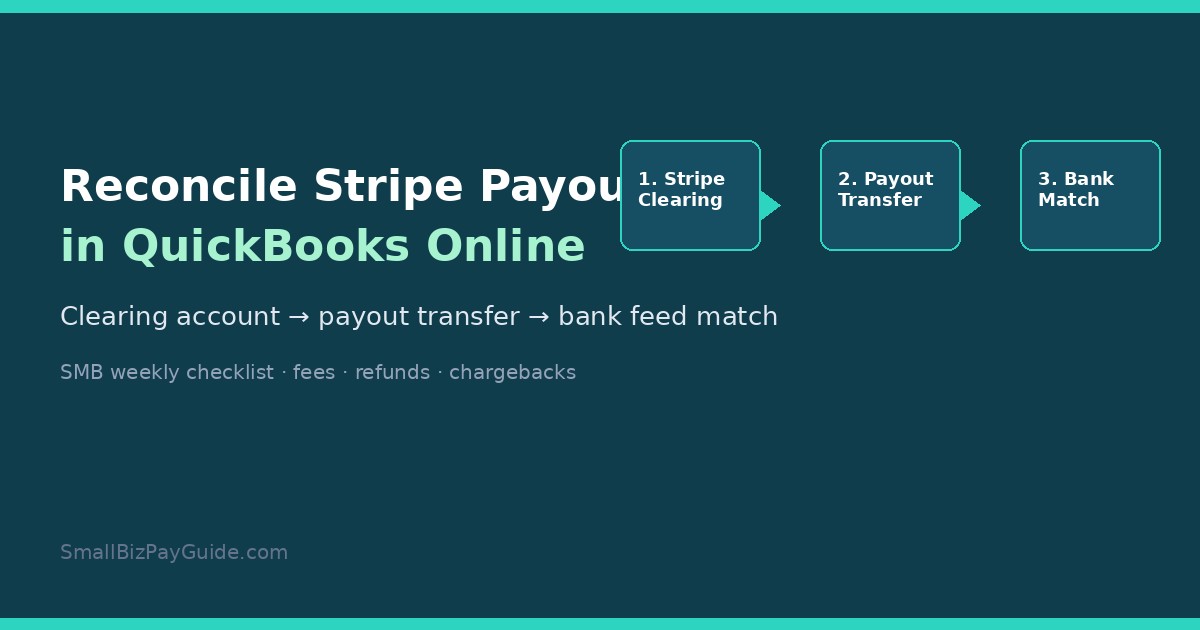

U.S. SMALL BUSINESS FINANCE GUIDE

Small Biz Pay Guide

U.S. SMALL BUSINESS FINANCE GUIDE

Small Biz Pay Guide

Wave Accounting vs QuickBooks Online comes down to stage, not brand loyalty. Wave still works for freelancers and micro-businesses that want unlimited invoices and basic books on a free Starter plan, or Wave Pro at $19/mo when they need automatic bank imports and receipt capture. QuickBooks Online fits teams that need multi-user depth, inventory or project tracking, and a larger accountant/app ecosystem—public 2026 list prices land near ~$38 Simple Start, $85 Essentials, $140 Plus, and $340 Advanced (Essentials/Plus/Advanced renewals on or after August 1, 2026). Payroll is an add-on on both sides. Stay on Wave while the books stay simple; plan a QuickBooks move when volume, inventory, or multi-user controls outgrow Wave.

Disclosure: Educational comparison only. Not tax, legal, accounting, or financial advice. This page may include affiliate links. We may earn a commission if you sign up through our Melio or Gusto partner links, at no extra cost to you. Wave fees were checked on waveapps.com/pricing and Wave’s public payroll pages on 2026-09-25. QuickBooks Online Essentials/Plus/Advanced list prices reflect Intuit’s August 2026 renewal changes as reported in industry summaries (e.g., Fourlane, Aug 6, 2026); Simple Start ~$38 comes from public pricing trackers. Confirm live cart prices, promos, and plan inclusions on each vendor’s site before you buy.

Wave Accounting vs QuickBooks Online 2026 comparison cover for US small businesses
Wave wins on entry price and simplicity; QuickBooks Online wins when you need depth, users, and ecosystem

Who each product is built for

Takeaway: Wave is a freelancer-to-micro-SMB ledger; QuickBooks Online is a growth ledger with more seats, modules, and accountant workflows.

Wave Financial (often searched as “Wave Accounting”) is cloud accounting and invoicing aimed at solo operators and very small teams, primarily in the US and Canada. The product story is still “start free, pay for money-moving extras.” Unlimited estimates, invoices, bills, and bookkeeping records sit on Starter at $0. Automation that used to feel “included” for many shops—auto-import bank transactions, unlimited digital receipt capture, automated late-payment reminders—now sits on Wave Pro.

QuickBooks Online (QBO) is Intuit’s cloud ledger for US small businesses that expect to add users, inventory, classes/locations, projects, or a bookkeeper who lives inside the file. It is the default recommendation from many US accountants for that reason. The tradeoff is subscription cost and a steeper learning curve. If you already pay a bookkeeper to clean bank feeds every week, that labor cost often matters more than the sticker price—see our bookkeeper vs accountant guide for who to hire first.

Neither product replaces a tax advisor. Both can generate reports your CPA uses; neither is a substitute for entity elections, estimated-tax planning, or state registration decisions. Keep that boundary clear when you compare feature grids.

Pricing in 2026: Wave Starter/Pro vs QuickBooks Online plans

Takeaway: Wave’s headline is $0 (or $19 Pro); QuickBooks Online’s headline starts near $38 and jumps fast once you need Essentials or Plus.

2026 pricing snapshot comparing Wave Starter and Pro with QuickBooks Online Simple Start Essentials Plus Advanced
Public list prices checked September 2026—promos and reseller discounts can change the bill

Use the table as a planning baseline, not a locked quote. Vendors change promos (50% off for a few months is common on Intuit checkout pages) and reseller channels. Annual billing can also cut Wave Pro to $190/year on Wave’s public pricing page.

Product / planPublic list (checked 2026-09-25)What you are buying
Wave Starter$0 / monthUnlimited estimates, invoices, bills, bookkeeping records; manual or limited bank workflows; card payments available at 2.9% + $0.60 (Amex 3.4% + $0.60)
Wave Pro$19 / month ($190 / year)Auto-import bank transactions (via Plaid where supported), auto-merge/categorize, unlimited receipt capture, automated late-payment reminders; first 10 card txns/mo at 2.9% + $0 then standard per-txn fees
Wave Advisors (bookkeeping)From about $149 / monthDedicated bookkeeper + monthly statements (service, not DIY software)
QBO Simple StartAbout $38 / monthEntry single-user ledger; confirm inclusions on Intuit—Simple Start was not part of the Aug 2026 Essentials/Plus/Advanced increase announcement
QBO Essentials$85 / monthMulti-user path and bill workflows; Aug 2026 renewal list price
QBO Plus$140 / monthInventory, projects, classes/locations path for growing ops
QBO Advanced$340 / monthHeaviest automation, reporting, and controls; Bill Pay Elite bundling expected with Advanced per Intuit/industry notes
Wave: waveapps.com/pricing. QBO Essentials/Plus/Advanced: Intuit Aug 2026 renewal changes as summarized by Fourlane (Aug 6, 2026). Simple Start ~$38 from public trackers. Always re-check the live cart.

The practical math for a solo freelancer is still brutal in Wave’s favor: Starter at $0, or Pro at $19 if bank feeds are eating your evenings. The practical math for a five-person shop with inventory and two bookkeeper logins usually lands on QuickBooks Online Plus (or Advanced if you need the heavier controls). Comparing “Wave free” to “QuickBooks Advanced” is a category error—match tiers to the same job.

Features that actually change the decision

Takeaway: Ignore marketing checkmarks; decide on users, inventory/projects, accountant access, and transaction volume.

Both tools invoice customers, track expenses, and produce a profit-and-loss statement. The decision usually breaks on four operational facts:

  • Users and roles. Wave grants collaborator access (payroll manager, tax pro, and Pro roles such as admin/editor/viewer). QuickBooks Online is built for multiple simultaneous users with richer permissions as you climb tiers—important when a bookkeeper, owner, and AP clerk all touch the same file.
  • Inventory and projects. If you stock products, need purchase orders, or track job profitability, QuickBooks Online Plus/Advanced is the usual path. Wave stays strongest for service businesses with invoices and expenses.
  • Accountant workflows. Many US firms standardize on QuickBooks Online. That alone can justify the subscription if your CPA’s review time drops. Wave can still export reports; the friction is firm familiarity and tooling, not “Wave cannot do P&L.”
  • Bank-feed volume. A few dozen transactions a month can live on Wave Starter with careful manual work. Several hundred categorized lines a month is where Wave Pro’s auto-import—or QBO’s bank feed + rules—pays for itself in owner hours.

Geographic fit matters too. Wave’s accounting and payments story is strongest in the US and Canada. QuickBooks Online has broader international packaging (separate country products and currencies). If you are expanding past those borders, do not assume Wave’s free plan will stretch with you.

Payroll add-ons: Wave vs QuickBooks Workforce

Takeaway: Both charge a base fee plus per-person payroll pricing; model your headcount before you pick a ledger for “free payroll.”

Neither Wave Starter nor a bare QuickBooks Online subscription is full-service payroll by itself. You add a payroll product:

  • Wave Payroll (US): public pricing on Wave’s payroll pages lists $40/month base + $6 per active employee + $6 per independent contractor paid (pricing for new payroll customers after April 2, 2025; Wave states tax service is available in all 50 US states under that unified base). Canada uses a lower CAD base on Wave’s public page.
  • QuickBooks Workforce (formerly QuickBooks Online Payroll): Intuit’s public Workforce pricing pages in 2026 list tiers around $50 + $7/employee (Workforce Payroll), $88 + $13/employee (Premium), and $134 + $17/employee (Elite), often with introductory base discounts. Per-employee rates changed on July 1, 2026 for many subscriptions—confirm your cart.
Scenario (illustrative)Wave Payroll (US)QBO Workforce Payroll tier
1 employee$40 + $6 = $46$50 + $7 = $57 (entry Workforce)
5 employees$40 + $30 = $70$50 + $35 = $85
NotesContractors billed when paid ($6 each)Higher tiers add HR/time/tax-protection features; QBO subscription is separate
Illustrative Sep 2026 math from public list prices. Excludes sales tax, benefits, and promos. QuickBooks Online accounting subscription is an extra line item on top of Workforce.

If payroll is the real pain and books are light, many small teams keep a simple ledger and run payroll in a dedicated tool. Compare that path in our cheapest payroll for one employee and Gusto vs QuickBooks Payroll guides. Soft option when W-2 hiring is next: try Gusto and sync reports into whichever ledger you keep.

Getting paid and paying vendors

Takeaway: Invoice payments and AP rails are separate products from the ledger—price the payment fees, not just the monthly software.

Wave’s online payments (subject to approval) let customers pay invoices by card or bank. Card rates on Wave’s pricing page are 2.9% + $0.60 on Starter (Amex 3.4% + $0.60). Pro discounts the first ten cumulative card transactions each month to 2.9% + $0 (Amex 3.4% + $0), then returns to the standard per-transaction fee. That matters if you run dozens of card invoices every month.

QuickBooks Online connects to QuickBooks Payments for customer invoices and to QuickBooks Bill Pay for vendor bills. Standard ACH on Bill Pay is publicly listed at $0 per payment on Intuit’s Bill Pay pages (with Faster ACH, Instant, and mailed checks still carrying fees). For a deeper AP comparison outside Intuit’s rails, see Melio vs QuickBooks Payments and Melio pricing. Soft option when card-funded vendor pay or a lighter AP inbox is the gap: start with Melio beside your ledger.

If you collect Stripe (or similar) payouts into QuickBooks, keep reconciliation hygiene tight—our reconcile Stripe payouts in QuickBooks walkthrough covers the common mismatch patterns.

When to stay on Wave vs when to switch to QuickBooks

Takeaway: Switch when the ledger creates weekly cleanup work or blocks an accountant/inventory workflow—not because a blog said “grown-up businesses use QuickBooks.”

Decision checklist showing when to stay on Wave versus switch to QuickBooks Online
Stay while invoices and expenses are the whole job; switch when users, inventory, or accountant workflows demand QBO

Stay on Wave when most of these are true:

  • One or two people touch the books.
  • You invoice for services, track expenses, and run a simple P&L.
  • You do not need inventory, purchase orders, or project profitability reports.
  • US/Canada coverage matches where you operate.
  • $0 Starter or $19 Pro still costs less than the hours you would spend migrating.

Plan a QuickBooks Online move when several of these show up:

  • Your CPA or bookkeeper refuses to work efficiently outside QBO.
  • You need inventory, classes/locations, or project tracking.
  • Bank-feed volume makes free/manual Wave workflows a weekend job every week—even after trying Pro.
  • You want a large app marketplace (payroll alternatives, inventory, ecommerce connectors) centered on QBO.
  • Multi-entity or advanced reporting needs start showing up in board/owner reviews.

Migration tip at a high level: export customers, vendors, chart of accounts, and open invoices/bills; pick a cutover date; stop posting in Wave after cutover except for historical lookup. Hire a bookkeeper for the conversion if balances are messy—cheap software plus bad opening balances creates expensive cleanup later.

SMB decision checklist

Takeaway: Score the job (users, inventory, payroll, AP, accountant) before you score the brand.

  1. Count how many people need login access this quarter.
  2. List must-have modules: inventory, projects, multi-currency, classes, bill approvals.
  3. Price Wave Starter vs Pro vs QBO Simple Start/Essentials/Plus on the live vendor pages (include tax).
  4. Separately price payroll for your headcount (Wave Payroll, QuickBooks Workforce, or Gusto).
  5. Separately price how you pay vendors (QBO Bill Pay vs Melio vs bank ACH)—see the bill pay hub.
  6. Ask your tax preparer which file format they prefer for year-end.
  7. Run one month of real transactions in a trial before you migrate history.
  8. Document the cutover date and who owns bank reconciliations in week one.

FAQ: Wave Accounting vs QuickBooks

Is Wave Accounting free in 2026?

Wave’s Starter plan is still $0 for unlimited estimates, invoices, bills, and bookkeeping records. Automation features such as auto bank import and unlimited receipt capture require Wave Pro ($19/mo on Wave’s public pricing page). Payments and payroll are separate paid products.

How much is Wave Pro?

Wave lists Pro at $19 USD per month or $190 USD per year per business (plus tax). Confirm current promos on waveapps.com/pricing.

How much is QuickBooks Online in 2026?

Public list prices commonly cited after the August 2026 renewal changes are about $38 Simple Start, $85 Essentials, $140 Plus, and $340 Advanced per month. Introductory discounts and reseller pricing can differ. Check Intuit’s live pricing page for your cart.

Which is better for freelancers?

Most freelancers with simple invoicing start on Wave (Starter or Pro). Move toward QuickBooks Online when an accountant, inventory, or multi-user workflow becomes the constraint—not when a competitor ad says freelancers “should” upgrade.

Does Wave Payroll cover all US states?

Wave’s public payroll pages state tax service availability in all 50 US states under the unified US base pricing for new payroll customers after April 2, 2025. Confirm your state’s filings during setup—product coverage can change.

Does QuickBooks Online include payroll?

No. Payroll is a separate QuickBooks Workforce subscription on top of the QBO plan. See also whether you need payroll at all in do I need payroll for my LLC.

When should I move from Wave to QuickBooks?

When weekly bookkeeping cleanup, inventory/project needs, or accountant tooling consistently exceed what Wave Starter/Pro can absorb. Budget migration time (or a bookkeeper) before the busy season.

Can I use Melio or Gusto with either ledger?

Yes. Many teams keep Wave or QBO as the ledger and use Melio for vendor bill pay or Gusto for payroll/HR. Sync or export transactions so the books stay complete. Start from the payroll hub or bill pay hub depending on the pain.

Related reading and next step

If you are choosing a ledger after hiring help, read bookkeeper vs accountant for small business. If QuickBooks is already the plan and vendor bills are the mess, use paying bills with QuickBooks. For side-by-side tool debates, browse the comparisons hub and the tax compliance hub for educational filing context.

Next step: Price Wave Starter/Pro and the QuickBooks Online tier that matches your user/inventory needs on the live vendor sites. If payroll hiring is the next bottleneck, compare Gusto against Wave Payroll and QuickBooks Workforce. If paying vendors with cards or a simpler AP inbox is the gap, look at Melio beside whichever ledger you keep.

U.S. SMALL BUSINESS FINANCE GUIDE

Small Biz Pay Guide

U.S. SMALL BUSINESS FINANCE GUIDE

Small Biz Pay Guide

Posts

U.S. SMALL BUSINESS FINANCE GUIDE

Small Biz Pay Guide

Wave vs QuickBooks Online (2026): Which Fits Your SMB?

Wave Accounting vs QuickBooks Online 2026 comparison cover for US small businesses

Wave Accounting vs QuickBooks Online comes down to stage, not brand loyalty. Wave still works for freelancers and micro-businesses that want unlimited invoices and basic books on a free Starter plan, or Wave Pro at $19/mo when they need automatic bank imports and receipt capture. QuickBooks Online fits teams that need multi-user depth, inventory or project tracking, and a larger accountant/app ecosystem—public 2026 list prices land near ~$38 Simple Start, $85 Essentials, $140 Plus, and $340 Advanced (Essentials/Plus/Advanced renewals on or after August 1, 2026). Payroll is an add-on on both sides. Stay on Wave while the books stay simple; plan a QuickBooks move when volume, inventory, or multi-user controls outgrow Wave.

Disclosure: Educational comparison only. Not tax, legal, accounting, or financial advice. This page may include affiliate links. We may earn a commission if you sign up through our Melio or Gusto partner links, at no extra cost to you. Wave fees were checked on waveapps.com/pricing and Wave’s public payroll pages on 2026-09-25. QuickBooks Online Essentials/Plus/Advanced list prices reflect Intuit’s August 2026 renewal changes as reported in industry summaries (e.g., Fourlane, Aug 6, 2026); Simple Start ~$38 comes from public pricing trackers. Confirm live cart prices, promos, and plan inclusions on each vendor’s site before you buy.

Wave Accounting vs QuickBooks Online 2026 comparison cover for US small businesses
Wave wins on entry price and simplicity; QuickBooks Online wins when you need depth, users, and ecosystem

Who each product is built for

Takeaway: Wave is a freelancer-to-micro-SMB ledger; QuickBooks Online is a growth ledger with more seats, modules, and accountant workflows.

Wave Financial (often searched as “Wave Accounting”) is cloud accounting and invoicing aimed at solo operators and very small teams, primarily in the US and Canada. The product story is still “start free, pay for money-moving extras.” Unlimited estimates, invoices, bills, and bookkeeping records sit on Starter at $0. Automation that used to feel “included” for many shops—auto-import bank transactions, unlimited digital receipt capture, automated late-payment reminders—now sits on Wave Pro.

QuickBooks Online (QBO) is Intuit’s cloud ledger for US small businesses that expect to add users, inventory, classes/locations, projects, or a bookkeeper who lives inside the file. It is the default recommendation from many US accountants for that reason. The tradeoff is subscription cost and a steeper learning curve. If you already pay a bookkeeper to clean bank feeds every week, that labor cost often matters more than the sticker price—see our bookkeeper vs accountant guide for who to hire first.

Neither product replaces a tax advisor. Both can generate reports your CPA uses; neither is a substitute for entity elections, estimated-tax planning, or state registration decisions. Keep that boundary clear when you compare feature grids.

Pricing in 2026: Wave Starter/Pro vs QuickBooks Online plans

Takeaway: Wave’s headline is $0 (or $19 Pro); QuickBooks Online’s headline starts near $38 and jumps fast once you need Essentials or Plus.

2026 pricing snapshot comparing Wave Starter and Pro with QuickBooks Online Simple Start Essentials Plus Advanced
Public list prices checked September 2026—promos and reseller discounts can change the bill

Use the table as a planning baseline, not a locked quote. Vendors change promos (50% off for a few months is common on Intuit checkout pages) and reseller channels. Annual billing can also cut Wave Pro to $190/year on Wave’s public pricing page.

Product / planPublic list (checked 2026-09-25)What you are buying
Wave Starter$0 / monthUnlimited estimates, invoices, bills, bookkeeping records; manual or limited bank workflows; card payments available at 2.9% + $0.60 (Amex 3.4% + $0.60)
Wave Pro$19 / month ($190 / year)Auto-import bank transactions (via Plaid where supported), auto-merge/categorize, unlimited receipt capture, automated late-payment reminders; first 10 card txns/mo at 2.9% + $0 then standard per-txn fees
Wave Advisors (bookkeeping)From about $149 / monthDedicated bookkeeper + monthly statements (service, not DIY software)
QBO Simple StartAbout $38 / monthEntry single-user ledger; confirm inclusions on Intuit—Simple Start was not part of the Aug 2026 Essentials/Plus/Advanced increase announcement
QBO Essentials$85 / monthMulti-user path and bill workflows; Aug 2026 renewal list price
QBO Plus$140 / monthInventory, projects, classes/locations path for growing ops
QBO Advanced$340 / monthHeaviest automation, reporting, and controls; Bill Pay Elite bundling expected with Advanced per Intuit/industry notes
Wave: waveapps.com/pricing. QBO Essentials/Plus/Advanced: Intuit Aug 2026 renewal changes as summarized by Fourlane (Aug 6, 2026). Simple Start ~$38 from public trackers. Always re-check the live cart.

The practical math for a solo freelancer is still brutal in Wave’s favor: Starter at $0, or Pro at $19 if bank feeds are eating your evenings. The practical math for a five-person shop with inventory and two bookkeeper logins usually lands on QuickBooks Online Plus (or Advanced if you need the heavier controls). Comparing “Wave free” to “QuickBooks Advanced” is a category error—match tiers to the same job.

Features that actually change the decision

Takeaway: Ignore marketing checkmarks; decide on users, inventory/projects, accountant access, and transaction volume.

Both tools invoice customers, track expenses, and produce a profit-and-loss statement. The decision usually breaks on four operational facts:

  • Users and roles. Wave grants collaborator access (payroll manager, tax pro, and Pro roles such as admin/editor/viewer). QuickBooks Online is built for multiple simultaneous users with richer permissions as you climb tiers—important when a bookkeeper, owner, and AP clerk all touch the same file.
  • Inventory and projects. If you stock products, need purchase orders, or track job profitability, QuickBooks Online Plus/Advanced is the usual path. Wave stays strongest for service businesses with invoices and expenses.
  • Accountant workflows. Many US firms standardize on QuickBooks Online. That alone can justify the subscription if your CPA’s review time drops. Wave can still export reports; the friction is firm familiarity and tooling, not “Wave cannot do P&L.”
  • Bank-feed volume. A few dozen transactions a month can live on Wave Starter with careful manual work. Several hundred categorized lines a month is where Wave Pro’s auto-import—or QBO’s bank feed + rules—pays for itself in owner hours.

Geographic fit matters too. Wave’s accounting and payments story is strongest in the US and Canada. QuickBooks Online has broader international packaging (separate country products and currencies). If you are expanding past those borders, do not assume Wave’s free plan will stretch with you.

Payroll add-ons: Wave vs QuickBooks Workforce

Takeaway: Both charge a base fee plus per-person payroll pricing; model your headcount before you pick a ledger for “free payroll.”

Neither Wave Starter nor a bare QuickBooks Online subscription is full-service payroll by itself. You add a payroll product:

  • Wave Payroll (US): public pricing on Wave’s payroll pages lists $40/month base + $6 per active employee + $6 per independent contractor paid (pricing for new payroll customers after April 2, 2025; Wave states tax service is available in all 50 US states under that unified base). Canada uses a lower CAD base on Wave’s public page.
  • QuickBooks Workforce (formerly QuickBooks Online Payroll): Intuit’s public Workforce pricing pages in 2026 list tiers around $50 + $7/employee (Workforce Payroll), $88 + $13/employee (Premium), and $134 + $17/employee (Elite), often with introductory base discounts. Per-employee rates changed on July 1, 2026 for many subscriptions—confirm your cart.
Scenario (illustrative)Wave Payroll (US)QBO Workforce Payroll tier
1 employee$40 + $6 = $46$50 + $7 = $57 (entry Workforce)
5 employees$40 + $30 = $70$50 + $35 = $85
NotesContractors billed when paid ($6 each)Higher tiers add HR/time/tax-protection features; QBO subscription is separate
Illustrative Sep 2026 math from public list prices. Excludes sales tax, benefits, and promos. QuickBooks Online accounting subscription is an extra line item on top of Workforce.

If payroll is the real pain and books are light, many small teams keep a simple ledger and run payroll in a dedicated tool. Compare that path in our cheapest payroll for one employee and Gusto vs QuickBooks Payroll guides. Soft option when W-2 hiring is next: try Gusto and sync reports into whichever ledger you keep.

Getting paid and paying vendors

Takeaway: Invoice payments and AP rails are separate products from the ledger—price the payment fees, not just the monthly software.

Wave’s online payments (subject to approval) let customers pay invoices by card or bank. Card rates on Wave’s pricing page are 2.9% + $0.60 on Starter (Amex 3.4% + $0.60). Pro discounts the first ten cumulative card transactions each month to 2.9% + $0 (Amex 3.4% + $0), then returns to the standard per-transaction fee. That matters if you run dozens of card invoices every month.

QuickBooks Online connects to QuickBooks Payments for customer invoices and to QuickBooks Bill Pay for vendor bills. Standard ACH on Bill Pay is publicly listed at $0 per payment on Intuit’s Bill Pay pages (with Faster ACH, Instant, and mailed checks still carrying fees). For a deeper AP comparison outside Intuit’s rails, see Melio vs QuickBooks Payments and Melio pricing. Soft option when card-funded vendor pay or a lighter AP inbox is the gap: start with Melio beside your ledger.

If you collect Stripe (or similar) payouts into QuickBooks, keep reconciliation hygiene tight—our reconcile Stripe payouts in QuickBooks walkthrough covers the common mismatch patterns.

When to stay on Wave vs when to switch to QuickBooks

Takeaway: Switch when the ledger creates weekly cleanup work or blocks an accountant/inventory workflow—not because a blog said “grown-up businesses use QuickBooks.”

Decision checklist showing when to stay on Wave versus switch to QuickBooks Online
Stay while invoices and expenses are the whole job; switch when users, inventory, or accountant workflows demand QBO

Stay on Wave when most of these are true:

  • One or two people touch the books.
  • You invoice for services, track expenses, and run a simple P&L.
  • You do not need inventory, purchase orders, or project profitability reports.
  • US/Canada coverage matches where you operate.
  • $0 Starter or $19 Pro still costs less than the hours you would spend migrating.

Plan a QuickBooks Online move when several of these show up:

  • Your CPA or bookkeeper refuses to work efficiently outside QBO.
  • You need inventory, classes/locations, or project tracking.
  • Bank-feed volume makes free/manual Wave workflows a weekend job every week—even after trying Pro.
  • You want a large app marketplace (payroll alternatives, inventory, ecommerce connectors) centered on QBO.
  • Multi-entity or advanced reporting needs start showing up in board/owner reviews.

Migration tip at a high level: export customers, vendors, chart of accounts, and open invoices/bills; pick a cutover date; stop posting in Wave after cutover except for historical lookup. Hire a bookkeeper for the conversion if balances are messy—cheap software plus bad opening balances creates expensive cleanup later.

SMB decision checklist

Takeaway: Score the job (users, inventory, payroll, AP, accountant) before you score the brand.

  1. Count how many people need login access this quarter.
  2. List must-have modules: inventory, projects, multi-currency, classes, bill approvals.
  3. Price Wave Starter vs Pro vs QBO Simple Start/Essentials/Plus on the live vendor pages (include tax).
  4. Separately price payroll for your headcount (Wave Payroll, QuickBooks Workforce, or Gusto).
  5. Separately price how you pay vendors (QBO Bill Pay vs Melio vs bank ACH)—see the bill pay hub.
  6. Ask your tax preparer which file format they prefer for year-end.
  7. Run one month of real transactions in a trial before you migrate history.
  8. Document the cutover date and who owns bank reconciliations in week one.

FAQ: Wave Accounting vs QuickBooks

Is Wave Accounting free in 2026?

Wave’s Starter plan is still $0 for unlimited estimates, invoices, bills, and bookkeeping records. Automation features such as auto bank import and unlimited receipt capture require Wave Pro ($19/mo on Wave’s public pricing page). Payments and payroll are separate paid products.

How much is Wave Pro?

Wave lists Pro at $19 USD per month or $190 USD per year per business (plus tax). Confirm current promos on waveapps.com/pricing.

How much is QuickBooks Online in 2026?

Public list prices commonly cited after the August 2026 renewal changes are about $38 Simple Start, $85 Essentials, $140 Plus, and $340 Advanced per month. Introductory discounts and reseller pricing can differ. Check Intuit’s live pricing page for your cart.

Which is better for freelancers?

Most freelancers with simple invoicing start on Wave (Starter or Pro). Move toward QuickBooks Online when an accountant, inventory, or multi-user workflow becomes the constraint—not when a competitor ad says freelancers “should” upgrade.

Does Wave Payroll cover all US states?

Wave’s public payroll pages state tax service availability in all 50 US states under the unified US base pricing for new payroll customers after April 2, 2025. Confirm your state’s filings during setup—product coverage can change.

Does QuickBooks Online include payroll?

No. Payroll is a separate QuickBooks Workforce subscription on top of the QBO plan. See also whether you need payroll at all in do I need payroll for my LLC.

When should I move from Wave to QuickBooks?

When weekly bookkeeping cleanup, inventory/project needs, or accountant tooling consistently exceed what Wave Starter/Pro can absorb. Budget migration time (or a bookkeeper) before the busy season.

Can I use Melio or Gusto with either ledger?

Yes. Many teams keep Wave or QBO as the ledger and use Melio for vendor bill pay or Gusto for payroll/HR. Sync or export transactions so the books stay complete. Start from the payroll hub or bill pay hub depending on the pain.

Related reading and next step

If you are choosing a ledger after hiring help, read bookkeeper vs accountant for small business. If QuickBooks is already the plan and vendor bills are the mess, use paying bills with QuickBooks. For side-by-side tool debates, browse the comparisons hub and the tax compliance hub for educational filing context.

Next step: Price Wave Starter/Pro and the QuickBooks Online tier that matches your user/inventory needs on the live vendor sites. If payroll hiring is the next bottleneck, compare Gusto against Wave Payroll and QuickBooks Workforce. If paying vendors with cards or a simpler AP inbox is the gap, look at Melio beside whichever ledger you keep.

U.S. SMALL BUSINESS FINANCE GUIDE

Small Biz Pay Guide

Wave Accounting vs QuickBooks Online 2026 comparison cover for US small businesses

Wave vs QuickBooks Online (2026): Which Fits Your SMB?

Wave Accounting vs QuickBooks Online comes down to stage, not brand loyalty. Wave still works for freelancers and micro-businesses that want unlimited invoices and basic books on a free Starter plan, or Wave Pro at $19/mo when they need automatic bank imports and receipt capture. QuickBooks Online fits teams that need multi-user depth, inventory or project tracking, and a larger accountant/app ecosystem—public 2026 list prices land near ~$38 Simple Start, $85 Essentials, $140 Plus, and $340 Advanced (Essentials/Plus/Advanced renewals on or after August 1, 2026). Payroll is an add-on on both sides. Stay on Wave while the books stay simple; plan a QuickBooks move when volume, inventory, or multi-user controls outgrow Wave.

Disclosure: Educational comparison only. Not tax, legal, accounting, or financial advice. This page may include affiliate links. We may earn a commission if you sign up through our Melio or Gusto partner links, at no extra cost to you. Wave fees were checked on waveapps.com/pricing and Wave’s public payroll pages on 2026-09-25. QuickBooks Online Essentials/Plus/Advanced list prices reflect Intuit’s August 2026 renewal changes as reported in industry summaries (e.g., Fourlane, Aug 6, 2026); Simple Start ~$38 comes from public pricing trackers. Confirm live cart prices, promos, and plan inclusions on each vendor’s site before you buy.

Wave Accounting vs QuickBooks Online 2026 comparison cover for US small businesses
Wave wins on entry price and simplicity; QuickBooks Online wins when you need depth, users, and ecosystem

Who each product is built for

Takeaway: Wave is a freelancer-to-micro-SMB ledger; QuickBooks Online is a growth ledger with more seats, modules, and accountant workflows.

Wave Financial (often searched as “Wave Accounting”) is cloud accounting and invoicing aimed at solo operators and very small teams, primarily in the US and Canada. The product story is still “start free, pay for money-moving extras.” Unlimited estimates, invoices, bills, and bookkeeping records sit on Starter at $0. Automation that used to feel “included” for many shops—auto-import bank transactions, unlimited digital receipt capture, automated late-payment reminders—now sits on Wave Pro.

QuickBooks Online (QBO) is Intuit’s cloud ledger for US small businesses that expect to add users, inventory, classes/locations, projects, or a bookkeeper who lives inside the file. It is the default recommendation from many US accountants for that reason. The tradeoff is subscription cost and a steeper learning curve. If you already pay a bookkeeper to clean bank feeds every week, that labor cost often matters more than the sticker price—see our bookkeeper vs accountant guide for who to hire first.

Neither product replaces a tax advisor. Both can generate reports your CPA uses; neither is a substitute for entity elections, estimated-tax planning, or state registration decisions. Keep that boundary clear when you compare feature grids.

Pricing in 2026: Wave Starter/Pro vs QuickBooks Online plans

Takeaway: Wave’s headline is $0 (or $19 Pro); QuickBooks Online’s headline starts near $38 and jumps fast once you need Essentials or Plus.

2026 pricing snapshot comparing Wave Starter and Pro with QuickBooks Online Simple Start Essentials Plus Advanced
Public list prices checked September 2026—promos and reseller discounts can change the bill

Use the table as a planning baseline, not a locked quote. Vendors change promos (50% off for a few months is common on Intuit checkout pages) and reseller channels. Annual billing can also cut Wave Pro to $190/year on Wave’s public pricing page.

Product / planPublic list (checked 2026-09-25)What you are buying
Wave Starter$0 / monthUnlimited estimates, invoices, bills, bookkeeping records; manual or limited bank workflows; card payments available at 2.9% + $0.60 (Amex 3.4% + $0.60)
Wave Pro$19 / month ($190 / year)Auto-import bank transactions (via Plaid where supported), auto-merge/categorize, unlimited receipt capture, automated late-payment reminders; first 10 card txns/mo at 2.9% + $0 then standard per-txn fees
Wave Advisors (bookkeeping)From about $149 / monthDedicated bookkeeper + monthly statements (service, not DIY software)
QBO Simple StartAbout $38 / monthEntry single-user ledger; confirm inclusions on Intuit—Simple Start was not part of the Aug 2026 Essentials/Plus/Advanced increase announcement
QBO Essentials$85 / monthMulti-user path and bill workflows; Aug 2026 renewal list price
QBO Plus$140 / monthInventory, projects, classes/locations path for growing ops
QBO Advanced$340 / monthHeaviest automation, reporting, and controls; Bill Pay Elite bundling expected with Advanced per Intuit/industry notes
Wave: waveapps.com/pricing. QBO Essentials/Plus/Advanced: Intuit Aug 2026 renewal changes as summarized by Fourlane (Aug 6, 2026). Simple Start ~$38 from public trackers. Always re-check the live cart.

The practical math for a solo freelancer is still brutal in Wave’s favor: Starter at $0, or Pro at $19 if bank feeds are eating your evenings. The practical math for a five-person shop with inventory and two bookkeeper logins usually lands on QuickBooks Online Plus (or Advanced if you need the heavier controls). Comparing “Wave free” to “QuickBooks Advanced” is a category error—match tiers to the same job.

Features that actually change the decision

Takeaway: Ignore marketing checkmarks; decide on users, inventory/projects, accountant access, and transaction volume.

Both tools invoice customers, track expenses, and produce a profit-and-loss statement. The decision usually breaks on four operational facts:

  • Users and roles. Wave grants collaborator access (payroll manager, tax pro, and Pro roles such as admin/editor/viewer). QuickBooks Online is built for multiple simultaneous users with richer permissions as you climb tiers—important when a bookkeeper, owner, and AP clerk all touch the same file.
  • Inventory and projects. If you stock products, need purchase orders, or track job profitability, QuickBooks Online Plus/Advanced is the usual path. Wave stays strongest for service businesses with invoices and expenses.
  • Accountant workflows. Many US firms standardize on QuickBooks Online. That alone can justify the subscription if your CPA’s review time drops. Wave can still export reports; the friction is firm familiarity and tooling, not “Wave cannot do P&L.”
  • Bank-feed volume. A few dozen transactions a month can live on Wave Starter with careful manual work. Several hundred categorized lines a month is where Wave Pro’s auto-import—or QBO’s bank feed + rules—pays for itself in owner hours.

Geographic fit matters too. Wave’s accounting and payments story is strongest in the US and Canada. QuickBooks Online has broader international packaging (separate country products and currencies). If you are expanding past those borders, do not assume Wave’s free plan will stretch with you.

Payroll add-ons: Wave vs QuickBooks Workforce

Takeaway: Both charge a base fee plus per-person payroll pricing; model your headcount before you pick a ledger for “free payroll.”

Neither Wave Starter nor a bare QuickBooks Online subscription is full-service payroll by itself. You add a payroll product:

  • Wave Payroll (US): public pricing on Wave’s payroll pages lists $40/month base + $6 per active employee + $6 per independent contractor paid (pricing for new payroll customers after April 2, 2025; Wave states tax service is available in all 50 US states under that unified base). Canada uses a lower CAD base on Wave’s public page.
  • QuickBooks Workforce (formerly QuickBooks Online Payroll): Intuit’s public Workforce pricing pages in 2026 list tiers around $50 + $7/employee (Workforce Payroll), $88 + $13/employee (Premium), and $134 + $17/employee (Elite), often with introductory base discounts. Per-employee rates changed on July 1, 2026 for many subscriptions—confirm your cart.
Scenario (illustrative)Wave Payroll (US)QBO Workforce Payroll tier
1 employee$40 + $6 = $46$50 + $7 = $57 (entry Workforce)
5 employees$40 + $30 = $70$50 + $35 = $85
NotesContractors billed when paid ($6 each)Higher tiers add HR/time/tax-protection features; QBO subscription is separate
Illustrative Sep 2026 math from public list prices. Excludes sales tax, benefits, and promos. QuickBooks Online accounting subscription is an extra line item on top of Workforce.

If payroll is the real pain and books are light, many small teams keep a simple ledger and run payroll in a dedicated tool. Compare that path in our cheapest payroll for one employee and Gusto vs QuickBooks Payroll guides. Soft option when W-2 hiring is next: try Gusto and sync reports into whichever ledger you keep.

Getting paid and paying vendors

Takeaway: Invoice payments and AP rails are separate products from the ledger—price the payment fees, not just the monthly software.

Wave’s online payments (subject to approval) let customers pay invoices by card or bank. Card rates on Wave’s pricing page are 2.9% + $0.60 on Starter (Amex 3.4% + $0.60). Pro discounts the first ten cumulative card transactions each month to 2.9% + $0 (Amex 3.4% + $0), then returns to the standard per-transaction fee. That matters if you run dozens of card invoices every month.

QuickBooks Online connects to QuickBooks Payments for customer invoices and to QuickBooks Bill Pay for vendor bills. Standard ACH on Bill Pay is publicly listed at $0 per payment on Intuit’s Bill Pay pages (with Faster ACH, Instant, and mailed checks still carrying fees). For a deeper AP comparison outside Intuit’s rails, see Melio vs QuickBooks Payments and Melio pricing. Soft option when card-funded vendor pay or a lighter AP inbox is the gap: start with Melio beside your ledger.

If you collect Stripe (or similar) payouts into QuickBooks, keep reconciliation hygiene tight—our reconcile Stripe payouts in QuickBooks walkthrough covers the common mismatch patterns.

When to stay on Wave vs when to switch to QuickBooks

Takeaway: Switch when the ledger creates weekly cleanup work or blocks an accountant/inventory workflow—not because a blog said “grown-up businesses use QuickBooks.”

Decision checklist showing when to stay on Wave versus switch to QuickBooks Online
Stay while invoices and expenses are the whole job; switch when users, inventory, or accountant workflows demand QBO

Stay on Wave when most of these are true:

  • One or two people touch the books.
  • You invoice for services, track expenses, and run a simple P&L.
  • You do not need inventory, purchase orders, or project profitability reports.
  • US/Canada coverage matches where you operate.
  • $0 Starter or $19 Pro still costs less than the hours you would spend migrating.

Plan a QuickBooks Online move when several of these show up:

  • Your CPA or bookkeeper refuses to work efficiently outside QBO.
  • You need inventory, classes/locations, or project tracking.
  • Bank-feed volume makes free/manual Wave workflows a weekend job every week—even after trying Pro.
  • You want a large app marketplace (payroll alternatives, inventory, ecommerce connectors) centered on QBO.
  • Multi-entity or advanced reporting needs start showing up in board/owner reviews.

Migration tip at a high level: export customers, vendors, chart of accounts, and open invoices/bills; pick a cutover date; stop posting in Wave after cutover except for historical lookup. Hire a bookkeeper for the conversion if balances are messy—cheap software plus bad opening balances creates expensive cleanup later.

SMB decision checklist

Takeaway: Score the job (users, inventory, payroll, AP, accountant) before you score the brand.

  1. Count how many people need login access this quarter.
  2. List must-have modules: inventory, projects, multi-currency, classes, bill approvals.
  3. Price Wave Starter vs Pro vs QBO Simple Start/Essentials/Plus on the live vendor pages (include tax).
  4. Separately price payroll for your headcount (Wave Payroll, QuickBooks Workforce, or Gusto).
  5. Separately price how you pay vendors (QBO Bill Pay vs Melio vs bank ACH)—see the bill pay hub.
  6. Ask your tax preparer which file format they prefer for year-end.
  7. Run one month of real transactions in a trial before you migrate history.
  8. Document the cutover date and who owns bank reconciliations in week one.

FAQ: Wave Accounting vs QuickBooks

Is Wave Accounting free in 2026?

Wave’s Starter plan is still $0 for unlimited estimates, invoices, bills, and bookkeeping records. Automation features such as auto bank import and unlimited receipt capture require Wave Pro ($19/mo on Wave’s public pricing page). Payments and payroll are separate paid products.

How much is Wave Pro?

Wave lists Pro at $19 USD per month or $190 USD per year per business (plus tax). Confirm current promos on waveapps.com/pricing.

How much is QuickBooks Online in 2026?

Public list prices commonly cited after the August 2026 renewal changes are about $38 Simple Start, $85 Essentials, $140 Plus, and $340 Advanced per month. Introductory discounts and reseller pricing can differ. Check Intuit’s live pricing page for your cart.

Which is better for freelancers?

Most freelancers with simple invoicing start on Wave (Starter or Pro). Move toward QuickBooks Online when an accountant, inventory, or multi-user workflow becomes the constraint—not when a competitor ad says freelancers “should” upgrade.

Does Wave Payroll cover all US states?

Wave’s public payroll pages state tax service availability in all 50 US states under the unified US base pricing for new payroll customers after April 2, 2025. Confirm your state’s filings during setup—product coverage can change.

Does QuickBooks Online include payroll?

No. Payroll is a separate QuickBooks Workforce subscription on top of the QBO plan. See also whether you need payroll at all in do I need payroll for my LLC.

When should I move from Wave to QuickBooks?

When weekly bookkeeping cleanup, inventory/project needs, or accountant tooling consistently exceed what Wave Starter/Pro can absorb. Budget migration time (or a bookkeeper) before the busy season.

Can I use Melio or Gusto with either ledger?

Yes. Many teams keep Wave or QBO as the ledger and use Melio for vendor bill pay or Gusto for payroll/HR. Sync or export transactions so the books stay complete. Start from the payroll hub or bill pay hub depending on the pain.

Related reading and next step

If you are choosing a ledger after hiring help, read bookkeeper vs accountant for small business. If QuickBooks is already the plan and vendor bills are the mess, use paying bills with QuickBooks. For side-by-side tool debates, browse the comparisons hub and the tax compliance hub for educational filing context.

Next step: Price Wave Starter/Pro and the QuickBooks Online tier that matches your user/inventory needs on the live vendor sites. If payroll hiring is the next bottleneck, compare Gusto against Wave Payroll and QuickBooks Workforce. If paying vendors with cards or a simpler AP inbox is the gap, look at Melio beside whichever ledger you keep.

U.S. SMALL BUSINESS FINANCE GUIDE

Small Biz Pay Guide

Wave Accounting vs QuickBooks Online 2026 comparison cover for US small businesses

Wave vs QuickBooks Online (2026): Which Fits Your SMB?

By

.

.

,

Wave Accounting vs QuickBooks Online comes down to stage, not brand loyalty. Wave still works for freelancers and micro-businesses that want unlimited invoices and basic books on a free Starter plan, or Wave Pro at $19/mo when they need automatic bank imports and receipt capture. QuickBooks Online fits teams that need multi-user depth, inventory or project tracking, and a larger accountant/app ecosystem—public 2026 list prices land near ~$38 Simple Start, $85 Essentials, $140 Plus, and $340 Advanced (Essentials/Plus/Advanced renewals on or after August 1, 2026). Payroll is an add-on on both sides. Stay on Wave while the books stay simple; plan a QuickBooks move when volume, inventory, or multi-user controls outgrow Wave.

Disclosure: Educational comparison only. Not tax, legal, accounting, or financial advice. This page may include affiliate links. We may earn a commission if you sign up through our Melio or Gusto partner links, at no extra cost to you. Wave fees were checked on waveapps.com/pricing and Wave’s public payroll pages on 2026-09-25. QuickBooks Online Essentials/Plus/Advanced list prices reflect Intuit’s August 2026 renewal changes as reported in industry summaries (e.g., Fourlane, Aug 6, 2026); Simple Start ~$38 comes from public pricing trackers. Confirm live cart prices, promos, and plan inclusions on each vendor’s site before you buy.

Wave Accounting vs QuickBooks Online 2026 comparison cover for US small businesses
Wave wins on entry price and simplicity; QuickBooks Online wins when you need depth, users, and ecosystem

Who each product is built for

Takeaway: Wave is a freelancer-to-micro-SMB ledger; QuickBooks Online is a growth ledger with more seats, modules, and accountant workflows.

Wave Financial (often searched as “Wave Accounting”) is cloud accounting and invoicing aimed at solo operators and very small teams, primarily in the US and Canada. The product story is still “start free, pay for money-moving extras.” Unlimited estimates, invoices, bills, and bookkeeping records sit on Starter at $0. Automation that used to feel “included” for many shops—auto-import bank transactions, unlimited digital receipt capture, automated late-payment reminders—now sits on Wave Pro.

QuickBooks Online (QBO) is Intuit’s cloud ledger for US small businesses that expect to add users, inventory, classes/locations, projects, or a bookkeeper who lives inside the file. It is the default recommendation from many US accountants for that reason. The tradeoff is subscription cost and a steeper learning curve. If you already pay a bookkeeper to clean bank feeds every week, that labor cost often matters more than the sticker price—see our bookkeeper vs accountant guide for who to hire first.

Neither product replaces a tax advisor. Both can generate reports your CPA uses; neither is a substitute for entity elections, estimated-tax planning, or state registration decisions. Keep that boundary clear when you compare feature grids.

Pricing in 2026: Wave Starter/Pro vs QuickBooks Online plans

Takeaway: Wave’s headline is $0 (or $19 Pro); QuickBooks Online’s headline starts near $38 and jumps fast once you need Essentials or Plus.

2026 pricing snapshot comparing Wave Starter and Pro with QuickBooks Online Simple Start Essentials Plus Advanced
Public list prices checked September 2026—promos and reseller discounts can change the bill

Use the table as a planning baseline, not a locked quote. Vendors change promos (50% off for a few months is common on Intuit checkout pages) and reseller channels. Annual billing can also cut Wave Pro to $190/year on Wave’s public pricing page.

Product / planPublic list (checked 2026-09-25)What you are buying
Wave Starter$0 / monthUnlimited estimates, invoices, bills, bookkeeping records; manual or limited bank workflows; card payments available at 2.9% + $0.60 (Amex 3.4% + $0.60)
Wave Pro$19 / month ($190 / year)Auto-import bank transactions (via Plaid where supported), auto-merge/categorize, unlimited receipt capture, automated late-payment reminders; first 10 card txns/mo at 2.9% + $0 then standard per-txn fees
Wave Advisors (bookkeeping)From about $149 / monthDedicated bookkeeper + monthly statements (service, not DIY software)
QBO Simple StartAbout $38 / monthEntry single-user ledger; confirm inclusions on Intuit—Simple Start was not part of the Aug 2026 Essentials/Plus/Advanced increase announcement
QBO Essentials$85 / monthMulti-user path and bill workflows; Aug 2026 renewal list price
QBO Plus$140 / monthInventory, projects, classes/locations path for growing ops
QBO Advanced$340 / monthHeaviest automation, reporting, and controls; Bill Pay Elite bundling expected with Advanced per Intuit/industry notes
Wave: waveapps.com/pricing. QBO Essentials/Plus/Advanced: Intuit Aug 2026 renewal changes as summarized by Fourlane (Aug 6, 2026). Simple Start ~$38 from public trackers. Always re-check the live cart.

The practical math for a solo freelancer is still brutal in Wave’s favor: Starter at $0, or Pro at $19 if bank feeds are eating your evenings. The practical math for a five-person shop with inventory and two bookkeeper logins usually lands on QuickBooks Online Plus (or Advanced if you need the heavier controls). Comparing “Wave free” to “QuickBooks Advanced” is a category error—match tiers to the same job.

Features that actually change the decision

Takeaway: Ignore marketing checkmarks; decide on users, inventory/projects, accountant access, and transaction volume.

Both tools invoice customers, track expenses, and produce a profit-and-loss statement. The decision usually breaks on four operational facts:

  • Users and roles. Wave grants collaborator access (payroll manager, tax pro, and Pro roles such as admin/editor/viewer). QuickBooks Online is built for multiple simultaneous users with richer permissions as you climb tiers—important when a bookkeeper, owner, and AP clerk all touch the same file.
  • Inventory and projects. If you stock products, need purchase orders, or track job profitability, QuickBooks Online Plus/Advanced is the usual path. Wave stays strongest for service businesses with invoices and expenses.
  • Accountant workflows. Many US firms standardize on QuickBooks Online. That alone can justify the subscription if your CPA’s review time drops. Wave can still export reports; the friction is firm familiarity and tooling, not “Wave cannot do P&L.”
  • Bank-feed volume. A few dozen transactions a month can live on Wave Starter with careful manual work. Several hundred categorized lines a month is where Wave Pro’s auto-import—or QBO’s bank feed + rules—pays for itself in owner hours.

Geographic fit matters too. Wave’s accounting and payments story is strongest in the US and Canada. QuickBooks Online has broader international packaging (separate country products and currencies). If you are expanding past those borders, do not assume Wave’s free plan will stretch with you.

Payroll add-ons: Wave vs QuickBooks Workforce

Takeaway: Both charge a base fee plus per-person payroll pricing; model your headcount before you pick a ledger for “free payroll.”

Neither Wave Starter nor a bare QuickBooks Online subscription is full-service payroll by itself. You add a payroll product:

  • Wave Payroll (US): public pricing on Wave’s payroll pages lists $40/month base + $6 per active employee + $6 per independent contractor paid (pricing for new payroll customers after April 2, 2025; Wave states tax service is available in all 50 US states under that unified base). Canada uses a lower CAD base on Wave’s public page.
  • QuickBooks Workforce (formerly QuickBooks Online Payroll): Intuit’s public Workforce pricing pages in 2026 list tiers around $50 + $7/employee (Workforce Payroll), $88 + $13/employee (Premium), and $134 + $17/employee (Elite), often with introductory base discounts. Per-employee rates changed on July 1, 2026 for many subscriptions—confirm your cart.
Scenario (illustrative)Wave Payroll (US)QBO Workforce Payroll tier
1 employee$40 + $6 = $46$50 + $7 = $57 (entry Workforce)
5 employees$40 + $30 = $70$50 + $35 = $85
NotesContractors billed when paid ($6 each)Higher tiers add HR/time/tax-protection features; QBO subscription is separate
Illustrative Sep 2026 math from public list prices. Excludes sales tax, benefits, and promos. QuickBooks Online accounting subscription is an extra line item on top of Workforce.

If payroll is the real pain and books are light, many small teams keep a simple ledger and run payroll in a dedicated tool. Compare that path in our cheapest payroll for one employee and Gusto vs QuickBooks Payroll guides. Soft option when W-2 hiring is next: try Gusto and sync reports into whichever ledger you keep.

Getting paid and paying vendors

Takeaway: Invoice payments and AP rails are separate products from the ledger—price the payment fees, not just the monthly software.

Wave’s online payments (subject to approval) let customers pay invoices by card or bank. Card rates on Wave’s pricing page are 2.9% + $0.60 on Starter (Amex 3.4% + $0.60). Pro discounts the first ten cumulative card transactions each month to 2.9% + $0 (Amex 3.4% + $0), then returns to the standard per-transaction fee. That matters if you run dozens of card invoices every month.

QuickBooks Online connects to QuickBooks Payments for customer invoices and to QuickBooks Bill Pay for vendor bills. Standard ACH on Bill Pay is publicly listed at $0 per payment on Intuit’s Bill Pay pages (with Faster ACH, Instant, and mailed checks still carrying fees). For a deeper AP comparison outside Intuit’s rails, see Melio vs QuickBooks Payments and Melio pricing. Soft option when card-funded vendor pay or a lighter AP inbox is the gap: start with Melio beside your ledger.

If you collect Stripe (or similar) payouts into QuickBooks, keep reconciliation hygiene tight—our reconcile Stripe payouts in QuickBooks walkthrough covers the common mismatch patterns.

When to stay on Wave vs when to switch to QuickBooks

Takeaway: Switch when the ledger creates weekly cleanup work or blocks an accountant/inventory workflow—not because a blog said “grown-up businesses use QuickBooks.”

Decision checklist showing when to stay on Wave versus switch to QuickBooks Online
Stay while invoices and expenses are the whole job; switch when users, inventory, or accountant workflows demand QBO

Stay on Wave when most of these are true:

  • One or two people touch the books.
  • You invoice for services, track expenses, and run a simple P&L.
  • You do not need inventory, purchase orders, or project profitability reports.
  • US/Canada coverage matches where you operate.
  • $0 Starter or $19 Pro still costs less than the hours you would spend migrating.

Plan a QuickBooks Online move when several of these show up:

  • Your CPA or bookkeeper refuses to work efficiently outside QBO.
  • You need inventory, classes/locations, or project tracking.
  • Bank-feed volume makes free/manual Wave workflows a weekend job every week—even after trying Pro.
  • You want a large app marketplace (payroll alternatives, inventory, ecommerce connectors) centered on QBO.
  • Multi-entity or advanced reporting needs start showing up in board/owner reviews.

Migration tip at a high level: export customers, vendors, chart of accounts, and open invoices/bills; pick a cutover date; stop posting in Wave after cutover except for historical lookup. Hire a bookkeeper for the conversion if balances are messy—cheap software plus bad opening balances creates expensive cleanup later.

SMB decision checklist

Takeaway: Score the job (users, inventory, payroll, AP, accountant) before you score the brand.

  1. Count how many people need login access this quarter.
  2. List must-have modules: inventory, projects, multi-currency, classes, bill approvals.
  3. Price Wave Starter vs Pro vs QBO Simple Start/Essentials/Plus on the live vendor pages (include tax).
  4. Separately price payroll for your headcount (Wave Payroll, QuickBooks Workforce, or Gusto).
  5. Separately price how you pay vendors (QBO Bill Pay vs Melio vs bank ACH)—see the bill pay hub.
  6. Ask your tax preparer which file format they prefer for year-end.
  7. Run one month of real transactions in a trial before you migrate history.
  8. Document the cutover date and who owns bank reconciliations in week one.

FAQ: Wave Accounting vs QuickBooks

Is Wave Accounting free in 2026?

Wave’s Starter plan is still $0 for unlimited estimates, invoices, bills, and bookkeeping records. Automation features such as auto bank import and unlimited receipt capture require Wave Pro ($19/mo on Wave’s public pricing page). Payments and payroll are separate paid products.

How much is Wave Pro?

Wave lists Pro at $19 USD per month or $190 USD per year per business (plus tax). Confirm current promos on waveapps.com/pricing.

How much is QuickBooks Online in 2026?

Public list prices commonly cited after the August 2026 renewal changes are about $38 Simple Start, $85 Essentials, $140 Plus, and $340 Advanced per month. Introductory discounts and reseller pricing can differ. Check Intuit’s live pricing page for your cart.

Which is better for freelancers?

Most freelancers with simple invoicing start on Wave (Starter or Pro). Move toward QuickBooks Online when an accountant, inventory, or multi-user workflow becomes the constraint—not when a competitor ad says freelancers “should” upgrade.

Does Wave Payroll cover all US states?

Wave’s public payroll pages state tax service availability in all 50 US states under the unified US base pricing for new payroll customers after April 2, 2025. Confirm your state’s filings during setup—product coverage can change.

Does QuickBooks Online include payroll?

No. Payroll is a separate QuickBooks Workforce subscription on top of the QBO plan. See also whether you need payroll at all in do I need payroll for my LLC.

When should I move from Wave to QuickBooks?

When weekly bookkeeping cleanup, inventory/project needs, or accountant tooling consistently exceed what Wave Starter/Pro can absorb. Budget migration time (or a bookkeeper) before the busy season.

Can I use Melio or Gusto with either ledger?

Yes. Many teams keep Wave or QBO as the ledger and use Melio for vendor bill pay or Gusto for payroll/HR. Sync or export transactions so the books stay complete. Start from the payroll hub or bill pay hub depending on the pain.

Related reading and next step

If you are choosing a ledger after hiring help, read bookkeeper vs accountant for small business. If QuickBooks is already the plan and vendor bills are the mess, use paying bills with QuickBooks. For side-by-side tool debates, browse the comparisons hub and the tax compliance hub for educational filing context.

Next step: Price Wave Starter/Pro and the QuickBooks Online tier that matches your user/inventory needs on the live vendor sites. If payroll hiring is the next bottleneck, compare Gusto against Wave Payroll and QuickBooks Workforce. If paying vendors with cards or a simpler AP inbox is the gap, look at Melio beside whichever ledger you keep.

Comments

Leave a Reply

Your email address will not be published. Required fields are marked *

U.S. SMALL BUSINESS FINANCE GUIDE

Small Biz Pay Guide

Page Not Found

The page you are looking for does not exist, or it has been moved. Please try searching using the form below.

U.S. SMALL BUSINESS FINANCE GUIDE

Small Biz Pay Guide

Wave Accounting vs QuickBooks Online comes down to stage, not brand loyalty. Wave still works for freelancers and micro-businesses that want unlimited invoices and basic books on a free Starter plan, or Wave Pro at $19/mo when they need automatic bank imports and receipt capture. QuickBooks Online fits teams that need multi-user depth, inventory or project tracking, and a larger accountant/app ecosystem—public 2026 list prices land near ~$38 Simple Start, $85 Essentials, $140 Plus, and $340 Advanced (Essentials/Plus/Advanced renewals on or after August 1, 2026). Payroll is an add-on on both sides. Stay on Wave while the books stay simple; plan a QuickBooks move when volume, inventory, or multi-user controls outgrow Wave.

Disclosure: Educational comparison only. Not tax, legal, accounting, or financial advice. This page may include affiliate links. We may earn a commission if you sign up through our Melio or Gusto partner links, at no extra cost to you. Wave fees were checked on waveapps.com/pricing and Wave’s public payroll pages on 2026-09-25. QuickBooks Online Essentials/Plus/Advanced list prices reflect Intuit’s August 2026 renewal changes as reported in industry summaries (e.g., Fourlane, Aug 6, 2026); Simple Start ~$38 comes from public pricing trackers. Confirm live cart prices, promos, and plan inclusions on each vendor’s site before you buy.

Wave Accounting vs QuickBooks Online 2026 comparison cover for US small businesses
Wave wins on entry price and simplicity; QuickBooks Online wins when you need depth, users, and ecosystem

Who each product is built for

Takeaway: Wave is a freelancer-to-micro-SMB ledger; QuickBooks Online is a growth ledger with more seats, modules, and accountant workflows.

Wave Financial (often searched as “Wave Accounting”) is cloud accounting and invoicing aimed at solo operators and very small teams, primarily in the US and Canada. The product story is still “start free, pay for money-moving extras.” Unlimited estimates, invoices, bills, and bookkeeping records sit on Starter at $0. Automation that used to feel “included” for many shops—auto-import bank transactions, unlimited digital receipt capture, automated late-payment reminders—now sits on Wave Pro.

QuickBooks Online (QBO) is Intuit’s cloud ledger for US small businesses that expect to add users, inventory, classes/locations, projects, or a bookkeeper who lives inside the file. It is the default recommendation from many US accountants for that reason. The tradeoff is subscription cost and a steeper learning curve. If you already pay a bookkeeper to clean bank feeds every week, that labor cost often matters more than the sticker price—see our bookkeeper vs accountant guide for who to hire first.

Neither product replaces a tax advisor. Both can generate reports your CPA uses; neither is a substitute for entity elections, estimated-tax planning, or state registration decisions. Keep that boundary clear when you compare feature grids.

Pricing in 2026: Wave Starter/Pro vs QuickBooks Online plans

Takeaway: Wave’s headline is $0 (or $19 Pro); QuickBooks Online’s headline starts near $38 and jumps fast once you need Essentials or Plus.

2026 pricing snapshot comparing Wave Starter and Pro with QuickBooks Online Simple Start Essentials Plus Advanced
Public list prices checked September 2026—promos and reseller discounts can change the bill

Use the table as a planning baseline, not a locked quote. Vendors change promos (50% off for a few months is common on Intuit checkout pages) and reseller channels. Annual billing can also cut Wave Pro to $190/year on Wave’s public pricing page.

Product / planPublic list (checked 2026-09-25)What you are buying
Wave Starter$0 / monthUnlimited estimates, invoices, bills, bookkeeping records; manual or limited bank workflows; card payments available at 2.9% + $0.60 (Amex 3.4% + $0.60)
Wave Pro$19 / month ($190 / year)Auto-import bank transactions (via Plaid where supported), auto-merge/categorize, unlimited receipt capture, automated late-payment reminders; first 10 card txns/mo at 2.9% + $0 then standard per-txn fees
Wave Advisors (bookkeeping)From about $149 / monthDedicated bookkeeper + monthly statements (service, not DIY software)
QBO Simple StartAbout $38 / monthEntry single-user ledger; confirm inclusions on Intuit—Simple Start was not part of the Aug 2026 Essentials/Plus/Advanced increase announcement
QBO Essentials$85 / monthMulti-user path and bill workflows; Aug 2026 renewal list price
QBO Plus$140 / monthInventory, projects, classes/locations path for growing ops
QBO Advanced$340 / monthHeaviest automation, reporting, and controls; Bill Pay Elite bundling expected with Advanced per Intuit/industry notes
Wave: waveapps.com/pricing. QBO Essentials/Plus/Advanced: Intuit Aug 2026 renewal changes as summarized by Fourlane (Aug 6, 2026). Simple Start ~$38 from public trackers. Always re-check the live cart.

The practical math for a solo freelancer is still brutal in Wave’s favor: Starter at $0, or Pro at $19 if bank feeds are eating your evenings. The practical math for a five-person shop with inventory and two bookkeeper logins usually lands on QuickBooks Online Plus (or Advanced if you need the heavier controls). Comparing “Wave free” to “QuickBooks Advanced” is a category error—match tiers to the same job.

Features that actually change the decision

Takeaway: Ignore marketing checkmarks; decide on users, inventory/projects, accountant access, and transaction volume.

Both tools invoice customers, track expenses, and produce a profit-and-loss statement. The decision usually breaks on four operational facts:

  • Users and roles. Wave grants collaborator access (payroll manager, tax pro, and Pro roles such as admin/editor/viewer). QuickBooks Online is built for multiple simultaneous users with richer permissions as you climb tiers—important when a bookkeeper, owner, and AP clerk all touch the same file.
  • Inventory and projects. If you stock products, need purchase orders, or track job profitability, QuickBooks Online Plus/Advanced is the usual path. Wave stays strongest for service businesses with invoices and expenses.
  • Accountant workflows. Many US firms standardize on QuickBooks Online. That alone can justify the subscription if your CPA’s review time drops. Wave can still export reports; the friction is firm familiarity and tooling, not “Wave cannot do P&L.”
  • Bank-feed volume. A few dozen transactions a month can live on Wave Starter with careful manual work. Several hundred categorized lines a month is where Wave Pro’s auto-import—or QBO’s bank feed + rules—pays for itself in owner hours.

Geographic fit matters too. Wave’s accounting and payments story is strongest in the US and Canada. QuickBooks Online has broader international packaging (separate country products and currencies). If you are expanding past those borders, do not assume Wave’s free plan will stretch with you.

Payroll add-ons: Wave vs QuickBooks Workforce

Takeaway: Both charge a base fee plus per-person payroll pricing; model your headcount before you pick a ledger for “free payroll.”

Neither Wave Starter nor a bare QuickBooks Online subscription is full-service payroll by itself. You add a payroll product:

  • Wave Payroll (US): public pricing on Wave’s payroll pages lists $40/month base + $6 per active employee + $6 per independent contractor paid (pricing for new payroll customers after April 2, 2025; Wave states tax service is available in all 50 US states under that unified base). Canada uses a lower CAD base on Wave’s public page.
  • QuickBooks Workforce (formerly QuickBooks Online Payroll): Intuit’s public Workforce pricing pages in 2026 list tiers around $50 + $7/employee (Workforce Payroll), $88 + $13/employee (Premium), and $134 + $17/employee (Elite), often with introductory base discounts. Per-employee rates changed on July 1, 2026 for many subscriptions—confirm your cart.
Scenario (illustrative)Wave Payroll (US)QBO Workforce Payroll tier
1 employee$40 + $6 = $46$50 + $7 = $57 (entry Workforce)
5 employees$40 + $30 = $70$50 + $35 = $85
NotesContractors billed when paid ($6 each)Higher tiers add HR/time/tax-protection features; QBO subscription is separate
Illustrative Sep 2026 math from public list prices. Excludes sales tax, benefits, and promos. QuickBooks Online accounting subscription is an extra line item on top of Workforce.

If payroll is the real pain and books are light, many small teams keep a simple ledger and run payroll in a dedicated tool. Compare that path in our cheapest payroll for one employee and Gusto vs QuickBooks Payroll guides. Soft option when W-2 hiring is next: try Gusto and sync reports into whichever ledger you keep.

Getting paid and paying vendors

Takeaway: Invoice payments and AP rails are separate products from the ledger—price the payment fees, not just the monthly software.

Wave’s online payments (subject to approval) let customers pay invoices by card or bank. Card rates on Wave’s pricing page are 2.9% + $0.60 on Starter (Amex 3.4% + $0.60). Pro discounts the first ten cumulative card transactions each month to 2.9% + $0 (Amex 3.4% + $0), then returns to the standard per-transaction fee. That matters if you run dozens of card invoices every month.

QuickBooks Online connects to QuickBooks Payments for customer invoices and to QuickBooks Bill Pay for vendor bills. Standard ACH on Bill Pay is publicly listed at $0 per payment on Intuit’s Bill Pay pages (with Faster ACH, Instant, and mailed checks still carrying fees). For a deeper AP comparison outside Intuit’s rails, see Melio vs QuickBooks Payments and Melio pricing. Soft option when card-funded vendor pay or a lighter AP inbox is the gap: start with Melio beside your ledger.

If you collect Stripe (or similar) payouts into QuickBooks, keep reconciliation hygiene tight—our reconcile Stripe payouts in QuickBooks walkthrough covers the common mismatch patterns.

When to stay on Wave vs when to switch to QuickBooks

Takeaway: Switch when the ledger creates weekly cleanup work or blocks an accountant/inventory workflow—not because a blog said “grown-up businesses use QuickBooks.”

Decision checklist showing when to stay on Wave versus switch to QuickBooks Online
Stay while invoices and expenses are the whole job; switch when users, inventory, or accountant workflows demand QBO

Stay on Wave when most of these are true:

  • One or two people touch the books.
  • You invoice for services, track expenses, and run a simple P&L.
  • You do not need inventory, purchase orders, or project profitability reports.
  • US/Canada coverage matches where you operate.
  • $0 Starter or $19 Pro still costs less than the hours you would spend migrating.

Plan a QuickBooks Online move when several of these show up:

  • Your CPA or bookkeeper refuses to work efficiently outside QBO.
  • You need inventory, classes/locations, or project tracking.
  • Bank-feed volume makes free/manual Wave workflows a weekend job every week—even after trying Pro.
  • You want a large app marketplace (payroll alternatives, inventory, ecommerce connectors) centered on QBO.
  • Multi-entity or advanced reporting needs start showing up in board/owner reviews.

Migration tip at a high level: export customers, vendors, chart of accounts, and open invoices/bills; pick a cutover date; stop posting in Wave after cutover except for historical lookup. Hire a bookkeeper for the conversion if balances are messy—cheap software plus bad opening balances creates expensive cleanup later.

SMB decision checklist

Takeaway: Score the job (users, inventory, payroll, AP, accountant) before you score the brand.

  1. Count how many people need login access this quarter.
  2. List must-have modules: inventory, projects, multi-currency, classes, bill approvals.
  3. Price Wave Starter vs Pro vs QBO Simple Start/Essentials/Plus on the live vendor pages (include tax).
  4. Separately price payroll for your headcount (Wave Payroll, QuickBooks Workforce, or Gusto).
  5. Separately price how you pay vendors (QBO Bill Pay vs Melio vs bank ACH)—see the bill pay hub.
  6. Ask your tax preparer which file format they prefer for year-end.
  7. Run one month of real transactions in a trial before you migrate history.
  8. Document the cutover date and who owns bank reconciliations in week one.

FAQ: Wave Accounting vs QuickBooks

Is Wave Accounting free in 2026?

Wave’s Starter plan is still $0 for unlimited estimates, invoices, bills, and bookkeeping records. Automation features such as auto bank import and unlimited receipt capture require Wave Pro ($19/mo on Wave’s public pricing page). Payments and payroll are separate paid products.

How much is Wave Pro?

Wave lists Pro at $19 USD per month or $190 USD per year per business (plus tax). Confirm current promos on waveapps.com/pricing.

How much is QuickBooks Online in 2026?

Public list prices commonly cited after the August 2026 renewal changes are about $38 Simple Start, $85 Essentials, $140 Plus, and $340 Advanced per month. Introductory discounts and reseller pricing can differ. Check Intuit’s live pricing page for your cart.

Which is better for freelancers?

Most freelancers with simple invoicing start on Wave (Starter or Pro). Move toward QuickBooks Online when an accountant, inventory, or multi-user workflow becomes the constraint—not when a competitor ad says freelancers “should” upgrade.

Does Wave Payroll cover all US states?

Wave’s public payroll pages state tax service availability in all 50 US states under the unified US base pricing for new payroll customers after April 2, 2025. Confirm your state’s filings during setup—product coverage can change.

Does QuickBooks Online include payroll?

No. Payroll is a separate QuickBooks Workforce subscription on top of the QBO plan. See also whether you need payroll at all in do I need payroll for my LLC.

When should I move from Wave to QuickBooks?

When weekly bookkeeping cleanup, inventory/project needs, or accountant tooling consistently exceed what Wave Starter/Pro can absorb. Budget migration time (or a bookkeeper) before the busy season.

Can I use Melio or Gusto with either ledger?

Yes. Many teams keep Wave or QBO as the ledger and use Melio for vendor bill pay or Gusto for payroll/HR. Sync or export transactions so the books stay complete. Start from the payroll hub or bill pay hub depending on the pain.

Related reading and next step

If you are choosing a ledger after hiring help, read bookkeeper vs accountant for small business. If QuickBooks is already the plan and vendor bills are the mess, use paying bills with QuickBooks. For side-by-side tool debates, browse the comparisons hub and the tax compliance hub for educational filing context.

Next step: Price Wave Starter/Pro and the QuickBooks Online tier that matches your user/inventory needs on the live vendor sites. If payroll hiring is the next bottleneck, compare Gusto against Wave Payroll and QuickBooks Workforce. If paying vendors with cards or a simpler AP inbox is the gap, look at Melio beside whichever ledger you keep.

U.S. SMALL BUSINESS FINANCE GUIDE

Small Biz Pay Guide

,

Wave vs QuickBooks Online (2026): Which Fits Your SMB?

By

.

.

,

Editorial note: Alan is a multi-business owner. This guide explains fit, tradeoffs, and what to verify before choosing a tool. Some links may be affiliate links.

Wave Accounting vs QuickBooks Online comes down to stage, not brand loyalty. Wave still works for freelancers and micro-businesses that want unlimited invoices and basic books on a free Starter plan, or Wave Pro at $19/mo when they need automatic bank imports and receipt capture. QuickBooks Online fits teams that need multi-user depth, inventory or project tracking, and a larger accountant/app ecosystem—public 2026 list prices land near ~$38 Simple Start, $85 Essentials, $140 Plus, and $340 Advanced (Essentials/Plus/Advanced renewals on or after August 1, 2026). Payroll is an add-on on both sides. Stay on Wave while the books stay simple; plan a QuickBooks move when volume, inventory, or multi-user controls outgrow Wave.

Disclosure: Educational comparison only. Not tax, legal, accounting, or financial advice. This page may include affiliate links. We may earn a commission if you sign up through our Melio or Gusto partner links, at no extra cost to you. Wave fees were checked on waveapps.com/pricing and Wave’s public payroll pages on 2026-09-25. QuickBooks Online Essentials/Plus/Advanced list prices reflect Intuit’s August 2026 renewal changes as reported in industry summaries (e.g., Fourlane, Aug 6, 2026); Simple Start ~$38 comes from public pricing trackers. Confirm live cart prices, promos, and plan inclusions on each vendor’s site before you buy.

Wave Accounting vs QuickBooks Online 2026 comparison cover for US small businesses
Wave wins on entry price and simplicity; QuickBooks Online wins when you need depth, users, and ecosystem

Who each product is built for

Takeaway: Wave is a freelancer-to-micro-SMB ledger; QuickBooks Online is a growth ledger with more seats, modules, and accountant workflows.

Wave Financial (often searched as “Wave Accounting”) is cloud accounting and invoicing aimed at solo operators and very small teams, primarily in the US and Canada. The product story is still “start free, pay for money-moving extras.” Unlimited estimates, invoices, bills, and bookkeeping records sit on Starter at $0. Automation that used to feel “included” for many shops—auto-import bank transactions, unlimited digital receipt capture, automated late-payment reminders—now sits on Wave Pro.

QuickBooks Online (QBO) is Intuit’s cloud ledger for US small businesses that expect to add users, inventory, classes/locations, projects, or a bookkeeper who lives inside the file. It is the default recommendation from many US accountants for that reason. The tradeoff is subscription cost and a steeper learning curve. If you already pay a bookkeeper to clean bank feeds every week, that labor cost often matters more than the sticker price—see our bookkeeper vs accountant guide for who to hire first.

Neither product replaces a tax advisor. Both can generate reports your CPA uses; neither is a substitute for entity elections, estimated-tax planning, or state registration decisions. Keep that boundary clear when you compare feature grids.

Pricing in 2026: Wave Starter/Pro vs QuickBooks Online plans

Takeaway: Wave’s headline is $0 (or $19 Pro); QuickBooks Online’s headline starts near $38 and jumps fast once you need Essentials or Plus.

2026 pricing snapshot comparing Wave Starter and Pro with QuickBooks Online Simple Start Essentials Plus Advanced
Public list prices checked September 2026—promos and reseller discounts can change the bill

Use the table as a planning baseline, not a locked quote. Vendors change promos (50% off for a few months is common on Intuit checkout pages) and reseller channels. Annual billing can also cut Wave Pro to $190/year on Wave’s public pricing page.

Product / planPublic list (checked 2026-09-25)What you are buying
Wave Starter$0 / monthUnlimited estimates, invoices, bills, bookkeeping records; manual or limited bank workflows; card payments available at 2.9% + $0.60 (Amex 3.4% + $0.60)
Wave Pro$19 / month ($190 / year)Auto-import bank transactions (via Plaid where supported), auto-merge/categorize, unlimited receipt capture, automated late-payment reminders; first 10 card txns/mo at 2.9% + $0 then standard per-txn fees
Wave Advisors (bookkeeping)From about $149 / monthDedicated bookkeeper + monthly statements (service, not DIY software)
QBO Simple StartAbout $38 / monthEntry single-user ledger; confirm inclusions on Intuit—Simple Start was not part of the Aug 2026 Essentials/Plus/Advanced increase announcement
QBO Essentials$85 / monthMulti-user path and bill workflows; Aug 2026 renewal list price
QBO Plus$140 / monthInventory, projects, classes/locations path for growing ops
QBO Advanced$340 / monthHeaviest automation, reporting, and controls; Bill Pay Elite bundling expected with Advanced per Intuit/industry notes
Wave: waveapps.com/pricing. QBO Essentials/Plus/Advanced: Intuit Aug 2026 renewal changes as summarized by Fourlane (Aug 6, 2026). Simple Start ~$38 from public trackers. Always re-check the live cart.

The practical math for a solo freelancer is still brutal in Wave’s favor: Starter at $0, or Pro at $19 if bank feeds are eating your evenings. The practical math for a five-person shop with inventory and two bookkeeper logins usually lands on QuickBooks Online Plus (or Advanced if you need the heavier controls). Comparing “Wave free” to “QuickBooks Advanced” is a category error—match tiers to the same job.

Features that actually change the decision

Takeaway: Ignore marketing checkmarks; decide on users, inventory/projects, accountant access, and transaction volume.

Both tools invoice customers, track expenses, and produce a profit-and-loss statement. The decision usually breaks on four operational facts:

  • Users and roles. Wave grants collaborator access (payroll manager, tax pro, and Pro roles such as admin/editor/viewer). QuickBooks Online is built for multiple simultaneous users with richer permissions as you climb tiers—important when a bookkeeper, owner, and AP clerk all touch the same file.
  • Inventory and projects. If you stock products, need purchase orders, or track job profitability, QuickBooks Online Plus/Advanced is the usual path. Wave stays strongest for service businesses with invoices and expenses.
  • Accountant workflows. Many US firms standardize on QuickBooks Online. That alone can justify the subscription if your CPA’s review time drops. Wave can still export reports; the friction is firm familiarity and tooling, not “Wave cannot do P&L.”
  • Bank-feed volume. A few dozen transactions a month can live on Wave Starter with careful manual work. Several hundred categorized lines a month is where Wave Pro’s auto-import—or QBO’s bank feed + rules—pays for itself in owner hours.

Geographic fit matters too. Wave’s accounting and payments story is strongest in the US and Canada. QuickBooks Online has broader international packaging (separate country products and currencies). If you are expanding past those borders, do not assume Wave’s free plan will stretch with you.

Payroll add-ons: Wave vs QuickBooks Workforce

Takeaway: Both charge a base fee plus per-person payroll pricing; model your headcount before you pick a ledger for “free payroll.”

Neither Wave Starter nor a bare QuickBooks Online subscription is full-service payroll by itself. You add a payroll product:

  • Wave Payroll (US): public pricing on Wave’s payroll pages lists $40/month base + $6 per active employee + $6 per independent contractor paid (pricing for new payroll customers after April 2, 2025; Wave states tax service is available in all 50 US states under that unified base). Canada uses a lower CAD base on Wave’s public page.
  • QuickBooks Workforce (formerly QuickBooks Online Payroll): Intuit’s public Workforce pricing pages in 2026 list tiers around $50 + $7/employee (Workforce Payroll), $88 + $13/employee (Premium), and $134 + $17/employee (Elite), often with introductory base discounts. Per-employee rates changed on July 1, 2026 for many subscriptions—confirm your cart.
Scenario (illustrative)Wave Payroll (US)QBO Workforce Payroll tier
1 employee$40 + $6 = $46$50 + $7 = $57 (entry Workforce)
5 employees$40 + $30 = $70$50 + $35 = $85
NotesContractors billed when paid ($6 each)Higher tiers add HR/time/tax-protection features; QBO subscription is separate
Illustrative Sep 2026 math from public list prices. Excludes sales tax, benefits, and promos. QuickBooks Online accounting subscription is an extra line item on top of Workforce.

If payroll is the real pain and books are light, many small teams keep a simple ledger and run payroll in a dedicated tool. Compare that path in our cheapest payroll for one employee and Gusto vs QuickBooks Payroll guides. Soft option when W-2 hiring is next: try Gusto and sync reports into whichever ledger you keep.

Getting paid and paying vendors

Takeaway: Invoice payments and AP rails are separate products from the ledger—price the payment fees, not just the monthly software.

Wave’s online payments (subject to approval) let customers pay invoices by card or bank. Card rates on Wave’s pricing page are 2.9% + $0.60 on Starter (Amex 3.4% + $0.60). Pro discounts the first ten cumulative card transactions each month to 2.9% + $0 (Amex 3.4% + $0), then returns to the standard per-transaction fee. That matters if you run dozens of card invoices every month.

QuickBooks Online connects to QuickBooks Payments for customer invoices and to QuickBooks Bill Pay for vendor bills. Standard ACH on Bill Pay is publicly listed at $0 per payment on Intuit’s Bill Pay pages (with Faster ACH, Instant, and mailed checks still carrying fees). For a deeper AP comparison outside Intuit’s rails, see Melio vs QuickBooks Payments and Melio pricing. Soft option when card-funded vendor pay or a lighter AP inbox is the gap: start with Melio beside your ledger.

If you collect Stripe (or similar) payouts into QuickBooks, keep reconciliation hygiene tight—our reconcile Stripe payouts in QuickBooks walkthrough covers the common mismatch patterns.

When to stay on Wave vs when to switch to QuickBooks

Takeaway: Switch when the ledger creates weekly cleanup work or blocks an accountant/inventory workflow—not because a blog said “grown-up businesses use QuickBooks.”

Decision checklist showing when to stay on Wave versus switch to QuickBooks Online
Stay while invoices and expenses are the whole job; switch when users, inventory, or accountant workflows demand QBO

Stay on Wave when most of these are true:

  • One or two people touch the books.
  • You invoice for services, track expenses, and run a simple P&L.
  • You do not need inventory, purchase orders, or project profitability reports.
  • US/Canada coverage matches where you operate.
  • $0 Starter or $19 Pro still costs less than the hours you would spend migrating.

Plan a QuickBooks Online move when several of these show up:

  • Your CPA or bookkeeper refuses to work efficiently outside QBO.
  • You need inventory, classes/locations, or project tracking.
  • Bank-feed volume makes free/manual Wave workflows a weekend job every week—even after trying Pro.
  • You want a large app marketplace (payroll alternatives, inventory, ecommerce connectors) centered on QBO.
  • Multi-entity or advanced reporting needs start showing up in board/owner reviews.

Migration tip at a high level: export customers, vendors, chart of accounts, and open invoices/bills; pick a cutover date; stop posting in Wave after cutover except for historical lookup. Hire a bookkeeper for the conversion if balances are messy—cheap software plus bad opening balances creates expensive cleanup later.

SMB decision checklist

Takeaway: Score the job (users, inventory, payroll, AP, accountant) before you score the brand.

  1. Count how many people need login access this quarter.
  2. List must-have modules: inventory, projects, multi-currency, classes, bill approvals.
  3. Price Wave Starter vs Pro vs QBO Simple Start/Essentials/Plus on the live vendor pages (include tax).
  4. Separately price payroll for your headcount (Wave Payroll, QuickBooks Workforce, or Gusto).
  5. Separately price how you pay vendors (QBO Bill Pay vs Melio vs bank ACH)—see the bill pay hub.
  6. Ask your tax preparer which file format they prefer for year-end.
  7. Run one month of real transactions in a trial before you migrate history.
  8. Document the cutover date and who owns bank reconciliations in week one.

FAQ: Wave Accounting vs QuickBooks

Is Wave Accounting free in 2026?

Wave’s Starter plan is still $0 for unlimited estimates, invoices, bills, and bookkeeping records. Automation features such as auto bank import and unlimited receipt capture require Wave Pro ($19/mo on Wave’s public pricing page). Payments and payroll are separate paid products.

How much is Wave Pro?

Wave lists Pro at $19 USD per month or $190 USD per year per business (plus tax). Confirm current promos on waveapps.com/pricing.

How much is QuickBooks Online in 2026?

Public list prices commonly cited after the August 2026 renewal changes are about $38 Simple Start, $85 Essentials, $140 Plus, and $340 Advanced per month. Introductory discounts and reseller pricing can differ. Check Intuit’s live pricing page for your cart.

Which is better for freelancers?

Most freelancers with simple invoicing start on Wave (Starter or Pro). Move toward QuickBooks Online when an accountant, inventory, or multi-user workflow becomes the constraint—not when a competitor ad says freelancers “should” upgrade.

Does Wave Payroll cover all US states?

Wave’s public payroll pages state tax service availability in all 50 US states under the unified US base pricing for new payroll customers after April 2, 2025. Confirm your state’s filings during setup—product coverage can change.

Does QuickBooks Online include payroll?

No. Payroll is a separate QuickBooks Workforce subscription on top of the QBO plan. See also whether you need payroll at all in do I need payroll for my LLC.

When should I move from Wave to QuickBooks?

When weekly bookkeeping cleanup, inventory/project needs, or accountant tooling consistently exceed what Wave Starter/Pro can absorb. Budget migration time (or a bookkeeper) before the busy season.

Can I use Melio or Gusto with either ledger?

Yes. Many teams keep Wave or QBO as the ledger and use Melio for vendor bill pay or Gusto for payroll/HR. Sync or export transactions so the books stay complete. Start from the payroll hub or bill pay hub depending on the pain.

Related reading and next step

If you are choosing a ledger after hiring help, read bookkeeper vs accountant for small business. If QuickBooks is already the plan and vendor bills are the mess, use paying bills with QuickBooks. For side-by-side tool debates, browse the comparisons hub and the tax compliance hub for educational filing context.

Next step: Price Wave Starter/Pro and the QuickBooks Online tier that matches your user/inventory needs on the live vendor sites. If payroll hiring is the next bottleneck, compare Gusto against Wave Payroll and QuickBooks Workforce. If paying vendors with cards or a simpler AP inbox is the gap, look at Melio beside whichever ledger you keep.


U.S. SMALL BUSINESS FINANCE GUIDE

Small Biz Pay Guide

U.S. SMALL BUSINESS FINANCE GUIDE

Small Biz Pay Guide

Wave Accounting vs QuickBooks Online comes down to stage, not brand loyalty. Wave still works for freelancers and micro-businesses that want unlimited invoices and basic books on a free Starter plan, or Wave Pro at $19/mo when they need automatic bank imports and receipt capture. QuickBooks Online fits teams that need multi-user depth, inventory or project tracking, and a larger accountant/app ecosystem—public 2026 list prices land near ~$38 Simple Start, $85 Essentials, $140 Plus, and $340 Advanced (Essentials/Plus/Advanced renewals on or after August 1, 2026). Payroll is an add-on on both sides. Stay on Wave while the books stay simple; plan a QuickBooks move when volume, inventory, or multi-user controls outgrow Wave.

Disclosure: Educational comparison only. Not tax, legal, accounting, or financial advice. This page may include affiliate links. We may earn a commission if you sign up through our Melio or Gusto partner links, at no extra cost to you. Wave fees were checked on waveapps.com/pricing and Wave’s public payroll pages on 2026-09-25. QuickBooks Online Essentials/Plus/Advanced list prices reflect Intuit’s August 2026 renewal changes as reported in industry summaries (e.g., Fourlane, Aug 6, 2026); Simple Start ~$38 comes from public pricing trackers. Confirm live cart prices, promos, and plan inclusions on each vendor’s site before you buy.

Wave Accounting vs QuickBooks Online 2026 comparison cover for US small businesses
Wave wins on entry price and simplicity; QuickBooks Online wins when you need depth, users, and ecosystem

Who each product is built for

Takeaway: Wave is a freelancer-to-micro-SMB ledger; QuickBooks Online is a growth ledger with more seats, modules, and accountant workflows.

Wave Financial (often searched as “Wave Accounting”) is cloud accounting and invoicing aimed at solo operators and very small teams, primarily in the US and Canada. The product story is still “start free, pay for money-moving extras.” Unlimited estimates, invoices, bills, and bookkeeping records sit on Starter at $0. Automation that used to feel “included” for many shops—auto-import bank transactions, unlimited digital receipt capture, automated late-payment reminders—now sits on Wave Pro.

QuickBooks Online (QBO) is Intuit’s cloud ledger for US small businesses that expect to add users, inventory, classes/locations, projects, or a bookkeeper who lives inside the file. It is the default recommendation from many US accountants for that reason. The tradeoff is subscription cost and a steeper learning curve. If you already pay a bookkeeper to clean bank feeds every week, that labor cost often matters more than the sticker price—see our bookkeeper vs accountant guide for who to hire first.

Neither product replaces a tax advisor. Both can generate reports your CPA uses; neither is a substitute for entity elections, estimated-tax planning, or state registration decisions. Keep that boundary clear when you compare feature grids.

Pricing in 2026: Wave Starter/Pro vs QuickBooks Online plans

Takeaway: Wave’s headline is $0 (or $19 Pro); QuickBooks Online’s headline starts near $38 and jumps fast once you need Essentials or Plus.

2026 pricing snapshot comparing Wave Starter and Pro with QuickBooks Online Simple Start Essentials Plus Advanced
Public list prices checked September 2026—promos and reseller discounts can change the bill

Use the table as a planning baseline, not a locked quote. Vendors change promos (50% off for a few months is common on Intuit checkout pages) and reseller channels. Annual billing can also cut Wave Pro to $190/year on Wave’s public pricing page.

Product / planPublic list (checked 2026-09-25)What you are buying
Wave Starter$0 / monthUnlimited estimates, invoices, bills, bookkeeping records; manual or limited bank workflows; card payments available at 2.9% + $0.60 (Amex 3.4% + $0.60)
Wave Pro$19 / month ($190 / year)Auto-import bank transactions (via Plaid where supported), auto-merge/categorize, unlimited receipt capture, automated late-payment reminders; first 10 card txns/mo at 2.9% + $0 then standard per-txn fees
Wave Advisors (bookkeeping)From about $149 / monthDedicated bookkeeper + monthly statements (service, not DIY software)
QBO Simple StartAbout $38 / monthEntry single-user ledger; confirm inclusions on Intuit—Simple Start was not part of the Aug 2026 Essentials/Plus/Advanced increase announcement
QBO Essentials$85 / monthMulti-user path and bill workflows; Aug 2026 renewal list price
QBO Plus$140 / monthInventory, projects, classes/locations path for growing ops
QBO Advanced$340 / monthHeaviest automation, reporting, and controls; Bill Pay Elite bundling expected with Advanced per Intuit/industry notes
Wave: waveapps.com/pricing. QBO Essentials/Plus/Advanced: Intuit Aug 2026 renewal changes as summarized by Fourlane (Aug 6, 2026). Simple Start ~$38 from public trackers. Always re-check the live cart.

The practical math for a solo freelancer is still brutal in Wave’s favor: Starter at $0, or Pro at $19 if bank feeds are eating your evenings. The practical math for a five-person shop with inventory and two bookkeeper logins usually lands on QuickBooks Online Plus (or Advanced if you need the heavier controls). Comparing “Wave free” to “QuickBooks Advanced” is a category error—match tiers to the same job.

Features that actually change the decision

Takeaway: Ignore marketing checkmarks; decide on users, inventory/projects, accountant access, and transaction volume.

Both tools invoice customers, track expenses, and produce a profit-and-loss statement. The decision usually breaks on four operational facts:

  • Users and roles. Wave grants collaborator access (payroll manager, tax pro, and Pro roles such as admin/editor/viewer). QuickBooks Online is built for multiple simultaneous users with richer permissions as you climb tiers—important when a bookkeeper, owner, and AP clerk all touch the same file.
  • Inventory and projects. If you stock products, need purchase orders, or track job profitability, QuickBooks Online Plus/Advanced is the usual path. Wave stays strongest for service businesses with invoices and expenses.
  • Accountant workflows. Many US firms standardize on QuickBooks Online. That alone can justify the subscription if your CPA’s review time drops. Wave can still export reports; the friction is firm familiarity and tooling, not “Wave cannot do P&L.”
  • Bank-feed volume. A few dozen transactions a month can live on Wave Starter with careful manual work. Several hundred categorized lines a month is where Wave Pro’s auto-import—or QBO’s bank feed + rules—pays for itself in owner hours.

Geographic fit matters too. Wave’s accounting and payments story is strongest in the US and Canada. QuickBooks Online has broader international packaging (separate country products and currencies). If you are expanding past those borders, do not assume Wave’s free plan will stretch with you.

Payroll add-ons: Wave vs QuickBooks Workforce

Takeaway: Both charge a base fee plus per-person payroll pricing; model your headcount before you pick a ledger for “free payroll.”

Neither Wave Starter nor a bare QuickBooks Online subscription is full-service payroll by itself. You add a payroll product:

  • Wave Payroll (US): public pricing on Wave’s payroll pages lists $40/month base + $6 per active employee + $6 per independent contractor paid (pricing for new payroll customers after April 2, 2025; Wave states tax service is available in all 50 US states under that unified base). Canada uses a lower CAD base on Wave’s public page.
  • QuickBooks Workforce (formerly QuickBooks Online Payroll): Intuit’s public Workforce pricing pages in 2026 list tiers around $50 + $7/employee (Workforce Payroll), $88 + $13/employee (Premium), and $134 + $17/employee (Elite), often with introductory base discounts. Per-employee rates changed on July 1, 2026 for many subscriptions—confirm your cart.
Scenario (illustrative)Wave Payroll (US)QBO Workforce Payroll tier
1 employee$40 + $6 = $46$50 + $7 = $57 (entry Workforce)
5 employees$40 + $30 = $70$50 + $35 = $85
NotesContractors billed when paid ($6 each)Higher tiers add HR/time/tax-protection features; QBO subscription is separate
Illustrative Sep 2026 math from public list prices. Excludes sales tax, benefits, and promos. QuickBooks Online accounting subscription is an extra line item on top of Workforce.

If payroll is the real pain and books are light, many small teams keep a simple ledger and run payroll in a dedicated tool. Compare that path in our cheapest payroll for one employee and Gusto vs QuickBooks Payroll guides. Soft option when W-2 hiring is next: try Gusto and sync reports into whichever ledger you keep.

Getting paid and paying vendors

Takeaway: Invoice payments and AP rails are separate products from the ledger—price the payment fees, not just the monthly software.

Wave’s online payments (subject to approval) let customers pay invoices by card or bank. Card rates on Wave’s pricing page are 2.9% + $0.60 on Starter (Amex 3.4% + $0.60). Pro discounts the first ten cumulative card transactions each month to 2.9% + $0 (Amex 3.4% + $0), then returns to the standard per-transaction fee. That matters if you run dozens of card invoices every month.

QuickBooks Online connects to QuickBooks Payments for customer invoices and to QuickBooks Bill Pay for vendor bills. Standard ACH on Bill Pay is publicly listed at $0 per payment on Intuit’s Bill Pay pages (with Faster ACH, Instant, and mailed checks still carrying fees). For a deeper AP comparison outside Intuit’s rails, see Melio vs QuickBooks Payments and Melio pricing. Soft option when card-funded vendor pay or a lighter AP inbox is the gap: start with Melio beside your ledger.

If you collect Stripe (or similar) payouts into QuickBooks, keep reconciliation hygiene tight—our reconcile Stripe payouts in QuickBooks walkthrough covers the common mismatch patterns.

When to stay on Wave vs when to switch to QuickBooks

Takeaway: Switch when the ledger creates weekly cleanup work or blocks an accountant/inventory workflow—not because a blog said “grown-up businesses use QuickBooks.”

Decision checklist showing when to stay on Wave versus switch to QuickBooks Online
Stay while invoices and expenses are the whole job; switch when users, inventory, or accountant workflows demand QBO

Stay on Wave when most of these are true:

  • One or two people touch the books.
  • You invoice for services, track expenses, and run a simple P&L.
  • You do not need inventory, purchase orders, or project profitability reports.
  • US/Canada coverage matches where you operate.
  • $0 Starter or $19 Pro still costs less than the hours you would spend migrating.

Plan a QuickBooks Online move when several of these show up:

  • Your CPA or bookkeeper refuses to work efficiently outside QBO.
  • You need inventory, classes/locations, or project tracking.
  • Bank-feed volume makes free/manual Wave workflows a weekend job every week—even after trying Pro.
  • You want a large app marketplace (payroll alternatives, inventory, ecommerce connectors) centered on QBO.
  • Multi-entity or advanced reporting needs start showing up in board/owner reviews.

Migration tip at a high level: export customers, vendors, chart of accounts, and open invoices/bills; pick a cutover date; stop posting in Wave after cutover except for historical lookup. Hire a bookkeeper for the conversion if balances are messy—cheap software plus bad opening balances creates expensive cleanup later.

SMB decision checklist

Takeaway: Score the job (users, inventory, payroll, AP, accountant) before you score the brand.

  1. Count how many people need login access this quarter.
  2. List must-have modules: inventory, projects, multi-currency, classes, bill approvals.
  3. Price Wave Starter vs Pro vs QBO Simple Start/Essentials/Plus on the live vendor pages (include tax).
  4. Separately price payroll for your headcount (Wave Payroll, QuickBooks Workforce, or Gusto).
  5. Separately price how you pay vendors (QBO Bill Pay vs Melio vs bank ACH)—see the bill pay hub.
  6. Ask your tax preparer which file format they prefer for year-end.
  7. Run one month of real transactions in a trial before you migrate history.
  8. Document the cutover date and who owns bank reconciliations in week one.

FAQ: Wave Accounting vs QuickBooks

Is Wave Accounting free in 2026?

Wave’s Starter plan is still $0 for unlimited estimates, invoices, bills, and bookkeeping records. Automation features such as auto bank import and unlimited receipt capture require Wave Pro ($19/mo on Wave’s public pricing page). Payments and payroll are separate paid products.

How much is Wave Pro?

Wave lists Pro at $19 USD per month or $190 USD per year per business (plus tax). Confirm current promos on waveapps.com/pricing.

How much is QuickBooks Online in 2026?

Public list prices commonly cited after the August 2026 renewal changes are about $38 Simple Start, $85 Essentials, $140 Plus, and $340 Advanced per month. Introductory discounts and reseller pricing can differ. Check Intuit’s live pricing page for your cart.

Which is better for freelancers?

Most freelancers with simple invoicing start on Wave (Starter or Pro). Move toward QuickBooks Online when an accountant, inventory, or multi-user workflow becomes the constraint—not when a competitor ad says freelancers “should” upgrade.

Does Wave Payroll cover all US states?

Wave’s public payroll pages state tax service availability in all 50 US states under the unified US base pricing for new payroll customers after April 2, 2025. Confirm your state’s filings during setup—product coverage can change.

Does QuickBooks Online include payroll?

No. Payroll is a separate QuickBooks Workforce subscription on top of the QBO plan. See also whether you need payroll at all in do I need payroll for my LLC.

When should I move from Wave to QuickBooks?

When weekly bookkeeping cleanup, inventory/project needs, or accountant tooling consistently exceed what Wave Starter/Pro can absorb. Budget migration time (or a bookkeeper) before the busy season.

Can I use Melio or Gusto with either ledger?

Yes. Many teams keep Wave or QBO as the ledger and use Melio for vendor bill pay or Gusto for payroll/HR. Sync or export transactions so the books stay complete. Start from the payroll hub or bill pay hub depending on the pain.

Related reading and next step

If you are choosing a ledger after hiring help, read bookkeeper vs accountant for small business. If QuickBooks is already the plan and vendor bills are the mess, use paying bills with QuickBooks. For side-by-side tool debates, browse the comparisons hub and the tax compliance hub for educational filing context.

Next step: Price Wave Starter/Pro and the QuickBooks Online tier that matches your user/inventory needs on the live vendor sites. If payroll hiring is the next bottleneck, compare Gusto against Wave Payroll and QuickBooks Workforce. If paying vendors with cards or a simpler AP inbox is the gap, look at Melio beside whichever ledger you keep.

U.S. SMALL BUSINESS FINANCE GUIDE

Small Biz Pay Guide

U.S. SMALL BUSINESS FINANCE GUIDE

Small Biz Pay Guide

Posts

U.S. SMALL BUSINESS FINANCE GUIDE

Small Biz Pay Guide

Wave vs QuickBooks Online (2026): Which Fits Your SMB?

Wave Accounting vs QuickBooks Online 2026 comparison cover for US small businesses

Wave Accounting vs QuickBooks Online comes down to stage, not brand loyalty. Wave still works for freelancers and micro-businesses that want unlimited invoices and basic books on a free Starter plan, or Wave Pro at $19/mo when they need automatic bank imports and receipt capture. QuickBooks Online fits teams that need multi-user depth, inventory or project tracking, and a larger accountant/app ecosystem—public 2026 list prices land near ~$38 Simple Start, $85 Essentials, $140 Plus, and $340 Advanced (Essentials/Plus/Advanced renewals on or after August 1, 2026). Payroll is an add-on on both sides. Stay on Wave while the books stay simple; plan a QuickBooks move when volume, inventory, or multi-user controls outgrow Wave.

Disclosure: Educational comparison only. Not tax, legal, accounting, or financial advice. This page may include affiliate links. We may earn a commission if you sign up through our Melio or Gusto partner links, at no extra cost to you. Wave fees were checked on waveapps.com/pricing and Wave’s public payroll pages on 2026-09-25. QuickBooks Online Essentials/Plus/Advanced list prices reflect Intuit’s August 2026 renewal changes as reported in industry summaries (e.g., Fourlane, Aug 6, 2026); Simple Start ~$38 comes from public pricing trackers. Confirm live cart prices, promos, and plan inclusions on each vendor’s site before you buy.

Wave Accounting vs QuickBooks Online 2026 comparison cover for US small businesses
Wave wins on entry price and simplicity; QuickBooks Online wins when you need depth, users, and ecosystem

Who each product is built for

Takeaway: Wave is a freelancer-to-micro-SMB ledger; QuickBooks Online is a growth ledger with more seats, modules, and accountant workflows.

Wave Financial (often searched as “Wave Accounting”) is cloud accounting and invoicing aimed at solo operators and very small teams, primarily in the US and Canada. The product story is still “start free, pay for money-moving extras.” Unlimited estimates, invoices, bills, and bookkeeping records sit on Starter at $0. Automation that used to feel “included” for many shops—auto-import bank transactions, unlimited digital receipt capture, automated late-payment reminders—now sits on Wave Pro.

QuickBooks Online (QBO) is Intuit’s cloud ledger for US small businesses that expect to add users, inventory, classes/locations, projects, or a bookkeeper who lives inside the file. It is the default recommendation from many US accountants for that reason. The tradeoff is subscription cost and a steeper learning curve. If you already pay a bookkeeper to clean bank feeds every week, that labor cost often matters more than the sticker price—see our bookkeeper vs accountant guide for who to hire first.

Neither product replaces a tax advisor. Both can generate reports your CPA uses; neither is a substitute for entity elections, estimated-tax planning, or state registration decisions. Keep that boundary clear when you compare feature grids.

Pricing in 2026: Wave Starter/Pro vs QuickBooks Online plans

Takeaway: Wave’s headline is $0 (or $19 Pro); QuickBooks Online’s headline starts near $38 and jumps fast once you need Essentials or Plus.

2026 pricing snapshot comparing Wave Starter and Pro with QuickBooks Online Simple Start Essentials Plus Advanced
Public list prices checked September 2026—promos and reseller discounts can change the bill

Use the table as a planning baseline, not a locked quote. Vendors change promos (50% off for a few months is common on Intuit checkout pages) and reseller channels. Annual billing can also cut Wave Pro to $190/year on Wave’s public pricing page.

Product / planPublic list (checked 2026-09-25)What you are buying
Wave Starter$0 / monthUnlimited estimates, invoices, bills, bookkeeping records; manual or limited bank workflows; card payments available at 2.9% + $0.60 (Amex 3.4% + $0.60)
Wave Pro$19 / month ($190 / year)Auto-import bank transactions (via Plaid where supported), auto-merge/categorize, unlimited receipt capture, automated late-payment reminders; first 10 card txns/mo at 2.9% + $0 then standard per-txn fees
Wave Advisors (bookkeeping)From about $149 / monthDedicated bookkeeper + monthly statements (service, not DIY software)
QBO Simple StartAbout $38 / monthEntry single-user ledger; confirm inclusions on Intuit—Simple Start was not part of the Aug 2026 Essentials/Plus/Advanced increase announcement
QBO Essentials$85 / monthMulti-user path and bill workflows; Aug 2026 renewal list price
QBO Plus$140 / monthInventory, projects, classes/locations path for growing ops
QBO Advanced$340 / monthHeaviest automation, reporting, and controls; Bill Pay Elite bundling expected with Advanced per Intuit/industry notes
Wave: waveapps.com/pricing. QBO Essentials/Plus/Advanced: Intuit Aug 2026 renewal changes as summarized by Fourlane (Aug 6, 2026). Simple Start ~$38 from public trackers. Always re-check the live cart.

The practical math for a solo freelancer is still brutal in Wave’s favor: Starter at $0, or Pro at $19 if bank feeds are eating your evenings. The practical math for a five-person shop with inventory and two bookkeeper logins usually lands on QuickBooks Online Plus (or Advanced if you need the heavier controls). Comparing “Wave free” to “QuickBooks Advanced” is a category error—match tiers to the same job.

Features that actually change the decision

Takeaway: Ignore marketing checkmarks; decide on users, inventory/projects, accountant access, and transaction volume.

Both tools invoice customers, track expenses, and produce a profit-and-loss statement. The decision usually breaks on four operational facts:

  • Users and roles. Wave grants collaborator access (payroll manager, tax pro, and Pro roles such as admin/editor/viewer). QuickBooks Online is built for multiple simultaneous users with richer permissions as you climb tiers—important when a bookkeeper, owner, and AP clerk all touch the same file.
  • Inventory and projects. If you stock products, need purchase orders, or track job profitability, QuickBooks Online Plus/Advanced is the usual path. Wave stays strongest for service businesses with invoices and expenses.
  • Accountant workflows. Many US firms standardize on QuickBooks Online. That alone can justify the subscription if your CPA’s review time drops. Wave can still export reports; the friction is firm familiarity and tooling, not “Wave cannot do P&L.”
  • Bank-feed volume. A few dozen transactions a month can live on Wave Starter with careful manual work. Several hundred categorized lines a month is where Wave Pro’s auto-import—or QBO’s bank feed + rules—pays for itself in owner hours.

Geographic fit matters too. Wave’s accounting and payments story is strongest in the US and Canada. QuickBooks Online has broader international packaging (separate country products and currencies). If you are expanding past those borders, do not assume Wave’s free plan will stretch with you.

Payroll add-ons: Wave vs QuickBooks Workforce

Takeaway: Both charge a base fee plus per-person payroll pricing; model your headcount before you pick a ledger for “free payroll.”

Neither Wave Starter nor a bare QuickBooks Online subscription is full-service payroll by itself. You add a payroll product:

  • Wave Payroll (US): public pricing on Wave’s payroll pages lists $40/month base + $6 per active employee + $6 per independent contractor paid (pricing for new payroll customers after April 2, 2025; Wave states tax service is available in all 50 US states under that unified base). Canada uses a lower CAD base on Wave’s public page.
  • QuickBooks Workforce (formerly QuickBooks Online Payroll): Intuit’s public Workforce pricing pages in 2026 list tiers around $50 + $7/employee (Workforce Payroll), $88 + $13/employee (Premium), and $134 + $17/employee (Elite), often with introductory base discounts. Per-employee rates changed on July 1, 2026 for many subscriptions—confirm your cart.
Scenario (illustrative)Wave Payroll (US)QBO Workforce Payroll tier
1 employee$40 + $6 = $46$50 + $7 = $57 (entry Workforce)
5 employees$40 + $30 = $70$50 + $35 = $85
NotesContractors billed when paid ($6 each)Higher tiers add HR/time/tax-protection features; QBO subscription is separate
Illustrative Sep 2026 math from public list prices. Excludes sales tax, benefits, and promos. QuickBooks Online accounting subscription is an extra line item on top of Workforce.

If payroll is the real pain and books are light, many small teams keep a simple ledger and run payroll in a dedicated tool. Compare that path in our cheapest payroll for one employee and Gusto vs QuickBooks Payroll guides. Soft option when W-2 hiring is next: try Gusto and sync reports into whichever ledger you keep.

Getting paid and paying vendors

Takeaway: Invoice payments and AP rails are separate products from the ledger—price the payment fees, not just the monthly software.

Wave’s online payments (subject to approval) let customers pay invoices by card or bank. Card rates on Wave’s pricing page are 2.9% + $0.60 on Starter (Amex 3.4% + $0.60). Pro discounts the first ten cumulative card transactions each month to 2.9% + $0 (Amex 3.4% + $0), then returns to the standard per-transaction fee. That matters if you run dozens of card invoices every month.

QuickBooks Online connects to QuickBooks Payments for customer invoices and to QuickBooks Bill Pay for vendor bills. Standard ACH on Bill Pay is publicly listed at $0 per payment on Intuit’s Bill Pay pages (with Faster ACH, Instant, and mailed checks still carrying fees). For a deeper AP comparison outside Intuit’s rails, see Melio vs QuickBooks Payments and Melio pricing. Soft option when card-funded vendor pay or a lighter AP inbox is the gap: start with Melio beside your ledger.

If you collect Stripe (or similar) payouts into QuickBooks, keep reconciliation hygiene tight—our reconcile Stripe payouts in QuickBooks walkthrough covers the common mismatch patterns.

When to stay on Wave vs when to switch to QuickBooks

Takeaway: Switch when the ledger creates weekly cleanup work or blocks an accountant/inventory workflow—not because a blog said “grown-up businesses use QuickBooks.”

Decision checklist showing when to stay on Wave versus switch to QuickBooks Online
Stay while invoices and expenses are the whole job; switch when users, inventory, or accountant workflows demand QBO

Stay on Wave when most of these are true:

  • One or two people touch the books.
  • You invoice for services, track expenses, and run a simple P&L.
  • You do not need inventory, purchase orders, or project profitability reports.
  • US/Canada coverage matches where you operate.
  • $0 Starter or $19 Pro still costs less than the hours you would spend migrating.

Plan a QuickBooks Online move when several of these show up:

  • Your CPA or bookkeeper refuses to work efficiently outside QBO.
  • You need inventory, classes/locations, or project tracking.
  • Bank-feed volume makes free/manual Wave workflows a weekend job every week—even after trying Pro.
  • You want a large app marketplace (payroll alternatives, inventory, ecommerce connectors) centered on QBO.
  • Multi-entity or advanced reporting needs start showing up in board/owner reviews.

Migration tip at a high level: export customers, vendors, chart of accounts, and open invoices/bills; pick a cutover date; stop posting in Wave after cutover except for historical lookup. Hire a bookkeeper for the conversion if balances are messy—cheap software plus bad opening balances creates expensive cleanup later.

SMB decision checklist

Takeaway: Score the job (users, inventory, payroll, AP, accountant) before you score the brand.

  1. Count how many people need login access this quarter.
  2. List must-have modules: inventory, projects, multi-currency, classes, bill approvals.
  3. Price Wave Starter vs Pro vs QBO Simple Start/Essentials/Plus on the live vendor pages (include tax).
  4. Separately price payroll for your headcount (Wave Payroll, QuickBooks Workforce, or Gusto).
  5. Separately price how you pay vendors (QBO Bill Pay vs Melio vs bank ACH)—see the bill pay hub.
  6. Ask your tax preparer which file format they prefer for year-end.
  7. Run one month of real transactions in a trial before you migrate history.
  8. Document the cutover date and who owns bank reconciliations in week one.

FAQ: Wave Accounting vs QuickBooks

Is Wave Accounting free in 2026?

Wave’s Starter plan is still $0 for unlimited estimates, invoices, bills, and bookkeeping records. Automation features such as auto bank import and unlimited receipt capture require Wave Pro ($19/mo on Wave’s public pricing page). Payments and payroll are separate paid products.

How much is Wave Pro?

Wave lists Pro at $19 USD per month or $190 USD per year per business (plus tax). Confirm current promos on waveapps.com/pricing.

How much is QuickBooks Online in 2026?

Public list prices commonly cited after the August 2026 renewal changes are about $38 Simple Start, $85 Essentials, $140 Plus, and $340 Advanced per month. Introductory discounts and reseller pricing can differ. Check Intuit’s live pricing page for your cart.

Which is better for freelancers?

Most freelancers with simple invoicing start on Wave (Starter or Pro). Move toward QuickBooks Online when an accountant, inventory, or multi-user workflow becomes the constraint—not when a competitor ad says freelancers “should” upgrade.

Does Wave Payroll cover all US states?

Wave’s public payroll pages state tax service availability in all 50 US states under the unified US base pricing for new payroll customers after April 2, 2025. Confirm your state’s filings during setup—product coverage can change.

Does QuickBooks Online include payroll?

No. Payroll is a separate QuickBooks Workforce subscription on top of the QBO plan. See also whether you need payroll at all in do I need payroll for my LLC.

When should I move from Wave to QuickBooks?

When weekly bookkeeping cleanup, inventory/project needs, or accountant tooling consistently exceed what Wave Starter/Pro can absorb. Budget migration time (or a bookkeeper) before the busy season.

Can I use Melio or Gusto with either ledger?

Yes. Many teams keep Wave or QBO as the ledger and use Melio for vendor bill pay or Gusto for payroll/HR. Sync or export transactions so the books stay complete. Start from the payroll hub or bill pay hub depending on the pain.

Related reading and next step

If you are choosing a ledger after hiring help, read bookkeeper vs accountant for small business. If QuickBooks is already the plan and vendor bills are the mess, use paying bills with QuickBooks. For side-by-side tool debates, browse the comparisons hub and the tax compliance hub for educational filing context.

Next step: Price Wave Starter/Pro and the QuickBooks Online tier that matches your user/inventory needs on the live vendor sites. If payroll hiring is the next bottleneck, compare Gusto against Wave Payroll and QuickBooks Workforce. If paying vendors with cards or a simpler AP inbox is the gap, look at Melio beside whichever ledger you keep.

U.S. SMALL BUSINESS FINANCE GUIDE

Small Biz Pay Guide

Wave Accounting vs QuickBooks Online 2026 comparison cover for US small businesses

Wave vs QuickBooks Online (2026): Which Fits Your SMB?

Wave Accounting vs QuickBooks Online comes down to stage, not brand loyalty. Wave still works for freelancers and micro-businesses that want unlimited invoices and basic books on a free Starter plan, or Wave Pro at $19/mo when they need automatic bank imports and receipt capture. QuickBooks Online fits teams that need multi-user depth, inventory or project tracking, and a larger accountant/app ecosystem—public 2026 list prices land near ~$38 Simple Start, $85 Essentials, $140 Plus, and $340 Advanced (Essentials/Plus/Advanced renewals on or after August 1, 2026). Payroll is an add-on on both sides. Stay on Wave while the books stay simple; plan a QuickBooks move when volume, inventory, or multi-user controls outgrow Wave.

Disclosure: Educational comparison only. Not tax, legal, accounting, or financial advice. This page may include affiliate links. We may earn a commission if you sign up through our Melio or Gusto partner links, at no extra cost to you. Wave fees were checked on waveapps.com/pricing and Wave’s public payroll pages on 2026-09-25. QuickBooks Online Essentials/Plus/Advanced list prices reflect Intuit’s August 2026 renewal changes as reported in industry summaries (e.g., Fourlane, Aug 6, 2026); Simple Start ~$38 comes from public pricing trackers. Confirm live cart prices, promos, and plan inclusions on each vendor’s site before you buy.

Wave Accounting vs QuickBooks Online 2026 comparison cover for US small businesses
Wave wins on entry price and simplicity; QuickBooks Online wins when you need depth, users, and ecosystem

Who each product is built for

Takeaway: Wave is a freelancer-to-micro-SMB ledger; QuickBooks Online is a growth ledger with more seats, modules, and accountant workflows.

Wave Financial (often searched as “Wave Accounting”) is cloud accounting and invoicing aimed at solo operators and very small teams, primarily in the US and Canada. The product story is still “start free, pay for money-moving extras.” Unlimited estimates, invoices, bills, and bookkeeping records sit on Starter at $0. Automation that used to feel “included” for many shops—auto-import bank transactions, unlimited digital receipt capture, automated late-payment reminders—now sits on Wave Pro.

QuickBooks Online (QBO) is Intuit’s cloud ledger for US small businesses that expect to add users, inventory, classes/locations, projects, or a bookkeeper who lives inside the file. It is the default recommendation from many US accountants for that reason. The tradeoff is subscription cost and a steeper learning curve. If you already pay a bookkeeper to clean bank feeds every week, that labor cost often matters more than the sticker price—see our bookkeeper vs accountant guide for who to hire first.

Neither product replaces a tax advisor. Both can generate reports your CPA uses; neither is a substitute for entity elections, estimated-tax planning, or state registration decisions. Keep that boundary clear when you compare feature grids.

Pricing in 2026: Wave Starter/Pro vs QuickBooks Online plans

Takeaway: Wave’s headline is $0 (or $19 Pro); QuickBooks Online’s headline starts near $38 and jumps fast once you need Essentials or Plus.

2026 pricing snapshot comparing Wave Starter and Pro with QuickBooks Online Simple Start Essentials Plus Advanced
Public list prices checked September 2026—promos and reseller discounts can change the bill

Use the table as a planning baseline, not a locked quote. Vendors change promos (50% off for a few months is common on Intuit checkout pages) and reseller channels. Annual billing can also cut Wave Pro to $190/year on Wave’s public pricing page.

Product / planPublic list (checked 2026-09-25)What you are buying
Wave Starter$0 / monthUnlimited estimates, invoices, bills, bookkeeping records; manual or limited bank workflows; card payments available at 2.9% + $0.60 (Amex 3.4% + $0.60)
Wave Pro$19 / month ($190 / year)Auto-import bank transactions (via Plaid where supported), auto-merge/categorize, unlimited receipt capture, automated late-payment reminders; first 10 card txns/mo at 2.9% + $0 then standard per-txn fees
Wave Advisors (bookkeeping)From about $149 / monthDedicated bookkeeper + monthly statements (service, not DIY software)
QBO Simple StartAbout $38 / monthEntry single-user ledger; confirm inclusions on Intuit—Simple Start was not part of the Aug 2026 Essentials/Plus/Advanced increase announcement
QBO Essentials$85 / monthMulti-user path and bill workflows; Aug 2026 renewal list price
QBO Plus$140 / monthInventory, projects, classes/locations path for growing ops
QBO Advanced$340 / monthHeaviest automation, reporting, and controls; Bill Pay Elite bundling expected with Advanced per Intuit/industry notes
Wave: waveapps.com/pricing. QBO Essentials/Plus/Advanced: Intuit Aug 2026 renewal changes as summarized by Fourlane (Aug 6, 2026). Simple Start ~$38 from public trackers. Always re-check the live cart.

The practical math for a solo freelancer is still brutal in Wave’s favor: Starter at $0, or Pro at $19 if bank feeds are eating your evenings. The practical math for a five-person shop with inventory and two bookkeeper logins usually lands on QuickBooks Online Plus (or Advanced if you need the heavier controls). Comparing “Wave free” to “QuickBooks Advanced” is a category error—match tiers to the same job.

Features that actually change the decision

Takeaway: Ignore marketing checkmarks; decide on users, inventory/projects, accountant access, and transaction volume.

Both tools invoice customers, track expenses, and produce a profit-and-loss statement. The decision usually breaks on four operational facts:

  • Users and roles. Wave grants collaborator access (payroll manager, tax pro, and Pro roles such as admin/editor/viewer). QuickBooks Online is built for multiple simultaneous users with richer permissions as you climb tiers—important when a bookkeeper, owner, and AP clerk all touch the same file.
  • Inventory and projects. If you stock products, need purchase orders, or track job profitability, QuickBooks Online Plus/Advanced is the usual path. Wave stays strongest for service businesses with invoices and expenses.
  • Accountant workflows. Many US firms standardize on QuickBooks Online. That alone can justify the subscription if your CPA’s review time drops. Wave can still export reports; the friction is firm familiarity and tooling, not “Wave cannot do P&L.”
  • Bank-feed volume. A few dozen transactions a month can live on Wave Starter with careful manual work. Several hundred categorized lines a month is where Wave Pro’s auto-import—or QBO’s bank feed + rules—pays for itself in owner hours.

Geographic fit matters too. Wave’s accounting and payments story is strongest in the US and Canada. QuickBooks Online has broader international packaging (separate country products and currencies). If you are expanding past those borders, do not assume Wave’s free plan will stretch with you.

Payroll add-ons: Wave vs QuickBooks Workforce

Takeaway: Both charge a base fee plus per-person payroll pricing; model your headcount before you pick a ledger for “free payroll.”

Neither Wave Starter nor a bare QuickBooks Online subscription is full-service payroll by itself. You add a payroll product:

  • Wave Payroll (US): public pricing on Wave’s payroll pages lists $40/month base + $6 per active employee + $6 per independent contractor paid (pricing for new payroll customers after April 2, 2025; Wave states tax service is available in all 50 US states under that unified base). Canada uses a lower CAD base on Wave’s public page.
  • QuickBooks Workforce (formerly QuickBooks Online Payroll): Intuit’s public Workforce pricing pages in 2026 list tiers around $50 + $7/employee (Workforce Payroll), $88 + $13/employee (Premium), and $134 + $17/employee (Elite), often with introductory base discounts. Per-employee rates changed on July 1, 2026 for many subscriptions—confirm your cart.
Scenario (illustrative)Wave Payroll (US)QBO Workforce Payroll tier
1 employee$40 + $6 = $46$50 + $7 = $57 (entry Workforce)
5 employees$40 + $30 = $70$50 + $35 = $85
NotesContractors billed when paid ($6 each)Higher tiers add HR/time/tax-protection features; QBO subscription is separate
Illustrative Sep 2026 math from public list prices. Excludes sales tax, benefits, and promos. QuickBooks Online accounting subscription is an extra line item on top of Workforce.

If payroll is the real pain and books are light, many small teams keep a simple ledger and run payroll in a dedicated tool. Compare that path in our cheapest payroll for one employee and Gusto vs QuickBooks Payroll guides. Soft option when W-2 hiring is next: try Gusto and sync reports into whichever ledger you keep.

Getting paid and paying vendors

Takeaway: Invoice payments and AP rails are separate products from the ledger—price the payment fees, not just the monthly software.

Wave’s online payments (subject to approval) let customers pay invoices by card or bank. Card rates on Wave’s pricing page are 2.9% + $0.60 on Starter (Amex 3.4% + $0.60). Pro discounts the first ten cumulative card transactions each month to 2.9% + $0 (Amex 3.4% + $0), then returns to the standard per-transaction fee. That matters if you run dozens of card invoices every month.

QuickBooks Online connects to QuickBooks Payments for customer invoices and to QuickBooks Bill Pay for vendor bills. Standard ACH on Bill Pay is publicly listed at $0 per payment on Intuit’s Bill Pay pages (with Faster ACH, Instant, and mailed checks still carrying fees). For a deeper AP comparison outside Intuit’s rails, see Melio vs QuickBooks Payments and Melio pricing. Soft option when card-funded vendor pay or a lighter AP inbox is the gap: start with Melio beside your ledger.

If you collect Stripe (or similar) payouts into QuickBooks, keep reconciliation hygiene tight—our reconcile Stripe payouts in QuickBooks walkthrough covers the common mismatch patterns.

When to stay on Wave vs when to switch to QuickBooks

Takeaway: Switch when the ledger creates weekly cleanup work or blocks an accountant/inventory workflow—not because a blog said “grown-up businesses use QuickBooks.”

Decision checklist showing when to stay on Wave versus switch to QuickBooks Online
Stay while invoices and expenses are the whole job; switch when users, inventory, or accountant workflows demand QBO

Stay on Wave when most of these are true:

  • One or two people touch the books.
  • You invoice for services, track expenses, and run a simple P&L.
  • You do not need inventory, purchase orders, or project profitability reports.
  • US/Canada coverage matches where you operate.
  • $0 Starter or $19 Pro still costs less than the hours you would spend migrating.

Plan a QuickBooks Online move when several of these show up:

  • Your CPA or bookkeeper refuses to work efficiently outside QBO.
  • You need inventory, classes/locations, or project tracking.
  • Bank-feed volume makes free/manual Wave workflows a weekend job every week—even after trying Pro.
  • You want a large app marketplace (payroll alternatives, inventory, ecommerce connectors) centered on QBO.
  • Multi-entity or advanced reporting needs start showing up in board/owner reviews.

Migration tip at a high level: export customers, vendors, chart of accounts, and open invoices/bills; pick a cutover date; stop posting in Wave after cutover except for historical lookup. Hire a bookkeeper for the conversion if balances are messy—cheap software plus bad opening balances creates expensive cleanup later.

SMB decision checklist

Takeaway: Score the job (users, inventory, payroll, AP, accountant) before you score the brand.

  1. Count how many people need login access this quarter.
  2. List must-have modules: inventory, projects, multi-currency, classes, bill approvals.
  3. Price Wave Starter vs Pro vs QBO Simple Start/Essentials/Plus on the live vendor pages (include tax).
  4. Separately price payroll for your headcount (Wave Payroll, QuickBooks Workforce, or Gusto).
  5. Separately price how you pay vendors (QBO Bill Pay vs Melio vs bank ACH)—see the bill pay hub.
  6. Ask your tax preparer which file format they prefer for year-end.
  7. Run one month of real transactions in a trial before you migrate history.
  8. Document the cutover date and who owns bank reconciliations in week one.

FAQ: Wave Accounting vs QuickBooks

Is Wave Accounting free in 2026?

Wave’s Starter plan is still $0 for unlimited estimates, invoices, bills, and bookkeeping records. Automation features such as auto bank import and unlimited receipt capture require Wave Pro ($19/mo on Wave’s public pricing page). Payments and payroll are separate paid products.

How much is Wave Pro?

Wave lists Pro at $19 USD per month or $190 USD per year per business (plus tax). Confirm current promos on waveapps.com/pricing.

How much is QuickBooks Online in 2026?

Public list prices commonly cited after the August 2026 renewal changes are about $38 Simple Start, $85 Essentials, $140 Plus, and $340 Advanced per month. Introductory discounts and reseller pricing can differ. Check Intuit’s live pricing page for your cart.

Which is better for freelancers?

Most freelancers with simple invoicing start on Wave (Starter or Pro). Move toward QuickBooks Online when an accountant, inventory, or multi-user workflow becomes the constraint—not when a competitor ad says freelancers “should” upgrade.

Does Wave Payroll cover all US states?

Wave’s public payroll pages state tax service availability in all 50 US states under the unified US base pricing for new payroll customers after April 2, 2025. Confirm your state’s filings during setup—product coverage can change.

Does QuickBooks Online include payroll?

No. Payroll is a separate QuickBooks Workforce subscription on top of the QBO plan. See also whether you need payroll at all in do I need payroll for my LLC.

When should I move from Wave to QuickBooks?

When weekly bookkeeping cleanup, inventory/project needs, or accountant tooling consistently exceed what Wave Starter/Pro can absorb. Budget migration time (or a bookkeeper) before the busy season.

Can I use Melio or Gusto with either ledger?

Yes. Many teams keep Wave or QBO as the ledger and use Melio for vendor bill pay or Gusto for payroll/HR. Sync or export transactions so the books stay complete. Start from the payroll hub or bill pay hub depending on the pain.

Related reading and next step

If you are choosing a ledger after hiring help, read bookkeeper vs accountant for small business. If QuickBooks is already the plan and vendor bills are the mess, use paying bills with QuickBooks. For side-by-side tool debates, browse the comparisons hub and the tax compliance hub for educational filing context.

Next step: Price Wave Starter/Pro and the QuickBooks Online tier that matches your user/inventory needs on the live vendor sites. If payroll hiring is the next bottleneck, compare Gusto against Wave Payroll and QuickBooks Workforce. If paying vendors with cards or a simpler AP inbox is the gap, look at Melio beside whichever ledger you keep.

U.S. SMALL BUSINESS FINANCE GUIDE

Small Biz Pay Guide

Wave Accounting vs QuickBooks Online 2026 comparison cover for US small businesses

Wave vs QuickBooks Online (2026): Which Fits Your SMB?

By

.

.

,

Wave Accounting vs QuickBooks Online comes down to stage, not brand loyalty. Wave still works for freelancers and micro-businesses that want unlimited invoices and basic books on a free Starter plan, or Wave Pro at $19/mo when they need automatic bank imports and receipt capture. QuickBooks Online fits teams that need multi-user depth, inventory or project tracking, and a larger accountant/app ecosystem—public 2026 list prices land near ~$38 Simple Start, $85 Essentials, $140 Plus, and $340 Advanced (Essentials/Plus/Advanced renewals on or after August 1, 2026). Payroll is an add-on on both sides. Stay on Wave while the books stay simple; plan a QuickBooks move when volume, inventory, or multi-user controls outgrow Wave.

Disclosure: Educational comparison only. Not tax, legal, accounting, or financial advice. This page may include affiliate links. We may earn a commission if you sign up through our Melio or Gusto partner links, at no extra cost to you. Wave fees were checked on waveapps.com/pricing and Wave’s public payroll pages on 2026-09-25. QuickBooks Online Essentials/Plus/Advanced list prices reflect Intuit’s August 2026 renewal changes as reported in industry summaries (e.g., Fourlane, Aug 6, 2026); Simple Start ~$38 comes from public pricing trackers. Confirm live cart prices, promos, and plan inclusions on each vendor’s site before you buy.

Wave Accounting vs QuickBooks Online 2026 comparison cover for US small businesses
Wave wins on entry price and simplicity; QuickBooks Online wins when you need depth, users, and ecosystem

Who each product is built for

Takeaway: Wave is a freelancer-to-micro-SMB ledger; QuickBooks Online is a growth ledger with more seats, modules, and accountant workflows.

Wave Financial (often searched as “Wave Accounting”) is cloud accounting and invoicing aimed at solo operators and very small teams, primarily in the US and Canada. The product story is still “start free, pay for money-moving extras.” Unlimited estimates, invoices, bills, and bookkeeping records sit on Starter at $0. Automation that used to feel “included” for many shops—auto-import bank transactions, unlimited digital receipt capture, automated late-payment reminders—now sits on Wave Pro.

QuickBooks Online (QBO) is Intuit’s cloud ledger for US small businesses that expect to add users, inventory, classes/locations, projects, or a bookkeeper who lives inside the file. It is the default recommendation from many US accountants for that reason. The tradeoff is subscription cost and a steeper learning curve. If you already pay a bookkeeper to clean bank feeds every week, that labor cost often matters more than the sticker price—see our bookkeeper vs accountant guide for who to hire first.

Neither product replaces a tax advisor. Both can generate reports your CPA uses; neither is a substitute for entity elections, estimated-tax planning, or state registration decisions. Keep that boundary clear when you compare feature grids.

Pricing in 2026: Wave Starter/Pro vs QuickBooks Online plans

Takeaway: Wave’s headline is $0 (or $19 Pro); QuickBooks Online’s headline starts near $38 and jumps fast once you need Essentials or Plus.

2026 pricing snapshot comparing Wave Starter and Pro with QuickBooks Online Simple Start Essentials Plus Advanced
Public list prices checked September 2026—promos and reseller discounts can change the bill

Use the table as a planning baseline, not a locked quote. Vendors change promos (50% off for a few months is common on Intuit checkout pages) and reseller channels. Annual billing can also cut Wave Pro to $190/year on Wave’s public pricing page.

Product / planPublic list (checked 2026-09-25)What you are buying
Wave Starter$0 / monthUnlimited estimates, invoices, bills, bookkeeping records; manual or limited bank workflows; card payments available at 2.9% + $0.60 (Amex 3.4% + $0.60)
Wave Pro$19 / month ($190 / year)Auto-import bank transactions (via Plaid where supported), auto-merge/categorize, unlimited receipt capture, automated late-payment reminders; first 10 card txns/mo at 2.9% + $0 then standard per-txn fees
Wave Advisors (bookkeeping)From about $149 / monthDedicated bookkeeper + monthly statements (service, not DIY software)
QBO Simple StartAbout $38 / monthEntry single-user ledger; confirm inclusions on Intuit—Simple Start was not part of the Aug 2026 Essentials/Plus/Advanced increase announcement
QBO Essentials$85 / monthMulti-user path and bill workflows; Aug 2026 renewal list price
QBO Plus$140 / monthInventory, projects, classes/locations path for growing ops
QBO Advanced$340 / monthHeaviest automation, reporting, and controls; Bill Pay Elite bundling expected with Advanced per Intuit/industry notes
Wave: waveapps.com/pricing. QBO Essentials/Plus/Advanced: Intuit Aug 2026 renewal changes as summarized by Fourlane (Aug 6, 2026). Simple Start ~$38 from public trackers. Always re-check the live cart.

The practical math for a solo freelancer is still brutal in Wave’s favor: Starter at $0, or Pro at $19 if bank feeds are eating your evenings. The practical math for a five-person shop with inventory and two bookkeeper logins usually lands on QuickBooks Online Plus (or Advanced if you need the heavier controls). Comparing “Wave free” to “QuickBooks Advanced” is a category error—match tiers to the same job.

Features that actually change the decision

Takeaway: Ignore marketing checkmarks; decide on users, inventory/projects, accountant access, and transaction volume.

Both tools invoice customers, track expenses, and produce a profit-and-loss statement. The decision usually breaks on four operational facts:

  • Users and roles. Wave grants collaborator access (payroll manager, tax pro, and Pro roles such as admin/editor/viewer). QuickBooks Online is built for multiple simultaneous users with richer permissions as you climb tiers—important when a bookkeeper, owner, and AP clerk all touch the same file.
  • Inventory and projects. If you stock products, need purchase orders, or track job profitability, QuickBooks Online Plus/Advanced is the usual path. Wave stays strongest for service businesses with invoices and expenses.
  • Accountant workflows. Many US firms standardize on QuickBooks Online. That alone can justify the subscription if your CPA’s review time drops. Wave can still export reports; the friction is firm familiarity and tooling, not “Wave cannot do P&L.”
  • Bank-feed volume. A few dozen transactions a month can live on Wave Starter with careful manual work. Several hundred categorized lines a month is where Wave Pro’s auto-import—or QBO’s bank feed + rules—pays for itself in owner hours.

Geographic fit matters too. Wave’s accounting and payments story is strongest in the US and Canada. QuickBooks Online has broader international packaging (separate country products and currencies). If you are expanding past those borders, do not assume Wave’s free plan will stretch with you.

Payroll add-ons: Wave vs QuickBooks Workforce

Takeaway: Both charge a base fee plus per-person payroll pricing; model your headcount before you pick a ledger for “free payroll.”

Neither Wave Starter nor a bare QuickBooks Online subscription is full-service payroll by itself. You add a payroll product:

  • Wave Payroll (US): public pricing on Wave’s payroll pages lists $40/month base + $6 per active employee + $6 per independent contractor paid (pricing for new payroll customers after April 2, 2025; Wave states tax service is available in all 50 US states under that unified base). Canada uses a lower CAD base on Wave’s public page.
  • QuickBooks Workforce (formerly QuickBooks Online Payroll): Intuit’s public Workforce pricing pages in 2026 list tiers around $50 + $7/employee (Workforce Payroll), $88 + $13/employee (Premium), and $134 + $17/employee (Elite), often with introductory base discounts. Per-employee rates changed on July 1, 2026 for many subscriptions—confirm your cart.
Scenario (illustrative)Wave Payroll (US)QBO Workforce Payroll tier
1 employee$40 + $6 = $46$50 + $7 = $57 (entry Workforce)
5 employees$40 + $30 = $70$50 + $35 = $85
NotesContractors billed when paid ($6 each)Higher tiers add HR/time/tax-protection features; QBO subscription is separate
Illustrative Sep 2026 math from public list prices. Excludes sales tax, benefits, and promos. QuickBooks Online accounting subscription is an extra line item on top of Workforce.

If payroll is the real pain and books are light, many small teams keep a simple ledger and run payroll in a dedicated tool. Compare that path in our cheapest payroll for one employee and Gusto vs QuickBooks Payroll guides. Soft option when W-2 hiring is next: try Gusto and sync reports into whichever ledger you keep.

Getting paid and paying vendors

Takeaway: Invoice payments and AP rails are separate products from the ledger—price the payment fees, not just the monthly software.

Wave’s online payments (subject to approval) let customers pay invoices by card or bank. Card rates on Wave’s pricing page are 2.9% + $0.60 on Starter (Amex 3.4% + $0.60). Pro discounts the first ten cumulative card transactions each month to 2.9% + $0 (Amex 3.4% + $0), then returns to the standard per-transaction fee. That matters if you run dozens of card invoices every month.

QuickBooks Online connects to QuickBooks Payments for customer invoices and to QuickBooks Bill Pay for vendor bills. Standard ACH on Bill Pay is publicly listed at $0 per payment on Intuit’s Bill Pay pages (with Faster ACH, Instant, and mailed checks still carrying fees). For a deeper AP comparison outside Intuit’s rails, see Melio vs QuickBooks Payments and Melio pricing. Soft option when card-funded vendor pay or a lighter AP inbox is the gap: start with Melio beside your ledger.

If you collect Stripe (or similar) payouts into QuickBooks, keep reconciliation hygiene tight—our reconcile Stripe payouts in QuickBooks walkthrough covers the common mismatch patterns.

When to stay on Wave vs when to switch to QuickBooks

Takeaway: Switch when the ledger creates weekly cleanup work or blocks an accountant/inventory workflow—not because a blog said “grown-up businesses use QuickBooks.”

Decision checklist showing when to stay on Wave versus switch to QuickBooks Online
Stay while invoices and expenses are the whole job; switch when users, inventory, or accountant workflows demand QBO

Stay on Wave when most of these are true:

  • One or two people touch the books.
  • You invoice for services, track expenses, and run a simple P&L.
  • You do not need inventory, purchase orders, or project profitability reports.
  • US/Canada coverage matches where you operate.
  • $0 Starter or $19 Pro still costs less than the hours you would spend migrating.

Plan a QuickBooks Online move when several of these show up:

  • Your CPA or bookkeeper refuses to work efficiently outside QBO.
  • You need inventory, classes/locations, or project tracking.
  • Bank-feed volume makes free/manual Wave workflows a weekend job every week—even after trying Pro.
  • You want a large app marketplace (payroll alternatives, inventory, ecommerce connectors) centered on QBO.
  • Multi-entity or advanced reporting needs start showing up in board/owner reviews.

Migration tip at a high level: export customers, vendors, chart of accounts, and open invoices/bills; pick a cutover date; stop posting in Wave after cutover except for historical lookup. Hire a bookkeeper for the conversion if balances are messy—cheap software plus bad opening balances creates expensive cleanup later.

SMB decision checklist

Takeaway: Score the job (users, inventory, payroll, AP, accountant) before you score the brand.

  1. Count how many people need login access this quarter.
  2. List must-have modules: inventory, projects, multi-currency, classes, bill approvals.
  3. Price Wave Starter vs Pro vs QBO Simple Start/Essentials/Plus on the live vendor pages (include tax).
  4. Separately price payroll for your headcount (Wave Payroll, QuickBooks Workforce, or Gusto).
  5. Separately price how you pay vendors (QBO Bill Pay vs Melio vs bank ACH)—see the bill pay hub.
  6. Ask your tax preparer which file format they prefer for year-end.
  7. Run one month of real transactions in a trial before you migrate history.
  8. Document the cutover date and who owns bank reconciliations in week one.

FAQ: Wave Accounting vs QuickBooks

Is Wave Accounting free in 2026?

Wave’s Starter plan is still $0 for unlimited estimates, invoices, bills, and bookkeeping records. Automation features such as auto bank import and unlimited receipt capture require Wave Pro ($19/mo on Wave’s public pricing page). Payments and payroll are separate paid products.

How much is Wave Pro?

Wave lists Pro at $19 USD per month or $190 USD per year per business (plus tax). Confirm current promos on waveapps.com/pricing.

How much is QuickBooks Online in 2026?

Public list prices commonly cited after the August 2026 renewal changes are about $38 Simple Start, $85 Essentials, $140 Plus, and $340 Advanced per month. Introductory discounts and reseller pricing can differ. Check Intuit’s live pricing page for your cart.

Which is better for freelancers?

Most freelancers with simple invoicing start on Wave (Starter or Pro). Move toward QuickBooks Online when an accountant, inventory, or multi-user workflow becomes the constraint—not when a competitor ad says freelancers “should” upgrade.

Does Wave Payroll cover all US states?

Wave’s public payroll pages state tax service availability in all 50 US states under the unified US base pricing for new payroll customers after April 2, 2025. Confirm your state’s filings during setup—product coverage can change.

Does QuickBooks Online include payroll?

No. Payroll is a separate QuickBooks Workforce subscription on top of the QBO plan. See also whether you need payroll at all in do I need payroll for my LLC.

When should I move from Wave to QuickBooks?

When weekly bookkeeping cleanup, inventory/project needs, or accountant tooling consistently exceed what Wave Starter/Pro can absorb. Budget migration time (or a bookkeeper) before the busy season.

Can I use Melio or Gusto with either ledger?

Yes. Many teams keep Wave or QBO as the ledger and use Melio for vendor bill pay or Gusto for payroll/HR. Sync or export transactions so the books stay complete. Start from the payroll hub or bill pay hub depending on the pain.

Related reading and next step

If you are choosing a ledger after hiring help, read bookkeeper vs accountant for small business. If QuickBooks is already the plan and vendor bills are the mess, use paying bills with QuickBooks. For side-by-side tool debates, browse the comparisons hub and the tax compliance hub for educational filing context.

Next step: Price Wave Starter/Pro and the QuickBooks Online tier that matches your user/inventory needs on the live vendor sites. If payroll hiring is the next bottleneck, compare Gusto against Wave Payroll and QuickBooks Workforce. If paying vendors with cards or a simpler AP inbox is the gap, look at Melio beside whichever ledger you keep.

Comments

Leave a Reply

Your email address will not be published. Required fields are marked *

U.S. SMALL BUSINESS FINANCE GUIDE

Small Biz Pay Guide

Page Not Found

The page you are looking for does not exist, or it has been moved. Please try searching using the form below.