Disclosure: This comparisons hub is educational and may include affiliate links. We may earn a commission if you sign up through our Melio or Gusto partner links, at no extra cost to you. Soft product CTAs appear only in the matching sections below (Melio with bill pay, Gusto with payroll), not stacked at the top. It is not legal, tax, accounting, or financial advice. Product terms, pricing, rails, tax rules, and eligibility change; verify details with each vendor, your bank, the IRS, state agencies, and a qualified professional before you act.
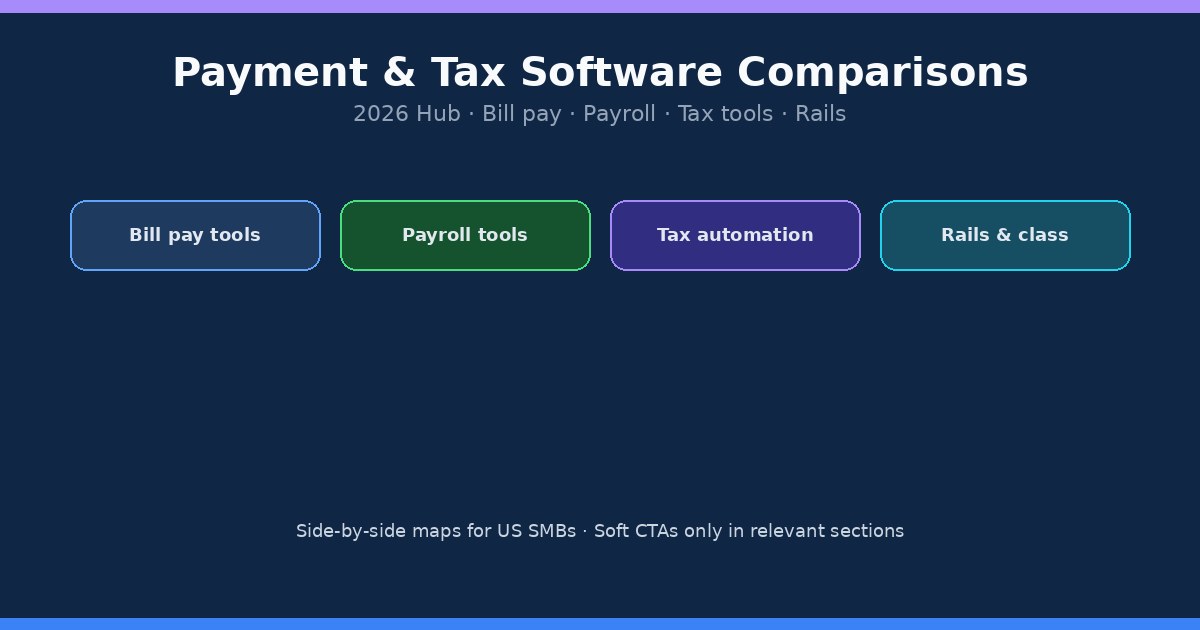
Payment and tax software comparisons help US small businesses shortlist tools without buying features they will not staff. This page is the cluster hub for those side-by-side guides. It covers bill pay platforms, payroll products, sales-tax automation, and a few foundational rails or classification choices that sit under the tools. Use it to pick a lane, then open the linked posts for feature tables, fee shapes, and decision checklists.
If you already know your lane, jump ahead: bill pay hub, payroll hub, or tax compliance hub. This page stays a map, not another mega how-to.
How we compare
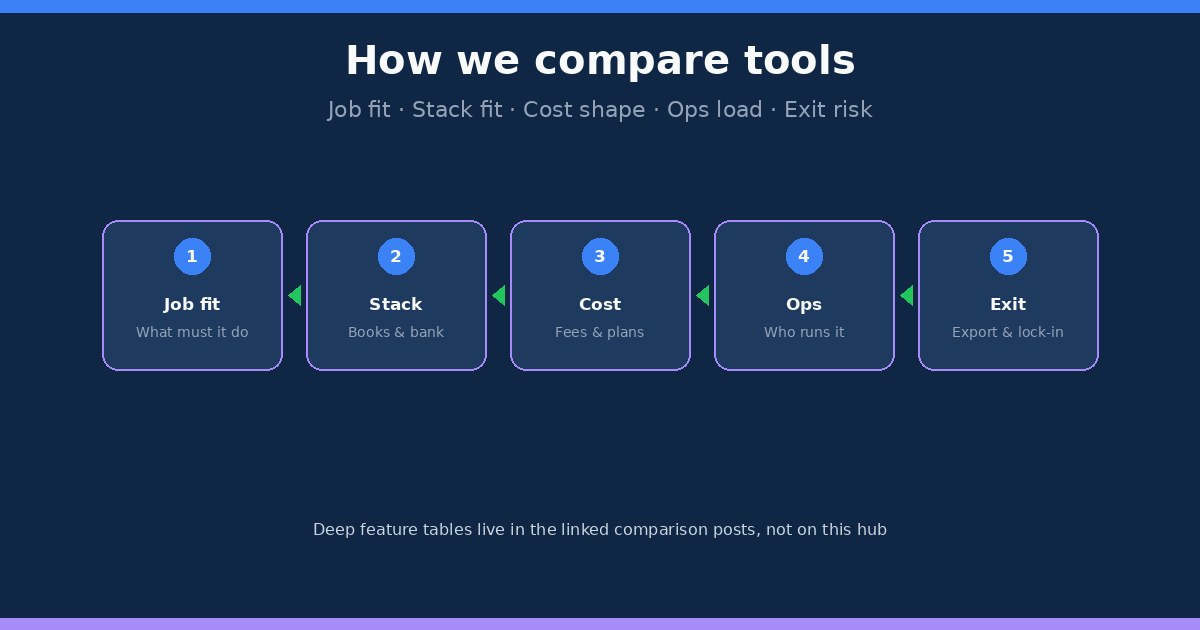
Every comparison on this site starts with the job, not the logo. We ask what must happen every week (pay vendors, run payroll, calculate sales tax), which systems already hold your books and bank connection, how fees and plans scale with volume, who will actually operate the tool, and how painful it is to export data if you leave. Marketing pages rarely answer those five questions in one place. Our posts do, with caveats when pricing or plan names change.
We do not invent case studies or claim a universal winner. A lean Melio-style bill pay stack can be the right pick for a five-vendor shop and the wrong pick for a multi-approver AP desk. Gusto can fit a growing W-2 team while QuickBooks Payroll wins when the ledger already lives in QuickBooks Online. Quaderno, Stripe Tax, and TaxJar solve overlapping but different tax jobs. Read the linked guides with your invoice count, headcount, checkout stack, and filing geography in mind.
Affiliate relationships do not change the criteria. When a soft CTA appears, it sits inside the section that matches the product so you are not sold two tools before you finish the intro.
Bill pay comparisons
Bill pay tools turn vendor invoices into scheduled ACH, mailed checks, or card-funded payouts with a cleaner trail in accounting software. The common fork for US SMBs is lean bill pay (often Melio) versus heavier AP platforms (BILL and peers) versus sticking with bank bill pay. A second fork appears when owners confuse paying vendors with collecting customer payments inside QuickBooks.
Start with Melio vs Bill.com when you need to know whether lean scheduling and card-funded options are enough, or whether multi-approver queues and higher volume justify a fuller AP product. Use Melio vs QuickBooks Payments when the real question is vendor payables versus customer receivables. For a single-product fit check, read Melio review for small business owners. Ops context (rails, approvals, leaving mailed checks) lives under the bill pay hub.
Soft pick: If a lean US bill pay path fits your shop after you read the comparisons above, Melio is a practical place to schedule ACH, mail checks when vendors still need paper, and optionally fund selected payments with a card. Explore Melio through our partner link: Try Melio. Verify free-tier ACH limits, card fees, check delivery fees, eligibility, and plan features on Melio before you enroll.
Payroll comparisons
Payroll comparisons answer a different job: withhold and deposit employment taxes, pay W-2 employees on schedule, file forms, and optionally pay contractors without pretending they are employees. The usual shortlist for shops with one to five people is Gusto versus QuickBooks Payroll, plus a few adjacent tools when benefits, multi-state filings, or contractor volume dominate.
Read Gusto vs QuickBooks Payroll with your real books workflow in mind. If the ledger already lives in QuickBooks and tight payroll-to-ledger sync is the priority, that comparison will surface the tradeoffs. If you want a payroll-first product with strong employee self-service and optional benefits, Gusto often lands on the shortlist. For a wider starter map, use best payroll software for 1 to 5 employees. Classification and first-hire ops belong on the payroll hub, not inside a feature table.
Soft pick: If a full-service payroll path fits after you compare options, Gusto is a practical place to run employee payroll, handle tax filings in supported jurisdictions, and optionally pay contractors in the same workspace. Explore Gusto through our partner link: Try Gusto. Verify pricing, state coverage, filing support, and plan features on Gusto before you enroll. If you are still torn between Gusto and QuickBooks Payroll, finish that comparison first.
Tax tool comparisons
Sales tax automation is not one product category. Some tools calculate rates at checkout. Others add filings, VAT invoices, multi-gateway support, or US AutoFile. For Stripe-billed subscriptions, Stripe Tax is often the fastest start. Quaderno fits multi-gateway and VAT-heavy workflows. TaxJar is a common pick when US filing and AutoFile matter most. None of them replace your decision to register where you have nexus.
Compare lanes in best sales tax automation for digital subscriptions, then go deeper with Quaderno vs Stripe Tax and Quaderno vs TaxJar. Keep product tax work separate from payroll taxes. The wider map (nexus, registration timing, VAT invoices, payroll tax as a separate track) lives on the tax compliance hub. No Melio or Gusto CTAs in this section; those products do not run sales-tax AutoFile for digital SKUs.
Classification and rails comparisons
Two non-software forks show up in almost every tool shortlist. First, how you move money to vendors: ACH versus wire (and when a mailed check still wins). Second, how you classify people: W-2 employee versus 1099 contractor. Picking the wrong rail or the wrong classification makes any software look broken.
Use ACH vs wire transfer for vendor payments when cost, timing, and irreversibility drive the decision. Use W-2 vs 1099 before you force a contractor into payroll or keep an employee off the books for convenience. Those posts sit next to the tool comparisons because they change which product features matter.
How to use this hub
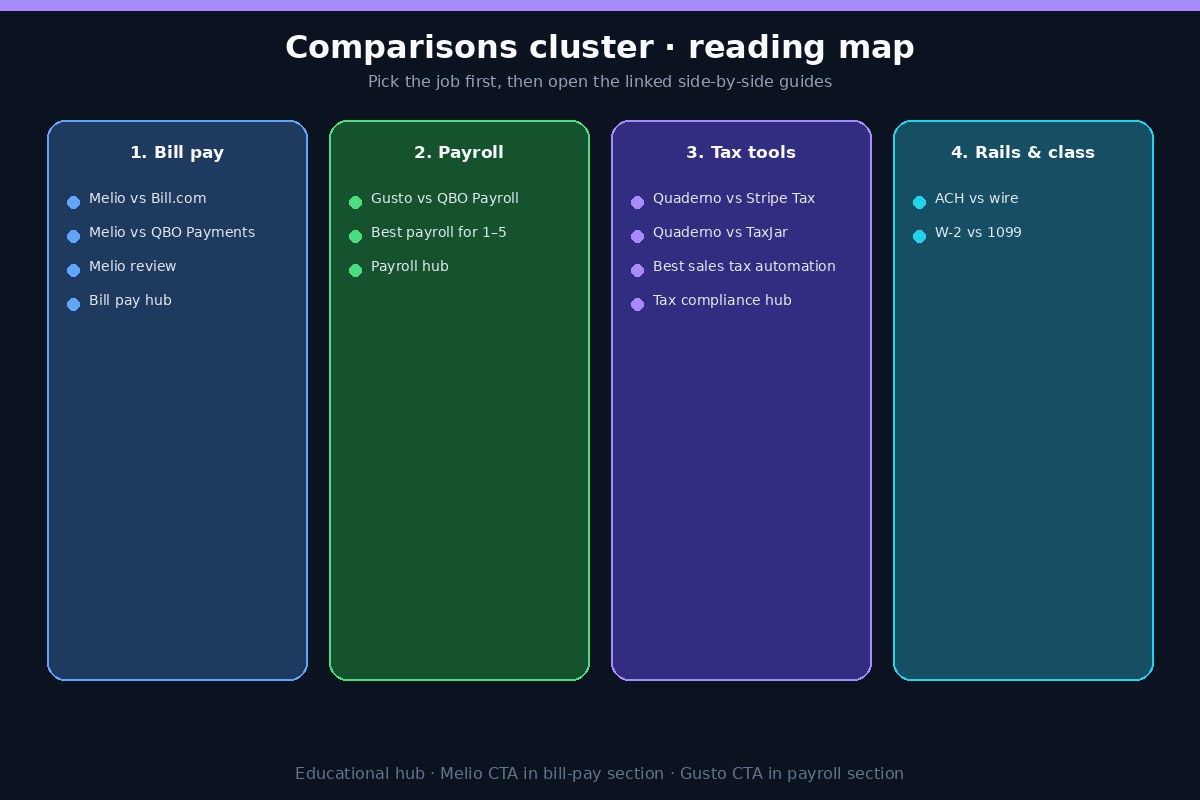
If you pay vendors and still mix checks and bank portals: open the bill pay comparisons above, then the bill pay hub for ops guides.
If you are hiring or already running a tiny W-2 team: open the payroll comparisons, then the payroll hub for first-hire and tax calendars.
If you sell digital products or subscriptions across states (or into the EU/UK): open the tax tool comparisons, then the tax compliance hub for nexus and VAT context.
If the argument is about ACH versus wire, or employee versus contractor: read the rails and classification posts before you blame the software.
Bookmark order that usually works: confirm the job and classification, shortlist two tools with one comparison post, then check fees and exit options against your real volume for one month. Do not buy a platform because a competitor uses it.
FAQ
Should I pick Melio and Gusto together?
Often yes for different jobs: Melio for vendor bill pay, Gusto for employee payroll. They are not substitutes. Confirm each fit in its own section above, and do not force contractor tax workflows into a bill pay tool or vendor ACH into a payroll product by habit.
Why are tax tools on a payments comparisons hub?
Because owners shortlist checkout tax calculation next to payment stacks, and because filing mistakes cost cash the same way a bad payroll or AP tool does. The deep compliance map still lives on the tax hub; this page only routes the side-by-side posts.
Do comparison posts replace demos?
No. Use them to kill bad fits early and to bring better questions into a vendor demo. Always verify current pricing, state coverage, and plan limits on the vendor site.
Where should I go if I only need ops, not tools?
Skip the soft CTAs and open bill pay, payroll, or tax compliance. Those hubs emphasize checklists and calendars over product shortlists.
Related hubs
This comparisons page completes the four main pillars on SmallBizPayGuide: bill pay (ops and Melio-lean paths), payroll (first hire through software), tax compliance (sales tax, VAT/OSS, payroll taxes as a separate track), and this hub for side-by-side tool and rails guides. Start with the job that is costing you time or risk this month, then follow one reading path instead of opening every post at once.
Related comparison links for bookmarking: Melio vs Bill.com, Melio vs QuickBooks Payments, Melio review, Gusto vs QuickBooks Payroll, best payroll for 1–5, Quaderno vs Stripe Tax, Quaderno vs TaxJar, best sales tax automation, ACH vs wire, and W-2 vs 1099.