Disclosure: This guide is educational and may include affiliate links. We may earn a commission if you sign up through our Melio partner link, at no extra cost to you. Pricing and features change; verify current rates on each vendor’s site before you buy.
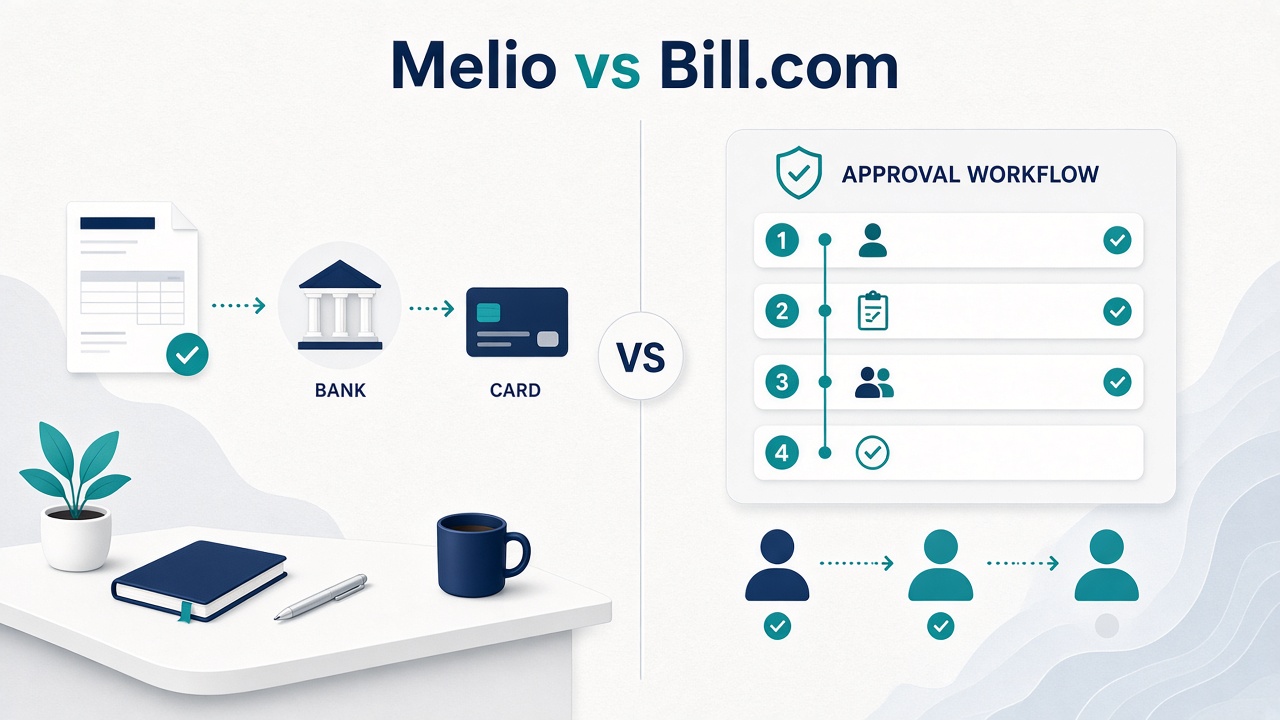
Research note: This is a research comparison built from Melio’s and BILL’s published pricing pages and a touchpoint-based decision method (who enters bills, who approves, who pays, how many ACH vs checks vs card). We did not invent client payroll stories or conversion stats. Treat the cost tables as worksheets you can recalculate with your own seat count and payment mix.
For most US small businesses the split is practical. Melio fits owners who want low-friction online bill pay, a free or low-cost start, and simple ACH or card payments to vendors. BILL (formerly Bill.com) fits teams that need multi-user accounts payable, structured approvals, and a fuller AP/AR platform with clearer audit trails. Melio usually wins on speed and price for solos and lean teams. BILL usually wins when roles, controls, and scale matter more than a minimal monthly fee.
Quick answer: Melio or Bill.com?
Melio is usually better for solo owners and small teams that want to stop mailing checks without a heavy software budget. BILL is usually better when several people touch invoices, approvals, and reconciliation.
Both help US businesses pay vendors online. Both support ACH, check delivery, and paying by card in many cases (often with a percentage fee). Melio focuses on approachable AP for small businesses. BILL is a broader AP/AR platform with per-user pricing and stronger structured controls.
If your goal is to pay a vendor this week without a stamp, start with Melio. If your goal is to route every bill through roles, approvals, and a defensible audit trail, shortlist BILL. Compare both in our comparisons hub and bill pay overview.
What is Melio?
Melio is an online bill pay and accounts payable product for US small businesses. You upload or enter bills, schedule payments, and pay vendors from your bank account (ACH) or, when available, with a credit or debit card, even if the vendor only accepts checks or ACH.
In practice, Melio is a small-business-focused bill pay / AP tool for easy vendor payments, optional card-funded payments, and light-to-moderate workflows by plan. Owners who pay vendors from one desk often use it to digitize AP without an AP department: paying contractors, scheduling recurring payments, and syncing to accounting. See our Melio review for small business owners.
What is BILL (Bill.com)?
BILL (formerly Bill.com) is a cloud platform for accounts payable, accounts receivable, and related finance workflows. Many people still say “Bill.com,” but the company brand is BILL. In this article, “Bill.com” and “BILL” refer to the same product family unless noted otherwise.
Key terms used throughout this guide:
- BILL (formerly Bill.com): a multi-user AP/AR platform for bill intake, approvals, payments, and receivables tools.
- ACH: Automated Clearing House, an electronic bank-to-bank payment network commonly used for vendor payments; usually cheaper than wires and slower than instant methods.
- Accounts payable (AP): receiving vendor invoices, approving them, scheduling payment, and recording the expense.
- Approval workflow: rules that require one or more people to review and approve a bill before money goes out.
BILL is often chosen when a bookkeeper or office manager needs permissions, dual control, and a clearer paper trail than a shared bank login. Pricing is commonly per user per month, plus ACH, check, and card transaction fees.
Melio vs Bill.com at a glance
Melio tends to be simpler and cheaper to start. BILL tends to be stronger for multi-user AP controls and broader finance workflows.
| Category | Melio | BILL (Bill.com) |
|---|---|---|
| Best for | Solos, lean teams, check replacement | Multi-user AP, approvals, scale |
| Starting cost (published list) | Go $0; paid tiers from about $25/mo | Essentials about $49/user/mo |
| Pricing model | Plan tiers (often org-level) | Per-user plans + payment fees |
| ACH | Free tier may include limited free ACH; paid plans expand limits | ACH often ~$0.59 per payment (example) |
| Pay by card | Often ~2.9% when available | Often ~2.9% when available |
| Approvals | Available; depth varies by plan | Core strength for finance teams |
| AR features | Primarily AP / bill pay focused | AP plus AR / invoice tools in platform |
| Learning curve | Generally lighter | Generally more structured |
Use this table as a filter, not a final purchase decision. Confirm plan names, seats, and payment fees before you commit, especially at high ACH volume.
Pricing and fees compared
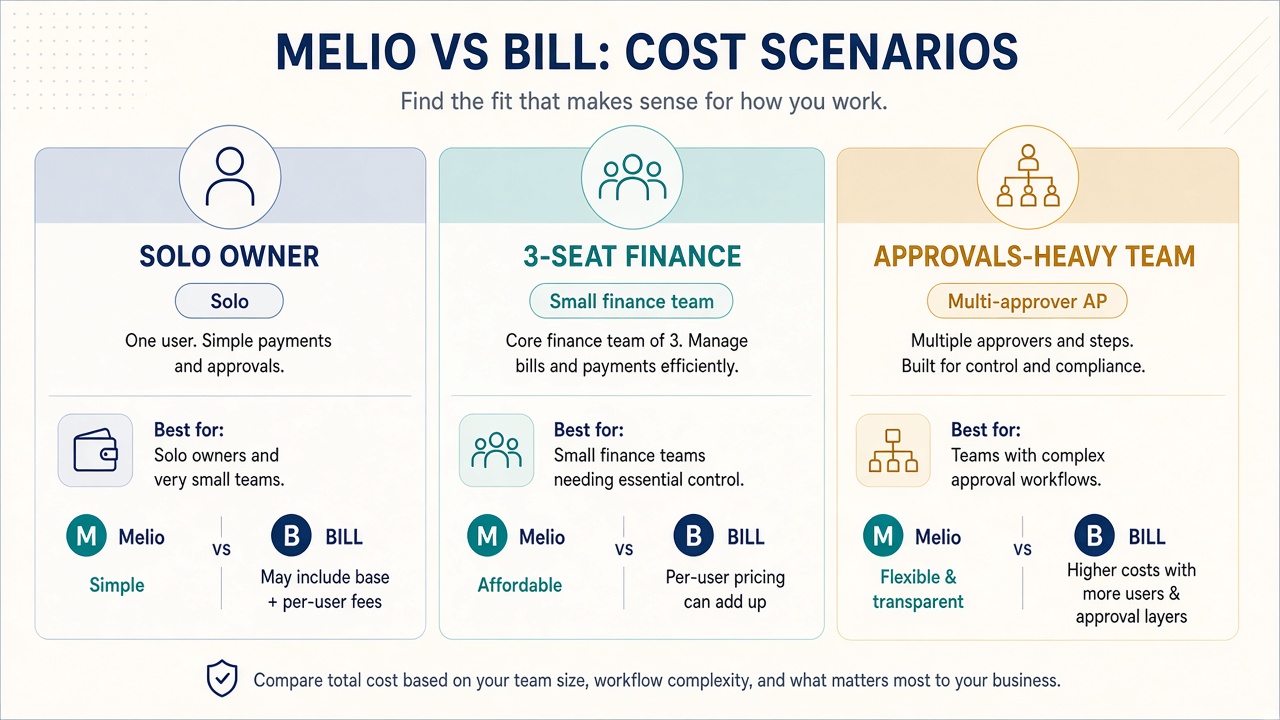
Melio’s published list prices start at $0 (limited free ACH on the free tier) and rise through Core (~$25/mo), Boost (~$55/mo), and Unlimited (~$80/mo). BILL’s published AP/AR list prices are commonly Essentials (~$49/user/mo), Team (~$65/user/mo), and Corporate (~$89/user/mo), plus per-payment fees such as ACH ~$0.59, check ~$1.99, and card ~2.9%. Always verify current pricing.
Published list prices below are based on Melio pricing (https://melio.com/pricing/, 2026) and BILL pricing (https://www.bill.com/pricing, 2026). Vendors update pages often; treat these as illustrative list prices that can change.
Melio published list pricing (illustrative)
- Go: $0. Limited free ACH (for example, about 5 free ACH payments per month on the free tier per Melio’s site).
- Core: about $25/mo.
- Boost: about $55/mo.
- Unlimited: about $80/mo.
- Card payments: often around 2.9% when you pay a vendor by card (availability and exact rates can vary).
BILL published list pricing (illustrative)
- Essentials: about $49 per user per month.
- Team: about $65 per user per month.
- Corporate: about $89 per user per month.
- Example payment fees: ACH about $0.59; check about $1.99; card about 2.9% (from BILL’s pricing page examples).
Monthly cost scenarios (illustrative)
These scenarios combine subscription list prices with example payment fees. They are not quotes. Swap in your real seat count and monthly payment volume. Owners who pay vendors from one desk should weight the solo row; teams with a bookkeeper and manager should start from the three-seat row.
| Scenario | Assumptions | Melio (illustrative) | BILL (illustrative) |
|---|---|---|---|
| Solo owner | 1 user; ~20 ACH payments/mo; mostly bank pay | Often Go or Core: ~$0-$25 subscription; ACH may be free/limited then paid plan; card only if used (~2.9%) | Essentials 1 seat ~$49 + ~20 × $0.59 ACH ≈ ~$61 before checks/cards |
| 3-seat finance | Owner + bookkeeper + manager; ~40 ACH + 5 checks | Core/Boost/Unlimited ~$25-$80 plan cost; payment fees depend on method/plan | Team ~$65 × 3 = ~$195 + ACH (~$23.60) + checks (~$9.95) ≈ ~$228+ |
| Approvals-heavy team | 4-5 users; strict dual control; higher bill volume | Higher Melio tier may work if approvals fit; watch collaboration limits | Corporate ~$89 × 4-5 seats = ~$356-$445 + transaction fees; stronger fit when seats and controls are required |
Melio’s total cost is often lower for a single decision-maker. BILL’s per-user model rises with seats, and that spend buys multi-person AP controls. Melio’s Go tier can replace mailing checks if limited free ACH is enough; read those limits carefully before you assume the free plan covers peak months.
What the math usually does not capture: card fees on large vendor payments, mid-month BILL seat adds, and Melio upgrades when free ACH runs out. Recalculate with your worst month, not your quietest.
Payment methods: ACH, check, and paying by card
Both Melio and BILL can help you pay vendors via ACH, paper check delivery options, and (in many cases) card-funded payments. ACH is usually the everyday workhorse. Card pay is useful for rewards or cash-flow timing but typically costs about 2.9%. Checks remain a bridge for vendors who will not accept electronic payments.
ACH moves money electronically between US bank accounts. For most small businesses it is the default for routine vendor bills because fees are usually lower than wires. See ACH vs wire transfer for vendor payments.
Checks still matter for landlords and local suppliers who insist on them. Bill pay tools can often print and mail checks so you skip desk-drawer check stock. See how to pay business bills online without mailing checks.
Paying by card is a standout Melio feature and is also available with BILL: you may fund a vendor payment by card even when the vendor receives ACH or a check. The tradeoff is a fee often around 2.9%, which is rational if rewards or cash-flow timing outweigh the cost. See paying vendors with a credit card.
Tradeoffs operators hit in real workflows:
- ACH: lower typical fees and digital records; good for recurring vendors. Settlement is not instant, and bank verification timing applies.
- Card pay: rewards potential and optional cash-flow flexibility. Percentage fees add up, and not every vendor path supports it.
- Check delivery via software: reaches stubborn payees with less manual mailing. Slower than ACH, and some platforms charge per check.
A pitfall that wastes money: treating card pay as free rewards. On a $10,000 vendor bill at ~2.9%, you pay roughly $290 in fees before any reward offset. Run that number before you route rent or inventory through a card for points.
Approvals, roles, and audit trail
If you need clear roles (who enters bills vs who pays) and a durable approval workflow, BILL is usually the stronger default. Melio can support approvals depending on plan and setup, but BILL is built around multi-user finance controls.
An approval workflow reduces fraud and mistakes by requiring review before funds leave. A simple pattern: bookkeeper enters the bill, manager approves, then payment is scheduled. Mature teams add dollar thresholds, dual control, and exportable history.
Melio is often enough when one owner approves and needs software to execute payments. BILL is usually better when you must prove who approved what and when. Shared bank logins are not dual control. If two people use the same credentials, you cannot show a clean audit trail later. See how to set up a bill approval workflow for a small business.
- Ask Melio: Do my required approvers and payment limits fit my plan?
- Ask BILL: How many seats do I need for entrants, approvers, and payers?
- Ask both: Can I export an audit trail my CPA will accept?
Accounting integrations
Both Melio and BILL commonly integrate with popular accounting tools so payments sync to the books. Confirm your stack (for example QuickBooks Online) and which objects sync: vendors, bills, payments, and categories, before you migrate.
A clean sync reduces double entry. A partial sync creates “shadow AP,” where the bill pay tool and the ledger disagree on paid vs open. A concrete check that works better than reading feature pages: pilot 5-10 real bills, pay one small ACH, and verify the ledger line by line. If your accounting system already includes payments, weigh a dedicated tool; see Melio vs QuickBooks Payments.
When Melio is the better fit
Melio is the better fit when cost, simplicity, and vendor payment flexibility (including card-funded payments) matter more than enterprise-style AP governance.
- You are a solo owner or very small team replacing paper checks.
- You want a $0 starting point or a modest monthly plan instead of per-user fees.
- You value paying by card for rewards or cash-flow timing and accept ~2.9% fees when used.
- Your approval needs are light (one or two reviewers, not a matrix of roles).
- You want to digitize AP quickly without a long implementation project.
Melio pros: approachable for small businesses; free tier with limited free ACH; clear paid tiers; strong check-replacement story; card pay option in many cases.
Melio cons: free ACH limits can force an upgrade; collaboration and controls may be thinner than BILL for larger finance teams; you must verify current plan features against your workflow. Melio is a weak fit if you already need four named roles and exportable dual-control history on day one.
When Bill.com is the better fit
BILL (Bill.com) is the better fit when multiple people touch AP, you need structured approvals, and you prefer a broader AP/AR platform even at a higher seat-based cost.
- You have (or will hire) bookkeepers, managers, and payers who need separate roles.
- You need a formal approval workflow and a stronger audit trail.
- You want AP and AR capabilities in one vendor relationship.
- Your volume and compliance expectations justify per-user pricing plus transaction fees.
- Your accountant or fractional CFO already recommends BILL for process control.
BILL pros: multi-user design; approvals and controls as a core story; AP/AR breadth; mature payment fee schedule that is easy to model (ACH, check, card examples on the pricing page).
BILL cons: higher baseline cost as seats grow; ACH and check fees add up at volume; can feel heavier than necessary for a one-person shop that only pays ten vendors a month. Buying Corporate seats “for later” is a common overspend when Melio’s paid tiers would cover the current workflow.
How to decide in 30 minutes
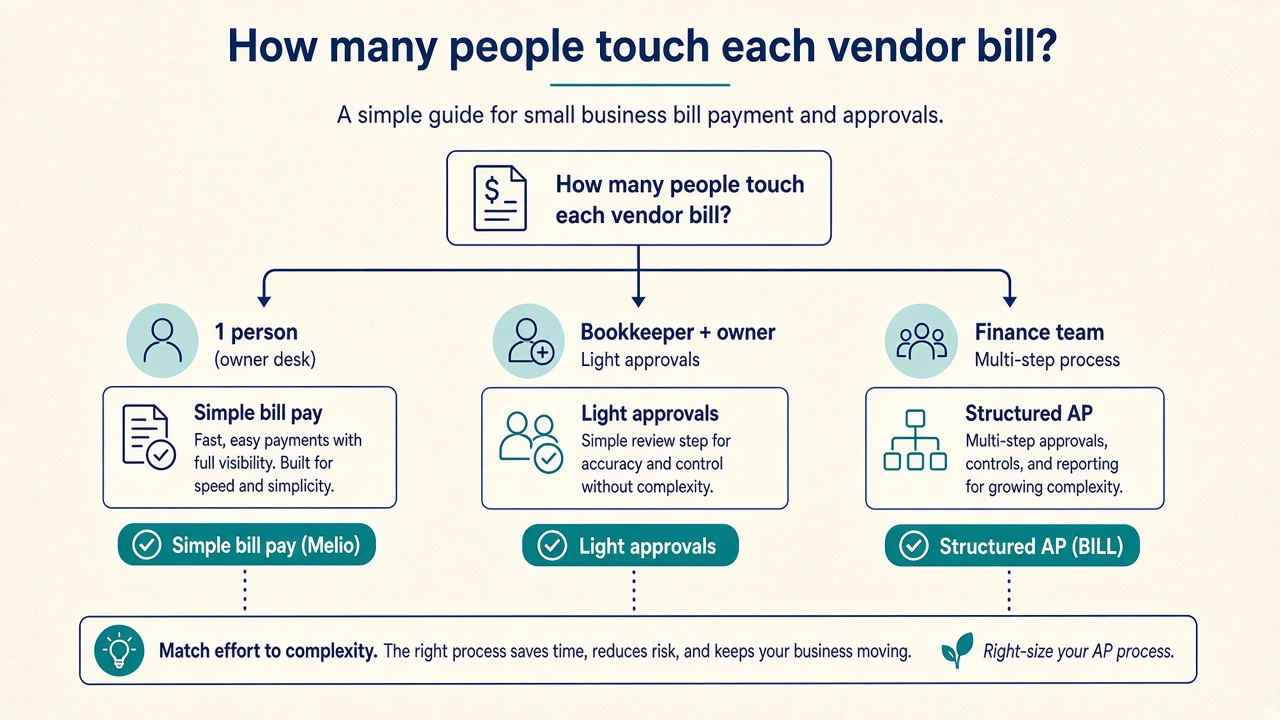
Run a timed checklist: map users and payment mix, estimate monthly cost on both products, test approvals and accounting sync, then pick the tool that clears risk and budget. A long feature list does not help if the product fails your seat count or ACH volume math.
- List every person who touches bills (enter, approve, pay, reconcile). If the list is one person, Melio is the default favorite; if three or more with separation of duties, lean BILL.
- Count last month’s payments by method (ACH, check, card, wire). Estimate fees using published examples and your real volume.
- Write your must-have approval rules (for example: anything over $1,000 needs manager approval). Check which product supports those rules on the plan you can afford.
- Confirm accounting integration for your exact software and whether bills and payments sync both ways.
- Price three scenarios (solo; 3 seats; approvals-heavy) using Melio and BILL list prices, then add a 20% buffer for fee changes.
- Pilot one small ACH payment on the leading candidate with a trusted vendor.
- Document who owns vendor onboarding (W-9 collection, bank details, fraud checks).
- Decide and calendar a 60-day review to catch plan mismatches early.
Your payment mix and seat count are the durable inputs. Marketing pages change; those two numbers usually do not.
Common mistakes when choosing a bill pay tool
The expensive mistakes are undercounting seats, ignoring per-payment fees, buying controls you will never use, or assuming card pay is free rewards money. Here is what tends to break in practice:
- Comparing only the monthly subscription. ACH, check, and card fees can dominate at scale.
- Buying BILL seats you do not need yet. Start with real roles; add seats when process requires them.
- Staying on Melio’s free tier past its limits. Limited free ACH is a runway, not a forever plan for high volume.
- Skipping dual control on large payments. Shared passwords are not an approval workflow.
- Ignoring vendor readiness. Some payees still need checks; your tool must handle that path.
- Forgetting the accountant. If your CPA cannot reconcile exports, month-end pain erases software savings.
- Not verifying 2026 pricing pages. List prices change; re-check Melio and BILL before annual commitments.
FAQ
Is Melio free for small businesses?
Melio offers a free Go tier with limited free ACH (for example, a small monthly free ACH allowance on the free tier per Melio’s site). Paid plans such as Core, Boost, and Unlimited expand capacity and features. Confirm current free-tier limits on Melio’s pricing page.
Is Bill.com the same as BILL?
Yes in everyday usage. BILL is the company and product brand formerly widely known as Bill.com. When people compare “Melio vs Bill.com,” they usually mean Melio versus BILL’s AP/AR platform.
Which is cheaper: Melio or Bill.com?
For a solo owner with modest ACH volume, Melio is often cheaper because of the free tier and org-level plans starting around $25-$80/mo. BILL’s per-user pricing (about $49-$89/user/mo) plus ACH/check fees usually costs more as soon as you add seats. Run your own seat-and-volume math and verify live pricing.
Can I pay vendors with a credit card on Melio and BILL?
Often yes, when the product path supports card-funded payments. Expect a percentage fee commonly around 2.9%. Availability can depend on vendor payment method and plan rules; verify before you rely on rewards strategies.
Does Melio or BILL replace my accountant?
No. Both are software for paying and organizing bills. Your accountant or bookkeeper still owns tax treatment, financial statements, and advisory work. Choose a tool that exports cleanly to your accounting system.
What is ACH in bill pay?
ACH (Automated Clearing House) is an electronic US bank payment network used to move money between accounts. In bill pay, ACH is the common low-cost way to pay vendors without paper checks or wires.
Do I need an approval workflow for a tiny business?
If only you pay bills, a lightweight process may be enough. Add a formal approval workflow when a second person enters invoices, when payment amounts grow, or when you want separation of duties to reduce fraud risk.
Should I switch from checks to Melio or BILL first?
Most small businesses should digitize high-volume, trusted vendors first via ACH, keep a check path for holdouts, then harden approvals. Melio is a common first step for check replacement; BILL is a common first step when controls are the priority from day one.
Next steps and related guides
Pick Melio for lean, low-cost bill pay; pick BILL for multi-user AP controls. Then verify 2026 pricing and run a small pilot before you migrate every vendor.
If Melio looks like the right fit for your small business, you can explore Melio through our partner link: Try Melio. Terms, eligibility, and offers can change; verify pricing, free-tier ACH limits, and plan features directly on Melio before you enroll.
Continue with these related SmallBizPayGuide resources:
- Bill pay overview
- Software comparisons
- Melio review for small business owners
- Melio vs QuickBooks Payments
- Pay vendors with a credit card
- Pay business bills online without mailing checks
- ACH vs wire transfer for vendor payments
- Set up a bill approval workflow
List prices change. Re-check Melio pricing (2026) and BILL pricing (2026), map seats and payment mix, and choose the tool that matches how your US small business pays vendors.