Gusto is the better fit for most U.S. small businesses that mainly need payroll, benefits, and core HR with a price they can see before a sales call. Rippling is the better fit when hiring must also drive IT (apps and devices), deeper automation, and a modular HR–finance stack—and you are willing to scope a custom quote. Both can run U.S. payroll; the real fork is published payroll product versus quoted workforce platform.
Disclosure: SmallBizPayGuide publishes educational comparisons for U.S. SMB owners. We may earn a commission if you sign up through our Gusto partner link, at no extra cost to you. Pricing and modules change; treat dollar figures below as illustrative as of September 2026 and verify on each vendor’s site before you buy. This is not tax, legal, or HR advice.
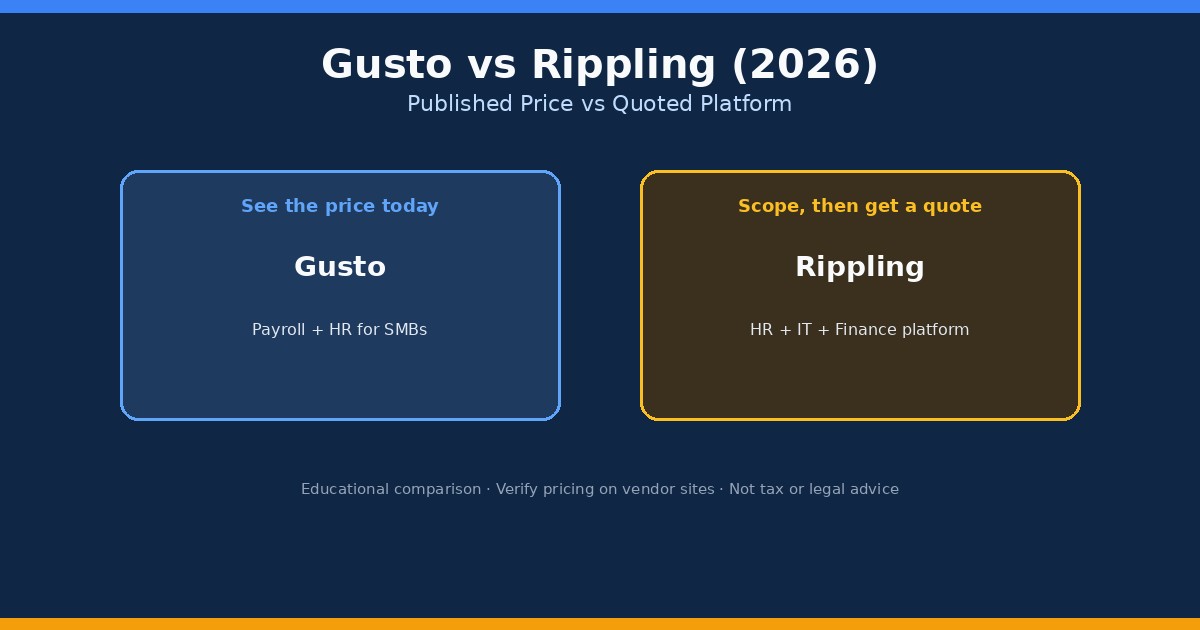
Quick answer: Gusto or Rippling?
Takeaway: Pick Gusto when payroll is the job; pick Rippling when the platform around payroll is the job.
If you are a first-time employer, a multi-state team under roughly 50 people, or an owner who wants month-to-month payroll without a long sales cycle, start with Gusto. If you issue laptops, provision SaaS accounts on day one, juggle identity/access, or expect global and multi-entity complexity soon, request a Rippling quote with the same payroll, HR, IT, and support scope on both sides of the comparison.
Already comparing payroll tools inside an accounting stack? Read our Gusto vs QuickBooks Payroll guide next—that fork is about native books sync, not IT. For micro-teams, also see cheapest payroll for one employee and best payroll software for 1 to 5 employees.
What is Gusto?
Takeaway: Gusto is a payroll-led SMB platform with published Simple, Plus, and Premium tiers.
Gusto is a cloud payroll and HR product aimed at U.S. small businesses. Typical workflows include running employee and contractor pay, collecting new-hire information, offering benefits tools by plan, tracking time off, and producing year-end W-2 and 1099 forms when you use supported features. Owners often treat Gusto as the people system of record even when the general ledger lives in QuickBooks Online or another bookkeeping tool.
As of mid-2026 secondary pricing summaries and Gusto plan explainers, commonly cited list prices are:
- Simple: about $49/month + $6 per person — single-state payroll focus
- Plus: about $80/month + $12 per person — multi-state payroll, time tools, richer HR
- Premium: about $180/month + $22 per person — dedicated support and advanced HR tools
- Contractor-only: often discussed around $35/month + $6 per contractor (promos may waive the base—confirm live)
Confirm current plan names and inclusions on Gusto’s pricing page; list prices move. For contractor payouts inside Gusto, see how to pay contractors with Gusto.
What is Rippling?
Takeaway: Rippling is a modular workforce platform; payroll is one product on top of a required core.
Rippling connects employee records to HR, payroll, finance, identity, apps, and devices. The buying model is different from Gusto’s three published payroll plans: you typically purchase a required platform layer, then add products (payroll, benefits, IT management, spend, and more) through a sales quote. That makes Rippling powerful when one hire event should also create accounts, ship a laptop, and enroll benefits—and harder to price from a public page alone.
Key terms used in this guide:
- Published price: a vendor lists base + per-person fees you can total before talking to sales (Gusto’s usual model for core plans).
- Quoted platform: a required core plus separately selected modules; total cost depends on scope (Rippling’s usual model).
- Full-service payroll: wage calculation plus tax withholdings, deposits, and filings through the product’s tax service (coverage depends on plan and jurisdiction).
- PEPM: per-employee-per-month pricing common in HR and IT modules.
Gusto vs Rippling at a glance
Takeaway: Scope first—price second—because the products are not the same object.
| Category | Gusto | Rippling |
|---|---|---|
| Best for | US SMB payroll + core HR/benefits | Unified HR + IT + finance ops |
| Pricing style | Published plans (illustrative) | Platform + modules; custom quote |
| Entry idea (illustrative Sep 2026) | Simple ~$49/mo + ~$6/person | Platform often discussed from ~$8/user + monthly base fee; payroll usually separate |
| IT / devices | Not the core product | Major differentiator (apps, identity, devices) |
| Setup | Self-serve friendly for many SMBs | Sales-scoped implementation common |
| Global / complex ops | Improving paths; confirm current offerings | Stronger platform story for multi-country complexity |
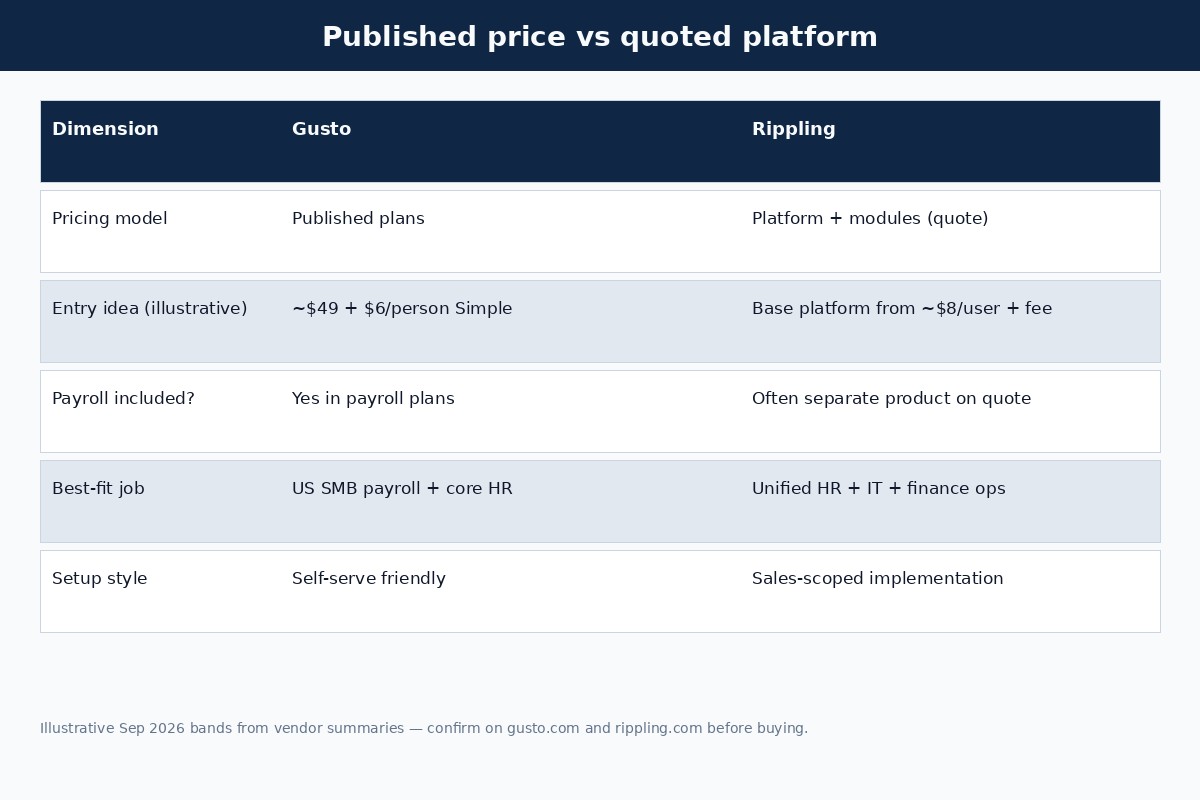
Pricing: published Gusto plans vs Rippling quotes
Takeaway: Gusto’s list price is usually the payroll bill; Rippling’s starting figure is usually not.
This is where most head-to-heads go wrong. Gusto Simple is a working payroll system with a public formula. Rippling’s publicly discussed starting PEPM typically buys platform/HRIS foundation—not a complete payroll-plus-IT stack. Rippling’s own pricing FAQ states HR, Finance, and IT products can be purchased separately alongside the required platform, and that some products include monthly base fees.
Illustrative Gusto monthly totals (base + per-person only; no add-ons, taxes, or benefits premiums):
| Plan (illustrative) | 5 people | 10 people | 25 people |
|---|---|---|---|
| Simple (~$49 + $6) | $79 | $109 | $199 |
| Plus (~$80 + $12) | $140 | $200 | $380 |
| Premium (~$180 + $22) | $290 | $400 | $730 |
For Rippling, treat third-party “from $8/user” or “$35–$40 base fee” figures as starting references, not your all-in bill. Buyer reports and vendor summaries in 2025–2026 often describe effective stacks in a much higher PEPM band once payroll, benefits, and IT modules are added—but those are not official rate cards. Get a scoped quote that lists every module, minimum, implementation fee, and support tier, then line it up against the Gusto plan you would actually buy.
If price transparency alone is the constraint, Gusto wins for most SMBs. If you already know you need device management and cross-department automation, a higher Rippling quote can still be cheaper than stitching five tools together—just do that math with real quotes, not blog “from” prices.
Payroll, taxes, and multi-state
Takeaway: Both can run full-service U.S. payroll; Gusto’s tier gates multi-state more obviously.
Full-service payroll means the software calculates wages, helps withhold employment taxes, and files supported federal/state/local forms when you enroll correctly. Gusto’s Simple plan is commonly positioned for single-state payroll; Plus and above are the usual multi-state path. Rippling payroll is capable across complex setups, but what you get depends on the modules and services on your quote.
Practical checks before you buy either product:
- List every state where you have employees working (not just where the LLC is formed).
- Ask how local taxes, reciprocal agreements, and remote employees are handled.
- Confirm direct-deposit timing, off-cycle runs, and year-end W-2 / 1099 workflows.
- Map payroll journals into your bookkeeping tool (QBO, Xero, etc.).
First-hire context lives in how to run payroll for your first employee and our new-hire payroll checklist. Entity questions start at do I need payroll for my LLC.
HR, benefits, and onboarding
Takeaway: Both cover core HR; Rippling goes deeper when HR must trigger IT and finance events.
Gusto’s value for SMBs is approachable onboarding, employee self-service, PTO policies, and benefits administration tools that scale with plan tier. Many owners never need more than that. Rippling’s story is the unified employee record: a change in role or location can cascade into app access, device policies, pay, and spend controls when those modules are live.
If your “HR pain” is really “I need clean offer letters, a handbook, and health benefits without hiring an HR manager,” Gusto (or Gusto Plus/Premium) is usually enough. If your pain is “every hire creates three tickets in IT and two in finance,” Rippling is solving a different problem.
IT, devices, and automation
Takeaway: IT and device management are Rippling’s clearest edge over Gusto.
Gusto is not trying to be your MDM, identity provider, or app provisioning system. Rippling markets those capabilities as first-class products. That matters for software companies, distributed teams with company hardware, and any business where offboarding must revoke SaaS access the same day employment ends.
For a five-person retail or trades business where phones and tools are not centrally managed, paying for IT modules is often unused complexity. For a 40-person SaaS team issuing MacBooks and 20 SaaS seats per hire, the platform fee can replace several point tools—again, only if you actually turn those modules on and staff the admin work.
Contractors and 1099 workflows
Takeaway: Both can pay contractors; pick based on whether contractors sit beside W-2 payroll or in a separate AP flow.
If you pay a mix of employees and contractors and want one people system for onboarding, payments, and year-end forms, Gusto’s contractor workflows are a common SMB fit—including a contractor-only plan when you have no W-2 staff yet. Rippling also supports contractor payments inside its broader platform when those products are on the quote.
If contractors are occasional vendors paid from invoices and you already have bill pay elsewhere, you may not need either product’s contractor module for every payout. Educational payment and 1099 process guides live under our tax compliance and payroll hubs. Classification questions are YMYL—use IRS guidance and a qualified advisor; do not treat software choice as worker-status advice.
Who each is best for
Takeaway: Match the product to the bottleneck you feel weekly—not the feature brochure.
Choose Gusto if you are:
- A U.S. SMB whose main job is accurate, on-time payroll and tax filings
- Under roughly 50 employees without a dedicated IT ops function
- Shopping on published prices and want to start without a long RFP
- Happy to sync payroll into QuickBooks or another ledger afterward
Choose Rippling if you are:
- Provisioning apps and devices as part of every hire/offboard
- Building one system of record across HR, IT, and finance
- Expecting rapid headcount growth, multi-entity, or global complexity
- Willing to run a scoped demo and negotiate modules with sales
Still unsure after a demo? Many teams stay on Gusto until IT ticket volume or multi-system onboarding pain is measurable—then evaluate Rippling with a side-by-side quote. Switching payroll mid-year is operationally painful; plan cutovers carefully.
10-point decision checklist
Takeaway: Score the checklist honestly before you compare sticker prices.
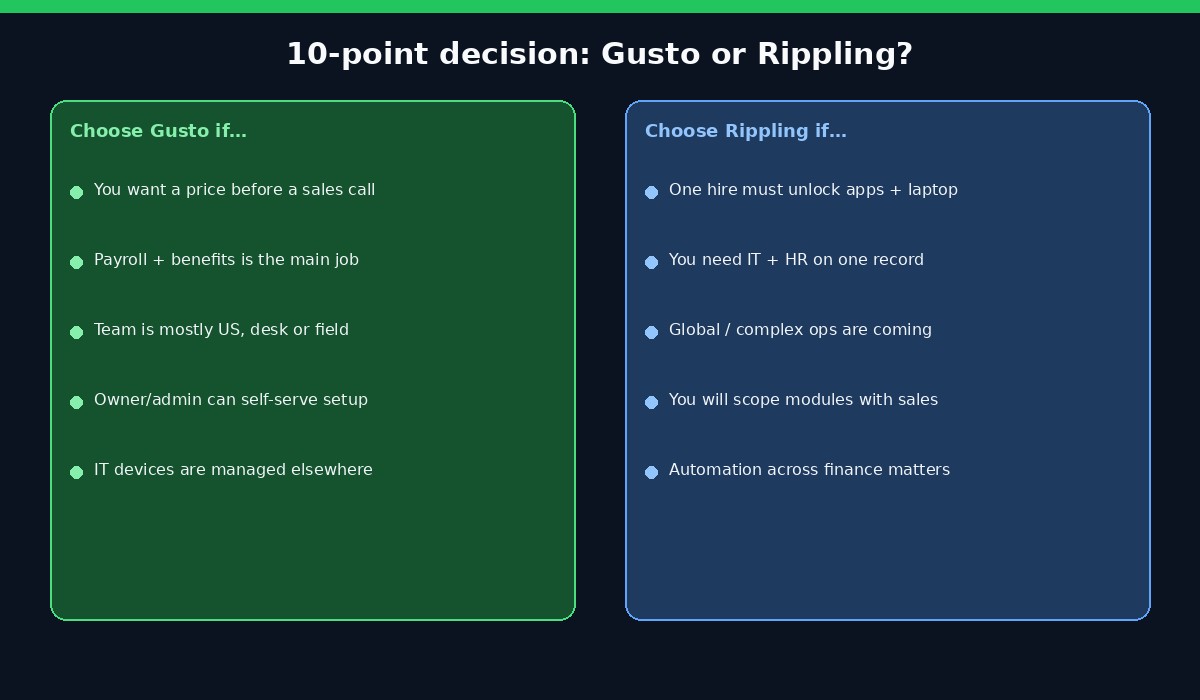
- Write one sentence for the job to be done (payroll accuracy vs unified workforce ops).
- Count W-2 employees and active 1099 contractors you pay monthly.
- List every work state and any near-term multi-state hires.
- Note whether company devices and SaaS access are centrally managed today.
- Decide if you need a published price this week or can wait for a quote.
- Map benefits needs (medical brokerage, deductions, open enrollment support).
- Confirm bookkeeping system and who reconciles payroll liabilities.
- Ask each vendor for implementation timeline, migration help, and support hours.
- For Rippling, demand a line-item quote: platform, payroll, HR, IT, finance, minimums.
- For Gusto, pick Simple vs Plus vs Premium against multi-state and time-tracking needs—then compare current Gusto plans.
Frequently asked questions
Is Gusto cheaper than Rippling?
Often yes for payroll-focused SMBs, because Gusto publishes plan math you can total yourself. Rippling can cost less or more depending on modules; platform-only “from” prices are not comparable to Gusto Simple. Compare equal scope.
Does Rippling publish its payroll price?
Not as a complete public rate card the way Gusto publishes Simple/Plus/Premium. Rippling emphasizes modular products beside a required platform and directs buyers to quotes. Treat blog PEPM figures as estimates.
Can Gusto do multi-state payroll?
Yes on higher plans. Simple is commonly positioned for single-state payroll; Plus and Premium are the usual multi-state path. Confirm your states on Gusto’s current plan comparison.
Does Rippling include IT and device management?
IT and device capabilities are a core Rippling differentiator and are typically sold as products on the platform—not automatically included just because you buy payroll. Ask which IT products are on your quote.
Is Rippling too much for under 20 employees?
It can be, if you only need payroll and light HR. It can still fit a small but tech-forward team that already centralizes devices and app access. Overkill is about unused modules, not headcount alone.
Can both pay contractors and support 1099s?
Both platforms offer contractor payment workflows when configured. Year-end form support depends on product settings and eligibility rules—verify in-product for your tax year. Software does not decide worker classification.
Which is easier for a first-time employer?
Gusto is usually easier to start: published plans, self-serve onboarding, and SMB-oriented payroll guidance. Rippling shines after you know which modules you need and have time for a scoped rollout.
Should I switch from Gusto to Rippling as I grow?
Switch when measurable pain appears—IT provisioning tickets, multi-system onboarding failures, or finance/HR data that will not stay in sync—not because a competitor chart looks impressive. Mid-year payroll migrations need careful tax and pay-history planning.
Bottom line and next step
Takeaway: For most U.S. SMBs in 2026, Gusto wins the payroll-first decision; Rippling wins the platform decision.
If your bottleneck is running clean payroll, benefits, and onboarding without a sales gauntlet, start with Gusto’s current plans and compare Simple vs Plus against your state count. If your bottleneck is unifying HR with IT and finance automation, request a Rippling quote that lists every module—then compare that quote to the Gusto tier you would actually use, not to a blog “from $8” line.
Keep exploring our comparisons hub and payroll guides, especially Gusto vs QuickBooks Payroll if your ledger already lives in QuickBooks Online. Prices and product bundles change—re-check vendor pages before you sign.