Disclosure: This guide is educational and may include affiliate links. We may earn a commission if you sign up through our Gusto partner link, at no extra cost to you. Pricing and features change; verify current rates on each vendor’s site before you buy.
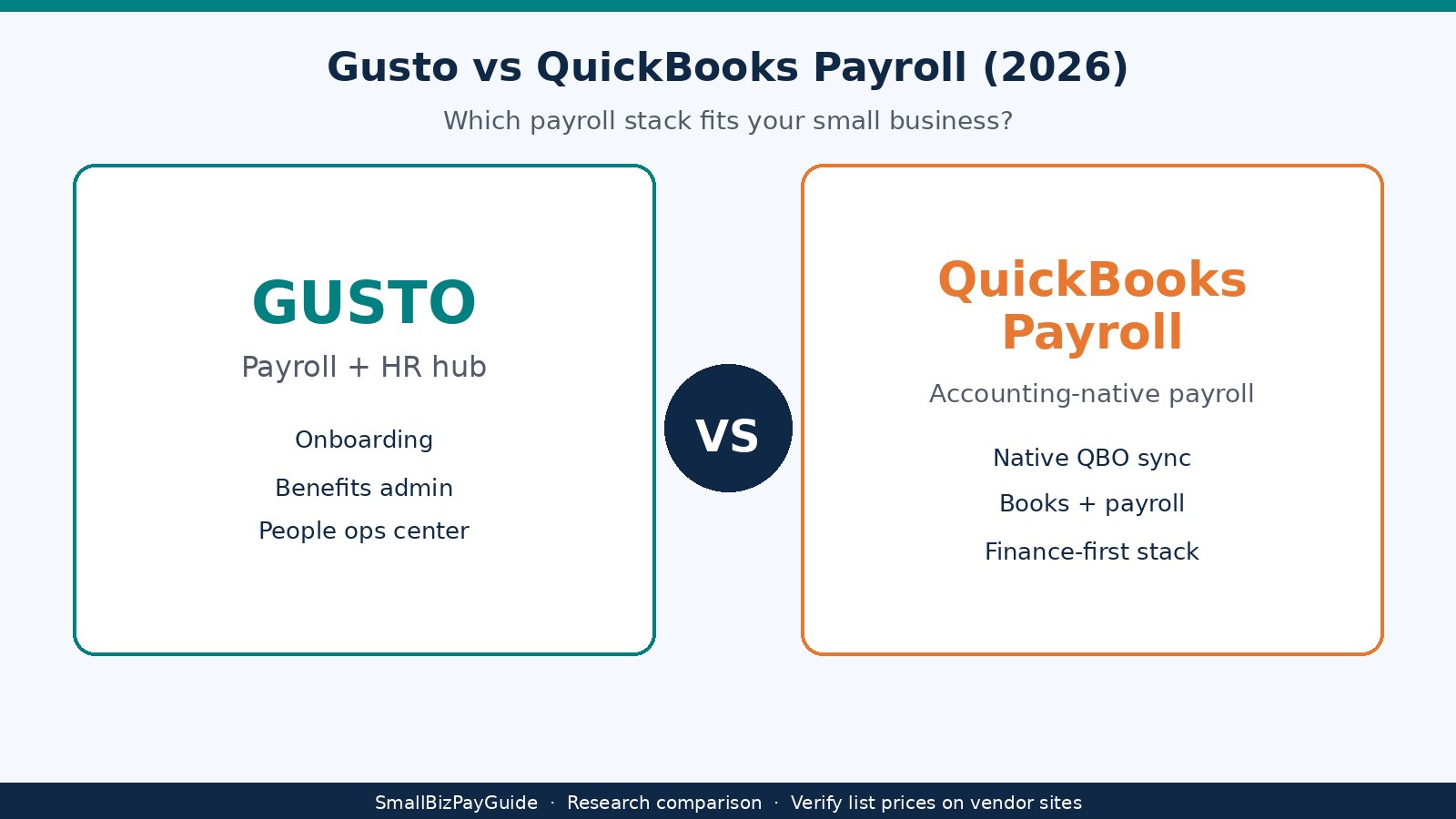
Research note: Research comparison from published Gusto and Intuit QuickBooks Payroll list-price pages and secondary summaries as of September 2026. Direct fetches of some vendor pricing pages timed out, so treat every dollar figure as illustrative. Confirm plan names, per-person fees, tax filing inclusions, and promos on official Gusto and Intuit sites before you buy. We did not invent client payroll stories or conversion stats.
For most US small businesses the fork is your accounting stack. If you already live in QuickBooks Online, QuickBooks Payroll usually wins because paychecks, tax liabilities, and journals stay close to the books. If you want payroll as a people hub with onboarding, benefits, and HR tools in one place, Gusto is usually the stronger center. Both can run full-service payroll with direct deposit and W-2 filing. The difference is whether native bookkeeping sync or payroll-plus-HR workflow matters more day to day.
Quick answer: Gusto or QuickBooks Payroll?
Choose QuickBooks Payroll when QuickBooks Online is already your ledger and you want payroll entries to land without a separate connector. Choose Gusto when hiring, onboarding, benefits, and contractor pay are the bottleneck and you are willing to sync payroll into accounting afterward.
Both are full-service payroll options for many US employers: they calculate wages, withhold taxes, file forms, and move net pay by direct deposit when bank setup is complete. Gusto is a payroll and HR platform. QuickBooks Payroll sits inside Intuit’s accounting family. If your CPA already reconciles everything in QBO, start demos there. If you are hiring first employees and want guided people ops, start with Gusto. Compare both in our comparisons hub and payroll overview.
What is Gusto?
Gusto is a cloud payroll and HR platform for US small businesses. You run payroll for employees and contractors, collect new-hire information, administer benefits tools by plan, and handle year-end W-2 and 1099 forms when you use the supported workflows. Owners often treat Gusto as the people system of record even when the ledger lives elsewhere. Plans commonly discussed for 2026 include Simple, Plus, Premium, and a contractor-only option; match inclusions to Gusto’s current plan page. For contractor pay, see how to pay contractors with Gusto.
What is QuickBooks Payroll?
QuickBooks Payroll is Intuit’s payroll line that sits with QuickBooks Online. Full-service payroll here means the software calculates pay, remits and files many federal and state payroll taxes when you enroll in those services, and produces pay stubs and year-end W-2s by plan. Direct deposit sends net pay after bank verification and processing windows. A W-2 is the annual wage and tax statement for employees; contractors typically receive Form 1099-NEC when thresholds apply.
Key terms used in this guide:
- Full-service payroll: wage calculation plus tax withholdings, deposits, and filings handled through the product’s tax service (coverage depends on plan and jurisdiction).
- Direct deposit: electronic deposit of net pay into an employee or contractor bank account after setup and processing cutoffs.
- W-2 employee: a worker classified as an employee for tax purposes; employer withholds income and employment taxes and issues Form W-2.
- Native sync: payroll journals and liabilities posting inside the same QuickBooks Online company file without a third-party connector.
QuickBooks Payroll is often chosen when books already run in QBO and the bookkeeper wants payroll liabilities beside other accounting activity. Core, Premium, and Elite differ on tax filing automation, HR add-ons, and support. Confirm what full service includes for your states on Intuit’s current pages.
Gusto vs QuickBooks Payroll at a glance
Gusto tends to win as a payroll-and-HR center. QuickBooks Payroll tends to win when native accounting sync matters most.
| Category | Gusto | QuickBooks Payroll |
|---|---|---|
| Best for | Payroll + HR / benefits / onboarding hub | Businesses already on QuickBooks Online |
| Starting list price (illustrative) | Simple ~$49/mo + ~$6/person | Core ~$50/mo + ~$6.50/employee |
| Higher tiers (illustrative) | Plus ~$80 + ~$12; Premium ~$180 + ~$22 | Premium ~$88 + ~$10; Elite ~$134 + ~$12 |
| Contractors | Strong contractor workflows; contractor-only ~$35 + ~$6 | Available inside QBO Payroll workflows; confirm plan |
| Accounting sync | Connector / integration into QBO and others | Native posting inside QuickBooks Online |
| HR / benefits | Core product story | More limited; depth rises on higher tiers / add-ons |
| Learning curve | Payroll-first UI for people ops | Familiar if you already know QBO |
Confirm plan names, tax filings, and per-person fees before you commit, especially across multiple states.
Pricing and headcount scenarios
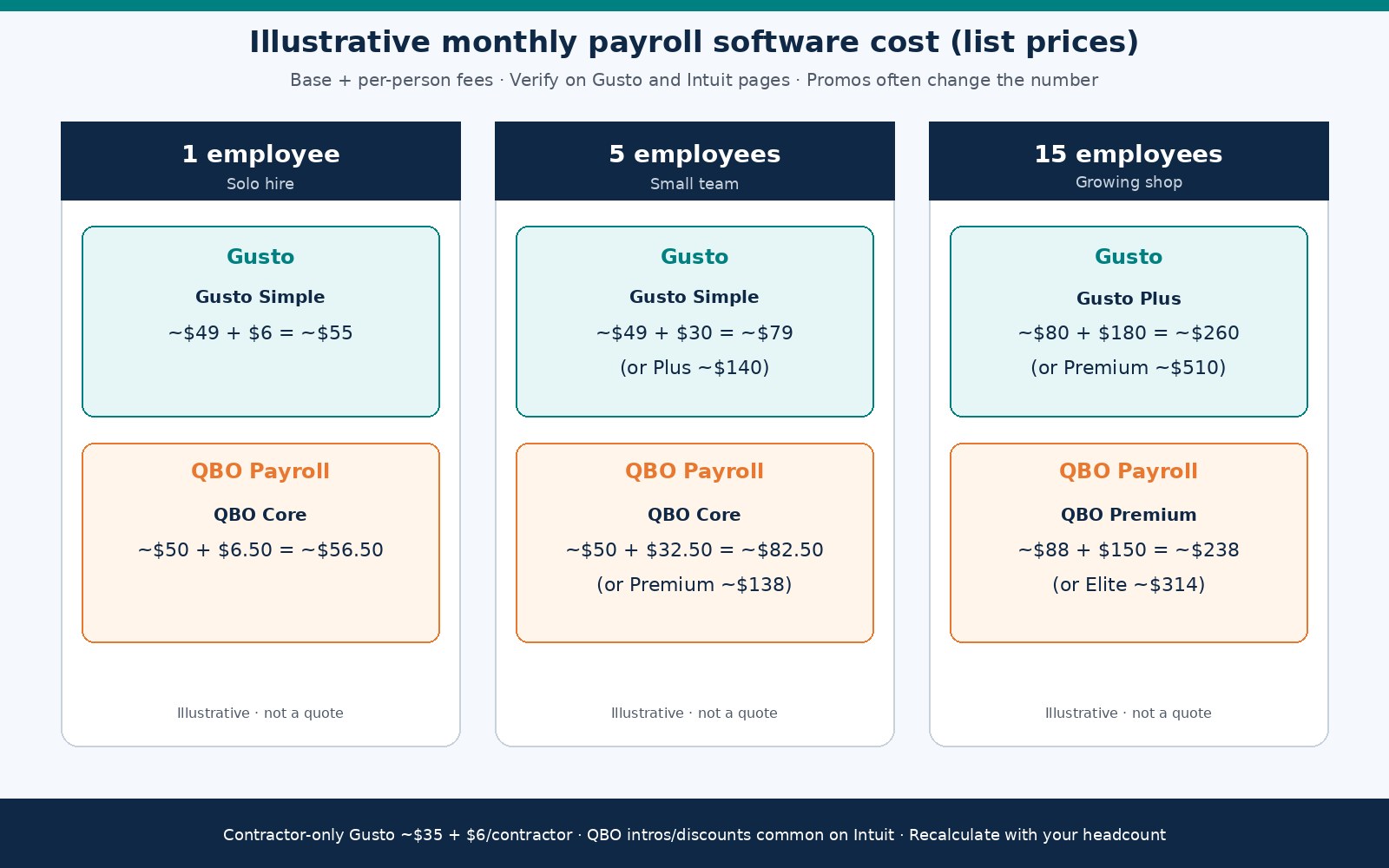
List prices below are secondary research anchors for September 2026. Vendor pages and introductory discounts change often. Direct fetches of some official pricing URLs timed out during research, so recalculate on Gusto’s and Intuit’s sites before you budget.
Gusto published list pricing (illustrative)
- Simple: about $49/mo + about $6 per person.
- Plus: about $80/mo + about $12 per person.
- Premium: about $180/mo + about $22 per person.
- Contractor-only: about $35/mo + about $6 per contractor.
- Promos: time-limited discounts appear often and can move early months below list.
QuickBooks Payroll published list pricing (illustrative)
- Core: about $50/mo + about $6.50 per employee.
- Premium: about $88/mo + about $10 per employee.
- Elite: about $134/mo + about $12 per employee.
- Intros / discounts: Intuit often advertises limited-time pricing; verify what renews after the promo.
Monthly cost scenarios (1 / 5 / 15 employees)
Scenarios use base + per-person list fees only. They exclude benefits admin fees, state tax registration services, next-day deposit upgrades, and accountant time. They are worksheets, not quotes. Swap in your headcount and the tier that matches the features you need.
| Headcount | Assumptions | Gusto (illustrative) | QBO Payroll (illustrative) |
|---|---|---|---|
| 1 employee | Simple vs Core list fees | ~$49 + $6 ≈ ~$55/mo | ~$50 + $6.50 ≈ ~$56.50/mo |
| 5 employees | Simple vs Core; Plus/Premium noted | Simple ~$49 + $30 ≈ ~$79; Plus ~$80 + $60 ≈ ~$140 | Core ~$50 + $32.50 ≈ ~$82.50; Premium ~$88 + $50 ≈ ~$138 |
| 15 employees | Plus/Premium vs Premium/Elite | Plus ~$80 + $180 ≈ ~$260; Premium ~$180 + $330 ≈ ~$510 | Premium ~$88 + $150 ≈ ~$238; Elite ~$134 + $180 ≈ ~$314 |
At one employee the base fees look similar. At five, Gusto Simple and QBO Core stay close on entry tiers. At fifteen, tier choice matters more than brand: Gusto Plus versus QBO Premium can land in a similar band, while Gusto Premium jumps for heavier HR and support. Contractor-heavy shops should also model Gusto’s contractor-only plan if they have few or no W-2 staff. The math usually misses next-day deposit fees, multi-state complexity, benefits costs, and bookkeeper hours fixing sync mismatches. Price your worst month, then buffer for promo cliffs when introductory offers expire.
Tax filing and compliance
Both products market full-service tax filing for many US employers: withholdings, deposits, and filings when setup is complete. Coverage still depends on your states, local taxes, and whether you enabled the tax service. Multi-state employers should verify each work state before the first payday. From an Ops/Finance seat, failures are usually incomplete employee tax setups, late bank funding, or assuming local taxes are included when they are not. Build a checklist for EINs, state unemployment accounts, and worker addresses before live payroll. New employers can start with how to run payroll for your first employee and do I need payroll for my LLC. Year-end is where misclassification surfaces; use W-2 vs 1099 as a primer and ask your CPA when status is unclear.
Onboarding, HR, and benefits
Gusto’s story is payroll plus people tools: digital onboarding, employee self-service, and benefits administration that expands on higher plans. That matters when you hire often, offer health benefits, or want one place for time-off policies and documents. QuickBooks Payroll covers onboarding basics and adds HR features on higher tiers, but the center of gravity remains accounting. If your manager already works in QBO, payroll screens feel familiar. If your office manager needs a benefits and onboarding desk, Gusto usually feels more complete. Avoid buying Premium on either side for “HR later” when you only run two paychecks a month; match the tier to the next 90 days. Keep the new-hire payroll checklist beside your demo.
Contractors and 1099
Both products can pay contractors and help produce 1099 forms when you use supported features and meet IRS thresholds. Gusto markets a contractor-only plan (illustrative: about $35/mo + about $6 per contractor), which can be cheaper than a full employee tier if you have no W-2 staff. QuickBooks Payroll handles contractors inside QBO; confirm fees on your Intuit plan. Collect W-9s before the first payment, store bank details securely, and separate contractor runs from employee payroll. If contractors are your main workforce, read paying contractors with Gusto and compare against keeping everything in QBO.
Accounting sync: native vs connector
This is the durable fork. QuickBooks Payroll posts wages, taxes, and liabilities into the same QuickBooks Online company file, which reduces duplicate entry when setup is correct. Gusto syncs to QBO and other ledgers through an integration. Integrations work for many teams, but they add mapping work: payroll accounts, clearing accounts, and classes must match. A sync that “mostly works” still creates month-end cleanup when a liability was mapped wrong or a voided paycheck did not reverse cleanly. Treat the first two live pay cycles as a controlled test: compare the payroll journal line by line to bank withdrawals and tax payments. If you already reconcile bank feeds in QBO daily, native payroll usually saves hours. If books are light and people ops is heavy, a connector is an acceptable cost of using Gusto as the HR hub.
Direct deposit speed
Both support direct deposit after bank verification. Standard ACH-style deposits typically need a few business days from payroll approval to employee availability. Faster options may cost extra or require account history. Exact cutoffs depend on bank holidays, verification status, and plan. Approve payroll before the product’s cutoff, not the afternoon employees expect to be paid. First payrolls often take longer because of bank micro-deposits or Instant Account Verification; build that delay into hire-date promises.
When Gusto is the better fit
Gusto fits when hiring, onboarding, benefits, and contractor management matter more than ledger convenience.
- You want a payroll-and-HR center for employees and contractors.
- Onboarding and benefits administration are part of the weekly workflow.
- You are comfortable syncing payroll into QuickBooks or another ledger.
- You may use a contractor-only plan before you hire W-2 staff.
- Your team is closer to our best payroll software for 1 to 5 employees profile than to a CPA-led QBO shop.
Gusto pros: people-ops depth; clear plan ladder; strong contractor story; guided experience for first-time employers. Cons: sync is a connector, so mapping mistakes show up at month-end; Premium can outrun a tiny team’s needs; verify tax-filing coverage by state.
When QuickBooks Payroll is the better fit
QuickBooks Payroll fits when QBO is already the system of record and you want payroll liabilities next to the rest of the books.
- You already invoice, pay bills, and reconcile in QBO.
- Your bookkeeper or CPA wants native payroll journals without a second vendor map.
- HR and benefits tools are secondary to clean books.
- You prefer one Intuit relationship for accounting and payroll support.
- You will use Core/Premium/Elite features that match your tax automation needs.
QuickBooks Payroll pros: native QBO sync; familiar UI for QBO users; tiered tax and HR add-ons; frequent introductory pricing (verify renewals). Cons: weaker as a standalone people hub than Gusto; HR depth often needs higher tiers; businesses not on QBO gain less from native sync.
How to decide in 30 minutes
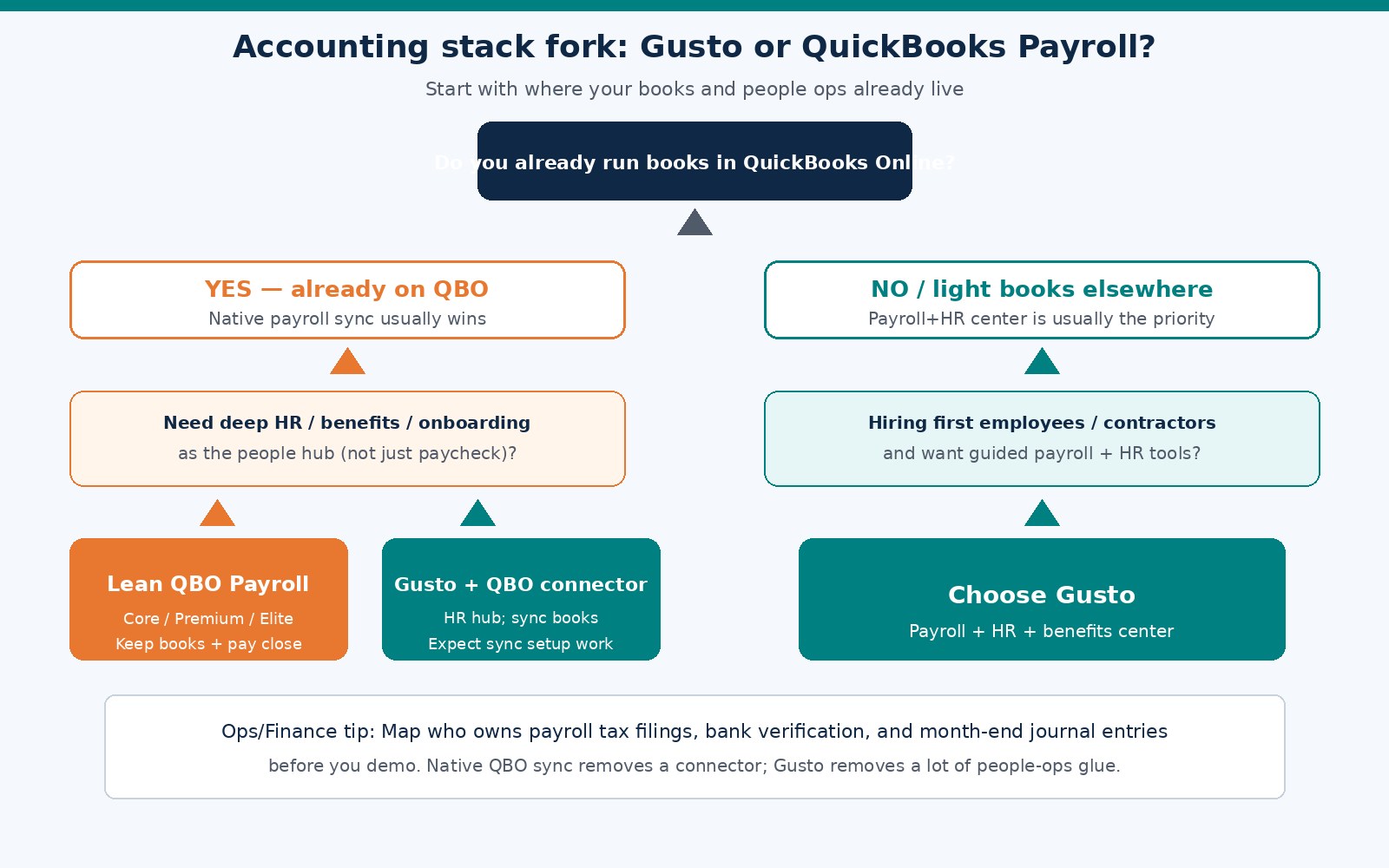
Map your ledger, headcount, and who owns tax filings, then price both products at your real employee count. Feature pages matter less than sync risk and month-end ownership.
- Write down your accounting system (QBO, Xero, spreadsheets, other). If it is QBO and you reconcile weekly, put QuickBooks Payroll in the lead.
- Count W-2 employees and 1099 contractors separately. Price Gusto Simple/Plus and QBO Core/Premium at those counts on live list fees.
- List must-have people tools (offer letters, benefits enrollment, PTO). If the list is long, put Gusto in the lead.
- Name who remits payroll taxes and who reviews bank withdrawals after each pay run.
- Open both vendors’ live pricing and tax-coverage pages; note promo end dates for renewal cost.
- Pilot one small payroll or contractor payment on the leading candidate.
- If you choose Gusto while staying on QBO, map payroll accounts in a test company before go-live.
- Calendar a 60-day review for tier mismatches and sync cleanup.
Ledger home and headcount mix are the durable inputs; marketing pages change more often.
Common mistakes when choosing payroll software
Expensive mistakes include ignoring sync work, undercounting contractors, buying Premium for unused features, or treating a promo as the forever rate:
- Choosing Gusto for HR while nobody will administer benefits, then paying Plus/Premium for unused modules.
- Choosing QBO Payroll because the logo matches when you barely open QuickBooks and need onboarding weekly.
- Skipping bank verification time and promising employees same-week direct deposit on day one.
- Assuming multi-state tax filings are automatic without reading coverage for each work state.
- Letting Gusto-to-QBO mappings drift so wages and tax liabilities disagree at month-end.
- Mixing employee and contractor payments without clean classification documentation.
- Skipping a 2026 list-price and promo-renewal check on Gusto and Intuit before annual commitment.
FAQ
Is Gusto better than QuickBooks Payroll for a new employer?
Often yes when onboarding and benefits matter more than native QBO journals. If you already run the business inside QuickBooks Online, QuickBooks Payroll is frequently the simpler first product.
Can I use Gusto with QuickBooks Online?
Yes. Gusto integrates with QuickBooks Online through a connector. You still need to map accounts and review the first few syncs. Native QuickBooks Payroll avoids that connector step.
Which is cheaper: Gusto or QuickBooks Payroll?
At one employee, illustrative Simple vs Core fees are often within a few dollars. At five and fifteen, the cheaper option depends on tier (Simple/Plus/Premium vs Core/Premium/Elite) and promos. Recalculate with your headcount on live vendor pages.
Does QuickBooks Payroll include tax filing?
Full-service tax filing is a major part of QuickBooks Payroll’s automation story, with details varying by plan and jurisdiction. Confirm federal, state, and local coverage on Intuit’s site.
Can Gusto handle contractors and 1099s?
Yes. Gusto supports contractor payments and year-end forms, including a contractor-only plan at illustrative list prices around $35/mo plus per-contractor fees. Verify current terms on Gusto.
How fast is direct deposit on Gusto and QuickBooks Payroll?
After bank verification, both typically use multi-day windows for standard direct deposit. Faster options may cost extra or require account history. Check cutoffs before you promise pay dates.
Do I still need an accountant if I buy payroll software?
Yes for classification questions, multi-state registrations, and financial statements. Payroll software runs pay and many tax filings; it does not replace CPA judgment when worker status is unclear.
What should a 1 to 5 employee business pick first?
If books are already in QBO, start with QuickBooks Payroll Core (or the Intuit tier that matches tax needs). If hiring and onboarding are the pain and books are light, start with Gusto Simple or Plus. See best payroll for 1 to 5 employees.
Next steps and related guides
Pick QuickBooks Payroll when native QBO sync is the priority. Pick Gusto when payroll-plus-HR is the priority. Verify 2026 pricing, tax coverage, and deposit timing on vendor sites, then run one pilot pay cycle before you migrate everyone.
If Gusto looks like the right fit, explore it through our partner link: Try Gusto. Terms and offers can change; verify pricing, plan features, and tax filing coverage on Gusto before you enroll.
Related SmallBizPayGuide resources:
- Payroll overview
- Software comparisons
- How to run payroll for your first employee
- W-2 vs 1099
- How to pay contractors with Gusto
- Best payroll software for 1 to 5 employees
- Do I need payroll for my LLC?
- New-hire payroll checklist
List prices change. Re-check Gusto and Intuit pricing pages, map headcount and ledger home, and choose the tool that matches how you pay people.