Bill.com alternatives (BILL) in 2026 are best chosen by the gap you need to close—not by a generic “upgrade” list. If per-user AP seats feel expensive for light US bill pay, look at Melio. If you want free-tier AP bundled with corporate cards and spend controls, look at Ramp. If unlimited free ACH (especially with QuickBooks) is the bottleneck, look at Nickel. For high-volume or global supplier payments, look at Tipalti. If you want payments to stay inside QuickBooks Online, evaluate QuickBooks Bill Pay. BILL itself still fits teams that need deeper multi-user AP/AR, a large vendor network, and seat-based finance workflows—so treat this page as a problem-first shortlist, not a call to rip BILL out on day one.
Disclosure: This guide is educational and may include affiliate links. We may earn a commission if you sign up through our Melio partner link, at no extra cost to you. It is not legal, tax, accounting, or financial advice. Product features, fees, and eligibility change. Verify current details on each vendor’s pricing page and with your CPA or bookkeeper before you switch.
Research note: Melio, BILL, Ramp, Tipalti, and Nickel list prices cited below were checked on official pricing pages on October 20, 2026. Always re-check before you enroll or cut over.
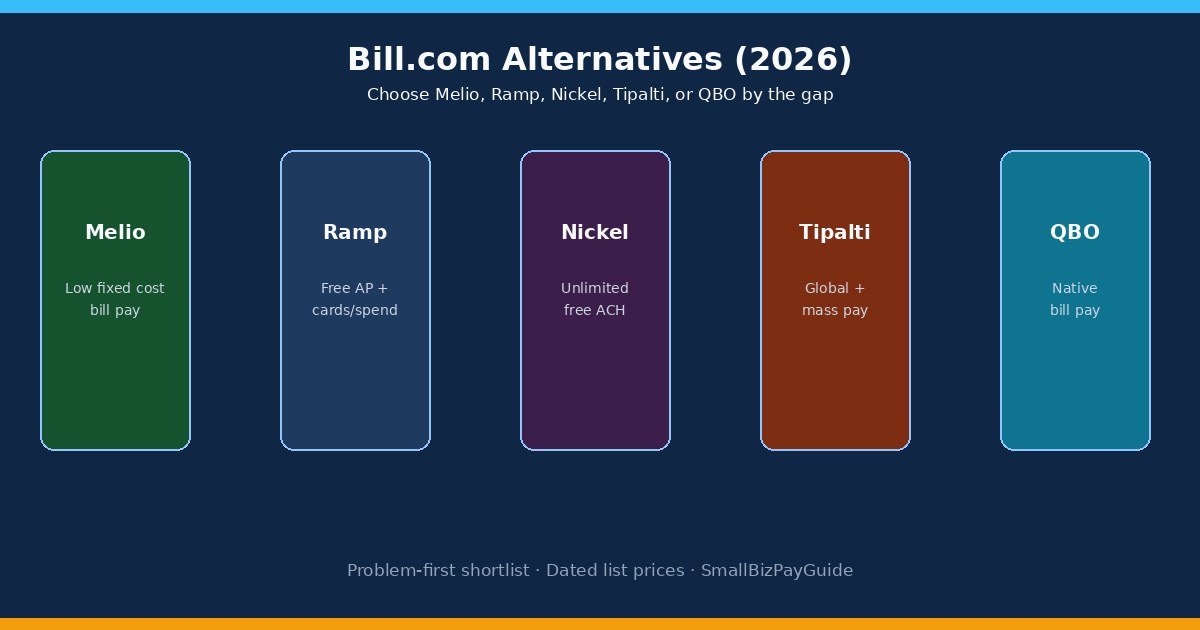
Quick answer: which Bill.com alternative fits?
Takeaway: Name the failure first—seat cost, ACH fees, cards/spend, international, or QBO-native—then shortlist one or two tools.
Most “best Bill.com alternatives” lists rank brands. For a small business, brand rank is less useful than a one-sentence problem statement. Write that sentence before you book demos: “We pay $49–$89 per user for AP we barely use,” or “We want bill pay next to corporate cards,” or “We blow past free ACH allotments,” or “We pay suppliers in other countries every week.” Then use the matrix below. Head-to-head Melio vs BILL lives in Melio vs Bill.com; the inverse Melio shopping list is in Melio alternatives.
| Your gap | Shortlist first | Also compare |
|---|---|---|
| Per-user seats feel high for light US bill pay | Melio | Nickel Core; Ramp Free |
| Want AP + corporate cards + spend policy in one stack | Ramp | BILL Spend & Expense + AP |
| Need truly unlimited free ACH (esp. QuickBooks shops) | Nickel | Melio Unlimited; Ramp funded from Ramp Checking |
| Global suppliers, tax forms, mass outbound pay | Tipalti | Wise Business / Airwallex for transfer-only needs |
| Keep bill pay inside QuickBooks Online | QuickBooks Bill Pay | Melio QBO sync |
| Deep AP + AR, multi-approver policies, large vendor network | Stay on BILL | Ramp Plus; Tipalti AP |

Why teams look beyond BILL
Takeaway: Switching pressure usually comes from per-user AP cost, wanting cards and AP together, ACH economics, or global payout needs—not from BILL “being bad.”
BILL (still widely searched as Bill.com) is a full AP and AR platform with approvals, a large payment network, W-9 tools, and optional procurement on higher tiers. Teams usually start shopping Bill.com alternatives when one of these shows up:
- Seat math outruns payment volume. Direct-customer AP/AR plans are priced per user. Essentials, Team, and Corporate list at $49, $65, and $89 per user/month on BILL’s pricing page (checked October 20, 2026). Every person who needs login access on Essentials/Team is typically a billable seat—so count approvers.
- You mainly need light bill pay. If one owner and a bookkeeper schedule ACH or checks for domestic vendors, a flat or free bill-pay product can cost less than multi-seat AP.
- Spend cards and AP should live together. BILL offers Spend & Expense at $0 per user for cards, separate from paid AP/AR seats. Some teams prefer a single stack (Ramp) where free AP sits next to cards by default.
- International or mass payouts become routine. High-volume cross-border supplier or creator payouts often push buyers toward Tipalti or specialized payout rails.
- You want everything inside QuickBooks. Some owners prefer native QuickBooks Bill Pay over a separate AP login, even if BILL syncs well on paid tiers.
If your bottleneck is messy intake (invoices in email, no approval owner, no W-9 before first pay), switching tools will not fix process. Fix the workflow first—see accounts payable checklist and bill approval workflow—then choose software that matches the cleaned process. Pillar context: bill pay.
BILL baseline: what you keep if you stay
Takeaway: Stay on BILL when multi-user AP/AR, network effects, and audit trails matter more than minimal software cost—verify seat count against your monthly payment volume.
Before you migrate, price the BILL plan that matches your real team. As of October 20, 2026, bill.com/product/pricing lists:
| Plan | List price (monthly) | What it emphasizes |
|---|---|---|
| Essentials | $49 / user | AP/AR basics; CSV accounting sync; standard roles |
| Team | $65 / user | Automatic QBO/Xero sync; AI invoice coding; custom roles |
| Corporate | $89 / user | Custom approval policies; procurement included; approver discounts |
| Enterprise | Custom | ERP sync (NetSuite, Intacct, etc.), SSO, multi-entity |
| Spend & Expense | $0 / user | Cards, budgets, expense tracking (separate from paid AP/AR seats) |
Accountant-partner materials on the same BILL pricing surface commonly cite ACH around $0.59 and checks around $1.99 for partner-discounted transaction pricing; direct-customer fees can differ by method and funding source, so treat those figures as a planning band until you see your own schedule. Stay on BILL when you need AP and AR in one system, multi-person approval policies, stronger audit trails, or network effects with vendors already on BILL. Side-by-side with Melio: Melio vs Bill.com. Comparison hub: comparisons.
Melio — low fixed cost bill pay
Takeaway: Melio is the common Bill.com alternative when seat-based AP pricing would dwarf your payment volume and you mainly need ACH/check bill pay with optional card float.
Melio is a bill-pay and B2B payments product aimed at small businesses and accountants. It shines when you want to schedule ACH or mailed checks, optionally fund with a card when vendors do not take cards, and sync status into QuickBooks Online or Xero on paid tiers. As of October 20, 2026, melio.com/pricing lists Go at $0 (5 free ACH/month), Core at $25 + $10 per extra user (20 free ACH), Boost at $55 + $10 per extra user (50 free ACH), and Unlimited at $80 with unlimited ACH and unlimited users as published. Extra ACH on capped plans is listed at $0.50; bank-funded checks are commonly listed around $1.50; card-funded pay is listed around 2.9%.
Choose Melio over BILL when fixed software cost and ACH allotments matter more than deep multi-user AP/AR, and most vendors are domestic. Choose BILL when you need AR + AP together, richer approval policies across many seats, or ERP-grade controls. Deeper Melio plan math: Melio pricing. Product overview: Melio review for small business owners. Contractor invoice pay: Can you pay contractors with Melio?.
If light US bill pay is the real gap, start on the Melio plan that matches your ACH count: try Melio.
Ramp — free AP plus cards and spend controls
Takeaway: Ramp is a Bill.com alternative when the real goal is unified spend—bill pay next to cards—not bill pay alone.
Ramp bundles corporate cards, expense controls, and accounts payable. On ramp.com/pricing (checked October 20, 2026), Free is $0 per user/month and includes bill pay rails (ACH, card, check, wire) plus QBO/Xero accounting automation basics. Plus is $15 per user/month plus a platform fee (20% off annual) for AI-driven AP coding, batch payments, and deeper ERP options. Ramp discloses that certain Bill Pay ACH fees can be waived when funded from Ramp Checking; other rails and external-bank ACH may still carry charges—read the current Bill Pay terms on Ramp’s site.
Choose Ramp when employee cards, receipt policy, and invoice AP should share one control plane. Choose Melio when you do not need a card program and mainly want inexpensive vendor bill pay. Choose BILL when AR collections and a mature vendor network matter as much as AP.
Nickel — unlimited free ACH for QuickBooks shops
Takeaway: Nickel is the Bill.com alternative when ACH transaction fees (or Melio allotment caps) are the pain and QuickBooks sync is non-negotiable.
Nickel publishes Core at $0 with unlimited free ACH send/receive, 3 active users, and a $25,000 per-transaction limit; Plus at $35/month (annual marketing price; monthly billing can differ) with unlimited users and a $1M limit; and Pro at $300/month for API and higher-touch support—per nickel.com/pricing (checked October 20, 2026). Cards are listed at 2.9%; mailed checks at $2. Approvals and batch bill pay sit on Plus/Pro, not Core.
Choose Nickel when ACH volume is high and you want $0 ACH on a free or low flat tier. Choose Melio when card-funded payments to non-card vendors or mailed-check convenience matter more. Choose BILL when you need full AP/AR seats and network features Nickel does not emphasize.
Tipalti — global suppliers and mass payments
Takeaway: Tipalti is the Bill.com alternative when cross-border suppliers, tax forms, and mass payouts dominate—not when you only need domestic ACH for a handful of vendors.
Tipalti positions Accounts Payable from $99/month and Mass Payments from $249/month, with unlimited users and additional per-invoice/payment transaction pricing—per tipalti.com/pricing (checked October 20, 2026). There is no published free tier. Tipalti is built for supplier portals, multi-entity ops, and paying in many countries with tax validation.
Choose Tipalti when global payee volume justifies a mid-market AP platform. Choose Melio or Nickel for domestic SMB bill pay. Choose BILL when US AP/AR network and seat-based SMB workflows are enough without Tipalti’s global payout layer.
QuickBooks Bill Pay — stay inside QBO
Takeaway: Native QuickBooks Bill Pay wins when reducing logins and keeping payables inside QBO matter more than Melio’s free Go tier or BILL’s network.
Intuit’s QuickBooks Bill Pay keeps scheduling and payment status closer to the ledger your bookkeeper already lives in. Pricing and included payment methods vary by QuickBooks plan and region—confirm on Intuit’s current Bill Pay / payments pages before you assume fees. Many SMBs still prefer Melio synced to QBO when they want Melio’s ACH allotments and card-funded vendor pay without moving the whole AP stack into Intuit’s payment product.
Ops without mailed checks: how to pay business bills online without mailing checks.
Side-by-side pricing snapshot (2026)
Takeaway: Compare software seats plus payment rails—BILL’s per-user AP and Melio’s ACH allotments answer different cost questions.

| Tool | Entry software (list) | Payment-cost note | Best when |
|---|---|---|---|
| Melio | Go $0; Core $25+; Boost $55+; Unlimited $80 | Free ACH allotments then $0.50; card ~2.9% | Light–mid US bill pay, low fixed cost |
| BILL | Essentials $49/user; Team $65; Corporate $89 | ACH/check/card fees on top of seats | Multi-user AP/AR + network |
| Ramp | Free $0; Plus $15/user + platform fee | ACH often waived from Ramp Checking; other rails vary | Cards + AP in one stack |
| Nickel | Core $0; Plus $35; Pro $300 | ACH $0; card 2.9%; check $2 | Unlimited free ACH + QBO |
| Tipalti | AP from $99; Mass from $249 | Per-invoice/payment fees; no per-user fee | Global / mass payouts |
How to switch without breaking AP week
Takeaway: Run one parallel payment week, migrate open bills and vendors in batches, and cut over accounting sync only after two clean reconciliations.
- Export the working set. Vendors, open bills, approval owners, payment methods on file, and W-9 / tax IDs.
- Map roles. Who creates bills, who approves, who releases payment. Seat-priced tools punish “everyone gets a login.”
- Stand up the new tool with 5–10 non-critical vendors first. Keep BILL (or Melio) live for the rest during a one-week overlap.
- Reconnect accounting sync carefully. Pause dual-sync that would duplicate bills. Confirm bank feeds and clearing accounts with your bookkeeper.
- Retire the old stack only after two clean close cycles. Archive payment confirmations for audit.
No invented migration stories here—your cutover risk is unique to vendor count, card floats in flight, and whether AR lives in the same product. If process is still messy, fix intake with the AP checklist before you change software.
FAQs
What is the best Bill.com alternative for small business?
There is no single winner. For many US SMBs leaving BILL because of per-user cost on light bill pay, Melio is the strongest first shortlist. Choose Ramp if cards and spend policy are the real need, Nickel if unlimited free ACH with QuickBooks is the bottleneck, Tipalti for global/mass payouts, or native QuickBooks Bill Pay if you want everything inside QBO.
Is Melio cheaper than BILL?
Often yes for small teams with modest ACH volume, because Melio Go is $0 and paid Melio plans use flat monthly pricing rather than BILL’s $49–$89 per-user AP/AR seats (list prices checked October 20, 2026). BILL can still be cheaper overall when you need AR + deep approvals and would otherwise stitch multiple tools together. Run a one-month cost model with seats × users + expected ACH/check/card fees.
Is Ramp really free for bill pay?
Ramp Free is $0 per user for the software tier that includes AP features, per Ramp’s pricing page on October 20, 2026. Payment-method fees still apply depending on funding source and rail; Ramp markets waived ACH fees for eligible Bill Pay funded from Ramp Checking. Confirm your quote and Bill Pay terms.
Does Nickel offer unlimited free ACH?
Yes on published plans: Nickel lists ACH send and receive at $0 on Core, Plus, and Pro, with a $25,000 per-transaction limit on Core and $1M on Plus/Pro (nickel.com/pricing, October 20, 2026). Cards and checks still have fees.
When should I stay on BILL?
Stay when you need multi-user AP and AR in one place, custom approval policies, a large vendor network, or ERP-grade sync on higher tiers—and your seat count is justified by that workflow. Soft-cover pricing context also appears in our Melio vs Bill.com comparison.
What Bill.com alternative is best for international vendors?
Tipalti is the usual shortlist when cross-border supplier volume, tax forms, and multi-currency payouts are routine. Melio supports international pay with published flat and percentage fees for lighter needs; high volume usually outgrows a simple bill-pay tool.
Can I pay contractors on Bill.com alternatives?
Yes on Melio, BILL, Ramp, Nickel, and many QBO payment paths—subject to each product’s contractor/vendor onboarding and tax-document tools. Melio’s contractor path is covered in Can you pay contractors with Melio?. For W-2 payroll (not 1099 bill pay), evaluate a payroll product separately.
How much does BILL cost in 2026?
Direct-customer AP/AR list prices on October 20, 2026: Essentials $49, Team $65, Corporate $89 per user/month, Enterprise custom; Spend & Expense $0 per user for cards/spend. Transaction fees apply on top. Always re-check BILL’s pricing page.
Next step
Takeaway: Shortlist one or two tools from the matrix, price seats plus rails for your real volume, and run a one-week parallel AP before you cut over.
If the gap that pushed you off BILL was light US bill-pay cost—not deep multi-user AP/AR—start with Melio on the plan that matches your ACH count: try Melio. For the inverse shopping list, see Melio alternatives. For plan math and the Melio vs BILL head-to-head, use Melio pricing and Melio vs Bill.com. Broader bill-pay context: bill pay and comparisons.