Disclosure: This bill pay hub is educational and may include affiliate links. We may earn a commission if you sign up through our Melio partner link, at no extra cost to you. It is not legal, tax, accounting, or financial advice. Product terms, pricing, payment rails, and eligibility change; verify details with Melio, your bank, your accounting software, and a qualified professional before you act.
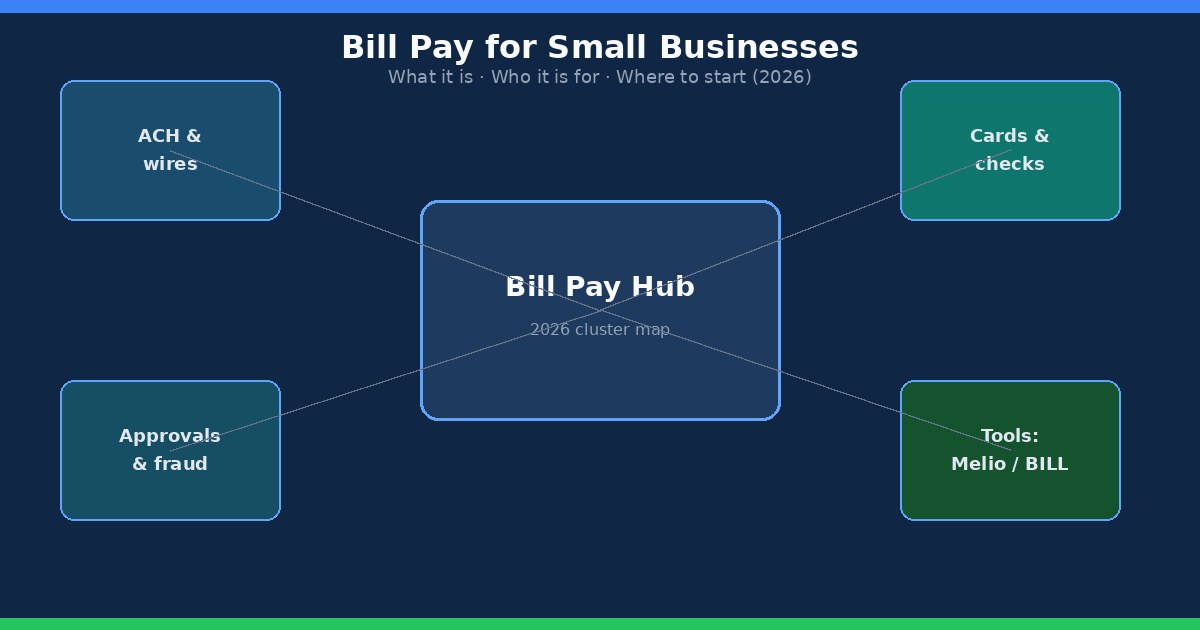
Bill pay for small businesses is the work of turning vendor invoices into on-time payments with a clean record in your books. For most US shops that means capturing bills, choosing a rail (ACH, check, card, or wire), getting the right approval, and archiving remittance so month-end is not a scavenger hunt. This page is the cluster hub for that topic. Use it to orient, then follow the linked guides for the deep steps.
What bill pay means for a US small business
In practice, bill pay sits inside accounts payable. AP is the wider loop: intake, coding, approval, payment, and archive. Bill pay is the payment slice of that loop, plus the tools that schedule ACH, mail a check, or fund a vendor payment with a card. Banks call the consumer-style portal “bill pay.” Software vendors use the same phrase for platforms that queue invoices and push money without handing every staffer full bank credentials.
If you still write checks from a desk drawer, you already do bill pay. The question in 2026 is whether the process still matches your volume and fraud risk. A five-vendor month can live in a bank portal and a shared folder. A fifty-vendor month usually needs scheduling, dual control on exceptions, and remittance that lands in QuickBooks or Xero without retyping every confirmation number.
For the monthly AP rhythm around intake and archive, keep the accounts payable checklist for small business owners next to this hub. For the migration off mailed checks, start with how to pay business bills online without mailing checks.
Why bill pay matters when you are still small
Late fees, strained suppliers, and messy cash forecasts usually trace back to the same gaps: invoices trapped in personal email, bank details updated from the same message that asked for the change, and payments that never sync to the ledger. Fraud schemes target shops that move money from PDF attachments and rush “same-day” requests. A light bill pay system does not require a controller. It requires one intake path, a rule for who can release cash, and a habit of calling known phone numbers before new remit-to details go live.
Owners also feel the cost in time. Logging into five vendor portals, mailing three checks, and chasing ACH returns eats afternoons that should go to customers. Consolidating routine payables into a scheduled batch, with exceptions pulled aside, is usually the first win. Tool choice comes second.
Who this hub is for
Use this map if you are an owner-operator still mixing checks and bank transfers, a bookkeeper building a light AP loop for clients, or a small team deciding between Melio-style bill pay, BILL-class AP software, and sticking with the bank. Skip the mega how-to tone here; the linked posts carry the step lists. Come back when you need the decision tree: which rail, which tool, which guide next.
ACH vs check vs card: pick by job
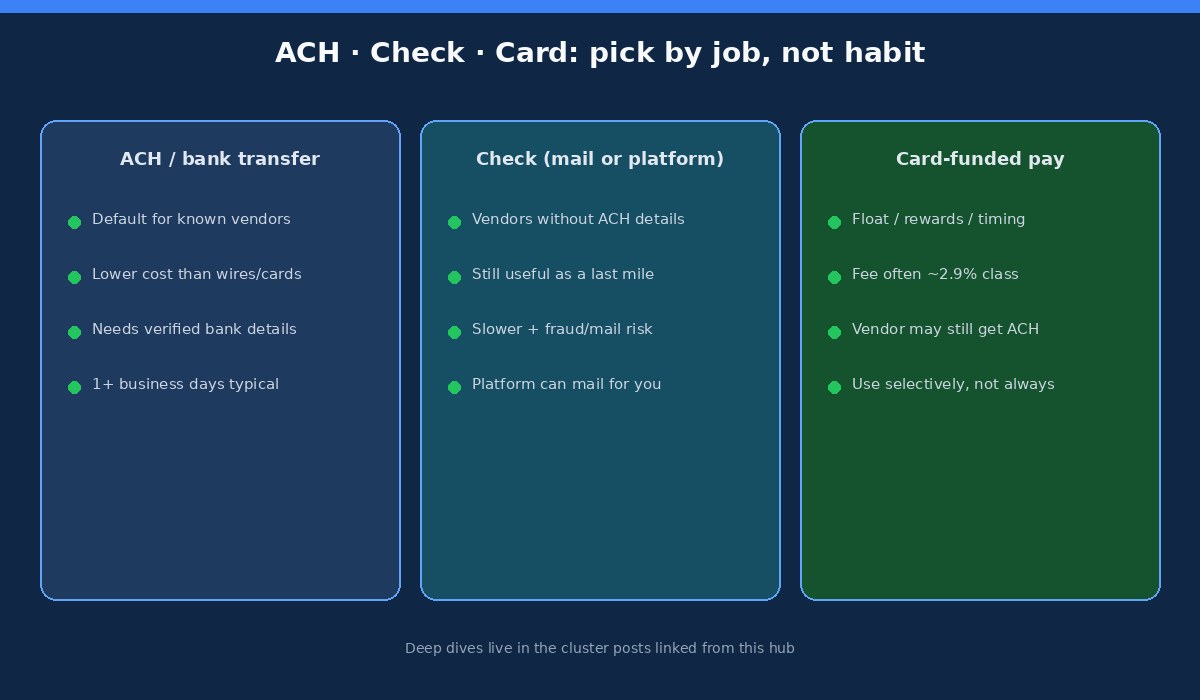
ACH / bank transfer is the default for known domestic vendors with verified routing and account numbers. Cost is usually low compared with wires or card fees. Timing is typically one or more business days, with same-day options under earlier cutoffs. Build the bank-detail workflow carefully; fraud loves rushed ACH changes. Details live in how to pay vendors by bank transfer and ACH vs wire transfer for vendor payments.
Checks still clear for landlords and suppliers who will not share bank details. They are slower and expose mail and alteration risk. Many bill pay platforms will mail a check for you so the vendor gets paper while you keep a digital trail. Treat mailed checks as a last mile while you migrate recurring vendors to ACH. The migration playbook is in pay business bills online without mailing checks.
Card-funded payments help when you want float, rewards, or a charge on a business card even though the vendor only accepts ACH or check. Separation of funding method from payout method is useful and expensive if you run large invoices through a ~2.9%-class fee by habit. Use the fee math in pay vendors with a credit card before you make card funding the default.
Wires remain the exception rail for large, time-sensitive, or international moves where ACH is the wrong fit. Compare cost and irreversibility before you treat “urgent wire” as normal language in email.
Approvals and fraud controls that fit a small team
Approvals answer four questions before money leaves: Is this a real vendor? Does the invoice match what we agreed to buy? Is the coding and due date intentional for cash flow? Did the right person say yes? Solo owners can combine steps on routine bills under a small threshold. Add a second pair of eyes for new vendors, bank detail changes, wires, and amounts above your personal “sleep on it” line.
Hard stops that block many business email compromise attempts: callback on every remit-to or bank change using a phone number already on file, MFA on bank and bill pay logins, and dual control so one compromised account cannot add a vendor, approve a large bill, and release cash alone. Write the flow in plain language in how to set up a bill approval workflow for a small business, then enforce it in whichever tool you pick.
Tool landscape: Melio vs BILL vs bank bill pay
Bank bill pay works when invoice count is low, one person pays everything, and you accept limited approval trails. It keeps money inside the bank relationship. It also tends to scatter remittance and force staff to share sensitive access if more than one person needs to schedule payments.
Melio fits lean US SMB payables: schedule ACH, mail checks when needed, optionally fund with a card, and sync into common accounting tools without standing up a full AP department. Start with the product fit notes in Melio review for small business owners. Contractor edge cases belong in Can You Pay Contractors With Melio? rather than stretching Melio into payroll software.
BILL (Bill.com) and similar AP platforms make more sense when multi-approver queues, higher invoice volume, and structured roles are daily needs. If you are weighing Melio against that heavier path, read Melio vs Bill.com before you overbuy. If your pain is collecting customer payments inside QuickBooks rather than paying vendors, compare with Melio vs QuickBooks Payments. Broader software shortlists sit under comparisons.
Pick the lightest stack that covers your rails, approvals, and accounting sync. Upgrade when volume or control gaps show up in late fees, fraud near-misses, or month-end cleanup, not because a feature list looked impressive.
Start here: reading path through the cluster
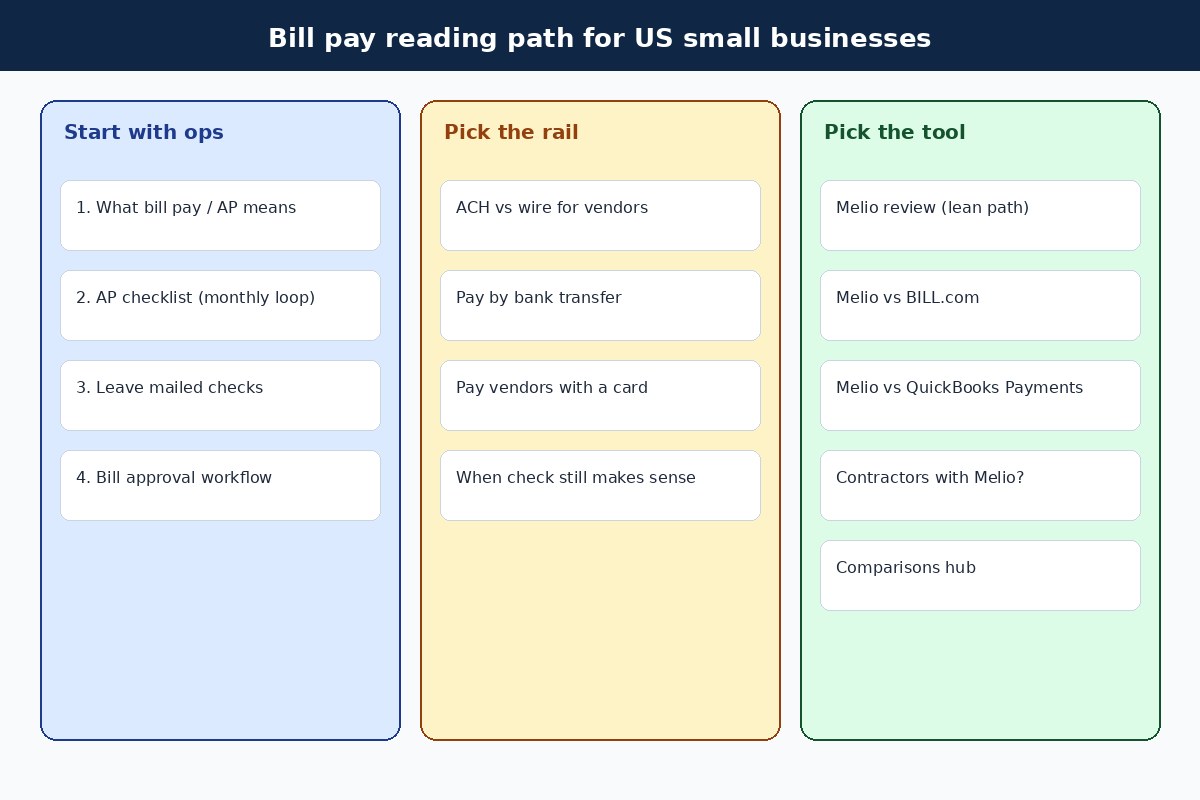
Use this order if you are new to the topic. Skip ahead if you already know which gap hurts most.
1. Ops foundation
- Accounts payable checklist for small business owners — monthly loop from intake to archive
- How to pay business bills online without mailing checks — migrate recurring vendors off paper
- Bill approval workflow for a small business — thresholds, dual control, light process
2. Payment rails
- ACH vs wire transfer for vendor payments
- How to pay vendors by bank transfer
- Pay vendors with a credit card
3. Tools and comparisons
- Melio review for small business owners
- Melio vs Bill.com
- Melio vs QuickBooks Payments
- Can You Pay Contractors With Melio?
- Comparisons hub
FAQ
Is bill pay the same as accounts payable?
Bill pay is the payment and scheduling piece. Accounts payable is the full loop that also includes invoice intake, coding, approvals, and archiving. Most small businesses need both even if one person wears every hat.
Should every vendor move to ACH this month?
Start with recurring vendors you trust, verify remittance details out of band, and expand after the first batch clears cleanly. Holdouts who refuse bank details can stay on platform-mailed checks while you keep pressure on the recurring list.
When is Melio a better fit than bank bill pay?
When you want ACH plus check mail plus optional card funding, clearer remittance, and less sharing of full bank logins across staff or a bookkeeper. Stay with the bank when volume is tiny and one owner pays everything without needing multi-user controls.
When should I look at BILL instead of Melio?
When multi-approver queues, higher invoice volume, and role separation are constant needs. Read the Melio vs BILL comparison with your real invoice count and approval chain in mind rather than buying features you will not staff.
Can I use Melio for contractors?
Melio can help remit to some contractors as vendors. It does not replace payroll software for W-2 employees or a full contractor tax workflow. See Can You Pay Contractors With Melio? for the boundary.
What should I do this week?
List your top recurring vendors, confirm remit-to details by phone where anything looks stale, schedule one clean ACH or platform payment, and match it in accounting. Add approval thresholds for new vendors and bank changes before you scale the batch.
Try Melio
If a lean bill pay path fits your shop, Melio is a practical place to schedule ACH, mail checks when vendors still need paper, and optionally fund selected payments with a card. Explore Melio through our partner link: Try Melio. Terms, eligibility, and offers can change; verify pricing, free-tier ACH limits, card fees, check delivery fees, and plan features on Melio before you enroll. If you already need multi-user structured AP every day, start with Melio vs Bill.com instead of forcing a lean tool into a heavy process.
Related cluster links for bookmarking: AP checklist, leave mailed checks, approval workflow, ACH vs wire, bank transfer, vendor cards, Melio review, Melio vs BILL, Melio vs QuickBooks Payments, contractors with Melio, and comparisons.
Official references worth keeping nearby include Nacha materials on ACH and Federal Reserve or AFP research on check and payments fraud. Rules and product features change; treat this hub as an operations map, then confirm current requirements with your providers and advisors.