Gusto is the better fit for most U.S. small businesses that want full-service payroll, tax filing, and benefits tools on a published monthly price they can total before a sales call. Paylocity is the better fit when you need a broader human capital management (HCM) platform with recruiting, learning, performance, workforce management, and employee-experience tools, and you are willing to request a custom quote because Paylocity does not publish list prices. Both can run U.S. payroll and file taxes. If you mainly need payday, W-2 and 1099 filing, and a price you can check on a public page, start with Gusto.
Research note: Gusto list prices were checked on Gusto’s pricing page on November 10, 2026. Paylocity’s official pricing page still does not publish list prices; you request a quote. Paylocity dollar figures in this guide come from Gusto’s October 2026 compare page and are Gusto’s competitive claims, not official Paylocity list prices. Confirm live prices before you buy. This guide is educational, not tax, legal, or HR advice.
Disclosure: Some links may be affiliate links. If you sign up for Gusto through our partner link, we may earn a commission at no extra cost to you.

Quick answer: Gusto or Paylocity?
Takeaway: Pick Gusto when you want a public payroll price and a product you can start without a sales process. Pick Paylocity when you need a deeper HCM suite and can wait for a tailored quote.
If you are a first-time employer or a small team comparing published fees for five, ten, or twenty-five people, Gusto is the more straightforward starting point. If you already need structured recruiting, learning, formal performance cycles, advanced scheduling, and engagement tools in the same system as payroll, Paylocity is built for that wider job. See Gusto vs BambooHR for an HRIS-first fork and Gusto vs Rippling for a broader people platform. Micro-team cost notes live in cheapest payroll for one employee and best payroll software for 1 to 5 employees, with more side-by-sides in our comparisons hub.
What is Gusto?
Takeaway: Gusto is a payroll-led SMB platform with published Simple, Plus, and Premium plans that already include unlimited payroll runs and tax filing.
Gusto is cloud payroll and HR software for U.S. small businesses. It runs employee and contractor pay, withholds and files federal, state, and local payroll taxes, collects new-hire forms, offers benefits tools, tracks PTO, and produces year-end W-2 and 1099 forms.
Published plan list prices on Gusto’s pricing page, checked November 10, 2026:
- Simple: $49/month + $6 per person — single-state payroll, unlimited payroll runs, tax filings and payments, basic PTO and holiday pay
- Plus: $80/month + $12 per person — multi-state payroll, unlimited next-day pay, time tracking and scheduling, contractor invoice management
- Premium: $180/month + $22 per person — Premium Account Support, HR guidance, Gusto Business Compliance, unlimited same-day and instant pay, and project-based costing
Gusto bills month-to-month and states you can cancel anytime. Every plan includes unlimited payroll runs, including off-cycle runs, at no extra charge. U.S. contractors are billed at the plan’s per-person rate only in months you pay them; see how to pay contractors with Gusto.
A standalone contractor-only plan used to sit below Simple. Gusto’s Help Center says that plan closed on October 1, 2026; new customers cannot sign up for it. You can still pay contractors on Simple, Plus, or Premium. Gusto’s compare page still mentions a legacy contractor-only figure of $35/month plus $6 per contractor; that is not a plan a new buyer can start today.
What is Paylocity?
Takeaway: Paylocity is a quote-priced HCM platform that can start with payroll and expand into HR, talent, workforce, benefits, finance, and IT modules.
Paylocity sells a cloud human capital management suite for organizations that want payroll sitting next to a wider set of people, finance, and IT tools. Its official pricing page does not list a public monthly base fee or a per-employee-per-month (PEPM) rate. The headline is that the solution is “tailored to you” and “priced for your budget,” and the page asks you to contact Paylocity to explore flexible plans.
Official module language on that page, checked November 10, 2026, covers Payroll (tax filings, payroll audits, on-demand payment options, and global payroll support for 100+ countries); Human Resources; Workforce Management; Talent Management, including 600+ pre-built learning classes; Benefits Management with ACA tracking; an Employee Experience Platform; and Finance and IT tools. A pricing FAQ says modules are customizable, and optional HR add-ons include Recruiting, Employee Voice, and Learning (LMS). Implementation is described as customized support from day one. The page also displays a 4.4-star average as of August 28, 2026, from 6,242 reviews; that is the vendor’s own display.
Gusto vs Paylocity at a glance
Takeaway: Compare the same scope. A published Gusto payroll price is not the same thing as a Paylocity quote that already includes talent, time, learning, and engagement modules.
| Category | Gusto | Paylocity |
|---|---|---|
| Primary strength | Full-service U.S. payroll and tax filing with published plans | Broader HCM suite: payroll plus HR, talent, workforce, benefits, finance, and IT |
| Pricing model | Published base + per-person fee; month-to-month | Custom quote; official page publishes no list PEPM |
| Entry list price (Nov 10, 2026) | Simple $49/mo + $6/person | Not published; contact Paylocity |
| Setup fee | Gusto’s compare page lists setup as free | Not published; Gusto’s Oct 2026 compare page claims 10–20% of annual software fee |
| Payroll tax filing | Included on plans | Official pricing page lists on-time tax filings in the Payroll module |
| W-2 filing | Included (Gusto pricing FAQ) | Gusto’s compare page claims a $7 per-employee add-on; confirm on your quote |
| Recruiting / LMS / performance | Hiring and performance tools on higher tiers or as add-ons | Talent Management plus optional Recruiting and Learning add-ons |
| Time and scheduling | Included on Plus and Premium; add-on path on Simple | Workforce Management: mobile, kiosk, geofencing, shift swap |
| Best starting fit | Small U.S. teams that want a public payroll price | Growing teams that need a wider people system and can shop by quote |
How does Gusto vs Paylocity pricing compare?
Takeaway: You can total a Gusto bill from the public pricing page. You cannot total a Paylocity bill until you receive a quote that lists every module.
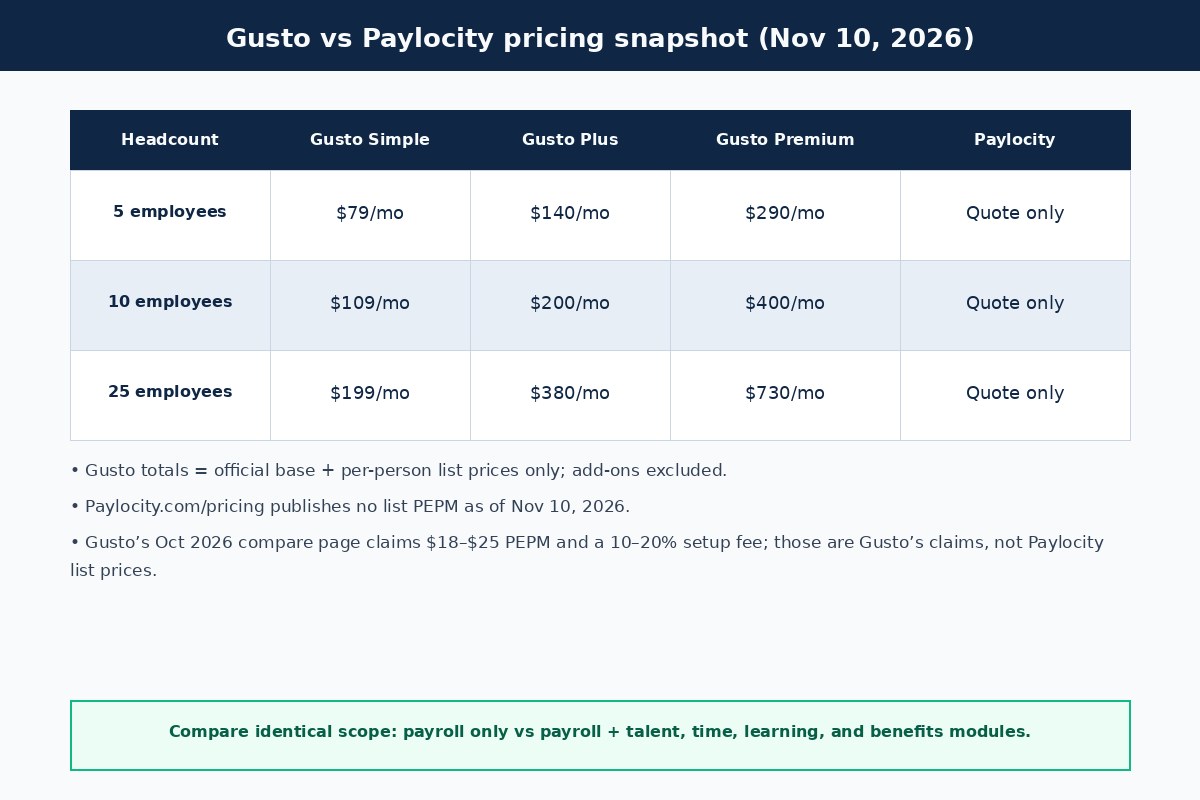
Illustrative Gusto monthly list-price totals, using only the official Simple, Plus, and Premium base plus per-person fees. These figures assume active W-2 employees, exclude add-ons, and use the November 10, 2026 public prices:
| Headcount | Simple ($49 + $6) | Plus ($80 + $12) | Premium ($180 + $22) |
|---|---|---|---|
| 5 employees | $79/mo | $140/mo | $290/mo |
| 10 employees | $109/mo | $200/mo | $400/mo |
| 25 employees | $199/mo | $380/mo | $730/mo |
If some of those people are U.S. contractors, Gusto still uses the plan’s per-person rate, but only in months you pay them. Paylocity’s official pricing page gives no comparable table, so do not treat a blog “average PEPM” as a list price. Gusto’s October 2026 compare page tells shoppers to expect “anywhere between $18 and $25 per employee per month,” plus a typical setup fee of “10–20% of your annual software fee.” Those are Gusto’s competitive claims. Ask Paylocity for a written quote that lists every module, then set it next to the Gusto tier you would actually use.
Payroll, tax filing, and W-2 / 1099 fees
Takeaway: Both platforms advertise full-service U.S. payroll and tax filing. The fee difference to verify is whether W-2s, off-cycle runs, and faster pay are included or quoted as extras.
Gusto calculates, files, and pays federal, state, and local payroll taxes on its plans. The pricing FAQ says Gusto files forms such as W-2, 1099, 940, 941, and 8974, and that unlimited payroll runs are included. Simple covers one state; Plus and Premium cover multiple states. First-time employers can start with a first-employee payroll walkthrough and a new-hire payroll checklist.
Paylocity’s official Payroll module language includes automated workflows, on-time tax filings, more than 30 payroll audits, on-demand payment options, and wage garnishment managed services. The public pricing page does not say whether unlimited runs are included or whether W-2s carry an extra fee. Gusto’s compare page claims a $7 per employee W-2 add-on and lists unlimited payrolls as “Unknown.” Confirm both lines on your quote, including any promotional waiver end date.
On Gusto’s pricing page, next-day pay is included with Plus and Premium and is a Simple add-on at $15/month plus $3 per person. Same-day pay is $90 per payroll and instant pay is $100 per payroll unless you are on Premium, where both are included, subject to eligibility. Gusto’s compare table says Paylocity does not offer same-day or instant pay, while Paylocity’s pricing page lists “flexible on demand payment options.” Ask Paylocity to define that feature; it may mean employee access to earned wages rather than an employer-run same-day payroll.
HR tools, recruiting, learning, and performance
Takeaway: This is Paylocity’s main advantage once you outgrow basic employee records. Gusto covers core HR for many small teams and is thinner on LMS, engagement, and formal talent cycles.
Gusto includes employee self-onboarding, documents, and PTO tools, with more hiring and HR features on Plus and Premium. Premium adds HR guidance and Gusto Business Compliance, which is also sold as an $85 per state per month add-on on Simple and Plus, on an annual contract. That covers a lot of small-company HR work, though it is not a full learning management system.
Paylocity’s Talent Management module includes candidate communication, 360-degree feedback, compensation management, and 600+ pre-built learning classes. Optional add-ons named on the pricing FAQ include Recruiting, Employee Voice, and Learning (LMS), and the Employee Experience Platform adds surveys and peer recognition. If those workflows are already on your 12-month plan, a payroll-led product will feel incomplete. For a dedicated HRIS fork, see Gusto vs BambooHR; for a platform that also reaches IT and device workflows, see Gusto vs Rippling.
Time tracking, scheduling, and benefits
Takeaway: Price time tools and benefits administration in the first comparison, not as later surprises. Gusto publishes those add-on rules; Paylocity puts them in the quote.
Gusto includes time tracking and scheduling on Plus and Premium. Simple customers can add Time & Attendance Plus after a trial at $6 per person per month (November 10, 2026 pricing page), and approved hours can sync to payroll. Paylocity’s Workforce Management module is broader on the official feature list: mobile, web, kiosk, or time-clock collection, schedule rules, shift claim and swap, and geofenced clock-in. The quote may include a module that Gusto Plus already bundles.
When Gusto is your health insurance broker, the pricing page says you pay only the premiums; there is no separate Gusto administration fee. If you keep an outside broker, broker integration is listed at $6 per month per eligible employee. A $200 annual service charge covers HSA, FSA, dependent care FSA, and commuter benefits, plus per-participant monthly fees. Paylocity’s Benefits Management module includes open-enrollment analytics, ACA tracking, and carrier feeds, but the official pricing page does not say whether benefits administration is included in a base payroll bundle. Gusto’s compare page claims Paylocity charges a fee in addition to premiums; that is Gusto’s wording, not a Paylocity price list.
Contractor payments, implementation, and support
Takeaway: Gusto publishes contractor billing, a free setup claim, and month-to-month terms. Paylocity’s contractor rates, setup fees, and contract length come on the quote.
Gusto will pay U.S. contractors on any current plan and file 1099s from the account; Plus adds contractor invoice management. Global contractor payments cover more than 120 countries, with no monthly per-contractor fee and a $5 fee per payment to U.S.-based bank accounts (foreign exchange rates may vary). Owner-only S corp payroll is a separate Gusto Solo path; see payroll software for S corps. Paylocity’s official Payroll module mentions global payroll support for 100+ countries, and Gusto’s compare page lists Paylocity contractor payments as “Yes, price unknown.” Ask Paylocity to separate those line items if they matter to your cost.
Gusto’s pricing FAQ says you can upgrade immediately, downgrade on the first of the next month, and cancel anytime. The official compare page lists Gusto’s setup fee as free. Support on Simple and Plus is a 24/7 Help Center plus phone and chat during business hours; Priority Support is an add-on at $30/month plus $3 per person; Premium includes a named account partner. Paylocity’s pricing page promises customized implementation and ongoing service, but it does not publish a setup percentage, minimum term, or onboarding timeline. Gusto’s compare page claims a typical setup fee of 10–20% of annual software cost. Ask Paylocity for implementation cost, go-live time, training, and contract term before you compare it with Gusto’s month-to-month plan.
Who should choose Gusto vs Paylocity?
Takeaway: Choose Gusto for published payroll pricing and a faster start. Choose Paylocity when you need the wider HCM toolkit and are ready to buy it as a configured package.
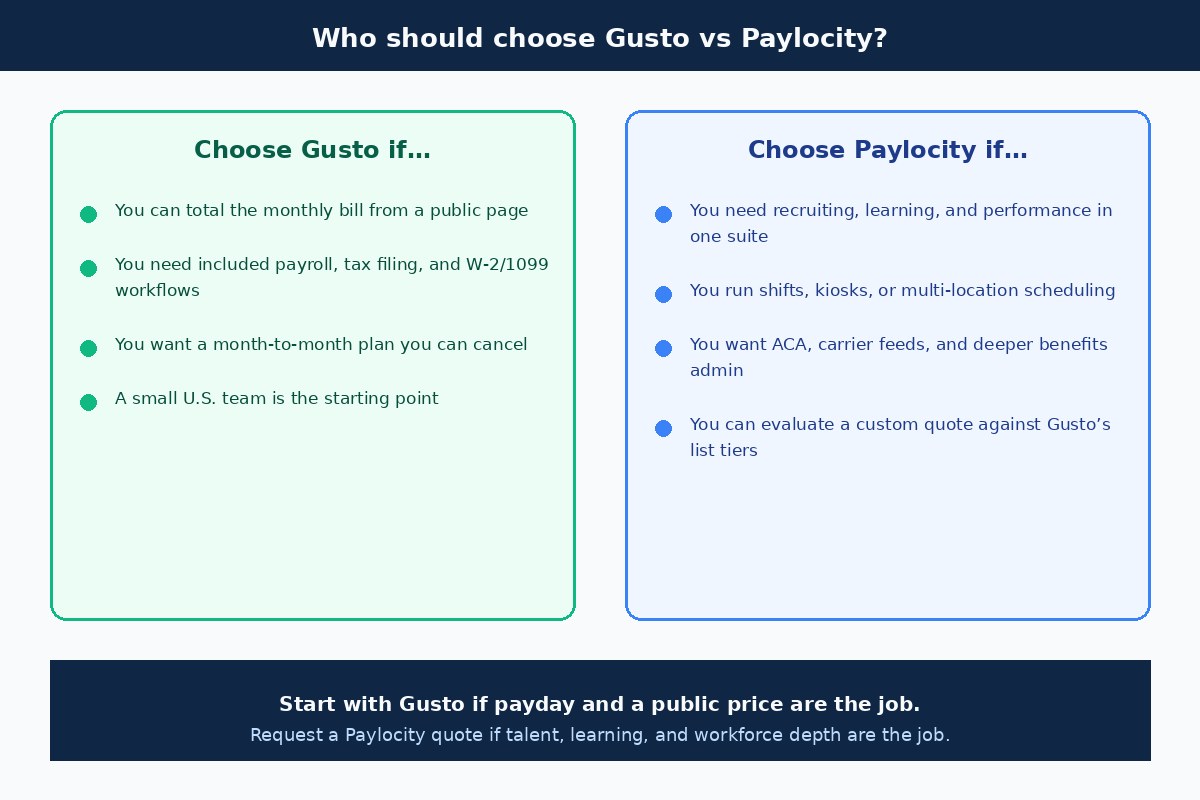
Choose Gusto if you:
- Want to total monthly payroll software cost from a public page before you talk to sales
- Run a small U.S. team and need full-service payroll, tax filing, and W-2/1099 workflows included
- Prefer a month-to-month plan you can cancel or change without a long contract
- Need multi-state payroll or time tracking and can move to Plus, or want a named advisor on Premium
- Pay a mix of employees and contractors and want those payouts in one product
Choose Paylocity if you:
- Need recruiting, learning, performance, compensation, and employee-experience tools in the same platform as payroll
- Run shifts, kiosks, or multi-location scheduling that needs a dedicated workforce module
- Want ACA tracking, carrier feeds, and a broader benefits-administration workspace
- May later add finance tools (expenses, corporate cards, AP) or IT access and asset management
- Have time for a guided implementation and can evaluate a custom quote against Gusto’s published tiers
There is no official headcount at which you must leave Gusto. Price the work you will actually run in the next year.
A short decision checklist
Takeaway: Fill the same ten items on a Gusto plan and a Paylocity quote. The better fit is usually obvious once the blanks are filled.
- How many W-2 employees and 1099 contractors will you pay this year?
- Is multi-state payroll required this year?
- Who runs payroll today: the owner, a bookkeeper, or an HR team?
- Do you need an ATS, learning library, or formal performance cycles this year?
- Do hourly employees need kiosk, geofencing, or shift-swap tools?
- Must open enrollment and ACA tracking live in the same system as payroll?
- What is the all-in Paylocity quote for payroll plus every module you need, including implementation?
- What is Gusto’s matching scope on Simple, Plus, or Premium, including time and benefits add-ons?
- What W-2, 1099, and faster-pay fees appear in each proposal?
- Can you live with month-to-month billing, or do you want a longer Paylocity term?
FAQs
Is Gusto cheaper than Paylocity for a small team?
It is easier to know Gusto’s cost. A 10-person Gusto Simple bill is $109/month at the November 10, 2026 list prices, or $200/month on Plus, before add-ons. Paylocity may land lower or higher depending on modules. Gusto’s October 2026 compare page cites $18–$25 per employee per month plus a setup fee, but those are Gusto’s claims, not a Paylocity price list.
Does Paylocity publish list pricing?
Not on its official pricing page as of November 10, 2026. Paylocity asks you to contact the company for flexible plans. Optional add-ons such as Recruiting, Employee Voice, and Learning are named without dollar amounts.
Which is better for recruiting, performance, and learning?
Paylocity, if those are serious workflows for you. Its official Talent Management and Learning features go well beyond Gusto’s small-business HR toolkit.
Can both run payroll, tax filing, benefits, and contractor payments?
Yes. Gusto includes payroll, tax filing, W-2s, and 1099s on its published plans. Paylocity’s official Payroll and Benefits modules cover payroll, tax filings, and benefits administration. Confirm contractor and global-payroll rates on the Paylocity quote.
When should a growing company leave Gusto for Paylocity?
When you need formal talent and learning programs, heavier compliance reporting, complex scheduling, or finance and IT tools in the same suite as payroll. Headcount alone is a weak trigger.
Do either charge implementation or W-2 filing fees?
Gusto’s compare page lists setup as free, and W-2 and 1099 filing are included in the plan. Paylocity does not publish those fees. Gusto’s October 2026 compare page claims a 10–20% setup fee and a $7 per employee W-2 add-on; verify both on a current proposal.
Does Gusto still offer a contractor-only plan in 2026?
Not to new customers. Gusto’s Help Center says the plan closed on October 1, 2026. You can still pay contractors on Simple, Plus, or Premium, billed only in months you pay them. The $35/month plus $6 figure on Gusto’s compare page is a legacy price.
Is Paylocity only for large companies?
No. There is no published minimum headcount on Paylocity’s official pricing page. A very small team that only needs payday and tax filing will usually get a clearer offer from Gusto.
Next step
If payroll, tax filing, and a published monthly price are what you need now, start with Gusto and map Simple versus Plus against your state count and time-tracking needs. If hiring pipelines, learning, performance cycles, and a broader HCM platform are the bottleneck, request a Paylocity quote that itemizes payroll, HR, workforce, talent, benefits, implementation, and year-end form fees so you can compare the same scope.
For more side-by-sides, browse the payroll and comparisons hubs, or continue with Gusto vs QuickBooks Payroll and leading payroll providers. If you are still deciding whether you need payroll software, start with do I need payroll for my LLC.