Disclosure: This guide is educational and may include affiliate links. We may earn a commission if you sign up through our Gusto partner link, at no extra cost to you. It is not legal, tax, accounting, or financial advice. Federal and state payroll rules change; verify requirements with the IRS, your state agencies, USCIS guidance for Form I-9, and a qualified professional before you act.
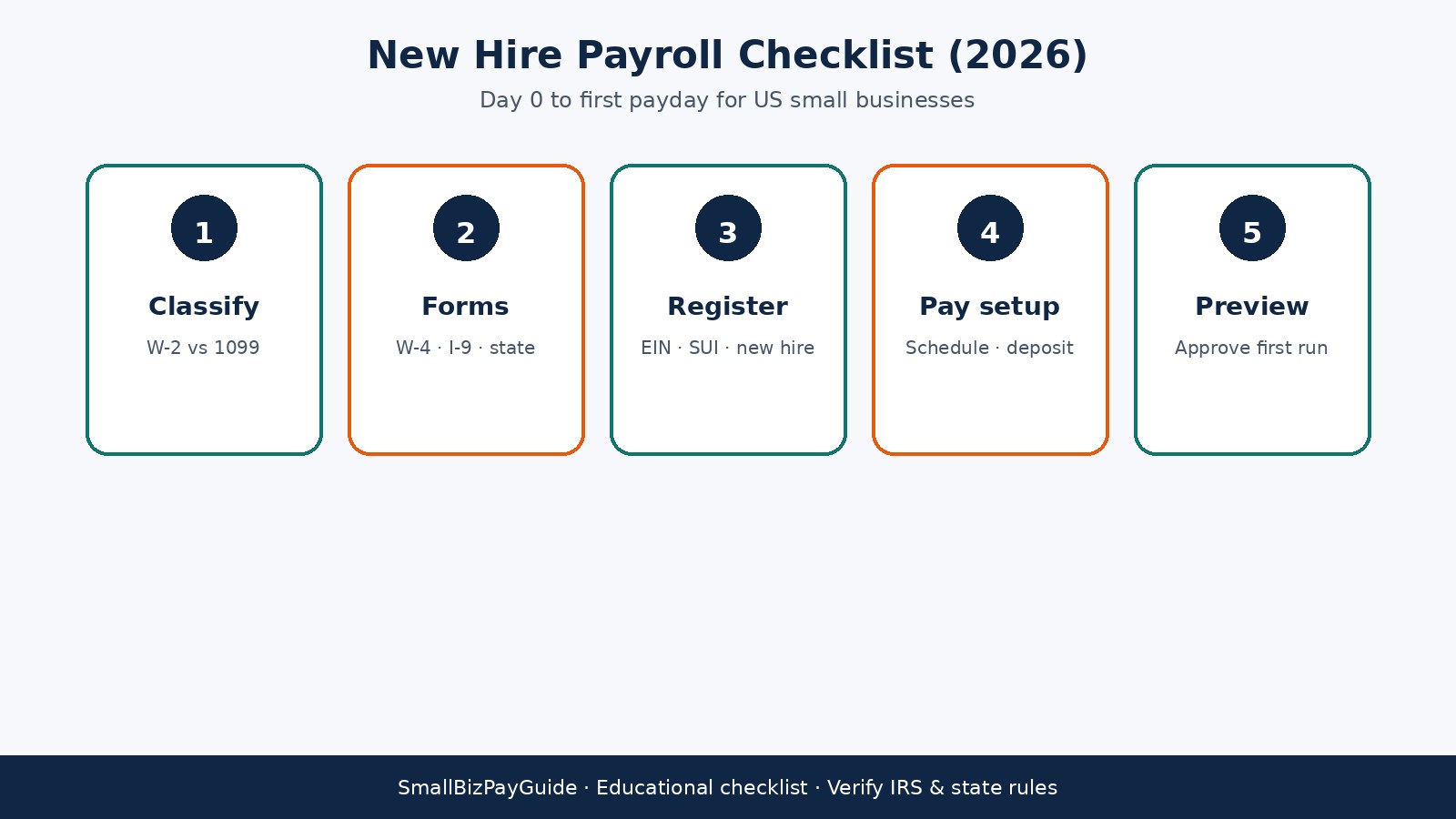
Hiring your first W-2 employee turns a contractor-style pay routine into employer payroll. Before the first payday you need a clear classification decision, completed forms, tax accounts that apply to your locations, a pay schedule that fits cash flow and state rules, and a clean setup in payroll software. This checklist walks Ops and Finance owners through that path for a typical US small business in 2026.
Quick answer: what belongs on a new hire payroll checklist?
Confirm the worker is a W-2 employee (not a misclassified contractor), collect Form W-4 and complete Form I-9 on time, register for federal and state employer accounts that apply, choose a pay schedule and direct deposit path, enter the hire in payroll software, run a preview payroll, then store the records. Deposit payroll taxes on the IRS schedule that applies to you (often through EFTPS) and file Form 941 on the quarterly cycle. State withholding, unemployment insurance, and new-hire reporting sit beside those federal steps. For a broader first-run walkthrough, see how to run payroll for your first employee.
Who this checklist is for
Use this if you are a US small business onboarding a first employee, an owner who has paid contractors and is about to hire a W-2 worker, a team setting up Gusto or another payroll tool, or a bookkeeper who wants a repeatable onboarding process. If you are still deciding whether your LLC needs payroll at all, start with do I need payroll for my LLC? and come back here when a hire is real.
Before day 1: confirm W-2 vs 1099 classification
Classification drives every later step. A W-2 employee works under your direction and control in the ways the IRS looks at for employment status. You withhold income and employment taxes, pay the employer share of Social Security and Medicare (FICA), and issue Form W-2. A contractor typically invoices for services, controls more of how the work gets done, and may receive Form 1099-NEC when payment thresholds apply.
Do not collect payroll withholding forms until you are comfortable the role is employee work. Calling someone a contractor on a handshake does not override the facts of the relationship. When the role is ambiguous, get advice from a CPA or employment counsel before the start date. Side-by-side differences are covered in W-2 vs 1099 for small business owners. Contractor pay workflows (when the worker truly is independent) are separate; see how to pay contractors with Gusto.
Build a simple day-zero packet before the start date: signed offer or hire confirmation, job title, manager, work location (office, hybrid, or remote), expected weekly hours, and whether overtime may apply. That packet feeds payroll setup and reduces back-and-forth on payday week. If benefits or paid time off start with the hire, note eligibility dates separately so payroll deductions and accruals do not surprise anyone on the first stub.
Forms to collect: W-4, I-9, and state withholding
Form W-4 (Employee’s Withholding Certificate). The employee completes W-4 so you can withhold federal income tax correctly. Keep the signed form with payroll records. If the employee updates withholding later, replace the prior certificate and update payroll software the same day you accept the new form.
Form I-9 (Employment Eligibility Verification). Employers use Form I-9 to verify identity and employment authorization. USCIS timing rules matter: employees complete Section 1 by the first day of employment, and you (or an authorized representative) complete Section 2 within three business days of the employee’s start date after examining acceptable documents. Do not ask for more documents than the form allows. Store I-9s separately from general personnel files if that helps you meet retention and inspection rules.
State withholding and local forms. Many states have their own employee withholding certificate or equivalent. Some cities add local income tax. Collect state and local forms that apply to the work location and, when remote work creates multi-state questions, to the employee’s residence rules your state agencies describe. Enter every form into payroll software before the first pay run so withholdings match the certificates.
Employer registrations before you run payroll
Federal EIN. You need an Employer Identification Number from the IRS before you withhold and deposit employment taxes. Use the EIN on deposit and filing accounts.
Federal deposits vs Form 941. Depositing taxes and filing returns are related but different jobs. Many employers deposit income tax withholding and FICA through the Electronic Federal Tax Payment System (EFTPS) on the deposit schedule that applies to them. Form 941 is the quarterly federal employment tax return that reports wages and tax liability for the quarter. Missing a deposit deadline and missing a 941 filing are separate problems; calendar both.
State income tax withholding account. If your state taxes wages, register as a withholding employer with the state revenue department before the first payday when registration rules require it.
State unemployment insurance (SUI). Register with the state unemployment agency, obtain your employer account number, and learn the contribution rate and wage base that apply to new employers in that state.
New-hire reporting. States require employers to report new hires to a state directory, often within about 20 days of the hire date. Treat “about 20 days” as a common pattern, then verify your state’s exact deadline and reporting channel. Late new-hire reports can create penalties even when payroll itself is correct.
Workers compensation. Where your state requires workers compensation coverage for employees, arrange coverage before work begins. Payroll software does not replace an insurance policy.
Remote and multi-state caveat. An employee who lives in one state and works remotely for a company based in another can trigger withholding, unemployment, and sometimes income tax nexus questions in more than one place. Confirm which states claim the wages before you lock setup in software. Tax detail for first-employee scenarios is expanded in payroll taxes for your first employee.
Choose a pay schedule and set up direct deposit
Pick a pay frequency your cash flow can support and that your state allows for the employee type. Biweekly and semimonthly are common for small teams. Write down the first pay period start and end dates, the payday, and any overtime or salaried exempt rules that apply to the role.
Direct deposit needs bank account and routing details from the employee, plus enough lead time for your payroll provider’s processing window. Paper checks are a fallback for the first cycle if banking verification is still pending, but plan the cutoff so net pay still arrives on the promised payday. Confirm whether your state has timing rules for paying wages after the pay period ends.
Enter the hire in payroll software
Create the employee profile with legal name, address, Social Security number, start date, pay type (hourly or salary), rate, work location, and tax setup from the W-4 and state forms. Attach direct deposit instructions. Map earnings codes you will actually use (regular, overtime, bonus) so the first preview does not invent categories you never intended.
For a 1–5 person shop, compare tools that keep onboarding and tax filings in one place. Our best payroll software for 1 to 5 employees roundup and Gusto vs QuickBooks Payroll comparison can help you choose a stack. Broader context lives in the payroll hub.
Preview the first payroll before you approve it
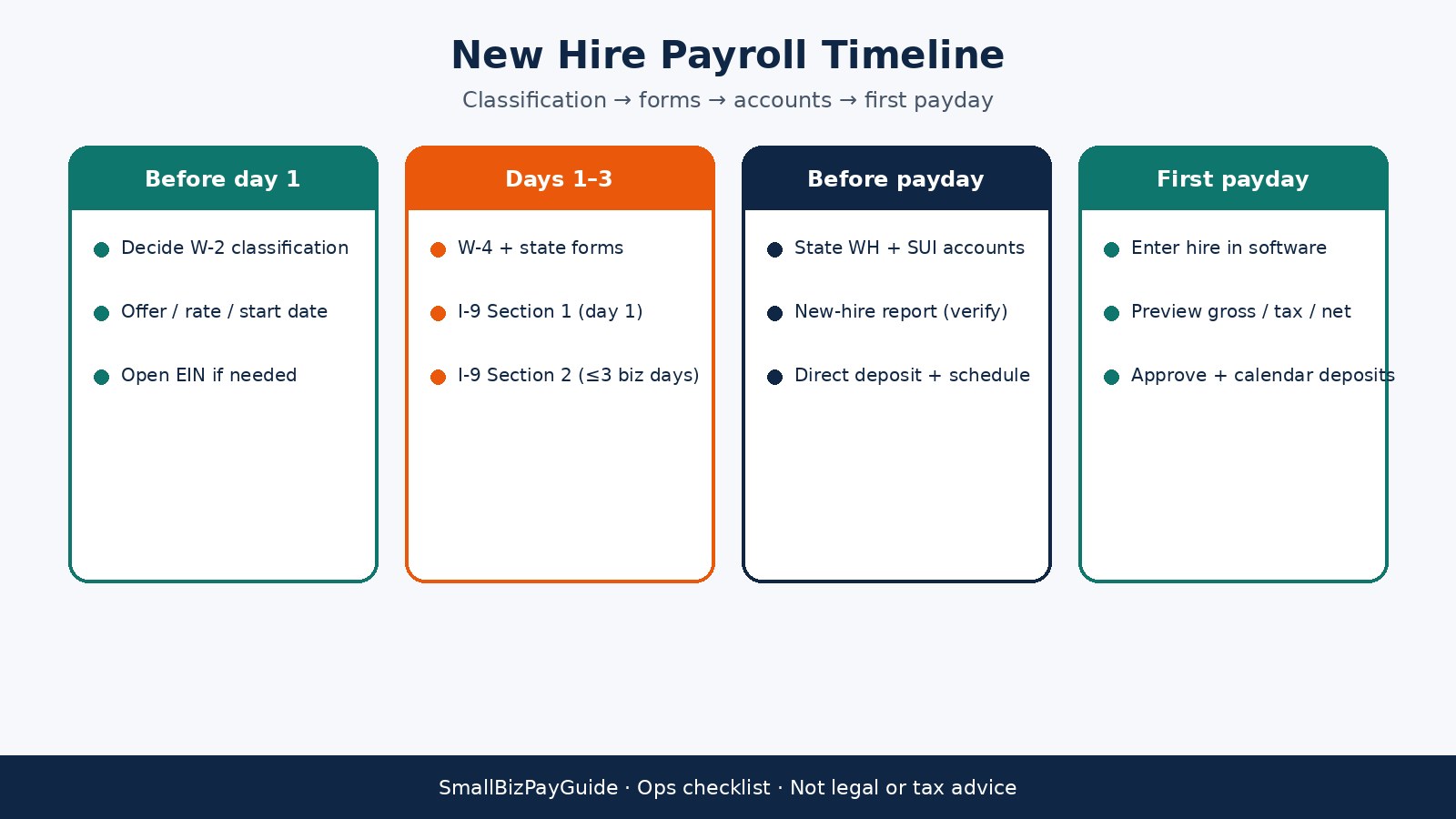
Run a preview (sometimes called a draft or test payroll) and check five items line by line:
- Gross pay matches hours or salary for the period, including any partial first period.
- Federal and state withholdings match the certificates on file.
- Employer FICA and any SUI amounts look plausible for the wage base.
- Net pay and direct deposit split match what you told the employee.
- Pay date and period dates match the schedule you published.
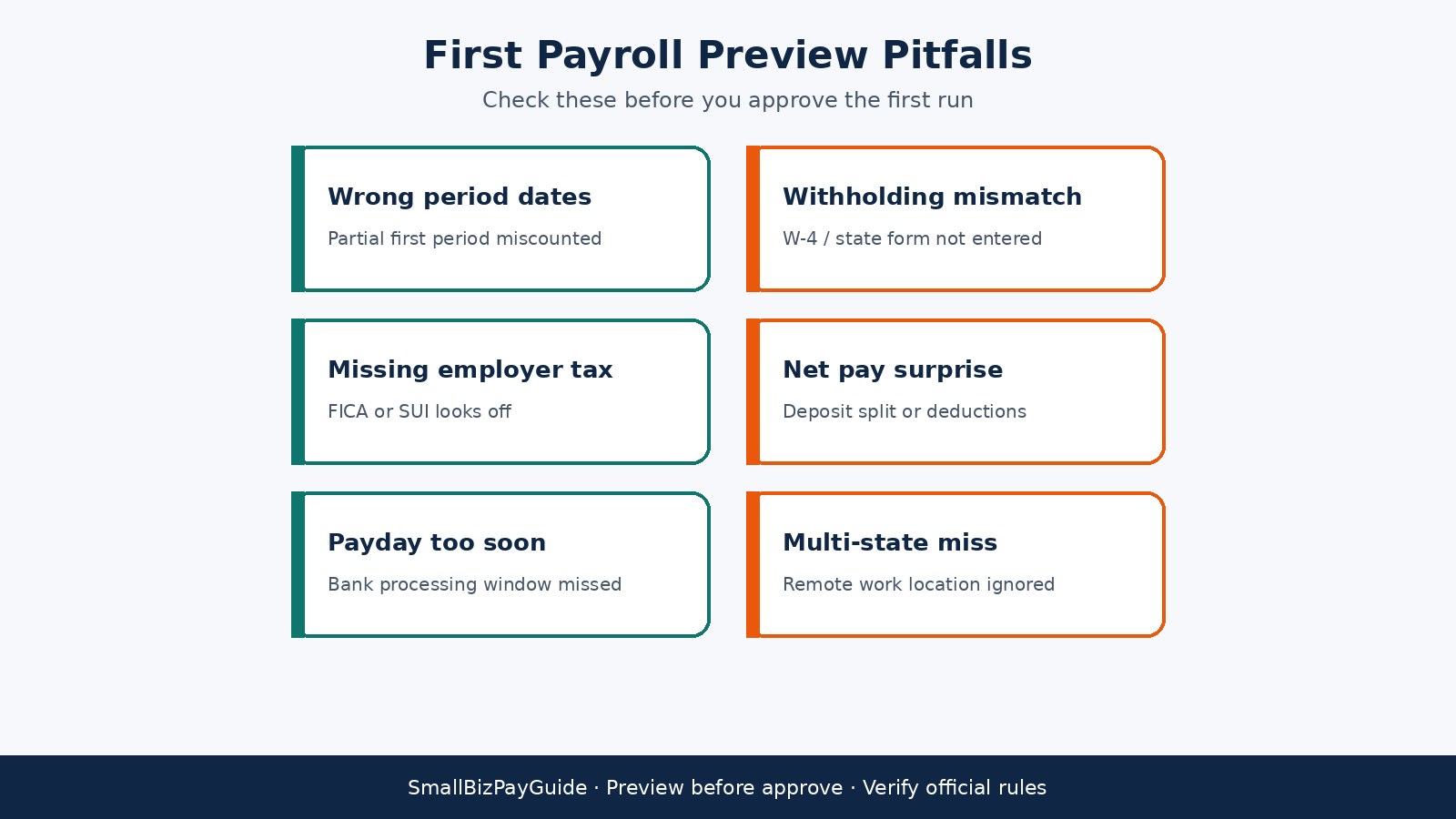
Fix errors in the employee profile or time entries, then preview again. Approve only when the preview matches your source documents. After approval, note when tax deposits are due so EFTPS (or your provider’s tax service) is funded on time.
When your payroll provider offers full-service tax filing, confirm which states and localities are covered and what still stays on your calendar (for example, local returns or agency notices). Read the enrollment agreement so you know whether the provider deposits and files as agent or only calculates amounts for you to pay. Either model can work for a first employee; the failure mode is assuming automation covers a jurisdiction the product never claimed.
Records retention after the first payday
Keep W-4s, state withholding forms, I-9s, pay stubs or payroll registers, deposit confirmations, and 941 / state filing copies in an organized archive. Federal employment tax records often need multi-year retention; I-9 retention follows its own USCIS timing (generally the later of three years after hire or one year after termination, subject to current instructions). State agencies may add their own periods. Pick one folder structure (or one payroll system of record) and use it for every later hire so audits do not become scavenger hunts.
Common mistakes on first-employee payroll
- Treating a worker as a contractor when the role is employee work under IRS factors.
- Completing I-9 Section 2 late (past three business days from the start date).
- Running the first payroll before state withholding or SUI accounts exist.
- Skipping new-hire reporting because federal setup felt “done.”
- Approving payroll without a preview, then discovering wrong net pay on payday.
- Assuming software deposits equal Form 941 filing; both still need calendar attention.
- Ignoring multi-state withholding when the employee works remotely from another state.
- Forgetting workers compensation where the state requires coverage for employees.
Printable-style new hire payroll checklist
Copy this into your onboarding doc or print it for the hiring folder:
- ☐ Classification decided: W-2 employee (documented).
- ☐ Offer letter / start date / pay rate / pay type confirmed in writing.
- ☐ Form W-4 collected and entered in payroll.
- ☐ Form I-9 Section 1 by day 1; Section 2 within 3 business days.
- ☐ State / local withholding forms collected where required.
- ☐ EIN active; EFTPS (or provider tax service) ready for deposits.
- ☐ State withholding account registered if your state taxes wages.
- ☐ SUI account registered; rate noted.
- ☐ New-hire report filed by your state’s deadline (often near 20 days; verify).
- ☐ Workers compensation in place where required.
- ☐ Multi-state / remote locations reviewed.
- ☐ Pay schedule and first payday published.
- ☐ Direct deposit details verified (or check backup planned).
- ☐ Employee profile complete in payroll software.
- ☐ Preview payroll reviewed: gross, tax, net, dates.
- ☐ First payroll approved; deposit and 941 dates calendared.
- ☐ Forms and registers filed in the retention archive.
FAQ
How soon after hiring do I need to run payroll?
You need employer accounts and forms ready before the first payday your schedule and state wage-payment rules require. Setup often starts before day 1 so the first period can close cleanly.
What is the I-9 three-business-day rule?
After the employee starts, you generally must complete Form I-9 Section 2 within three business days of that start date, following current USCIS instructions and examining acceptable documents.
Is new-hire reporting always due in 20 days?
Many states use a window around 20 days, but the exact deadline and method are state-specific. Check your state’s new-hire directory instructions for the hire you just made.
Do I need workers compensation for one employee?
Often yes, depending on your state and industry. Confirm with your state workers compensation agency or insurer before the employee begins work.
What is the difference between EFTPS deposits and Form 941?
EFTPS (or an equivalent deposit method) is how you send federal employment taxes on your deposit schedule. Form 941 is the quarterly return that reports wages and tax liability for the quarter. Your payroll provider may automate both; you still own the deadlines.
Can I onboard a remote employee in another state with the same checklist?
Use the same sequence, then add state registration, withholding, unemployment, and new-hire steps for every state that claims the wages. Multi-state setup is where first-time employers most often need a CPA.
Should I use payroll software for a single employee?
Usually yes. Manual spreadsheets miss deposit calendars and form updates. A small-team payroll product reduces calculation errors and keeps W-2 filing organized when year-end arrives.
Where do contractors fit on this checklist?
They do not. If the worker is a true contractor, you follow contractor onboarding and 1099 processes instead of W-2 payroll. Misclassification is the expensive mistake this checklist is designed to avoid at the start.
Related reading
- How to run payroll for your first employee
- Payroll taxes for your first employee
- Do I need payroll for my LLC?
- W-2 vs 1099
- Gusto vs QuickBooks Payroll
- Best payroll software for 1 to 5 employees
- Payroll hub
- How to pay contractors with Gusto
Try Gusto for first-employee payroll
If you want payroll software that walks through employee onboarding, tax setup, and direct deposit for a small US team, Gusto is a practical place to start. Compare current plans and features on Gusto’s site, then run a preview payroll before you approve the first live pay run.
Try Gusto (partner link). We may earn a commission at no extra cost to you. Confirm pricing, supported states, and tax filing services on Gusto’s official pages before you enroll.
Again: this article is educational only. It is not legal or tax advice. Verify IRS, USCIS, and state rules for your facts, and consult a qualified professional when classification, multi-state work, or filing questions are unclear.