Paying bills with QuickBooks means you enter each vendor invoice as a Bill when it is owed, then either use Pay bills to record a payment you already sent outside QuickBooks Online, or use QuickBooks Bill Pay to send ACH or a mailed check from inside QBO. Public Intuit pages in 2026 list standard ACH at $0 per Bill Pay payment, with Faster ACH, Instant, and paper checks still carrying fees. Match every clearance to the bank feed so accounts payable and cash stay in sync—and compare Melio if you need card-funded vendor pay or a lighter AP rail beside QuickBooks.
Disclosure: Educational guide only. Not tax, legal, accounting, or financial advice. This page may include affiliate links. We may earn a commission if you sign up through our Melio partner link, at no extra cost to you. QuickBooks Bill Pay fee and plan figures below were checked against Intuit’s public Bill Pay product page and Learn/Support articles on 2026-09-24. Confirm live rates and delivery windows in-product before you schedule payments.
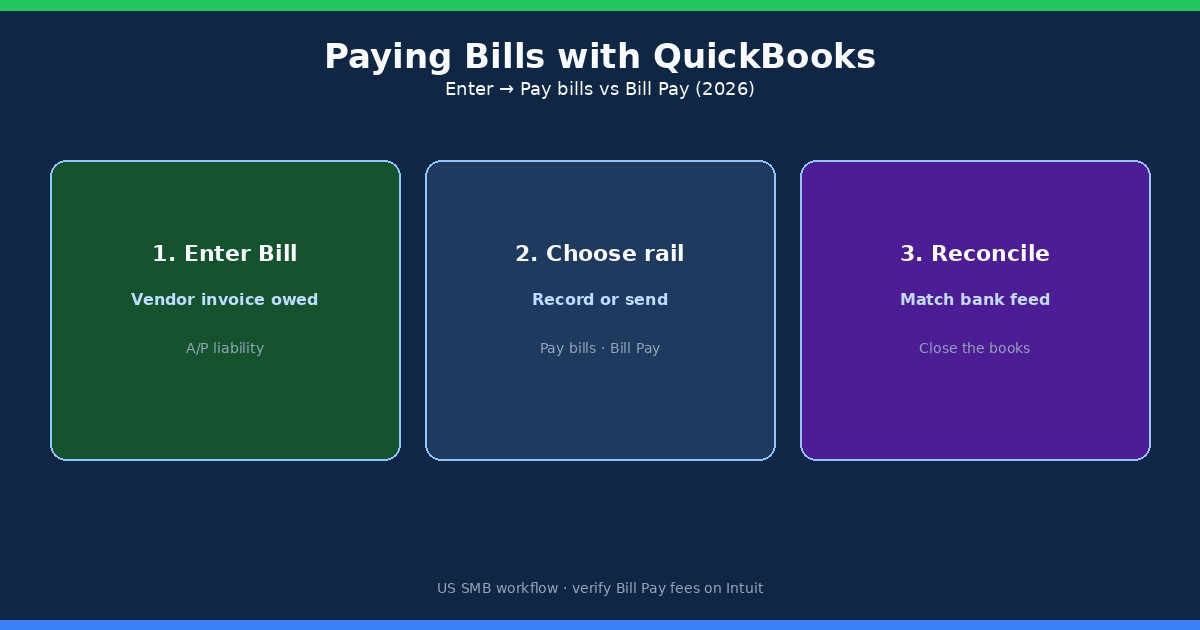
Enter a bill vs record an expense (when each applies)
Takeaway: Use a Bill when the vendor invoice is unpaid and you still owe money; use an Expense when you already paid in the same moment you recorded it.
QuickBooks Online treats “I owe this” and “I already paid this” as different jobs. Mixing them is the most common reason A/P aging looks wrong even when the bank balance is fine.
- Bill — vendor invoice dated today (or earlier) that you will pay later. Creates an accounts payable liability. Best for net-15 / net-30 vendor terms, recurring rent, and contractor invoices you approve before funding.
- Expense — you paid immediately (card swipe, same-day ACH from the bank, cash). No open A/P. Best for one-off supplies you already bought.
- Check (or bank payment form) — useful when you are writing a check that also clears open bills; still keep the vendor and bill links clean.
To enter a bill in QBO: + Create → Bill, pick the vendor, bill date, due date, category or item lines, and Save. Attach the PDF invoice if you want year-end audit trails. If the vendor is new, collect a W-9 before the first payment crosses the $600 1099-NEC threshold for eligible payees.
Pay bills in QuickBooks Online (record a payment you already made)
Takeaway: “Pay bills” in QBO usually means “record that I paid,” not “send money from Intuit.”
When cash already left your checking account—through online banking ACH, a handwritten check, a vendor portal card charge, or a wire—you still need QuickBooks to clear the open Bill. That is the classic Pay bills workflow:
- Go to + Create → Pay bills (wording can show as Pay Bills under Expenses depending on your QBO navigation).
- Choose the Payment account that actually funded the vendor (checking, credit card, etc.).
- Set the Payment date to the day money moved—not the bill date.
- Check the open bill(s), enter the amount applied, and Save.
Intuit’s help articles also describe Mark as paid from the Bills list for payments made outside QuickBooks. Use that path only when you are sure you already paid; it is easy to “clear” A/P without a matching bank withdrawal if someone else paid from a different account.
Partial payments are normal. Apply what you sent, leave the remainder open, and schedule the rest. If you hold vendor credits, apply them on the same Pay bills screen so you do not overpay.
QuickBooks Bill Pay: send ACH or checks from inside QBO
Takeaway: QuickBooks Bill Pay is the rail that schedules and sends vendor payments (ACH or mailed check) and then helps match them in the books.
Bill Pay is Intuit’s built-in AP payment product. After bills sit in Expenses → Bills (Unpaid / For Review), eligible users can Schedule payment, pick a funding bank account, choose ACH or a paper check, and set a send date. Intuit’s Learn article on Bill Pay notes you can connect a preferred bank via micro-deposits or use QuickBooks Checking, import or upload invoices to create bills, and let QuickBooks mail checks when vendors cannot accept ACH.
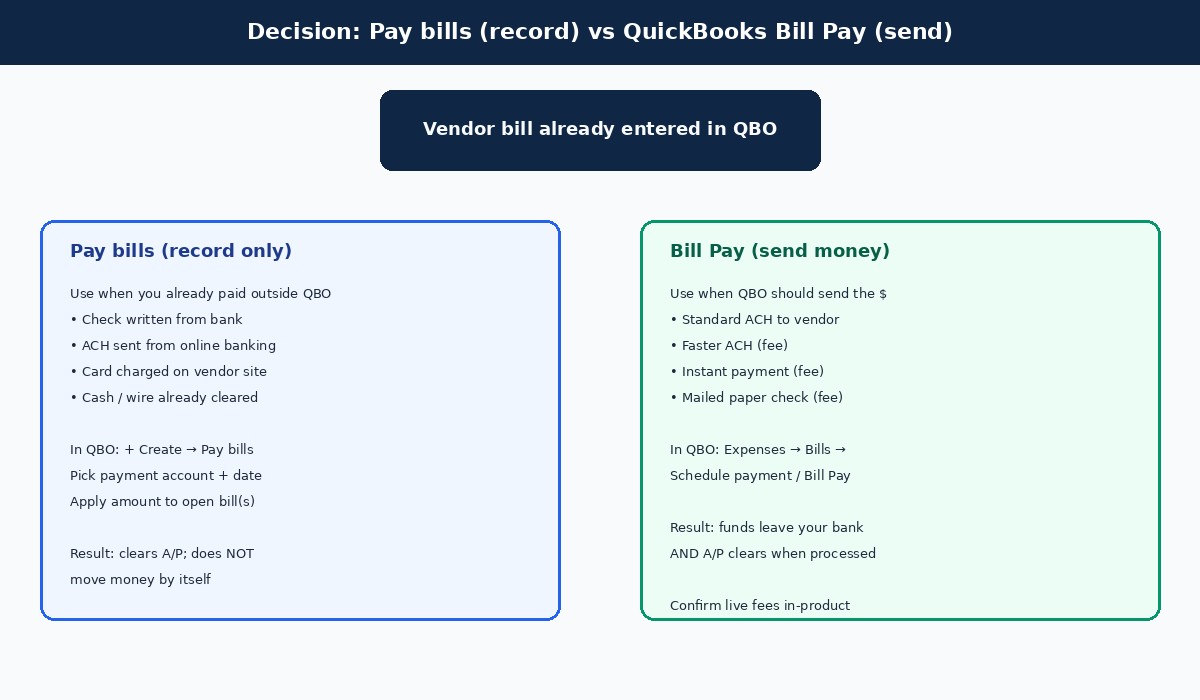
Typical delivery windows published by Intuit (always re-check in-product):
- Standard ACH — often 3–5 business days.
- Faster ACH — next business day when eligible; schedule by the cutoff (commonly cited as 5 PM PT on business days) with amount caps.
- Paper checks — often 8–10 business days once mailed.
- Instant — available on some bills; fee-based and subject to eligibility.
Bill Pay is US-focused and subject to eligibility, credit, and approval before first payment. It is not a substitute for an approval policy—pair it with a simple bill approval workflow so nobody schedules a $12,000 vendor hit from an unverified invoice.
Bill Pay fees and plans in 2026
Takeaway: Standard ACH is widely listed at $0 on Bill Pay; speed, Instant, checks, and higher Bill Pay tiers still cost money.
Intuit’s public Bill Pay marketing and 2026 product-update notes describe three add-on layers on top of QuickBooks Online itself:
| Plan / method | Public list (checked 2026-09-24) | What it is for |
|---|---|---|
| Bill Pay Basic | Included with QBO subscription | Schedule payments, manage vendors, track 1099 context, free standard ACH (limits may apply) |
| Bill Pay Premium | About $15/mo (promo periods often show ~$7.50 for first months) | Higher-tier controls; Premium/Elite messaging includes unlimited 1099 e-filing extras |
| Bill Pay Elite | About $45/mo; Intuit states Elite is expected to be included with QuickBooks Online Advanced starting Aug 1, 2026 | Custom roles, multi-step approvals, audit trail-style controls |
| Standard ACH | $0 per payment (public claim across tiers) | Everyday vendor funding; 3–5 business days typical |
| Faster ACH | About $10 | Next-business-day when eligible; caps (often cited around $25,000) |
| Instant Payment | About 1% (min ~$10 / max ~$100 fee messaging on public pages) | When Instant appears on a bill |
| Mailed check | About $1.50 per check | Vendors that still need paper |
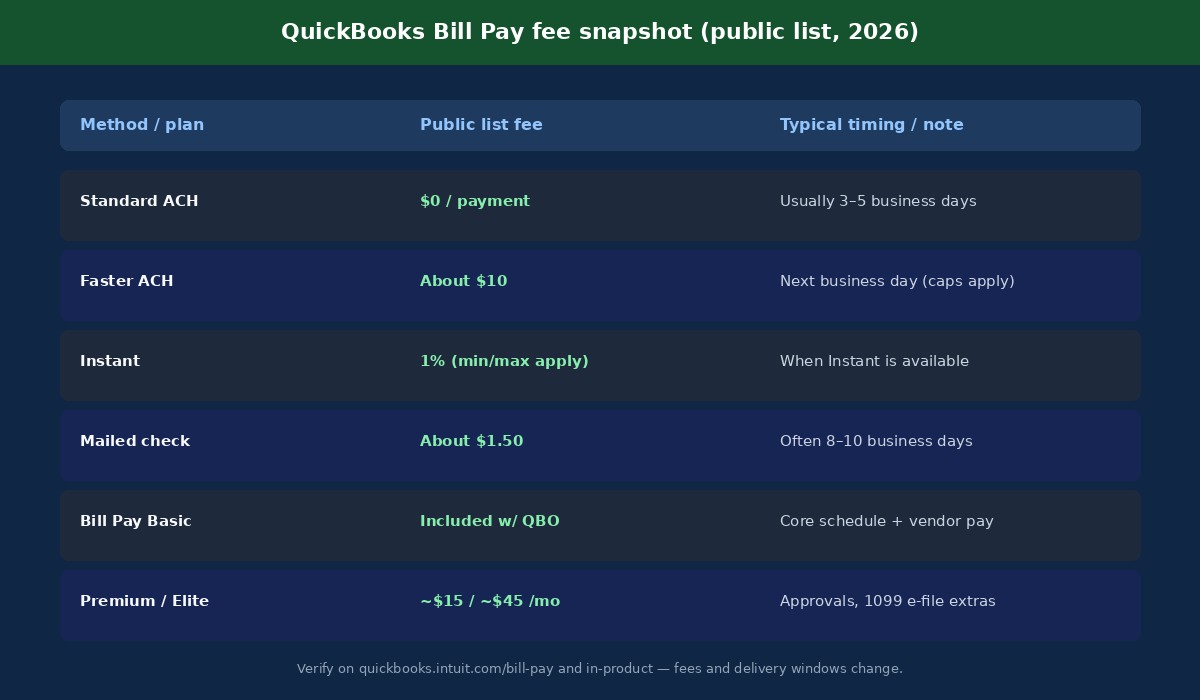
Two footnotes matter for SMB budgeting. First, QBO subscription list prices themselves moved in 2026 depending on channel and renewal date—Bill Pay Basic “included” still sits on top of whatever you pay for Simple Start / Essentials / Plus / Advanced. Second, processing fees are often billed on Intuit’s cadence (subscription up front; some processing fees at cycle end). Treat the table as a planning baseline, not a locked quote.
Keep payments reconciled to the bank feed
Takeaway: A paid bill that never matches a bank withdrawal is an open bookkeeping wound—fix it the same week.
Whether you used Pay bills or Bill Pay, the cash side must land cleanly:
- Bill Pay withdrawals — Intuit notes bank feeds match withdrawals for transactions processed through Bill Pay; not every bank line will auto-match. Confirm the payee and amount before you Accept.
- Outside ACH / checks — after Pay bills records the payment, match the bank download to that payment transaction (not to a brand-new Expense, or you double-count).
- Credit card float — if you paid a vendor on a card outside QBO, the Bill payment account should be that card liability, then the card statement clears separately.
- Stripe and other processors — payouts are a different problem than vendor bills; see our guide to reconciling Stripe payouts in QuickBooks so deposit lumps do not hide unpaid vendors.
Weekly habit that prevents month-end panic: open A/P Aging Summary, open Banking → For review, and clear anything older than seven days that still shows “paid in QBO / missing in bank” or the reverse.
When Melio (or another rail) beats staying inside QuickBooks alone
Takeaway: Keep Bill Pay when QBO is your system of record and ACH is enough; add Melio when you need card-funded vendor pay, a simpler AP inbox, or a parallel rail.
Many US SMBs already compared Melio and QuickBooks payment products in our Melio vs QuickBooks Payments breakdown. For paying bills specifically, use this practical split:
| Situation | Lean QuickBooks Bill Pay | Lean Melio (or Melio + QBO sync) |
|---|---|---|
| All vendors accept ACH; you live in QBO daily | Yes — $0 standard ACH is hard to beat | Optional |
| You want to pay vendors with a credit card for float/rewards | Limited / not the main design | Yes — Melio’s card-to-vendor path is a core reason teams add it (see pay vendors with credit card) |
| Bookkeeper wants a dedicated AP inbox + approvals | Elite / Advanced approval features | Often simpler for lean teams |
| Contractors + 1099 season chaos | Bill Pay 1099 tooling on higher tiers | Pair with W-9 process; Melio can pay contractors too |
| You are not on QuickBooks at all | N/A | Yes |
If Melio is on the table, read the dated fee scenarios in Melio pricing 2026 before you assume “free ACH forever” at your volume. For a broader AP hygiene list, use the accounts payable checklist.
SMB checklist: pay vendor bills without AP chaos
Takeaway: A short weekly checklist beats a heroic month-end cleanup.
- Inbox the invoice the day it arrives — email → Bills inbox / attach to a new Bill the same day.
- Confirm vendor master data — legal name, address, ACH details, and W-9 on file for 1099-eligible payees.
- Code the bill — correct expense account, class/location if you use them, billable flag if you rebill clients.
- Approve before funding — owner or manager sign-off above your dollar threshold (see approval workflow guide).
- Choose the rail — Bill Pay ACH/check to send from QBO, or Pay bills after an outside payment.
- Schedule with cash-flow eyes — standard ACH timing vs early-pay discounts vs late fees.
- Match the bank feed within 7 days — no orphan withdrawals, no double Expenses.
- Review A/P Aging weekly — anything >30 days gets a reason (dispute, waiting on W-9, cash hold).
Common mistakes to avoid: marking bills paid without a bank match; entering the same PDF as both an Expense and a Bill; paying from the wrong entity’s bank account in a multi-LLC setup; and ignoring ACH vs wire timing when a vendor demands same-day funds.
FAQ: paying bills with QuickBooks
How do I pay a bill in QuickBooks Online?
Enter the vendor invoice as a Bill, then either schedule it through QuickBooks Bill Pay (ACH or mailed check) or use Pay bills to record a payment you already sent from your bank or card.
What is the difference between Pay bills and Bill Pay?
Pay bills mainly records accounting after money moved outside QBO. Bill Pay is Intuit’s product that can send the payment (ACH/check) and help reconcile it.
Is QuickBooks Bill Pay ACH free in 2026?
Public Intuit pages advertise standard ACH at $0 per payment across Bill Pay tiers, with limits and eligibility. Faster ACH, Instant, and checks are fee-based. Confirm the schedule-payment screen for your company file.
How much do mailed checks cost in Bill Pay?
Public list pricing commonly shows about $1.50 per check, with delivery often in the 8–10 business day range. Verify in-product.
Should I use Expense or Bill for a vendor invoice?
Use a Bill when you still owe the vendor. Use an Expense when you already paid at the same time you recorded the purchase.
Can I pay vendors with a credit card through QuickBooks?
You can record card payments via Pay bills (payment account = credit card). For card-funded vendor payouts as a productized workflow, many SMBs evaluate Melio or similar AP tools instead of forcing everything through Bill Pay ACH.
When should I use Melio instead of QuickBooks Bill Pay?
Consider Melio when you need card-to-vendor payments, a dedicated AP experience, or you are not fully committed to QBO Bill Pay tiers. Many teams run Melio for payments and sync results into QuickBooks. Compare fees on our Melio pricing guide and Melio vs QBO Payments post.
Do Bill Pay fees change—should I re-check?
Yes. Intuit adjusted Bill Pay packaging and ACH fee messaging into 2026 (including Elite bundling with Advanced). Re-check quickbooks.intuit.com/bill-pay and your company file before budgeting.
Related reading and next step
You now have a clean loop for paying bills with QuickBooks: enter the Bill, choose record-only Pay bills or Bill Pay rails that send money, watch fees on speed/Instant/checks, and match the bank feed the same week. For the AP hub, start at bill pay; for process depth, use the AP checklist and how to pay business bills online.
Next step: If you want card-funded vendor pay, a simpler AP inbox, or a payment rail that syncs beside QuickBooks, compare current Melio plans and start here: Try Melio for small-business bill pay. Then sanity-check fees on Melio pricing and the side-by-side at Melio vs QuickBooks Payments.