Melio pricing in 2026 starts at $0 on the forever-free Go plan (5 free ACH payments per month, then typically $0.50 per additional ACH). Paid plans list around Core $25/mo, Boost $55/mo, and Unlimited $80/mo (lower with annual billing). Credit/debit card vendor payments usually add a 2.9% fee, and expedited check, same-day ACH, wire, and international options stack separate fees. Most solo owners with light bill volume start on Go; teams that need multi-user approvals and full QuickBooks Online sync usually need Core or higher.
Disclosure: Educational guide only—not tax, legal, accounting, or financial advice. This page may include affiliate links. We may earn a commission if you sign up through our Melio partner link, at no extra cost to you. Plan names, list prices, free ACH allowances, and transaction fees change. Figures below were checked against Melio’s public pricing page on 2026-09-18. Confirm live rates on Melio before you buy.
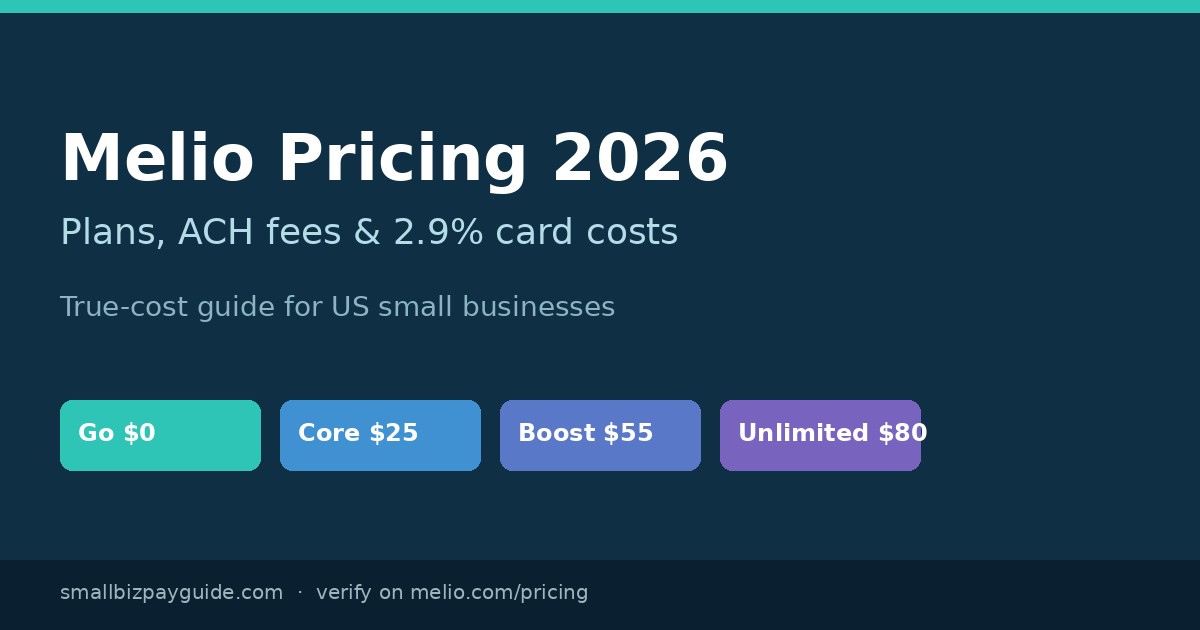
Melio plans at a glance (2026)
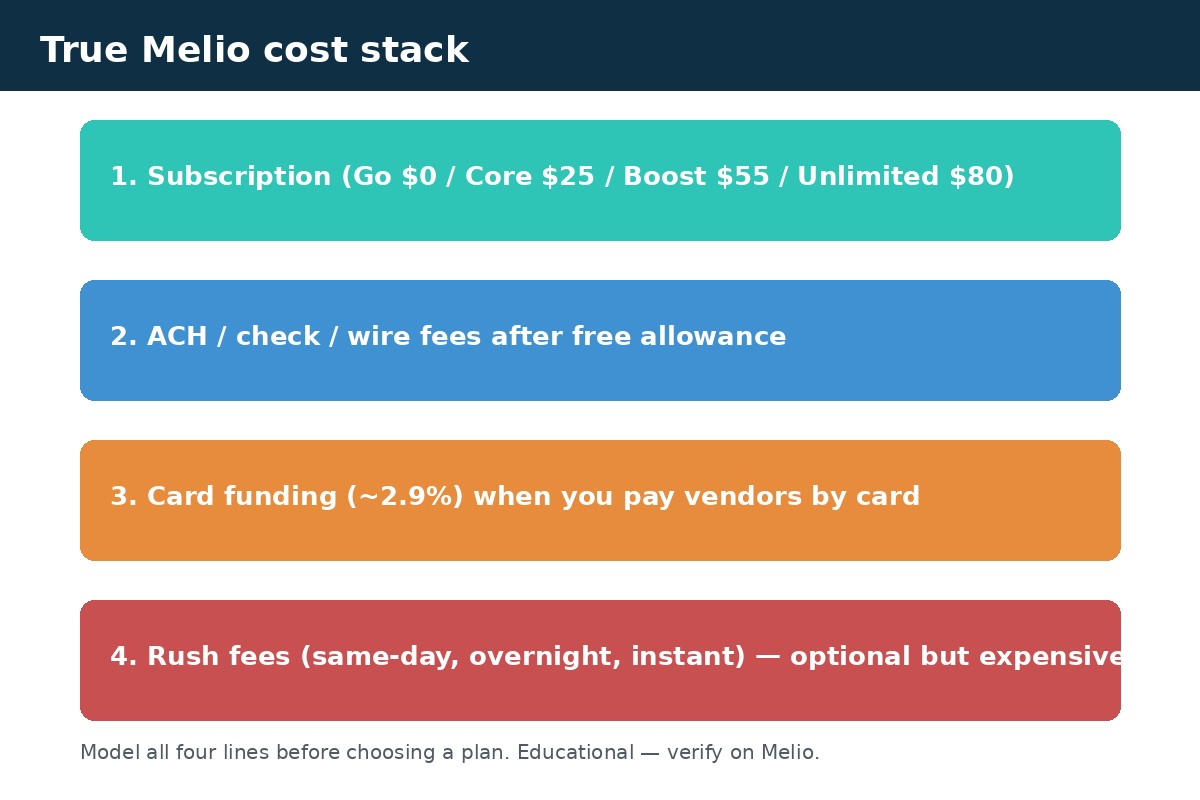
Takeaway: treat Melio cost as subscription + payment-method fees, not the monthly sticker alone.
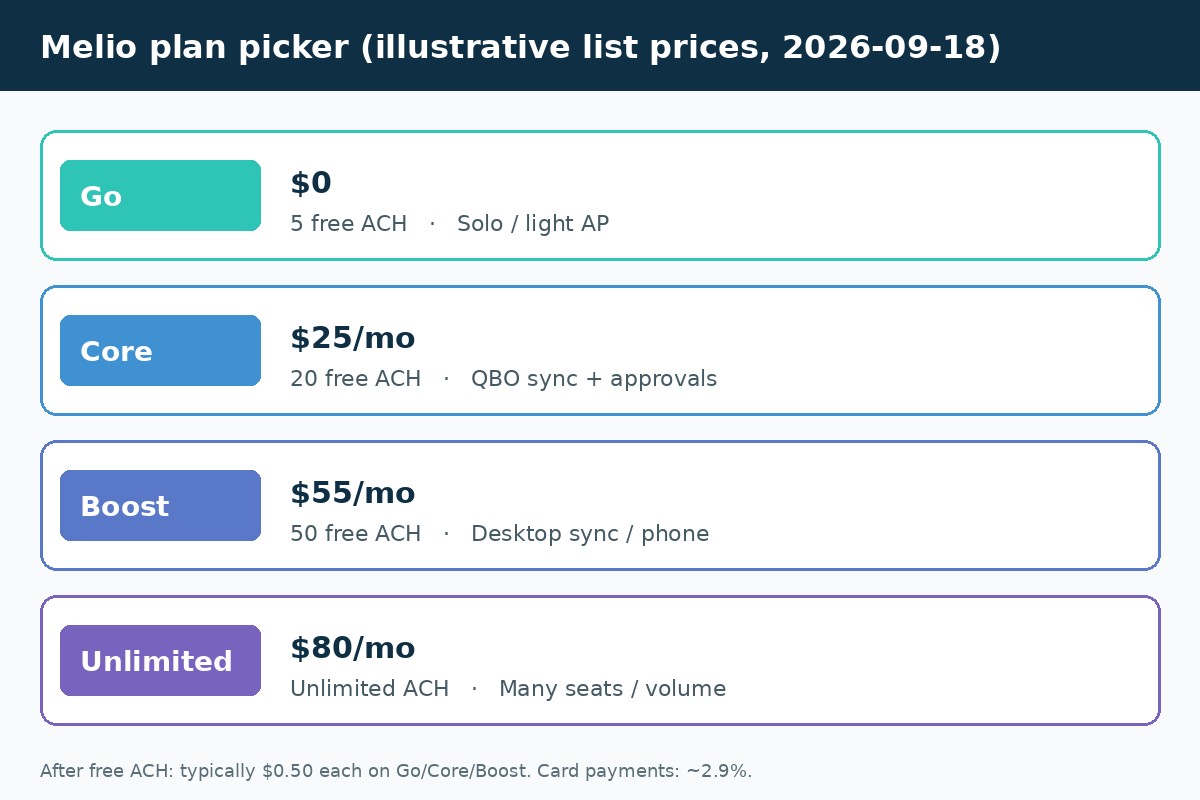
Melio sells US small-business bill pay / accounts payable tooling: pay vendors by ACH, check, wire, or card (even when the vendor only accepts bank deposit or check on their side). Public plans as of 2026-09-18:
| Plan | List price (monthly) | Annual-equivalent (listed) | Free ACH / month | Extra seats | Best fit (plain English) |
|---|---|---|---|---|---|
| Go | $0 forever | — | 5 | Owner only (no multi-user) | Solo / light AP |
| Core | $25/mo + $10/user | $20/mo + $8/user | 20 | Paid add-on | QBO/Xero sync, batch pay, approvals |
| Boost | $55/mo + $10/user | $44/mo + $8/user | 50 | Paid add-on | More seats, Desktop sync, phone support |
| Unlimited | $80/mo | $64/mo | Unlimited | Unlimited included | High ACH volume or many users |
| Platinum | Custom (invite) | Custom | Custom | Custom | High card volume / negotiated fees |
Melio also advertises promotional periods (for example, a multi-week or 90-day window with upgraded features). Treat promos as temporary—your long-term bill is the plan + transaction mix after the promo ends.
What does free Melio Go include?
Takeaway: Go is free forever for light solo bill pay—not a full multi-user AP desk.
Go is Melio’s forever-free tier. In plain terms you can:
- Pay vendors by ACH, check, or wire (with standard transaction fees where they apply)
- Use up to 5 free ACH payments per month; listed overage is $0.50 per ACH after that
- Pay bills by credit/debit card when Melio supports it (card fee applies—see below)
- Capture bills, use a bills inbox, create basic invoices / payment links (AR tools are included on plans Melio documents as including free AR)
What Go typically does not replace: multi-user roles, full approval workflows, and the deeper accounting sync limits that paid plans unlock. If two people need to approve vendor bills every week, you are already past “solo Go” territory—see our bill approval workflow guide.
Core, Boost, and Unlimited: who each plan fits
Takeaway: upgrade when seats, sync, or free ACH caps—not vanity features—are the bottleneck.
Core (~$25/mo)
Core is the usual step-up for growing SMBs: more free ACH (listed at 20/month), batch payments, custom approval workflows, W-9 collection / TIN validation hooks, 1099-oriented automation (via Melio’s documented Tax1099 sync), and fuller QuickBooks Online / Xero sync than Go. Extra users list at about $10/mo each ($8/mo on annual billing).
Boost (~$55/mo)
Boost adds headroom for messier finance teams: higher free ACH (listed at 50/month), advanced user roles, QuickBooks Desktop sync (where Melio offers it), and stronger support channels (including phone on Melio’s documented Boost features). Still charges for additional seats at the listed per-user rate.
Unlimited (~$80/mo)
Unlimited is Melio’s “stop counting” tier: unlimited free ACH and unlimited seats at a flat list price (~$80/mo or ~$64/mo annual). Do the math if you are stacking Core/Boost base + several seats + ACH overages—Unlimited often wins once you have many users or high ACH volume.
Platinum (invite / custom)
Platinum is for high card volume (Melio’s public copy references businesses processing over roughly $300K/month in credit card payments) and negotiated fees, API/custom integrations, and priority settlement. If you are not already talking to Melio sales about card volume, you do not need Platinum for a normal SMB AP desk.
Melio transaction fees: ACH, checks, wires, and speed upgrades
Takeaway: the subscription is only half the bill—speed and payout method set the rest.
When you pay from a bank account, Melio’s public fee matrix (pricing page, 2026-09-18) lists roughly:
| Receiving / delivery method | Listed fee (bank-funded) |
|---|---|
| ACH bank transfer (after free allowance) | $0.50 |
| Standard check | $1.50 |
| Fast check | $20 |
| Overnight check | $50 |
| Instant bank transfer | 1% (max ~$75) |
| Same-day ACH | 1% (max ~$75; timing rules apply) |
| Domestic wire | $10 |
| Same-day wire | 1% (min ~$10, max ~$75) |
International / global payment rows add flat fees or FX conversion—Melio lists separate USD, fast USD, and local-currency paths. If you regularly pay overseas vendors, model those lines separately from domestic ACH. For ACH vs wire tradeoffs in general, see ACH vs wire for vendor payments.
Melio credit card fee (2.9%): when it still makes sense
Takeaway: card-funded Melio payments cost ~2.9%—use them for float/rewards math, not as “free ACH.”
Melio’s headline card rate for paying vendors by credit/debit card is typically 2.9%. Rush options stack: for example, card + overnight check is listed as 2.9% + $50. Melio’s product pitch is that you can fund with a card even when the vendor only receives ACH or check—vendors are not supposed to eat that card fee.
Card pay can still be rational when:
- Your card rewards / float exceed 2.9% after Melio’s fee (rare on basic cash-back; more plausible on targeted business cards—run your own math)
- You need to preserve operating cash this week and accept the fee as short-term financing
- A vendor will not take cards directly, but you still want card-funded AP through Melio
For a deeper product walkthrough of card-funded vendor pay (not just fees), read pay vendors with a credit card and our full Melio review for small business owners.
True-cost scenarios (work the numbers)
Takeaway: three realistic mixes beat a sticker-price comparison every time.
Scenario A — Solo owner, ~8 ACH bills / month, no cards
Go at $0 + (8 − 5) × $0.50 = about $1.50/month in ACH fees. If those eight payments stay on standard ACH, Melio is nearly free. The moment you overnight a check or same-day a large ACH, one rush fee can dwarf a month of ACH overages.
Scenario B — Three-user team on Core, ~25 ACH / month, QBO sync
Core base $25 + two extra users × $10 = $45 subscription. Free ACH covers 20; five overages × $0.50 = $2.50. All-in ≈ $47.50/month before any card or rush fees. Annual billing lowers the base/seat list rates (~$20 + $8/user). If you often exceed 20 ACH and keep adding seats, compare that stack to Unlimited’s flat ~$80.
Scenario C — $10,000 of vendor bills paid by card in a month
Card fee ≈ 2.9% × $10,000 = $290, plus whatever subscription you are on. That can still be “worth it” if rewards/float beat $290—or if cash timing is the real constraint—but it is not a substitute for ACH when you are only trying to minimize fees. Track card-funded AP as a financing decision, not a free feature.
How Melio pricing compares to BILL for small AP volume
Takeaway: Melio’s free Go tier is the wedge for light SMB AP; BILL is usually heavier (and pricier) once multi-user AP is the job.
For many US SMBs under a few dozen payments a month, Melio’s $0 Go plan and Core at ~$25/mo undercut BILL-style per-user AP suites that start higher. BILL may still win if you need a broader spend/AP/AR platform, deeper ERP connectors, or features Melio does not emphasize. We keep the product comparison on Melio vs BILL—use this page for Melio’s fee math, then jump there for feature fit. If you already live in QuickBooks Payments, also see Melio vs QuickBooks Payments.
Plan picker checklist
Takeaway: answer seats, monthly ACH count, sync need, and card %—then pick the cheapest plan that clears all four.
- Seats: Only you? Go can work. Two or more people approving bills? Start at Core (or Unlimited if seat math explodes).
- Monthly ACH count: Under ~5 → Go. Around 6–20 → Core’s free ACH usually fits. 20–50 → Boost or watch overages. Consistently high → Unlimited.
- Accounting sync: Need reliable QBO/Xero sync and batch workflows? Core+. Desktop? Boost territory per Melio’s feature matrix.
- Card funding share: Estimate 2.9% × expected card-funded dollars each month. If that line dominates, revisit whether card pay is intentional (rewards/float) or accidental.
- Contractor / 1099 adjacent work: If you collect W-9s and track contractor pay inside Melio’s paid tooling, confirm those features on Core+ and pair with our W-9 collection checklist and paying contractors with Melio notes.
- Re-verify before renewing: Screenshot or export Melio’s current pricing page the month you upgrade—fees move.
Common Melio pricing mistakes
- Comparing only the monthly plan price and ignoring ACH overages, check fees, and 2.9% card charges
- Staying on Go with a two-person approval chain—you will outgrow owner-only controls
- Using overnight / same-day options as a habit instead of fixing vendor payment timing
- Assuming card rewards always beat 2.9% without a calculator
- Skipping the AP process—pricing tools do not replace an accounts payable checklist or clear bill intake
Melio for accountants and bookkeepers (pricing note)
Takeaway: firm dashboards are priced separately from the client’s Melio plan—model both.
Melio markets an accountants / bookkeepers experience so firms can manage client AP and AR across entities. Public pricing copy has referenced firm-seat fees (for example, a per-user firm line around $10/mo per user in Melio’s accountants section—confirm live). Client entities still sit on Go/Core/Boost/Unlimited (or promo) pricing. If you are a firm evaluating Melio, ask Melio which fees land on the firm login versus each client org, and whether client card volume affects eligibility for higher tiers.
For client education, pair Melio’s W-9 / 1099-oriented features on paid plans with your existing tax workflow—not as a replacement for IRS filing rules. Our contractor tax guides (how to file 1099-NEC, do I need to 1099 an LLC) stay educational and separate from Melio’s software fees.
International and “get paid” fees that surprise SMBs
Takeaway: global payouts and payment-link card collection have their own fee rows—budget them explicitly.
Domestic ACH is usually the cheap path. Melio’s pricing page also lists global payment rows (bank-funded and card-funded) with flat fees, percentage bands, and FX conversion. Example shapes from the public matrix checked 2026-09-18 include flat fees for certain USD international ACH paths and percentage bands with minimums/maximums for faster or local-currency delivery. If even 10–20% of your vendor spend is cross-border, build a separate monthly estimate; do not assume the $0.50 domestic ACH overage applies.
On the receivables side, Melio documents that when you collect via payment request or payment link, card acceptance can carry a 2.9% fee that either you or your customer can cover—depending on how you configure the request. That is different from paying a vendor by card. If you use Melio for both AP and light AR, track those fee directions so your P&L does not blur “we paid 2.9% to fund a vendor” with “a customer paid us by card.”
How to verify Melio pricing before you upgrade
Takeaway: screenshot Melio’s pricing page and run one test payment’s fee breakdown in-product.
- Open melio.com/pricing and note plan prices, free ACH counts, and the transaction fee table date-stamp in your notes (we used 2026-09-18).
- In Melio, schedule (or preview) a representative payment and read the on-screen transaction fee breakdown Melio shows before you confirm.
- Multiply: (subscription) + (expected ACH overages) + (expected card %) + (expected rush fees). That number—not the plan tile—is your true Melio cost.
- Compare against staying on checks / bank portal only, or against BILL / QuickBooks Payments, using our comparison posts linked above.
FAQ: Melio pricing
Is Melio free forever?
Yes—Melio’s Go plan is documented as free forever with limited free ACH (5/month as of 2026-09-18) and no multi-user desk. Paid trials/promos may temporarily unlock higher features; after they end you either subscribe or fall back to Go’s limits.
How much is Melio Core per month?
Core lists at about $25/mo (around $20/mo when billed annually), plus about $10/mo per additional user ($8/mo annual). Confirm on Melio’s pricing page before purchasing.
What is Melio’s ACH fee after free transfers?
Melio lists $0.50 per ACH after you use the plan’s free monthly ACH allowance (5 on Go, 20 on Core, 50 on Boost; Unlimited lists unlimited free ACH).
Does Melio charge 2.9% on all card payments?
Card-funded vendor payments are generally listed at 2.9%, with added fees when you choose faster delivery methods. High-volume Platinum customers may negotiate card rates—most SMBs will not.
Which Melio plan is best for QuickBooks Online sync?
Go may include limited sync; teams that need reliable ongoing QBO sync, batch payments, and approvals usually start at Core. Verify current sync limits on Melio’s plan matrix when you sign up.
Is Melio cheaper than BILL?
Often yes for light SMB AP because Melio offers a true free tier and a low Core entry price. BILL can still be the better platform fit at higher complexity. See Melio vs BILL for the product comparison.
Do vendors pay Melio’s card fee?
On Melio’s documented card-pay flow, the payer covers the card fee; vendors receive funds via their chosen payout method (such as ACH or check) without that card percentage.
Should I re-check Melio pricing later?
Yes. Subscription tiers, free ACH allowances, and transaction fees change. Re-open Melio’s pricing page before you upgrade, renew, or model a new card-funded AP habit.
Related reading and next step
- Melio review for small business owners
- Melio vs BILL
- Pay vendors with a credit card
- How to pay business bills online without mailing checks
- Pay vendors by bank transfer
- Bill pay hub and comparisons hub
Next step: Map your monthly ACH count, seat count, and expected card-funded dollars, then compare current Melio plans (affiliate) against that mix. If Melio is not the right fit yet, start from our bill pay hub and the Melio vs BILL comparison before you lock a stack.