Disclosure: This guide is educational and may mention tax tools in a review context. It is not legal, tax, accounting, or financial advice. Product features, covered jurisdictions, filing options, and pricing change. Verify current details on each vendor’s official pages and with a qualified professional before you enable tax collection, register, or change filing workflows.
Digital subscriptions look simple at checkout and messy in tax ops. A monthly SaaS plan, a course membership, a paid newsletter, and a streaming library can all renew on the same Stripe invoice while states and countries treat them differently. Checkout tax calculation helps, but nexus monitoring, product tax codes, invoices, refunds, exemptions, registrations, and returns still sit with you. This 2026 Ops and Finance guide ranks three practical starting points for small subscription businesses and links deeper comparisons so you can choose without buying a tool that solves the wrong problem.
Quick picks
Use this as a first pass, then confirm against your channels and advisor:
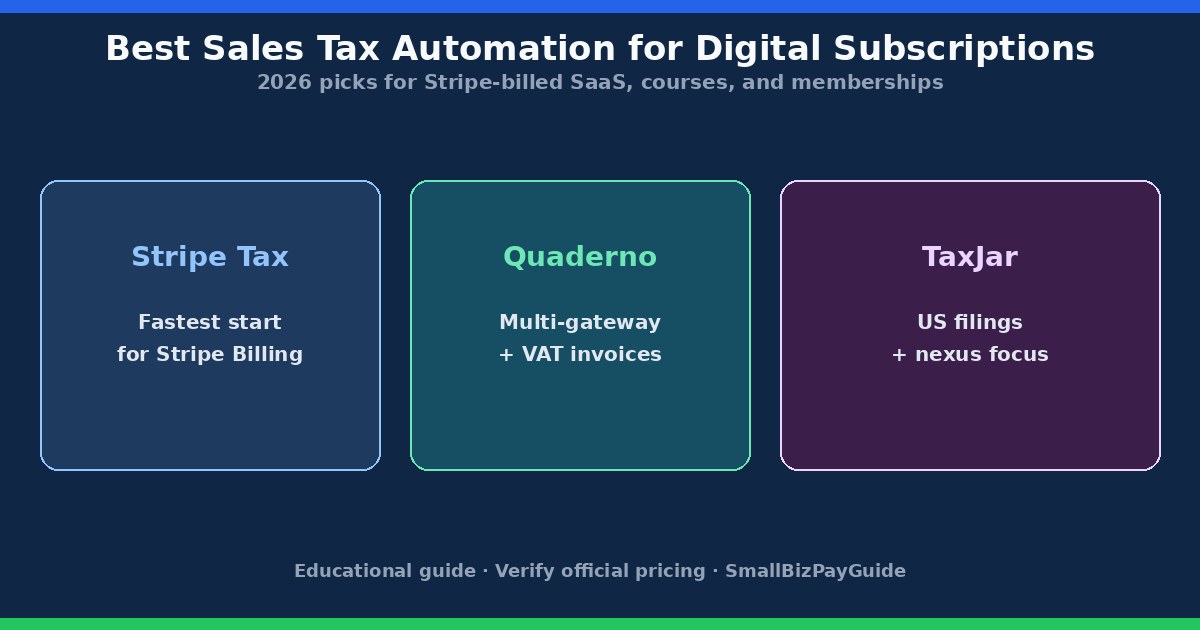
- Stripe Tax – fastest start when Stripe already runs Checkout, Billing, or Payment Links for most revenue and you mainly need native calculation plus threshold visibility inside that stack.
- Quaderno – stronger when you need a dedicated tax compliance layer across gateways, VAT-aware invoices and evidence, or tax workflows that are not trapped inside one processor.
- TaxJar – stronger when US sales tax filings, economic nexus monitoring, and AutoFile-style remittance are the bottleneck more than multi-gateway VAT invoices.
Deep dives: Quaderno vs Stripe Tax and Quaderno vs TaxJar. TaxJar is a Stripe company and remains a separate product from Stripe Tax; TaxJar also acts as a US filing partner for Stripe Tax in many setups. Confirm ownership and product boundaries on official TaxJar and Stripe materials before you assume one dashboard covers everything.
What digital subscriptions need from tax automation
Before comparing brands, write down what you sell and where buyers live. A hosted SaaS seat is not automatically the same as a downloadable workbook, a live cohort course, or a newsletter with community access. States disagree on digital taxability, and VAT rules for electronically supplied services add customer-location evidence and invoice fields that US sales tax never asked for. Start with do digital products need sales tax? if that product map is still fuzzy.
Subscription tax automation usually needs more than a rate at payment time:
- Reliable customer location on signup, renewal, upgrade, and address change
- Stable product tax codes for each plan, add-on, and bundle
- Correct treatment of trials, coupons, annual prepay, prorations, refunds, and credit notes
- Nexus or threshold monitoring with complete transaction data across processors
- Invoices or receipts that Finance and buyers can defend later
- A path to registration, returns, and remittance where you are authorized to collect
- Exports that reconcile to Stripe (or other) payouts and your books
Tools calculate and organize. They do not invent your nexus or decide that you may collect. Companion maps: sales tax nexus for digital products and when should an online business register for sales tax?
Enterprise peers such as Avalara or Anrok can make sense when you have many entities, dense SaaS taxability questions, or heavy ERP integrations. Most small Stripe-billed subscription businesses should shortlist Stripe Tax, Quaderno, and TaxJar first, then widen the search only if those three miss a hard requirement.
Stripe Tax for Stripe-billed SaaS and courses
Stripe Tax calculates and collects sales tax, VAT, and GST on transactions that run through Stripe. For teams already on Stripe Checkout, Billing, Invoicing, or Payment Links, it is usually the lowest-friction place to turn calculation on because the customer, price, renewal event, and payment already live in one system.
Stripe publishes calculation-focused and fuller compliance shapes of the product (often discussed as Tax Basic versus Tax Complete). Fees, included registrations, filing support, and country coverage change, so treat blog summaries as a map and confirm on Stripe’s Tax pricing page. Product tax codes still need an owner. A wrong SaaS or digital-goods code will calculate confidently and still be wrong.
Stripe Tax fits best when most subscription revenue clears through Stripe, your catalog is small enough to classify carefully, and you want tax logic next to recurring billing. It is a weaker solo answer when a large share of sales clears through PayPal, Paddle, Chargebee, a marketplace, or a custom billing system, or when Finance needs VAT invoices and multi-channel reports that are awkward to rebuild from payment exports alone.
Ops habit that saves cleanup later: review tax settings whenever you add an annual plan, a seat-based add-on, a usage meter, or a bundle that mixes software access with downloadable files. Renewals inherit whatever classification you set on day one. Also decide how tax-inclusive versus tax-exclusive pricing should appear for international buyers before you turn calculation on for live traffic.
Quaderno for multi-gateway and VAT-heavy workflows
Quaderno is a dedicated tax compliance platform aimed at digital sellers, SaaS, and cross-border catalogs. Typical jobs include calculation by product and customer location, nexus-style alerts, tax-compliant invoices and receipts, multichannel reports, and optional registration or filing help depending on what you purchase. Integrations commonly span processors and sales platforms beyond a single gateway.
Where Stripe Tax is payments-native, Quaderno is compliance-workflow-native. That difference matters when you sync recurring payments from more than one provider, when EU/UK B2C buyers need invoice fields and location evidence, or when an advisor wants jurisdiction reports that are not buried inside one processor. For field-level invoice habits, see VAT invoice requirements for digital products. Confirm plans and what counts as a transaction on Quaderno’s pricing page.
Quaderno fits best when tax ops sits above checkout tools, VAT or multi-country workflows are material, or invoices are a first-class deliverable. It is overkill if Stripe is your only channel, your catalog is simple, and you mainly need checkout calculation with light reporting.
Test a full billing cycle before you cut over: new subscription, renewal, upgrade, partial refund, and an exempt or VAT-ID customer if those appear in your book of business. Confirm which system remains the invoice of record so buyers do not receive two conflicting documents from Stripe and a second tax layer.
TaxJar for US filing focus
TaxJar focuses on the US sales tax lifecycle many domestic sellers feel first: economic nexus monitoring, rate calculation via API or integrations, reporting, and AutoFile-style return preparation and remittance for supported states. If your subscription business is mostly US B2C or B2B with multi-state exposure, and filing calendars are the pain, TaxJar often enters the shortlist before a global invoice platform does.
Ownership note for 2026 buyers: TaxJar was acquired by Stripe and still operates under the TaxJar brand as a Stripe company. Stripe Tax and TaxJar are separate products. In many Stripe Tax setups, TaxJar-related filing capabilities show up as the US filing path. Existing TaxJar customers and new Stripe-centric buyers can be steered differently in vendor materials, so verify current guidance on TaxJar pricing and Stripe Tax docs rather than assuming one login replaces the other.
TaxJar fits best when US state returns and remittance are the bottleneck, you need nexus dashboards across many states, and VAT invoicing is secondary or handled elsewhere. It is a weaker primary pick when EU/UK digital B2C invoices, multi-processor VAT evidence, or a dedicated global compliance layer are the main jobs. See Quaderno vs TaxJar for that fork in more detail.
If you already collect with Stripe Tax and mainly lack US return automation, ask whether a TaxJar-linked filing path covers your registered states before you rip out calculation. Many subscription teams keep calculation close to billing and treat filings as a separate workflow with its own owner and calendar.
How to choose
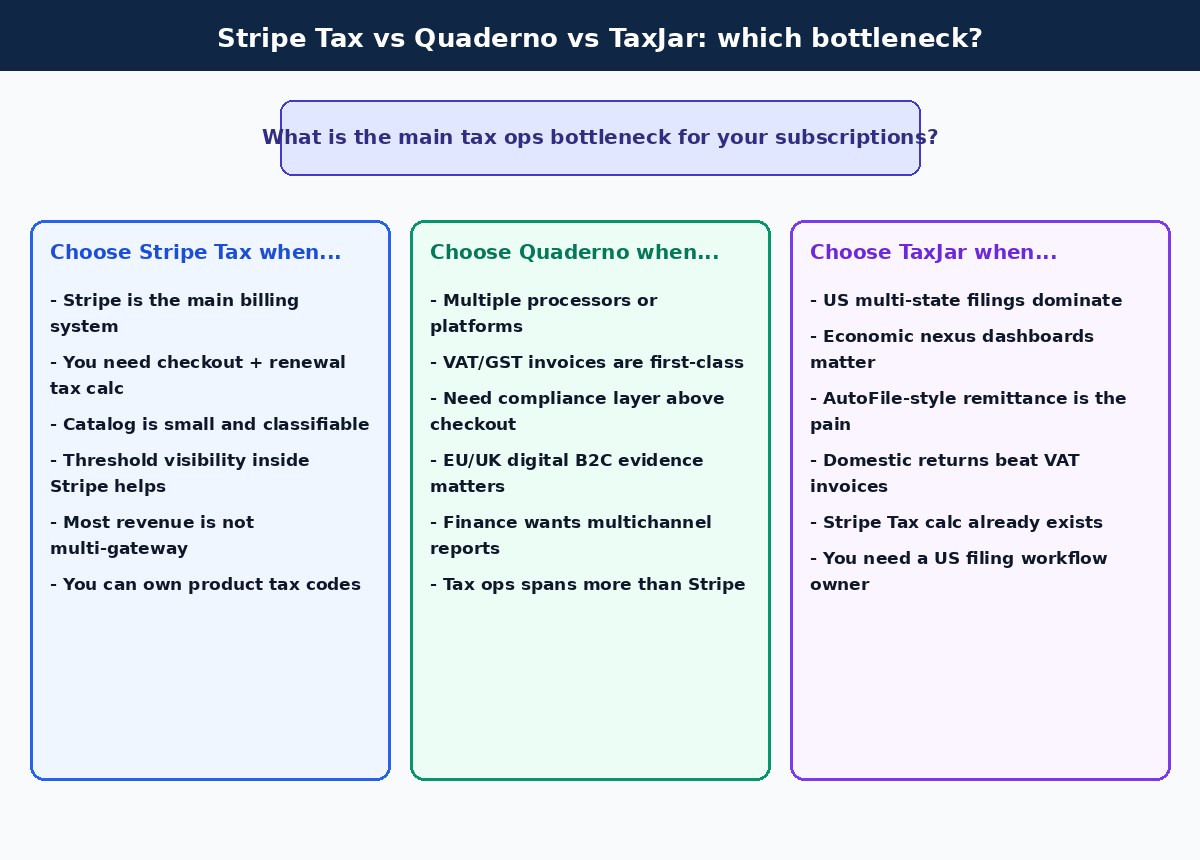
Answer four questions before you compare feature grids:
- Where does revenue clear? If nearly all subscription volume is Stripe, evaluate Stripe Tax first. If you keep PayPal, Paddle, a second processor, or marketplace channels, put Quaderno (or a similar dedicated layer) on the shortlist.
- Is the pain calculation, invoices, or US filings? Calculation inside Stripe points to Stripe Tax. Invoice and VAT evidence across channels points to Quaderno. Multi-state US returns and AutoFile-style remittance points to TaxJar.
- US-only or cross-border? Keep US sales tax and VAT/GST as separate columns in your ops wiki even if one tool can calculate both. Soft hub: tax compliance.
- Who owns product tax codes and exemptions? Software will not fix an unowned catalog. Assign a human for new plans, bundles, and exempt customers before go-live.
Illustrative cost modeling tip: percentage-based calculation fees scale with revenue; flat tiers often scale with transaction counts; filing credits or add-ons can dominate once you register in many states. Re-run the twelve-month model when you add a gateway or enter a new country. Public pricing on vendor sites moves; verify the week you buy. More comparisons live under comparisons.
Implementation checklist
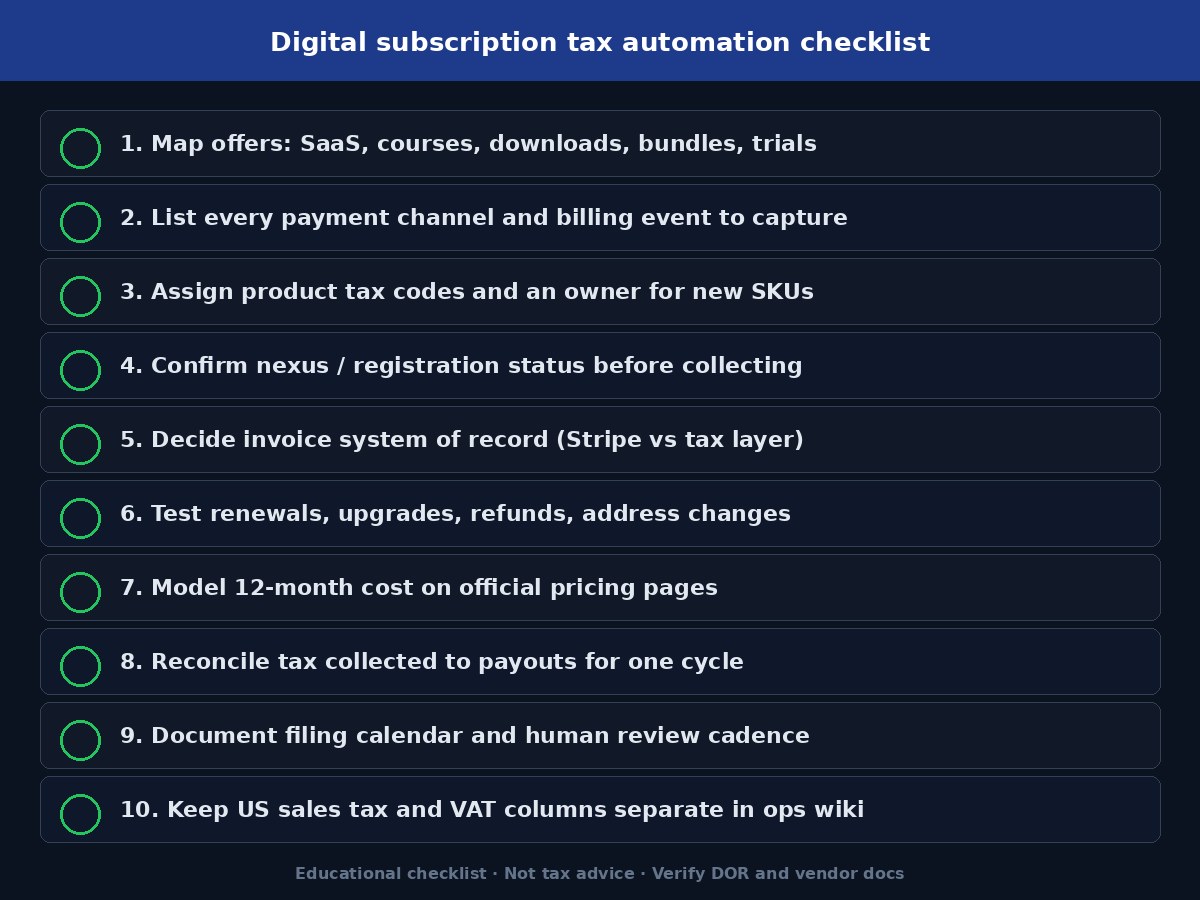
Treat a tax-tool switch as a data project:
- Export product catalog, tax codes, customer locations, invoices, refunds, exemptions, registrations, and filed returns from the current setup
- Write a one-page product tax matrix: offer, delivery method, bundles, customer type, likely tax code, jurisdictions to review
- List every billing event you must capture: new sub, renewal, upgrade, downgrade, coupon, trial conversion, failed payment recovery, refund, chargeback, address change
- Confirm which system owns invoices and which system owns accounting summaries (QuickBooks, Xero, or other)
- Ask the vendor in writing who handles registration, filing, and remittance in your target jurisdictions
- Run parallel scenarios in old and new tools for US and international buyers, exempt businesses, annual plans, and refunds
- Reconcile gross revenue, taxable revenue, tax collected, refunds, and payouts for at least one billing cycle when practical
- Document the owner for rate-change reviews and new SKU approvals
Do not enable collection in a jurisdiction before registration is authorized where a permit is required first. Calculation tools can display a tax line while your registration status is still incomplete.
Common mistakes
- Assuming Stripe Tax equals full compliance for every channel and filing duty
- Picking Quaderno without listing which integrations you will connect this year
- Choosing TaxJar for VAT-heavy digital B2C when US AutoFile was never the main pain
- Treating “digital subscription” as one tax category across all states and countries
- Monitoring nexus in one processor while ignoring another payment stream
- Skipping refunds, credits, and mid-term upgrades in evidence packs
- Reusing US sales tax settings as a VAT answer for EU/UK buyers
- Buying based on illustrative blog prices instead of official pricing pages and a twelve-month model
- Expecting bill-pay or payroll software to solve sales tax for digital products (it does not)
FAQ
What is the best sales tax automation for digital subscriptions in 2026?
There is no single winner. Stripe Tax is usually the fastest start for Stripe-billed SaaS and courses. Quaderno fits multi-gateway and VAT-heavy compliance workflows. TaxJar fits US filing and nexus automation. Match the bottleneck, then verify official coverage and pricing.
Is Stripe Tax enough if I only use Stripe Billing?
Often it is the right first evaluation. You still need correct product codes, registration decisions, filing ownership, and a plan for any non-Stripe revenue. See Quaderno vs Stripe Tax if invoices or extra channels matter.
When should I pick Quaderno over Stripe Tax?
When tax ops needs to sit above multiple processors, when VAT invoices and location evidence are central, or when Finance wants compliance reports that are hard to rebuild from payment exports alone.
When should I pick TaxJar?
When US multi-state nexus monitoring and filing/remittance are the main pain, and global VAT invoicing is secondary. Remember TaxJar and Stripe Tax are separate products even though TaxJar is a Stripe company.
Does tax automation replace nexus research?
No. Threshold alerts help only if transaction data is complete. Registration timing and product taxability still need human review. Use the nexus and registration guides linked above, plus primary DOR guidance.
Can I use more than one tool?
Yes. Some teams calculate in Stripe Tax and file US returns through TaxJar-related filing paths, or keep a dedicated compliance layer for non-Stripe channels. Map system-of-record ownership before you run two invoice streams.
Is this tax advice?
No. This is an educational Ops and Finance guide. Confirm rules with primary authorities and a qualified professional for your products and locations.
Related guides
- Quaderno vs Stripe Tax
- Quaderno vs TaxJar
- Do digital products need sales tax?
- Sales tax nexus for digital products
- When should an online business register for sales tax?
- VAT invoice requirements for digital products
- Tax compliance hub
- Comparisons
Official references to verify
Confirm features and fees on primary vendor pages before you change subscription tax settings:
- Stripe Tax pricing
- Quaderno pricing
- TaxJar pricing
- Your state DOR pages for digital product taxability, nexus, and registration
- EU and UK tax authority guidance for VAT on electronically supplied services / digital supplies
Start with a channel map, a product tax matrix, and a clear owner for filings and invoices. Those three artifacts turn “best sales tax automation” from a brand debate into an ops decision you can revisit when your stack or customer mix changes.